
Automotive Replacement Parts Buying Guide for Vehicle Fitment and Compatibility
Fitment means more than the year, make, and model printed in a listing. Vehicles can change during a production year and may carry different engines, transmissions, axles, brake packages, emissions systems, connectors, or software under the same badge. Begin with the full VIN, certification labels, build date, option codes, and the original component's identifiers.
Compatibility then extends beyond bolting into place. A module may need the correct signal range or programming; a hose may require a particular fitting and fluid; a wheel bearing may differ by spline or sensor design. Compare catalog notes with physical evidence before opening or installing the part. This workflow prevents expensive near-matches and protects the ability to return an incorrect component.
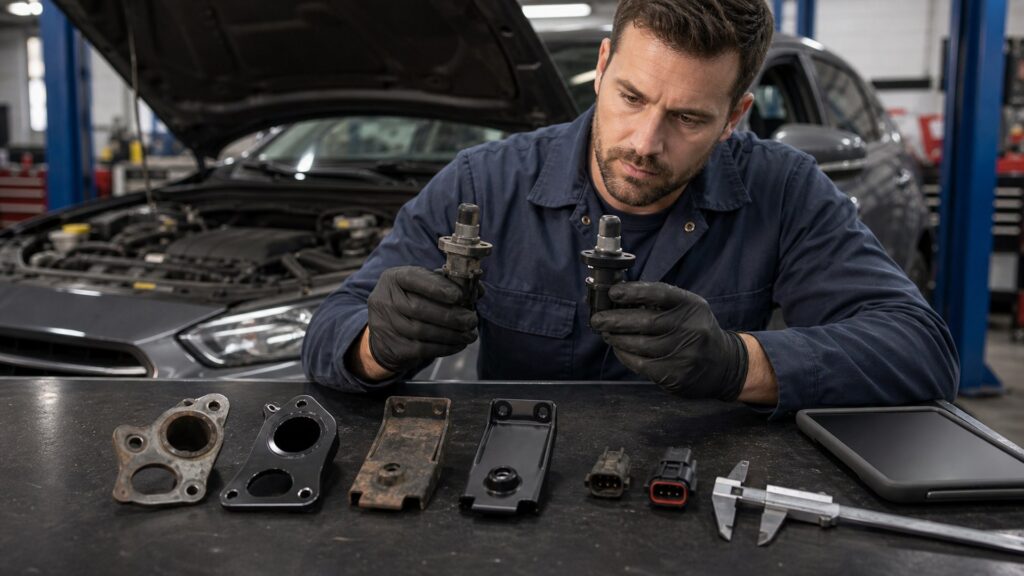
Buying framework
Prove fitment through independent clues
One catalog checkbox is not enough. Make vehicle data, original-part evidence, and interfaces agree.
Decode the exact vehicle: Use the VIN, door and emissions labels, build month, engine and transmission codes, drivetrain, axle, brake option, and body configuration relevant to the system.
Capture the original component: Photograph the installed orientation, label, casting, connector, ports, mounting points, dimensions, and any calibration or color code before removal erases context.
Read every catalog qualifier: Production dates, VIN characters, wheel size, rotor diameter, connector count, sensor inclusion, and regional emissions notes often separate valid applications.
Trace number supersessions: Verify whether an old OE number was replaced, split, or combined and whether the new service part requires adapters, brackets, programming, or updated mating components.
Validate before altering: Place old and new parts side by side and compare without forcing connections, applying sealant, filling fluids, or damaging packaging that protects return rights.
Who this is for
Compatibility risk varies by system
Some parts can be measured easily; others depend on hidden software or production data. Adjust verification effort accordingly.
Mechanical interface buyers: Belts, bearings, hoses, mounts, and hardware require dimensions, routing, material, thread, load, and neighboring-component clearance beyond basic application text.
Electrical component buyers: Sensors, switches, motors, and harnesses need connector keying, pin count, voltage, signal type, mounting, and sometimes relearn or initialization procedures.
Control-module buyers: Computers, steering racks, cameras, and transmission components may be VIN-coded, immobilizer-linked, software-level dependent, or subject to post-install calibration.
Emissions-system buyers: Catalysts, evaporative parts, oxygen sensors, and exhaust components can vary by engine family and jurisdiction, requiring application-specific regulatory documentation.
What to pay attention to
The interfaces a fitment claim must cover
Check catalog data and the physical part. A single mismatch is enough to stop the installation.
Vehicle Identity & Catalog Logic
VIN, build date, option codes, powertrain, axle, brakes, emissions family, and supersessions.
Interface & System Compatibility
Dimensions, mounting, connectors, signals, software, mating parts, fluids, and calibration.
VIN and production boundary: Specific VIN characters or build dates identify engineering changes that a broad model-year search can merge incorrectly.
Powertrain and driveline codes: Engine displacement alone may not identify induction, emissions, transmission, transfer case, axle, or differential variants that change component design.
Dimensions and mounting geometry: Length, diameter, offset, bolt pattern, flange depth, spline count, port position, thread, and rotation must align without modification.
Electrical connection and signal: Housing key, pin layout, polarity, resistance, communication protocol, sensor range, and shielding determine whether a component can function with the controller.
Software and calibration: Replacement modules or sensors may require coding, initialization, steering-angle reset, camera aiming, immobilizer pairing, or configuration data unavailable to a simple parts swap.
Mating-system requirements: Gaskets, fluids, harness revisions, brackets, pulleys, tone rings, reluctors, hoses, and companion parts may need matching generations even when the main assembly fits.
Avoid these traps
Why near-matches reach the workbench
Most fitment errors come from missing qualifiers or altered return condition. Slow down before installation.
Relying on marketplace confirmation: A generic fitment badge can omit VIN splits or options; compare the manufacturer's application catalog and the exact original part.
Using engine size as identity: Engines sharing displacement can differ by family, induction, emissions, sensors, accessories, and control strategy, changing several attached components.
Assuming connectors prove compatibility: A plug that mates physically may use different pin assignments, signal scaling, or software, risking faults or damage.
Modifying the part to make it fit: Grinding, drilling, bending, repinning, or adding sealant can hide a wrong application, create a safety problem, and eliminate return eligibility.
Discarding labels and packaging: Boxes, barcodes, batch numbers, protective caps, and the old component support returns, warranty claims, and diagnosis when catalog data proves wrong.
Decision guidance
Escalate verification with hidden complexity
Use measurement for visible parts and authoritative application support for coded systems. Stop when clues disagree.
If the old number is readable: Cross-reference it through current OE and manufacturer catalogs, confirm supersession notes, then compare physical interfaces before accepting the replacement.
If several variants appear: Use build date, VIN character, option code, brake dimension, connector photo, or axle label to eliminate choices rather than ordering multiple guesses.
If programming is required: Confirm who can perform it, which subscriptions or tools are needed, whether the used module can be reprogrammed, and what happens if coding fails.
If emissions rules apply: Match engine family and jurisdiction, verify required approval markings or documentation, and reject a universal component that lacks application support.
If evidence conflicts: Contact the manufacturer or qualified supplier with VIN and photos, or have a technician identify the component; do not let shipping urgency override compatibility.
Ownership & compatibility
Preserve fitment evidence for the next repair
A verified record saves time and helps trace later problems. Store the exact configuration, not only the vehicle name.
Build a part-number history: Record original, superseded, and installed numbers with date, mileage, supplier, brand, batch, and any adapters or revised hardware.
Save programming details: Retain calibration reports, software version, coding invoice, alignment values, and scan results so later service can distinguish hardware from configuration.
Watch early operation: Inspect leaks, noises, heat, warning lamps, charging output, sensor data, and fastener security during the specified post-install check period.
Report catalog errors: Provide the manufacturer or supplier with VIN, build data, photos, and the specific mismatch, improving the return decision and reducing repeated misapplication.
FAQ
Fitment and compatibility questions
Resolve conflicting application clues before opening the repair.
Why is year, make, and model not enough?
Which VIN characters identify the correct part?
How do I find the vehicle build date?
Can I trust an online fitment badge?
What is an OE part-number supersession?
Does a matching electrical connector prove fitment?
Why might brake parts differ on the same model?
Can a used control module be installed in another vehicle?
What should I compare before installation?
Bottom line
Compatibility is an evidence chain
Vehicle identity, catalog logic, physical interfaces, and system procedures must tell the same story. Never force a near-match.
Identify precisely: Use VIN, build, codes, and labels.
Compare directly: Match numbers, geometry, connectors, and signals.
Protect reversibility: Verify before alteration or installation.
Reading Shortcuts
Move directly to the decision you need to resolve.
Decision Reminders
Use these checks while narrowing the field.
- Photograph before removal: Preserve orientation and labels.
- Read every qualifier: Dates and codes divide applications.
- Compare without forcing: Protect the return.
- Confirm programming: Hardware may need coding.
- Keep the old component: It is fitment evidence.
- Save all numbers: Build a service history.
Glossary Snippets
Terms that appear in listings, labels, and service information.
When to Use a Top 10 Review
Use rankings after requirements and exclusions are clear.
- Scan candidates: Find credible options.
- Compare strengths: See major tradeoffs.
- Build a shortlist: Choose what to inspect.
- Check availability: Confirm current offerings.
Already down to 2–3 options? A Comparison is usually the faster next step.
When to Use a Comparison
Compare directly when only a few candidates remain.
- Align versions: Compare equivalent configurations.
- Trace differences: Locate meaningful distinctions.
- Price the outcome: Include continuing costs.
- Verify uncertainty: Inspect unresolved details.
Still exploring? Start with a Top 10 to build a shortlist first.