Best AI Computer Use Platforms (Top 10 Picks)

We evaluated AI computer use platforms for teams and builders who want agents to navigate browsers, operate apps, complete online workflows, and safely hand off work for human review. Our ranking weighs model capability, execution reliability, setup friction, observability, workflow fit, ecosystem depth, pricing posture, and how realistic each platform feels for current buyers.

By: Review Streets Research Lab
Updated: June 4, 2026
Approx. 12-14 min read
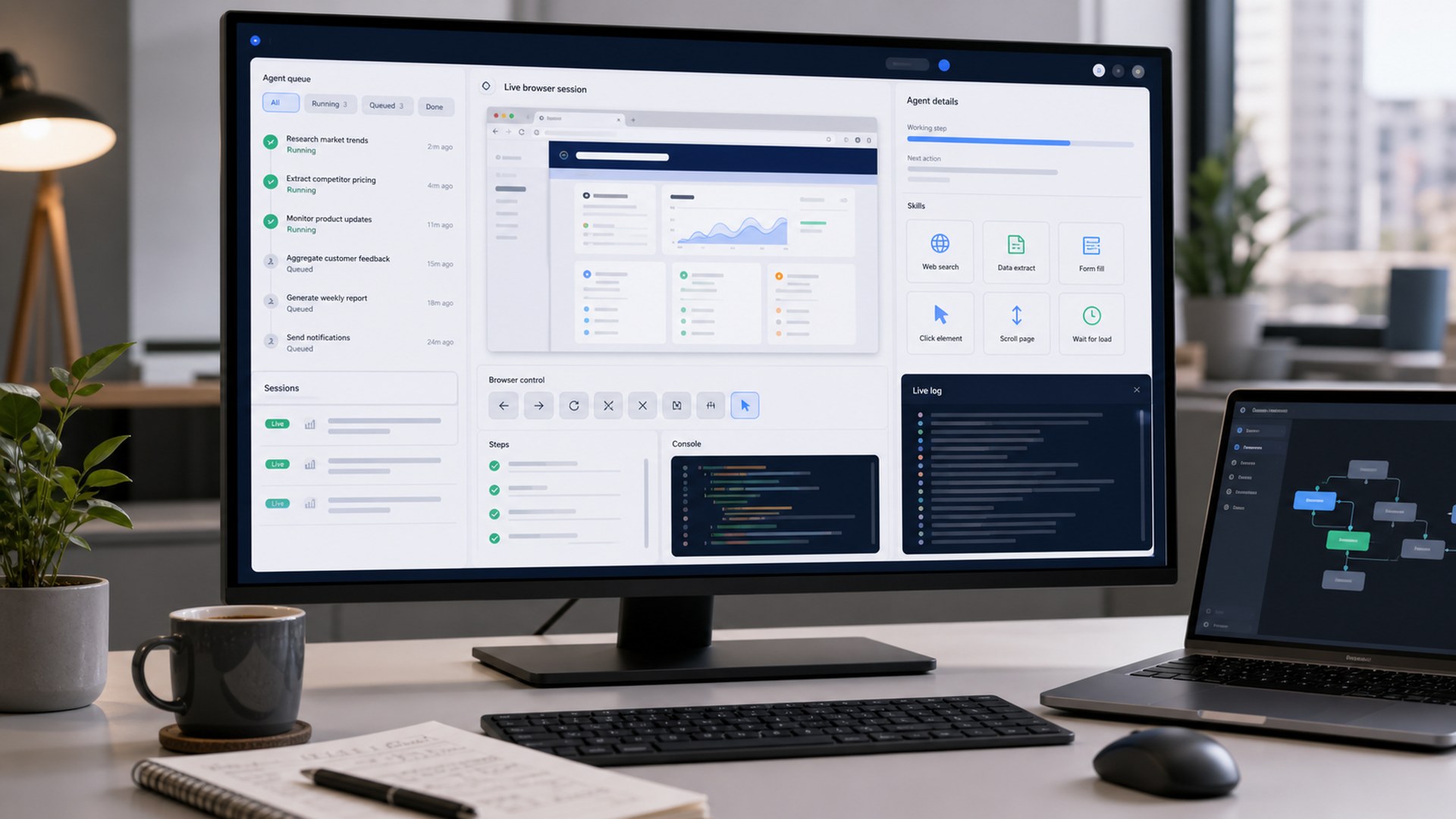
AI computer use platforms controlling browsers apps and workflow automation in a modern workstation

Best AI Computer Use Platforms (Top 10 Picks) - Top 10 Picks

Our editorial picks ranked by performance, build quality, features, usability, ergonomics, value, support, and everyday fit. Tap any image to expand, or jump to full reviews for deeper ownership notes.

OpenAI ChatGPT Agent computer use platform controlling browser and app workflows
#1 Best Overall Score: 9.6 / 10

OpenAI ChatGPT Agent

The most broadly useful computer-use platform for buyers who want a polished agent that can browse, reason across apps, and complete multi-step work with human oversight.

Platform Type: Hosted AI agentBest Use: General computer and browser tasksTechnical Lift: LowPrimary Buyer: Individuals, teams, and operators

Pros

  • Strong general-purpose reasoning across web and app tasks
  • Polished end-user experience with useful safeguards
  • Fits both research-heavy browsing and productivity workflows

Cons

  • Availability and feature limits can vary by plan and region
  • Less customizable than developer-first infrastructure stacks
  • Still needs careful review for sensitive transactions

Best For

  • Teams that want the strongest all-around computer-use experience
  • Knowledge work, research, shopping, and admin workflows
  • Buyers who prefer a finished agent over building from primitives
Anthropic Claude Computer Use platform in a secure developer automation workspace
#2 Best Developer Control Score: 9.4 / 10

Anthropic Claude Computer Use

A developer-first computer-use option for teams that want strong model behavior, explicit tool control, and a careful approach to UI automation.

Platform Type: Model API and tool patternBest Use: Custom computer-use agentsTechnical Lift: HighPrimary Buyer: Developers and AI teams

Pros

  • Excellent fit for custom agent builds and sandboxed control loops
  • Strong reasoning over screenshots and interface state
  • Clearer developer control than consumer-facing agents

Cons

  • Requires engineering effort to productize
  • Computer-use workflows need robust safety design
  • Less turnkey for business users

Best For

  • AI product teams building computer-use features
  • Developers who need tool-level control
  • Enterprises with sandbox and oversight requirements
Google Gemini Computer Use platform for multimodal browser and app control
#3 Best Multimodal UI Model Score: 9.2 / 10

Google Gemini Computer Use

A compelling model-layer option for developers who want multimodal interface understanding and UI action planning inside Google’s AI ecosystem.

Platform Type: Multimodal model/APIBest Use: UI understanding and action planningTechnical Lift: HighPrimary Buyer: Developers and AI teams

Pros

  • Strong multimodal interface interpretation
  • Good fit for developers already using Gemini tooling
  • Promising direction for web and app control workflows

Cons

  • More developer-oriented than turnkey
  • Availability and model access can evolve quickly
  • Requires product engineering around the model

Best For

  • Gemini API builders
  • Multimodal UI-control experiments
  • Teams already using Google AI infrastructure
Browserbase cloud browser infrastructure for AI computer use agents
#4 Best Cloud Browser Infrastructure Score: 9.0 / 10

Browserbase

The best infrastructure pick for teams that need managed browsers, session control, observability, and scalable foundations for web agents.

Platform Type: Cloud browser infrastructureBest Use: Hosted browser sessionsTechnical Lift: Medium-highPrimary Buyer: Developers and platform teams

Pros

  • Purpose-built cloud browser sessions for AI agents
  • Strong developer ergonomics and observability
  • Pairs well with multiple model and agent frameworks

Cons

  • Infrastructure layer rather than a complete buyer-facing agent
  • Requires engineering resources
  • Costs depend on usage patterns and scale

Best For

  • AI teams building browser agents
  • Production web automation infrastructure
  • Developers who need sessions, debugging, and scale
Browser Use Cloud AI browser agent platform for web automation tasks
#5 Best Fast-Start Browser Agent Score: 8.8 / 10

Browser Use Cloud

A fast-moving browser-agent platform for builders who want to turn natural-language web tasks into working automations quickly.

Platform Type: Browser-agent platformBest Use: Natural-language browser tasksTechnical Lift: MediumPrimary Buyer: Builders and small teams

Pros

  • Very approachable for browser-agent experimentation
  • Strong community momentum around browser-use workflows
  • Good fit for prototypes and practical web tasks

Cons

  • Production reliability depends on workflow design
  • May need guardrails for sensitive actions
  • Less enterprise-heavy than some infrastructure platforms

Best For

  • Startups testing web agents
  • Builders who want quick browser automation prototypes
  • Teams moving from experiments toward repeatable workflows
Skyvern AI browser automation platform for complex website workflows
#6 Best Workflow Automation Score: 8.7 / 10

Skyvern

A practical platform for teams that need AI-assisted browser workflows, extraction, form completion, and repeatable automation across messy websites.

Platform Type: AI browser automationBest Use: Repeatable web workflowsTechnical Lift: MediumPrimary Buyer: Operations and engineering teams

Pros

  • Strong fit for web workflows that break brittle scripts
  • Useful for forms, portals, extraction, and operations tasks
  • More workflow-oriented than pure model APIs

Cons

  • Best results still require workflow design and testing
  • Not as broad as a general assistant
  • Complex sites can require careful monitoring

Best For

  • Operations teams automating web portals
  • Data extraction and form-heavy workflows
  • Teams replacing fragile browser scripts
Airtop cloud browser AI automation platform for sales and operations workflows
#7 Best Sales and Ops Automation Score: 8.5 / 10

Airtop

A commercially minded cloud-browser platform for teams automating browser-based sales, marketing, research, and operations tasks.

Platform Type: Cloud browser automationBest Use: Business web workflowsTechnical Lift: MediumPrimary Buyer: Revenue and operations teams

Pros

  • Strong fit for go-to-market and operations workflows
  • Cloud browser approach supports repeatable agent tasks
  • Good category fit for teams beyond pure engineering

Cons

  • Less universally known than the largest AI platforms
  • Workflow quality depends on setup and maintenance
  • May overlap with existing automation tools

Best For

  • Sales operations and lead research
  • Marketing and data collection workflows
  • Teams that want agents to work across browser-based tools
Runner H by H Company enterprise web agent platform for computer use workflows
#8 Best Enterprise Web Agent Score: 8.4 / 10

Runner H by H Company

An enterprise-oriented web agent platform for organizations exploring production-grade agents that execute work across websites and business systems.

Platform Type: Enterprise web agentBest Use: Multi-step web workTechnical Lift: Medium-highPrimary Buyer: Enterprise AI and automation teams

Pros

  • Ambitious enterprise agent positioning
  • Good fit for multi-step web work and app coordination
  • Designed around agentic workflows rather than simple macros

Cons

  • More specialized than mainstream assistant products
  • Evaluation may require sales or technical discovery
  • Less proven in everyday buyer sentiment than older platforms

Best For

  • Enterprise agent pilots
  • Cross-application web workflows
  • Organizations evaluating next-generation web agents
Lindy Computer Use no-code AI agent platform for team workflow automation
#9 Best No-Code Team Agent Score: 8.3 / 10

Lindy Computer Use

A no-code-friendly computer-use option for teams that want AI agents to handle business workflows without building a custom browser stack.

Platform Type: No-code AI agent platformBest Use: Team workflow automationTechnical Lift: Low-mediumPrimary Buyer: Business and operations teams

Pros

  • Approachable for nontechnical teams
  • Useful fit for business process and admin workflows
  • Pairs agent behavior with workflow-building concepts

Cons

  • Less flexible than developer-first stacks
  • Complex browser tasks still need oversight
  • Best value depends on workflow volume and fit

Best For

  • Operations teams without dedicated AI engineers
  • Administrative and repetitive browser work
  • Teams that want agents inside a broader automation platform
Cua open-source computer use agent stack running local desktop automation sessions
#10 Best Open-Source Computer Use Stack Score: 8.1 / 10

Cua

A builder-focused open-source stack for teams that want to experiment with computer-use agents, local control, and customizable agent infrastructure.

Platform Type: Open-source agent stackBest Use: Custom computer-use experimentsTechnical Lift: HighPrimary Buyer: Developers and researchers

Pros

  • Open-source flexibility for builders
  • Useful for learning and prototyping computer-use systems
  • Can support more controlled local experimentation

Cons

  • Requires engineering ownership
  • Not a polished turnkey buying experience
  • Support and reliability depend on implementation

Best For

  • Developers exploring computer-use agents
  • Teams that want open-source control
  • Research, prototyping, and custom infrastructure

Methodology

How We Tested

Our editorial ranking prioritizes real availability, category fit, reliability in browser and app workflows, model quality, developer control, safety and approval patterns, integrations, usability, value, and the level of support a buyer should expect when moving from a demo to repeatable work.

Our Evaluation Framework

We compared each product through a consistent editorial framework: core performance, build quality, features, usability, ergonomics, value, warranty/support, and fit for the intended buyer.

What We Prioritized

Performance and core function carried the most weight, followed by reliability, usability, value, and long-term ownership fit.

How to Read the Scores

A higher score means a stronger overall mix of capability, execution, owner experience, and value for the product's intended buyer.

Side-by-Side Comparisons

Quickly narrow your shortlist. Use this first, then jump to full reviews for your finalists.

#ModelBest ForPlatformFootprintFeelWhy It Won
1 OpenAI ChatGPT AgentBest Overall Best all-around use Hosted assistant agent Cloud service Most polished Combines agent reasoning, browser/app use, and mainstream usability
2 Anthropic Claude Computer UseBest Developer Control Custom builds Model API Developer stack Controlled Best fit for engineered agents with explicit observation/action loops
3 Google Gemini Computer UseBest Multimodal UI Model Gemini builders Model/API layer Developer stack Multimodal Strong fit when visual UI understanding is central
4 BrowserbaseBest Cloud Browser Infrastructure Infrastructure Hosted browsers Cloud browser fleet Developer-native Best foundation for production browser-agent systems
5 Browser Use CloudBest Fast-Start Browser Agent Fast prototypes Browser agent cloud Cloud service Quick-start Gets browser agents moving with less setup friction
6 SkyvernBest Workflow Automation Messy web workflows Automation platform Cloud/browser automation Operational Built around repeatable tasks rather than one-off browsing
7 AirtopBest Sales and Ops Automation Sales/ops tasks Cloud browser agents Cloud service Business-ready Good fit for commercially repetitive browser work
8 Runner H by H CompanyBest Enterprise Web Agent Enterprise pilots Web agent platform Enterprise service Strategic Serious option for organizations piloting production web agents
9 Lindy Computer UseBest No-Code Team Agent No-code teams Agent/workflow builder Cloud service Approachable Better fit for teams that want outcomes instead of infrastructure
10 CuaBest Open-Source Computer Use Stack Open-source control Developer stack Local or custom deployment Flexible Best fit when transparency and customization matter most

#1 - OpenAI ChatGPT Agent

Best Overall
Best For
Best all-around use
Platform
Hosted assistant agent
Footprint
Cloud service
Feel
Most polished
Why it wonCombines agent reasoning, browser/app use, and mainstream usability

#2 - Anthropic Claude Computer Use

Best Developer Control
Best For
Custom builds
Platform
Model API
Footprint
Developer stack
Feel
Controlled
Why it wonBest fit for engineered agents with explicit observation/action loops

#3 - Google Gemini Computer Use

Best Multimodal UI Model
Best For
Gemini builders
Platform
Model/API layer
Footprint
Developer stack
Feel
Multimodal
Why it wonStrong fit when visual UI understanding is central

#4 - Browserbase

Best Cloud Browser Infrastructure
Best For
Infrastructure
Platform
Hosted browsers
Footprint
Cloud browser fleet
Feel
Developer-native
Why it wonBest foundation for production browser-agent systems

#5 - Browser Use Cloud

Best Fast-Start Browser Agent
Best For
Fast prototypes
Platform
Browser agent cloud
Footprint
Cloud service
Feel
Quick-start
Why it wonGets browser agents moving with less setup friction

#6 - Skyvern

Best Workflow Automation
Best For
Messy web workflows
Platform
Automation platform
Footprint
Cloud/browser automation
Feel
Operational
Why it wonBuilt around repeatable tasks rather than one-off browsing

#7 - Airtop

Best Sales and Ops Automation
Best For
Sales/ops tasks
Platform
Cloud browser agents
Footprint
Cloud service
Feel
Business-ready
Why it wonGood fit for commercially repetitive browser work

#8 - Runner H by H Company

Best Enterprise Web Agent
Best For
Enterprise pilots
Platform
Web agent platform
Footprint
Enterprise service
Feel
Strategic
Why it wonSerious option for organizations piloting production web agents

#9 - Lindy Computer Use

Best No-Code Team Agent
Best For
No-code teams
Platform
Agent/workflow builder
Footprint
Cloud service
Feel
Approachable
Why it wonBetter fit for teams that want outcomes instead of infrastructure

#10 - Cua

Best Open-Source Computer Use Stack
Best For
Open-source control
Platform
Developer stack
Footprint
Local or custom deployment
Feel
Flexible
Why it wonBest fit when transparency and customization matter most

FAQ: Ai Computer Use Platforms

Quick answers to common questions before choosing from this Top 10 list.

In-Depth Reviews: What These Picks Are Really Like to Use

These full reviews expand on the Top 10 cards with a deeper look at strengths, tradeoffs, ownership fit, and ideal buyers.

60-second takeReal-use breakdownWho it's for
#1 Best OverallScore: 9.6 / 10

OpenAI ChatGPT Agent

The most broadly useful computer-use platform for buyers who want a polished agent that can browse, reason across apps, and complete multi-step work with human oversight.

Compare Specs

What It's Great At

  • Strong general-purpose reasoning across web and app tasks
  • Polished end-user experience with useful safeguards
  • Fits both research-heavy browsing and productivity workflows

Watch-Outs

  • Availability and feature limits can vary by plan and region
  • Less customizable than developer-first infrastructure stacks
  • Still needs careful review for sensitive transactions

Ideal Buyer

  • Teams that want the strongest all-around computer-use experience
  • Knowledge work, research, shopping, and admin workflows
  • Buyers who prefer a finished agent over building from primitives
The Real-World Verdict

OpenAI ChatGPT Agent ranks first because it is the most complete option for shoppers who want computer-use capability without assembling a stack themselves. It brings browsing, reasoning, file-aware work, and multi-step task execution into a familiar assistant experience, which makes it easier for nontechnical teams to evaluate quickly.

Practical Ownership Notes

The practical advantage is breadth. It is strong at research workflows, comparison shopping, online forms, document-adjacent tasks, and routine web navigation where the agent must interpret context instead of following brittle scripts. The interface also makes human supervision feel natural, which matters because computer-use agents still need clear boundaries.

Where It Fits in the Top 10

The tradeoff is control. Developers building custom browser fleets, compliance-heavy flows, or deeply instrumented automations may prefer Browserbase, Anthropic, or Skyvern. For the broadest buyer profile, though, ChatGPT Agent is the safest overall recommendation.

#2 Best Developer ControlScore: 9.4 / 10

Anthropic Claude Computer Use

A developer-first computer-use option for teams that want strong model behavior, explicit tool control, and a careful approach to UI automation.

Compare Specs

What It's Great At

  • Excellent fit for custom agent builds and sandboxed control loops
  • Strong reasoning over screenshots and interface state
  • Clearer developer control than consumer-facing agents

Watch-Outs

  • Requires engineering effort to productize
  • Computer-use workflows need robust safety design
  • Less turnkey for business users

Ideal Buyer

  • AI product teams building computer-use features
  • Developers who need tool-level control
  • Enterprises with sandbox and oversight requirements
The Real-World Verdict

Anthropic Claude Computer Use is the strongest pick for teams that want to build rather than simply buy a finished agent. It is designed around the model seeing interface state and issuing actions through a controlled environment, which makes it especially relevant for teams experimenting with reliable computer operation.

Practical Ownership Notes

Its strength is not a flashy front end; it is the quality of the underlying agent behavior and the control developers can wrap around it. Teams can define sandboxes, observation flows, tool permissions, retries, and approval steps instead of depending on a one-size-fits-all user experience.

Where It Fits in the Top 10

The learning curve is the main reason it ranks below OpenAI for general buyers. If your team has engineering resources and wants a serious foundation for computer-use products, Claude is one of the category’s most credible choices.

#3 Best Multimodal UI ModelScore: 9.2 / 10

Google Gemini Computer Use

A compelling model-layer option for developers who want multimodal interface understanding and UI action planning inside Google’s AI ecosystem.

Compare Specs

What It's Great At

  • Strong multimodal interface interpretation
  • Good fit for developers already using Gemini tooling
  • Promising direction for web and app control workflows

Watch-Outs

  • More developer-oriented than turnkey
  • Availability and model access can evolve quickly
  • Requires product engineering around the model

Ideal Buyer

  • Gemini API builders
  • Multimodal UI-control experiments
  • Teams already using Google AI infrastructure
The Real-World Verdict

Google Gemini Computer Use earns a high ranking because computer-use agents depend heavily on visual understanding, and Gemini’s multimodal strengths are directly relevant to that problem. It is especially attractive for teams already building within Google’s AI and cloud tooling.

Practical Ownership Notes

The platform is best viewed as a powerful model component rather than a complete operations product. You still need to design the browser environment, permissions, logging, recovery behavior, and user approval flow around it.

Where It Fits in the Top 10

For teams that want a finished task runner, OpenAI or Lindy will feel easier. For developers evaluating the model layer of a computer-use system, Gemini is one of the most important options to compare.

#4 Best Cloud Browser InfrastructureScore: 9.0 / 10

Browserbase

The best infrastructure pick for teams that need managed browsers, session control, observability, and scalable foundations for web agents.

Compare Specs

What It's Great At

  • Purpose-built cloud browser sessions for AI agents
  • Strong developer ergonomics and observability
  • Pairs well with multiple model and agent frameworks

Watch-Outs

  • Infrastructure layer rather than a complete buyer-facing agent
  • Requires engineering resources
  • Costs depend on usage patterns and scale

Ideal Buyer

  • AI teams building browser agents
  • Production web automation infrastructure
  • Developers who need sessions, debugging, and scale
The Real-World Verdict

Browserbase is not trying to be a consumer assistant, and that is exactly why it belongs near the top. Computer-use agents need reliable browser environments, session persistence, debugging, and controlled execution; Browserbase focuses on those fundamentals.

Practical Ownership Notes

It is strongest when paired with an agent framework or model you already trust. Developers can use it as the browser layer underneath custom agents, giving teams more control than a closed turnkey product while avoiding the pain of managing browser infrastructure from scratch.

Where It Fits in the Top 10

The tradeoff is that it does not replace strategy, prompts, workflow design, or app-specific reliability work. For teams building serious web agents, though, Browserbase is one of the category’s clearest infrastructure buys.

#5 Best Fast-Start Browser AgentScore: 8.8 / 10

Browser Use Cloud

A fast-moving browser-agent platform for builders who want to turn natural-language web tasks into working automations quickly.

Compare Specs

What It's Great At

  • Very approachable for browser-agent experimentation
  • Strong community momentum around browser-use workflows
  • Good fit for prototypes and practical web tasks

Watch-Outs

  • Production reliability depends on workflow design
  • May need guardrails for sensitive actions
  • Less enterprise-heavy than some infrastructure platforms

Ideal Buyer

  • Startups testing web agents
  • Builders who want quick browser automation prototypes
  • Teams moving from experiments toward repeatable workflows
The Real-World Verdict

Browser Use Cloud is one of the easiest recommendations for teams that want to experiment quickly with AI agents using a browser. It grew from the practical browser-use pattern: give the agent a browser, let it observe the page, and translate goals into actions.

Practical Ownership Notes

Its appeal is speed. Product builders can test whether a workflow is agent-suitable before investing in heavier infrastructure. That makes it useful for market research, repetitive browser tasks, data collection, and early internal automations.

Where It Fits in the Top 10

For deeply regulated or large-scale production deployments, Browserbase or Skyvern may provide a more controlled operational feel. Browser Use Cloud remains a strong mid-list pick because it lowers the barrier to real computer-use work.

#6 Best Workflow AutomationScore: 8.7 / 10

Skyvern

A practical platform for teams that need AI-assisted browser workflows, extraction, form completion, and repeatable automation across messy websites.

Compare Specs

What It's Great At

  • Strong fit for web workflows that break brittle scripts
  • Useful for forms, portals, extraction, and operations tasks
  • More workflow-oriented than pure model APIs

Watch-Outs

  • Best results still require workflow design and testing
  • Not as broad as a general assistant
  • Complex sites can require careful monitoring

Ideal Buyer

  • Operations teams automating web portals
  • Data extraction and form-heavy workflows
  • Teams replacing fragile browser scripts
The Real-World Verdict

Skyvern is the workflow pick because many real computer-use problems are not glamorous assistant demos; they are forms, portals, extraction tasks, and business processes across websites that change just often enough to break traditional scripts.

Practical Ownership Notes

The platform’s positioning makes sense for teams that already know which workflows they want to automate. Instead of asking a general assistant to do everything, Skyvern helps turn recurring browser work into monitored automation.

Where It Fits in the Top 10

It is not the lowest-friction consumer choice, and it still needs thoughtful QA. For business process automation on the web, however, it offers a practical middle ground between brittle scripts and broad, unsupervised agents.

#7 Best Sales and Ops AutomationScore: 8.5 / 10

Airtop

A commercially minded cloud-browser platform for teams automating browser-based sales, marketing, research, and operations tasks.

Compare Specs

What It's Great At

  • Strong fit for go-to-market and operations workflows
  • Cloud browser approach supports repeatable agent tasks
  • Good category fit for teams beyond pure engineering

Watch-Outs

  • Less universally known than the largest AI platforms
  • Workflow quality depends on setup and maintenance
  • May overlap with existing automation tools

Ideal Buyer

  • Sales operations and lead research
  • Marketing and data collection workflows
  • Teams that want agents to work across browser-based tools
The Real-World Verdict

Airtop earns its place by aiming computer-use agents at practical commercial work. Many teams do not need a research assistant as much as they need web-based tasks completed across CRMs, lead sources, forms, internal portals, and public websites.

Practical Ownership Notes

The strongest use cases are sales operations, marketing research, enrichment, and browser-bound admin work where a cloud browser can act as the execution environment. That gives Airtop a sharper buyer profile than many broad automation tools.

Where It Fits in the Top 10

It ranks below the larger model and infrastructure names because category maturity and ecosystem depth matter. For operations teams that want browser-based AI automation without starting from scratch, Airtop is highly relevant.

#8 Best Enterprise Web AgentScore: 8.4 / 10

Runner H by H Company

An enterprise-oriented web agent platform for organizations exploring production-grade agents that execute work across websites and business systems.

Compare Specs

What It's Great At

  • Ambitious enterprise agent positioning
  • Good fit for multi-step web work and app coordination
  • Designed around agentic workflows rather than simple macros

Watch-Outs

  • More specialized than mainstream assistant products
  • Evaluation may require sales or technical discovery
  • Less proven in everyday buyer sentiment than older platforms

Ideal Buyer

  • Enterprise agent pilots
  • Cross-application web workflows
  • Organizations evaluating next-generation web agents
The Real-World Verdict

Runner H is the enterprise web-agent pick: it is most interesting for organizations that want to evaluate computer-use agents as part of a broader automation roadmap. Its buyer is less likely to be an individual operator and more likely to be an AI, product, or operations team.

Practical Ownership Notes

The platform’s appeal is its focus on agents that complete web work, not just chat about it. That makes it relevant for process-heavy teams looking beyond RPA and traditional workflow builders.

Where It Fits in the Top 10

Because the market is still young, buyers should run narrow pilots before committing. Runner H belongs on the shortlist for enterprise teams, but it is not as universally accessible as the top consumer and developer options.

#9 Best No-Code Team AgentScore: 8.3 / 10

Lindy Computer Use

A no-code-friendly computer-use option for teams that want AI agents to handle business workflows without building a custom browser stack.

Compare Specs

What It's Great At

  • Approachable for nontechnical teams
  • Useful fit for business process and admin workflows
  • Pairs agent behavior with workflow-building concepts

Watch-Outs

  • Less flexible than developer-first stacks
  • Complex browser tasks still need oversight
  • Best value depends on workflow volume and fit

Ideal Buyer

  • Operations teams without dedicated AI engineers
  • Administrative and repetitive browser work
  • Teams that want agents inside a broader automation platform
The Real-World Verdict

Lindy Computer Use is the best choice here for business teams that want to experiment with computer-use agents without turning the project into an engineering initiative. It frames agents around workflows, which is often closer to how nontechnical buyers think about automation.

Practical Ownership Notes

Its strengths are accessibility and fit. Teams can start with repeatable admin, research, scheduling, CRM, or browser-based operations tasks and then layer in approvals where needed.

Where It Fits in the Top 10

The tradeoff is flexibility. Developers who want deep browser instrumentation will prefer Browserbase or Anthropic. Lindy makes more sense when the goal is a usable team agent with less setup friction.

#10 Best Open-Source Computer Use StackScore: 8.1 / 10

Cua

A builder-focused open-source stack for teams that want to experiment with computer-use agents, local control, and customizable agent infrastructure.

Compare Specs

What It's Great At

  • Open-source flexibility for builders
  • Useful for learning and prototyping computer-use systems
  • Can support more controlled local experimentation

Watch-Outs

  • Requires engineering ownership
  • Not a polished turnkey buying experience
  • Support and reliability depend on implementation

Ideal Buyer

  • Developers exploring computer-use agents
  • Teams that want open-source control
  • Research, prototyping, and custom infrastructure
The Real-World Verdict

Cua rounds out the list as the open-source pick. It is not the best option for a business user who wants a finished product tomorrow, but it is valuable for builders who want to understand and customize the pieces behind computer-use agents.

Practical Ownership Notes

The appeal is control: local or custom environments, more transparent tooling, and the ability to adapt the stack to research or product needs. That can matter for teams evaluating privacy, deployment, or developer experience tradeoffs.

Where It Fits in the Top 10

Its ranking reflects the extra ownership required. Cua is a strong experimental and builder-oriented option, while the higher-ranked choices are easier to evaluate as commercial platforms.

Key Takeaways

  • OpenAI ChatGPT Agent is our best overall pick.
  • Anthropic Claude Computer Use is our best developer control pick.
  • Google Gemini Computer Use is our best multimodal ui model pick.
  • Browserbase is our best cloud browser infrastructure pick.
  • Browser Use Cloud is our best fast-start browser agent pick.

Top Picks

Tap a pick to jump to the full review, or compare specs.

Best OverallOpenAI ChatGPT Agent ->

Best Developer ControlAnthropic Claude Computer Use ->

Best Multimodal UI ModelGoogle Gemini Computer Use ->

Jump to Comparison

Quick Access

Jump directly to standout picks from this Top 10 list.

Some links may earn Review Streets a commission. Rankings remain editorially independent.

Useful Add-Ons for Computer-Use Agents

  • A sandboxed browser or desktop environment for testing agent actions safely before production use.
  • Human approval checkpoints for purchases, account changes, outbound messages, and sensitive data handling.
  • Session logging and replay tools so teams can audit what the agent saw, clicked, typed, and changed.
  • Credential and secrets management that avoids exposing passwords directly to prompts or untrusted workflows.
  • A narrow workflow brief with clear success criteria, fallback behavior, and allowed actions.