Best Smart Home Devices – Top 10 Gadgets That Make Homes Smarter and Easier to Manage

Smart home devices promise greater convenience, automation, and control, but quality and usefulness vary widely. This guide compares the top options, evaluating features, reliability, integration, and everyday practicality.

By: Review Streets Research Lab
Updated: April 13, 2026
Approx. 10–12 min read
Best Smart Home Devices – Top 10 Gadgets That Make Homes Smarter and Easier to Manage

Best Smart Home Devices – Top 10 Gadgets That Make Homes Smarter and Easier to Manage

Our editorial picks ranked by real-world convenience, automation, reliability, ecosystem strength, and long-term value. Tap any image to expand, or jump to full reviews for deeper specs.

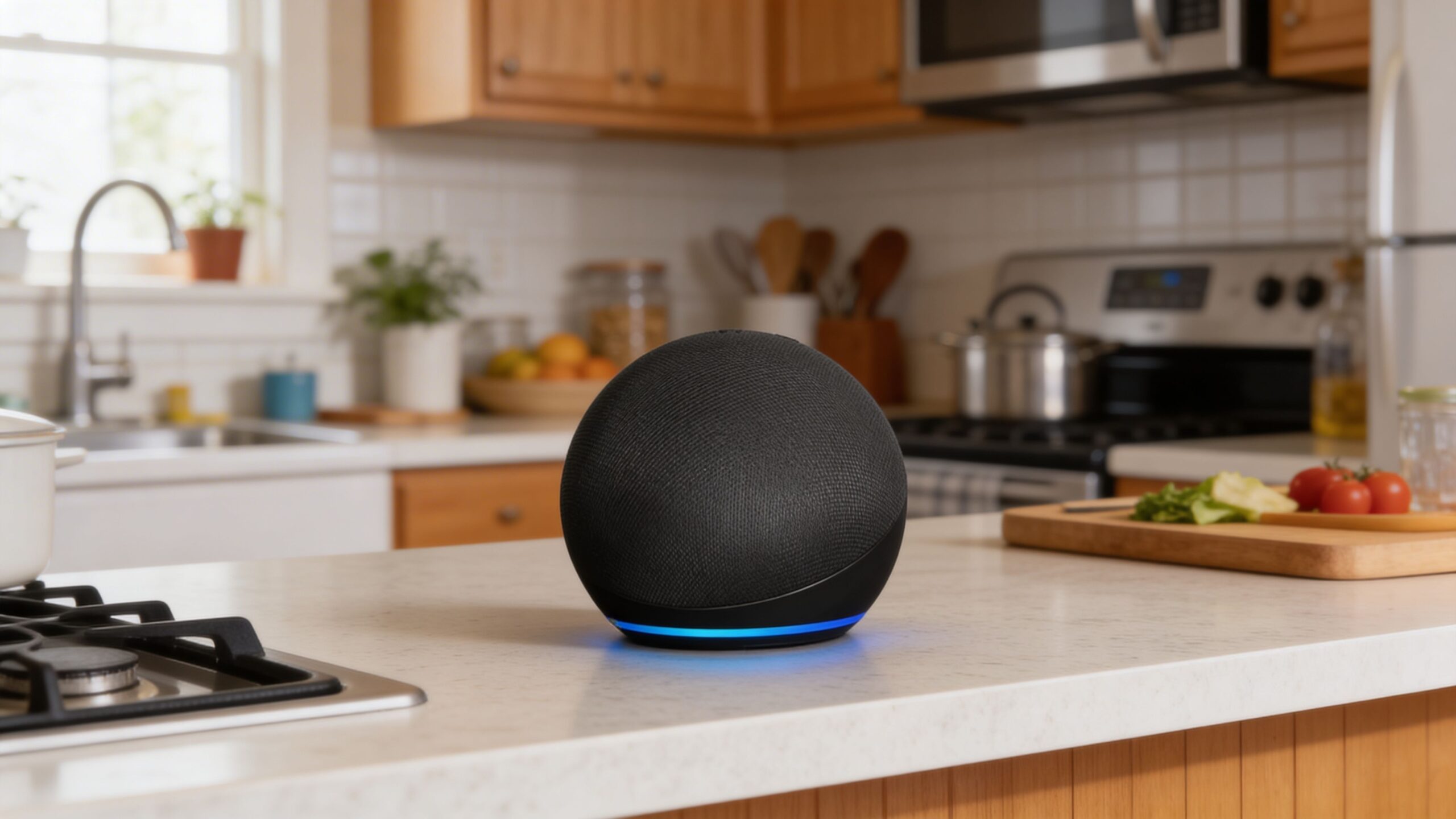
Amazon Echo 4th Gen
#1 Best Overall Score: 9.6 / 10

Amazon Echo 4th Gen

The Echo 4th Gen is still the easiest single device for making a home feel smarter fast, thanks to strong Alexa support, broad compatibility, and genuinely useful voice control. It works well as a central hub for lights, plugs, routines, music, and quick daily automations without demanding a complicated setup.

Category: Smart Speaker Control: Voice + App Ecosystem: Alexa Best For: Whole-Home Control

Pros

  • Excellent starting point for routines and voice control
  • Broad compatibility with many smart home brands
  • Useful audio, timers, reminders, and household commands

Cons

  • Best experience depends on buying into Alexa devices
  • Not the strongest pick for privacy-focused shoppers
  • Sound is good, but not truly premium for music-first users

Best For

  • First-time smart home buyers
  • Homes using lights, plugs, and routines daily
  • Users wanting one device to anchor the system
ecobee Smart Thermostat Premium
#2 Best for Comfort Score: 9.4 / 10

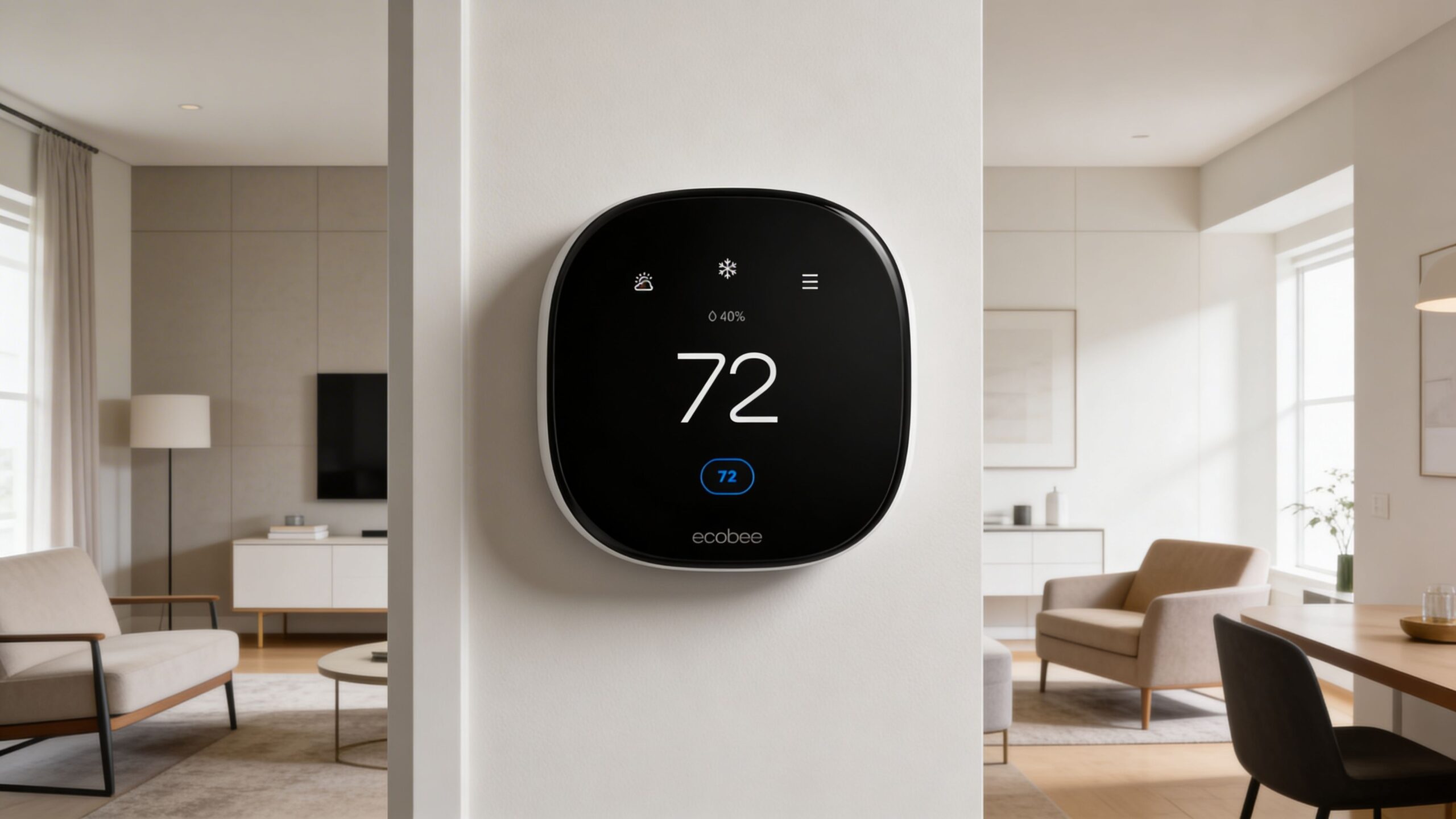
ecobee Smart Thermostat Premium

This is one of the smartest upgrades for a home you actually live in all day, because it improves comfort, efficiency, and remote control in a way most people notice immediately. The room-sensing approach and strong platform support make it feel more thoughtful than a basic app-controlled thermostat.

Category: Thermostat Control: App + Voice Ecosystem: Alexa HomeKit Google Best For: Energy Savings

Pros

  • Excellent comfort balancing with sensor support
  • Strong app experience and remote scheduling
  • Helps make smart homes feel more efficient, not just flashy

Cons

  • Higher upfront price than simpler thermostats
  • Installation can be intimidating for some homes
  • Full value improves when paired with extra sensors

Best For

  • Busy households with uneven room temperatures
  • Users serious about comfort and efficiency
  • Homes already using multiple voice platforms
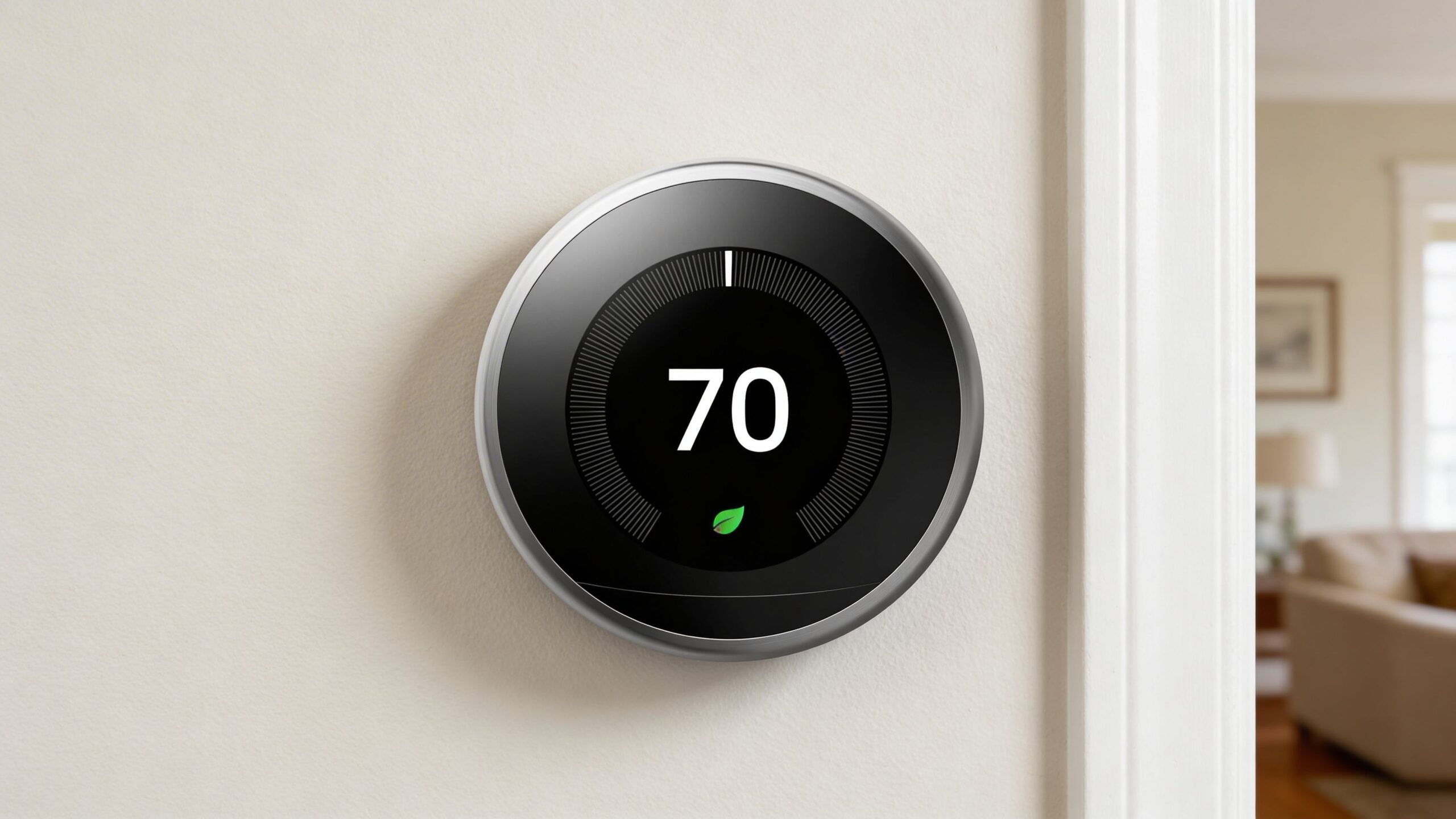
Google Nest Learning Thermostat 4th Gen
#3 Best Design Score: 9.2 / 10

Google Nest Learning Thermostat 4th Gen

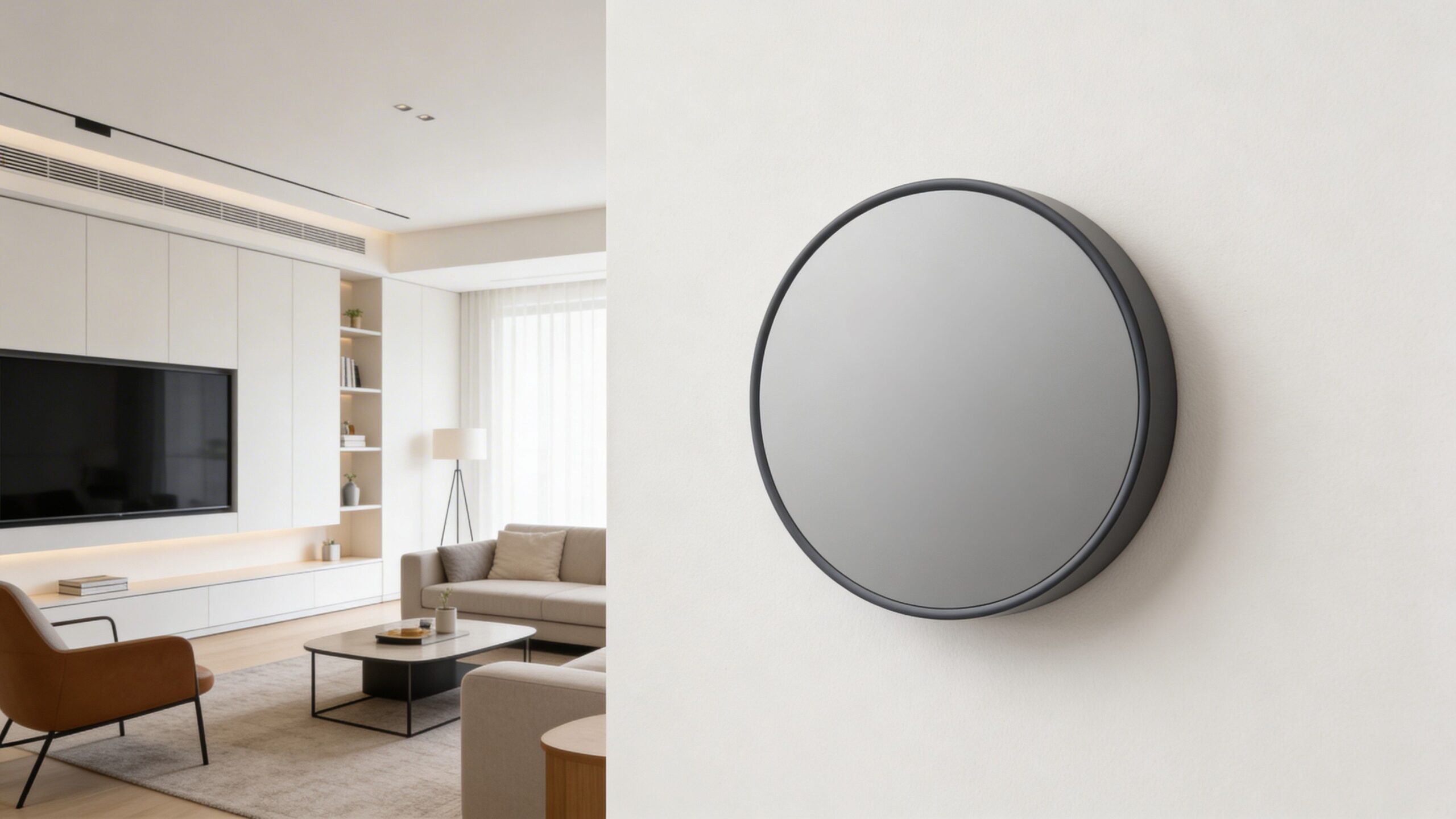
Few smart home devices feel as polished as Nest when it comes to interface, scheduling, and visual fit in a modern home. It blends premium design with meaningful automation, making it a strong choice for buyers who want intelligence that stays elegant and low-friction.

Category: Thermostat Control: Learning Automation Ecosystem: Google Home Best For: Premium Homes

Pros

  • Beautiful interface and premium hardware presentation
  • Smart scheduling feels intuitive over time
  • Strong fit for Google-centered households

Cons

  • More expensive than many mainstream alternatives
  • Best experience leans heavily into Google Home
  • Not every household needs the premium feature set

Best For

  • Style-conscious smart home buyers
  • Google Home users wanting seamless integration
  • Homes where automated climate control matters daily
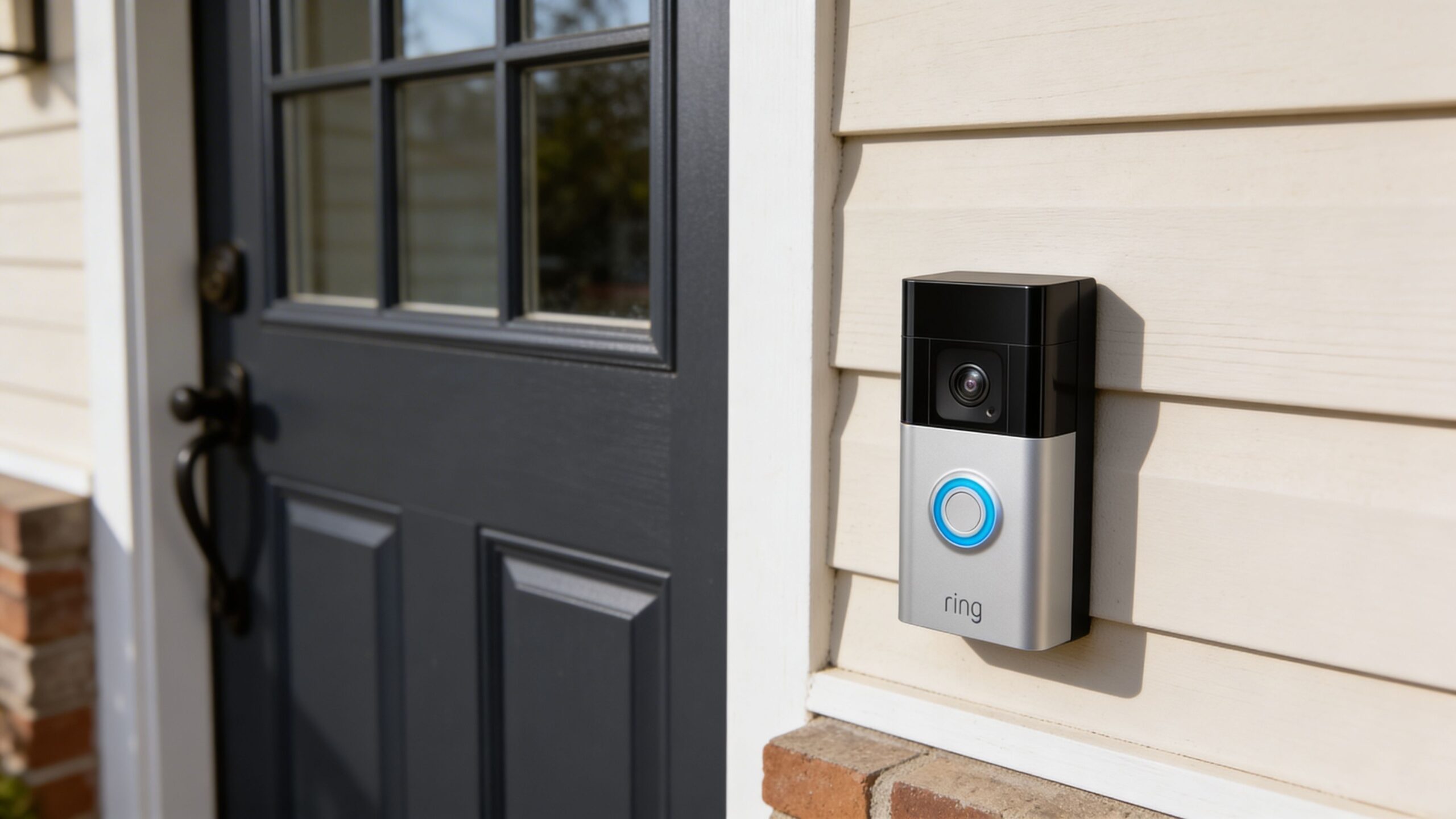
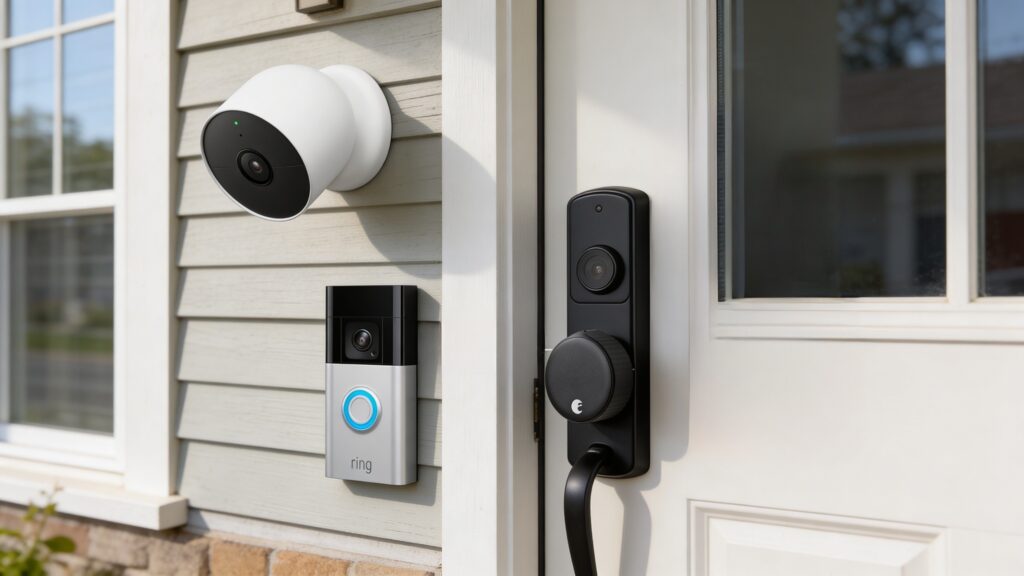
Ring Battery Doorbell Plus
#4 Best for Front Door Security Score: 9.0 / 10

Ring Battery Doorbell Plus

A smart doorbell is one of the most practical smart home upgrades, and Ring remains a go-to option because setup is approachable and the daily experience is simple. It adds visibility, motion alerts, and two-way communication in a format that quickly becomes part of a home’s routine.

Category: Video Doorbell Control: App Alerts Ecosystem: Ring Alexa Best For: Entry Monitoring

Pros

  • Very easy way to add front-door awareness
  • Strong app notifications and visitor communication
  • Battery design simplifies installation for many homes

Cons

  • Best long-term experience may involve a subscription
  • Battery maintenance adds one more device task
  • Less appealing for buyers avoiding Amazon ecosystems

Best For

  • Homes receiving frequent packages or visitors
  • Renters and owners wanting simpler installation
  • Users who value alerts over complex security setups
Philips Hue White and Color Ambiance Starter Kit
#5 Best Smart Lighting Score: 8.9 / 10

Philips Hue White and Color Ambiance Starter Kit

Smart lighting is often where a connected home starts to feel genuinely magical, and Hue remains the most refined mainstream option for reliability, scenes, and automation depth. It is expensive, but the consistency and polish are better than most bargain lighting systems.

Category: Smart Lighting Control: App Scenes Ecosystem: Hue Matter Best For: Ambiance

Pros

  • Highly reliable lighting schedules and scenes
  • Excellent app control and ecosystem maturity
  • Creates visible day-to-day convenience and atmosphere

Cons

  • Costs more than many competing bulb systems
  • Whole-home expansion gets expensive fast
  • Some users will prefer simple switches over color bulbs

Best For

  • Homes building routines around lighting
  • Users wanting dependable scenes and automations
  • Living rooms, bedrooms, and entertainment spaces
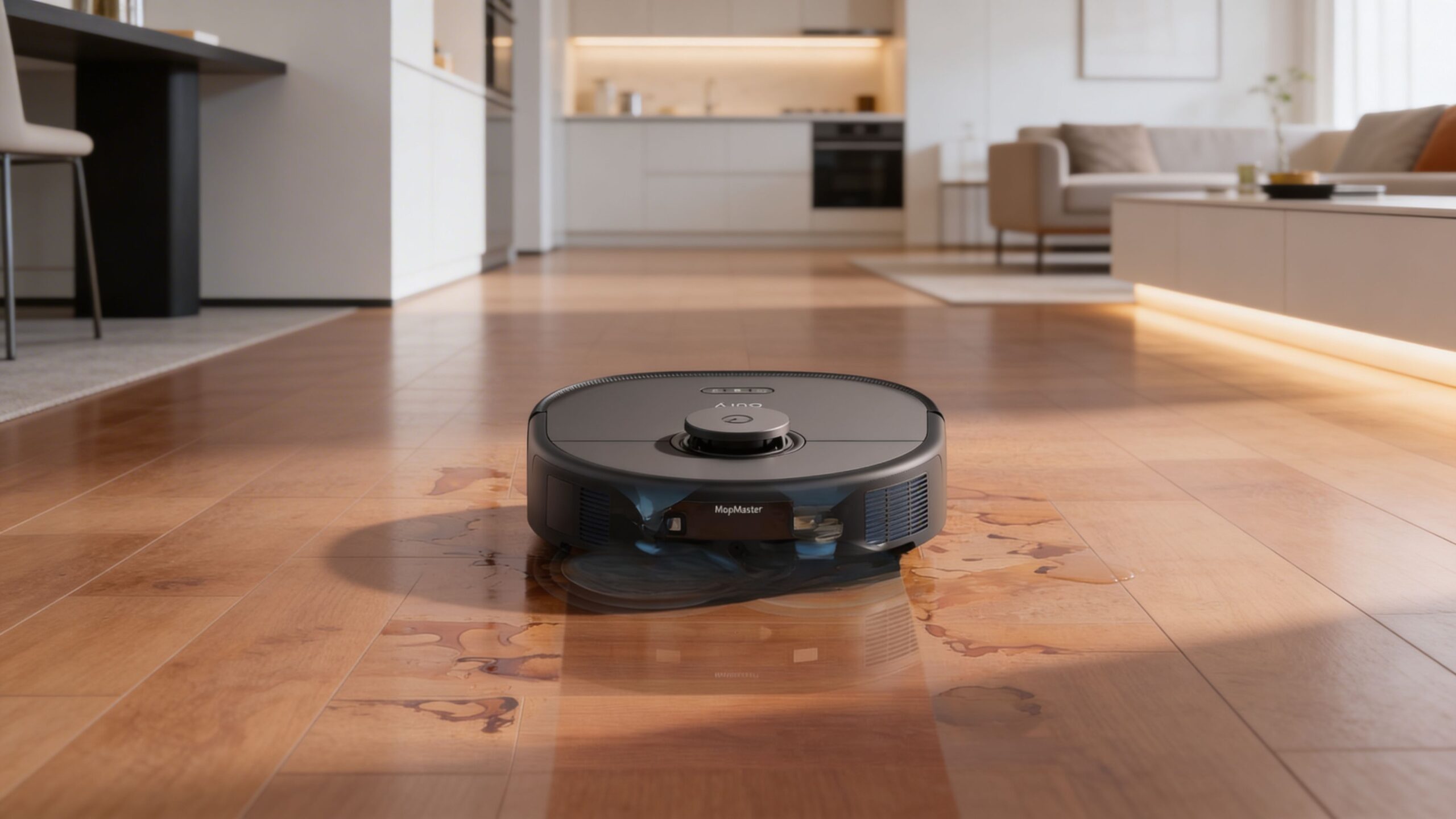
Eufy Clean X10 Pro Omni
#6 Best Cleaning Upgrade Score: 8.8 / 10

Eufy Clean X10 Pro Omni

Robot vacuums are one of the clearest examples of a smart device saving real time, and this Eufy model delivers strong automation without feeling overly complicated. It is the kind of product that quietly reduces chores once maps, schedules, and cleaning zones are dialed in.

Category: Robot Vacuum Control: Scheduling + Mapping Ecosystem: App Control Best For: Hands-Off Cleaning

Pros

  • Meaningful time savings for busy homes
  • Smart mapping improves daily usefulness
  • More practical than many novelty-style gadgets

Cons

  • Premium robot vacuums still cost a lot upfront
  • Floor clutter can reduce the automation advantage
  • Maintenance is lower than vacuuming, not zero

Best For

  • Homes with pets, dust, or frequent foot traffic
  • Users wanting scheduled cleaning with less effort
  • Shoppers prioritizing convenience over manual cleaning
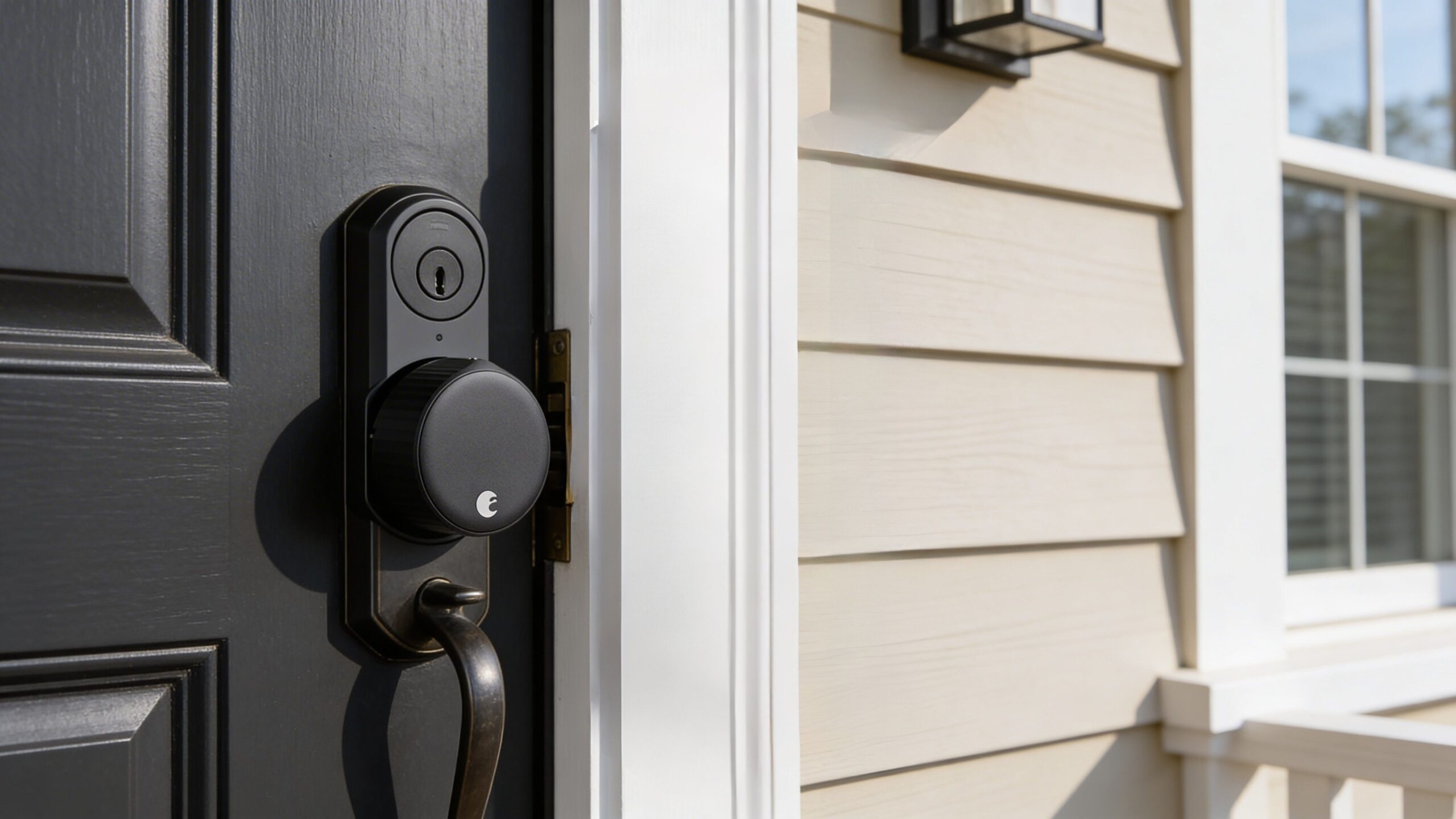
August Wi-Fi Smart Lock 4th Gen
#7 Best for Entry Control Score: 8.7 / 10

August Wi-Fi Smart Lock 4th Gen

A smart lock can make access management far easier for families, guests, and deliveries, and August remains appealing because it brings smart features without always forcing a full lock replacement. Remote locking, temporary access, and auto-lock routines give it strong practical value.

Category: Smart Lock Control: App + Auto Lock Ecosystem: Alexa HomeKit Google Best For: Keyless Access

Pros

  • Convenient remote access and guest management
  • Can be easier to install than full lock replacements
  • Useful for families with varied schedules

Cons

  • Battery upkeep matters more than with standard locks
  • Some users still prefer a traditional key-only setup
  • Connectivity reliability depends on door placement and signal

Best For

  • Homes with guests, dog walkers, or shared access
  • Users wanting remote lock checks and control
  • Front doors where convenience matters every day
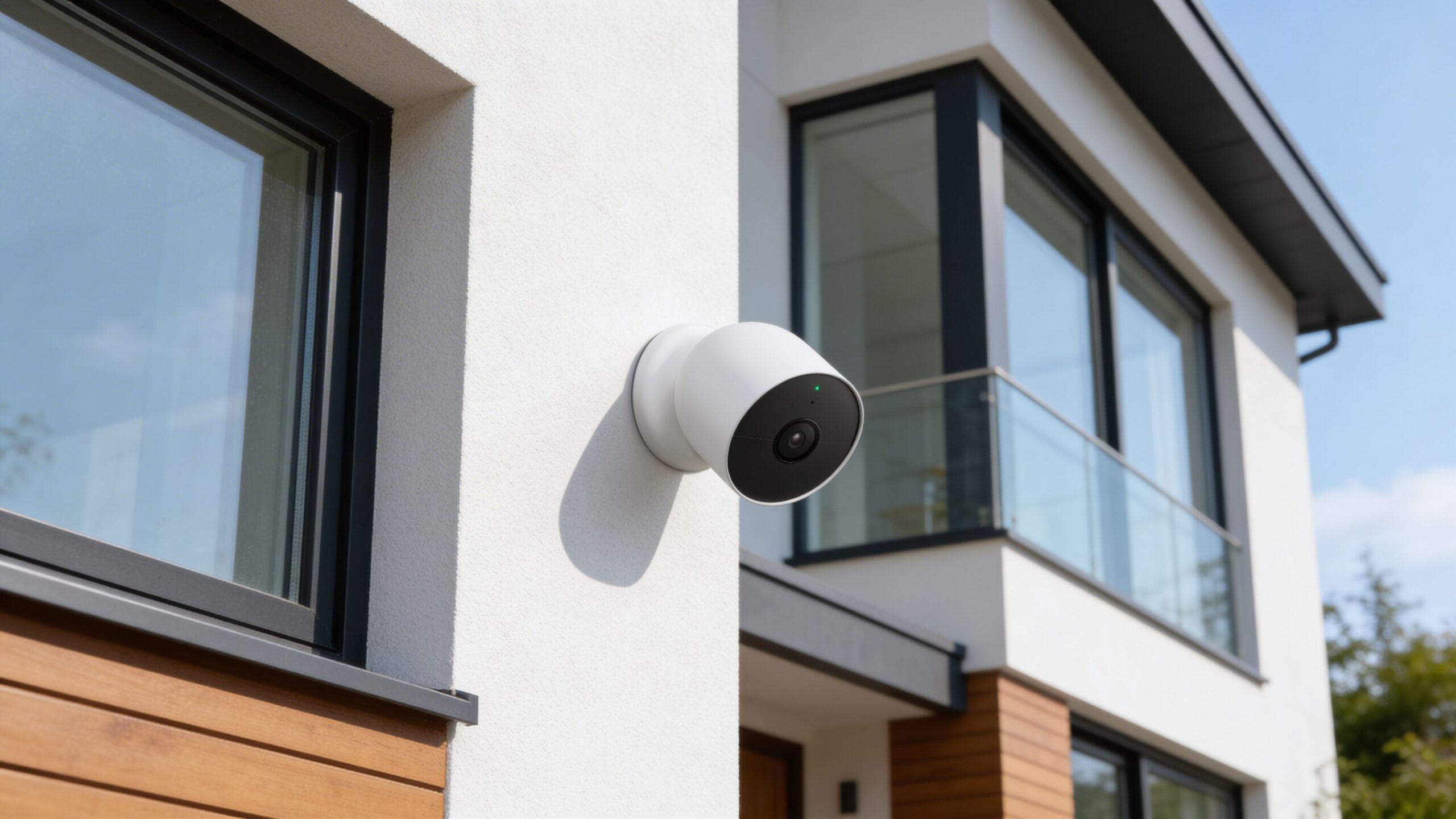
Google Nest Cam Outdoor or Indoor Battery
#8 Best Security Camera Score: 8.6 / 10

Google Nest Cam Outdoor or Indoor Battery

Smart security cameras earn their place when they reduce uncertainty, and Nest Cam does that with a polished app experience and flexible placement. It is a solid fit for users who want clean alerts, live views, and a trusted brand without diving into a more technical camera system.

Category: Security Camera Control: Live View Alerts Ecosystem: Google Home Best For: Everyday Monitoring

Pros

  • Flexible indoor or outdoor placement
  • Strong app design and easy event review
  • Good fit for mainstream home security needs

Cons

  • Subscription features may matter to serious users
  • Battery charging introduces some maintenance
  • Not ideal for buyers wanting fully local-only systems

Best For

  • Driveways, yards, and secondary entry points
  • Google Home households
  • Users wanting simple visibility and alerts
Google Nest Hub Max
#9 Best Smart Display Score: 8.4 / 10

Google Nest Hub Max

Smart displays can be genuinely useful in kitchens and family spaces, and the Nest Hub Max stands out by making visual controls, calendars, recipes, cameras, and household prompts easier to manage. It is not essential, but it can make a connected home feel more organized and shared.

Category: Smart Display Control: Touch + Voice Ecosystem: Google Home Best For: Kitchen Hubs

Pros

  • Visual controls make routines easier for families
  • Useful for recipes, calendars, and camera feeds
  • Feels more communal than a speaker-only device

Cons

  • Takes up more space than a compact speaker
  • Not every room benefits from a smart display
  • Best value depends on using Google services often

Best For

  • Kitchens and shared family areas
  • Users wanting visual smart home controls
  • Homes already built around Google Home
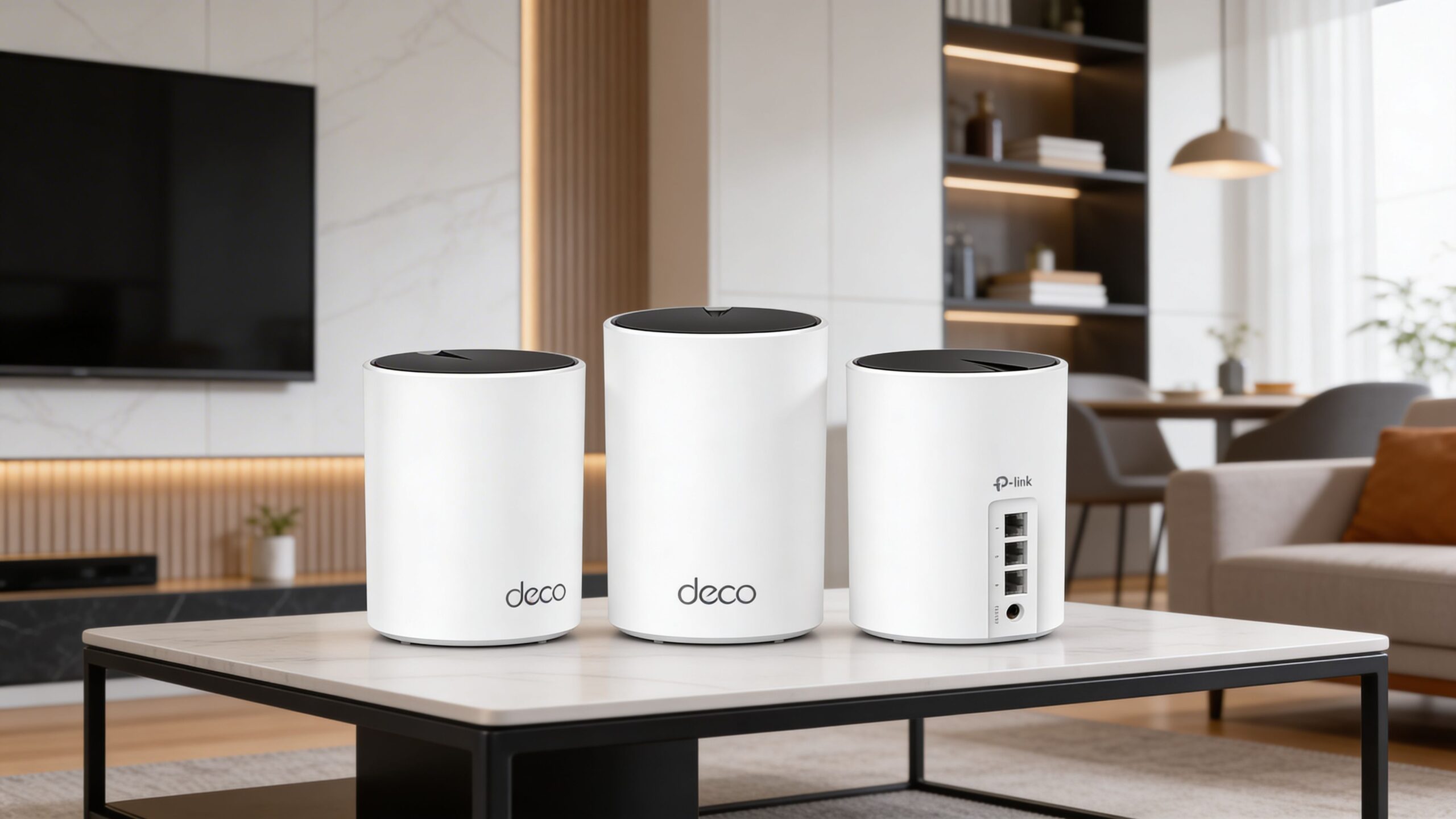
TP-Link Deco X55 Mesh WiFi System
#10 Best Connectivity Upgrade Score: 8.3 / 10

TP-Link Deco X55 Mesh WiFi System

A smart home is only as good as its network, and a mesh WiFi system often fixes the invisible problems behind unreliable devices. The Deco X55 is a strong value-minded way to improve coverage, stability, and the overall experience of connected gadgets throughout the house.

Category: Mesh WiFi Control: App Management Ecosystem: Network Backbone Best For: Whole-Home Coverage

Pros

  • Improves reliability for many connected devices at once
  • Strong coverage for medium to larger homes
  • Good value compared with pricier mesh systems

Cons

  • Less exciting than buying a visible smart gadget
  • Some homes may need a more premium system
  • Best benefits appear only when poor WiFi is the bottleneck

Best For

  • Homes with dead zones or weak device connections
  • Users adding many smart devices over time
  • Shoppers fixing the foundation before expanding

Methodology

How We Tested

Our rankings evaluate smart home devices based on real-world usefulness, ecosystem compatibility, reliability, and long-term value. Instead of focusing on novelty features alone, we prioritize products that meaningfully improve everyday home convenience, automation, and control.

Our Testing Framework

Smart home devices are evaluated through a practical framework that reflects how they perform in real households. We focus on how easily devices integrate into daily routines and how reliably they perform over time.

  • Real-world convenience and automation impact
  • Ease of setup, control, and everyday usability
  • Reliability and consistency of device performance
  • Compatibility with major smart home ecosystems
  • Long-term usefulness and overall value for homeowners
Data Sources We Use

Our analysis draws on multiple independent sources to provide a balanced perspective on each smart home device:

  • Expert reviews from technology and smart home specialists
  • Large-scale user feedback from verified owners
  • Manufacturer specifications and feature documentation
  • Long-term reliability patterns across device generations
  • Ecosystem compatibility with platforms like Alexa, Google Home, and Apple HomeKit
How We Score & Rank Products

Each product receives a score on a 10-point scale using weighted criteria designed to reflect real-world smart home value. Rankings are determined through direct comparison within this category.

  • Practical usefulness in everyday home automation
  • Reliability and stability of hardware and software
  • Ease of installation, setup, and app control
  • Ecosystem integration and platform compatibility
  • Price-to-performance value compared to similar devices
What We Don’t Do

Our rankings remain editorially independent and consumer-focused:

  • We don’t accept paid placements or sponsored rankings
  • We don’t rank devices based on affiliate commissions
  • We don’t promote products solely for brand recognition
  • We don’t inflate scores to manufacture category winners
How Often Rankings Are Updated

Smart home technology evolves quickly, so we regularly review our rankings when new devices launch, major software updates change functionality, or pricing shifts affect value.

This ensures our lists remain current, practical, and aligned with the devices most consumers should realistically consider today.

Side-by-Side Comparisons

Quickly narrow your shortlist. Use this first, then jump to full reviews for your finalists.

# Model Best For Platform Weight Power Feel Why It Won
1 Amazon Echo 4th Gen Best Overall Whole-home control Alexa smart speaker Light Very strong Best all-around smart home hub
2 ecobee Smart Thermostat Premium Best for Comfort Energy-minded households Smart thermostat Light Strong Comfort balancing + efficiency gains
3 Google Nest Learning Thermostat 4th Gen Best Design Premium smart homes Google thermostat Light Strong Premium design + smart automation
4 Ring Battery Doorbell Plus Best for Front Door Security Entry monitoring Battery video doorbell Light Strong Easy alerts at the door
5 Philips Hue White and Color Ambiance Starter Kit Best Smart Lighting Lighting routines Smart lighting kit Light Strong Reliable scenes + automation depth
6 Eufy Clean X10 Pro Omni Best Cleaning Upgrade Hands-off cleaning Robot vacuum Medium Strong Automates routine floor cleaning
7 August Wi-Fi Smart Lock 4th Gen Best for Entry Control Keyless access Retrofit smart lock Light Moderate-Strong Flexible remote access management
8 Google Nest Cam Outdoor or Indoor Battery Best Security Camera Everyday monitoring Battery security camera Light Moderate-Strong Simple camera coverage anywhere
9 Google Nest Hub Max Best Smart Display Shared home spaces Smart display Medium Moderate Visual controls for family use
10 TP-Link Deco X55 Mesh WiFi System Best Connectivity Upgrade Whole-home coverage Mesh WiFi system Medium Moderate-Strong Fixes the smart home foundation

#1 — Amazon Echo 4th Gen

Best Overall
Best For
Whole-home control
Platform
Alexa smart speaker
Weight
Light
Power Feel
Very strong
Why it wonBest all-around smart home hub

#2 — ecobee Smart Thermostat Premium

Best for Comfort
Best For
Energy-minded households
Platform
Smart thermostat
Weight
Light
Power Feel
Strong
Why it wonComfort balancing + efficiency gains

#3 — Google Nest Learning Thermostat 4th Gen

Best Design
Best For
Premium smart homes
Platform
Google thermostat
Weight
Light
Power Feel
Strong
Why it wonPremium design + smart automation

#4 — Ring Battery Doorbell Plus

Best for Front Door Security
Best For
Entry monitoring
Platform
Battery video doorbell
Weight
Light
Power Feel
Strong
Why it wonEasy alerts at the door

#5 — Philips Hue White and Color Ambiance Starter Kit

Best Smart Lighting
Best For
Lighting routines
Platform
Smart lighting kit
Weight
Light
Power Feel
Strong
Why it wonReliable scenes + automation depth

#6 — Eufy Clean X10 Pro Omni

Best Cleaning Upgrade
Best For
Hands-off cleaning
Platform
Robot vacuum
Weight
Medium
Power Feel
Strong
Why it wonAutomates routine floor cleaning

#7 — August Wi-Fi Smart Lock 4th Gen

Best for Entry Control
Best For
Keyless access
Platform
Retrofit smart lock
Weight
Light
Power Feel
Moderate-Strong
Why it wonFlexible remote access management

#8 — Google Nest Cam Outdoor or Indoor Battery

Best Security Camera
Best For
Everyday monitoring
Platform
Battery security camera
Weight
Light
Power Feel
Moderate-Strong
Why it wonSimple camera coverage anywhere

#9 — Google Nest Hub Max

Best Smart Display
Best For
Shared home spaces
Platform
Smart display
Weight
Medium
Power Feel
Moderate
Why it wonVisual controls for family use

#10 — TP-Link Deco X55 Mesh WiFi System

Best Connectivity Upgrade
Best For
Whole-home coverage
Platform
Mesh WiFi system
Weight
Medium
Power Feel
Moderate-Strong
Why it wonFixes the smart home foundation

FAQ: Smart Home Devices (Buying + Real-World Use)

Quick answers to the questions people actually ask before they buy. Expand a topic to get the why—not just the what.

In-Depth Reviews: What These Smart Home Devices Are Really Like to Live With

These full reviews expand on the Top 10 cards with a deeper look at daily use, setup friction, ecosystem fit, reliability, and the small details that decide whether a smart device feels helpful or annoying once it becomes part of your routine.

60-second take Real-use breakdown Who it’s for (and not for)
#1 Best Overall Score: 9.6 / 10

Amazon Echo 4th Gen

The safest “start here” pick for most people. It makes routines, voice control, music, timers, and connected devices feel accessible without asking you to become the household IT department.

Compare Specs

What It’s Great At

  • Whole-home control: an easy anchor for lights, plugs, and routines.
  • Low learning curve: simple enough for first-time smart home buyers.
  • Broad compatibility: works with many mainstream connected devices.

Watch-Outs

  • Ecosystem tilt: strongest fit if you are comfortable with Alexa.
  • Privacy comfort: some buyers will prefer fewer always-listening devices.
  • Music-first use: sound is good, but not truly premium audio.

Ideal Buyer

  • New smart home users: want a simple control center.
  • Busy households: benefit from routines, reminders, and voice commands.
  • Alexa builders: want one device to tie the system together.
The Real-World Verdict

The Echo wins because it makes the rest of the category easier to use. It is not just a speaker and not just a voice assistant. It turns scattered smart devices into something that feels coordinated, which is exactly why it stays the Best Overall pick for broad, everyday households.

Setup & Daily Convenience

The biggest reason people stick with Echo devices is that they reduce friction. You stop reaching for your phone for every small action.

  • Best use: kitchens, bedrooms, and main living areas.
  • Bonus: routines feel approachable instead of overly technical.
Why It Ranked #1

Some smart devices are more specialized, but few are as broadly useful at this price. That balance of ecosystem strength, simplicity, and daily usefulness is what puts it at the top.

Who Should Skip
  • Skip it if: you strongly prefer Google Home or Apple-centered control.
  • Skip it if: you want a minimal smart home with as little voice-assistant presence as possible.
#2 Best for Comfort Score: 9.4 / 10

ecobee Smart Thermostat Premium

One of the smartest upgrades for people who want to feel the benefits every day. It improves comfort, room balance, and remote control in a way that usually feels more valuable than adding another novelty gadget.

Compare Specs

What It’s Great At

  • Comfort control: better at smoothing out uneven rooms.
  • Remote management: easy app access and schedule control.
  • High daily value: feels useful long after the novelty wears off.

Watch-Outs

  • Upfront spend: pricier than simpler thermostat upgrades.
  • Install confidence: not every buyer wants to wire it themselves.
  • Best with sensors: full value improves when the system expands.

Ideal Buyer

  • Comfort-focused homes: rooms heat and cool unevenly.
  • Busy households: want easier remote climate control.
  • Practical upgraders: prefer useful automation over flashy gadgets.
The Real-World Verdict

The ecobee earns its ranking because it solves an actual household problem instead of merely adding another screen to your home. When a thermostat makes a bedroom more comfortable, reduces constant temperature fiddling, and gives you cleaner control while away, the smart-home pitch becomes much easier to justify.

Comfort & Room Balance

This is where ecobee feels more thoughtful than a basic smart thermostat. It is built around how a home actually feels room to room, not just what one wall reading says.

  • Best use: larger homes or layouts with hot and cold spots.
  • Bonus: daily comfort becomes the real selling point, not the app alone.
Platform Fit & Long-Term Use

Thermostats stay on your wall for years, so ecosystem flexibility matters more here than in many other categories. ecobee feels like a device you can keep through broader smart home changes.

Who Should Skip
  • Skip it if: your HVAC setup is simple and you rarely adjust it anyway.
  • Skip it if: you want the lowest-cost thermostat that only adds app control.
#3 Best Design Score: 9.2 / 10

Google Nest Learning Thermostat 4th Gen

A premium-feeling thermostat that makes smart climate control look and feel elegant. It is a strong fit for buyers who care about clean design, easy scheduling, and a polished Google-centered experience.

Compare Specs

What It’s Great At

  • Premium presentation: looks cleaner and more refined than most thermostats.
  • Scheduling feel: automation stays approachable instead of clunky.
  • Google fit: works naturally in Google Home-centered setups.

Watch-Outs

  • Higher cost: some of the price goes toward polish, not only practicality.
  • Platform lean: best if Google Home is already your lane.
  • Not essential: simpler thermostats can still cover basic needs.

Ideal Buyer

  • Google households: want an elegant control point.
  • Design-focused buyers: care how the upgrade looks on the wall.
  • Premium shoppers: want intelligence with low visual friction.
The Real-World Verdict

The Nest stands out because it makes smart climate control feel calm and finished. It does not win on broad usefulness the way our Best Overall pick does, but in the thermostat lane it delivers a more premium, design-driven experience that many buyers will appreciate every time they walk past it.

Design & Interface Feel

Nest’s edge is not just how it looks. It also tends to feel more refined in the little interactions that make a thermostat seem intuitive instead of technical.

Why It Sits Behind ecobee

ecobee feels slightly more practical for the widest range of households. Nest feels more premium and more design-forward, which is why it becomes the better choice for the right kind of buyer, not necessarily the average one.

Who Should Skip
  • Skip it if: you do not care much about premium finish or Google integration.
  • Skip it if: you want the clearest comfort-first value per dollar.
#4 Best for Front Door Security Score: 9.0 / 10

Ring Battery Doorbell Plus

A very practical entry into smart home security. It adds front-door visibility, motion alerts, and two-way communication in a format that most households can install and actually use right away.

Compare Specs

What It’s Great At

  • Entry awareness: easier package and visitor visibility.
  • Accessible setup: battery design lowers install friction.
  • Useful alerts: adds real day-to-day convenience.

Watch-Outs

  • Subscription pull: some buyers will want ongoing cloud features.
  • Battery upkeep: you are adding one more maintenance task.
  • Amazon lane: strongest fit if you are comfortable with Ring/Alexa.

Ideal Buyer

  • Package-heavy homes: want better front-door awareness.
  • Renters or easy-install buyers: prefer less wiring hassle.
  • Mainstream security shoppers: want alerts without complexity.
The Real-World Verdict

The Ring Battery Doorbell Plus ranks well because it turns one of the most important parts of the home into something more visible and manageable. It is one of those upgrades that can quickly become part of daily life, especially if deliveries, visitors, or missed knocks are already a regular frustration.

Alerts & Daily Usefulness

Smart doorbells win or lose on whether they make you feel more informed without becoming notification spam. Ring generally lands on the useful side for most buyers.

Installation & Ownership Tradeoffs
  • Best part: battery setup is accessible for more homes.
  • Main tradeoff: batteries and subscriptions become part of ownership.
Who Should Skip
  • Skip it if: you dislike recurring cloud-service tradeoffs.
  • Skip it if: you want a security setup built around more advanced local control.
#5 Best Smart Lighting Score: 8.9 / 10

Philips Hue White and Color Ambiance Starter Kit

Smart lighting is often where a connected home starts to feel genuinely enjoyable, and Hue remains the most refined mainstream option for reliable scenes, schedules, and ambiance. Expensive, yes—but also consistently polished.

Compare Specs

What It’s Great At

  • Reliable schedules: scenes and routines feel dependable.
  • Ambiance control: lighting becomes more flexible and enjoyable.
  • Mature ecosystem: one of the most polished lighting platforms.

Watch-Outs

  • Price premium: whole-home expansion gets expensive quickly.
  • Overkill risk: some buyers only need simple smart switches.
  • Best in context: value rises when you use routines often.

Ideal Buyer

  • Lighting-focused homes: want dependable scenes and automation.
  • Atmosphere builders: care about bedrooms, living rooms, and entertainment areas.
  • Smart home enthusiasts: want a polished lighting foundation.
The Real-World Verdict

Hue is one of those products that feels expensive until you start living with it. The reason it ranks well is not because color bulbs are essential, but because the system tends to be more consistent, more refined, and easier to build routines around than many cheaper lighting alternatives.

Scenes, Routines & Ambiance

Good smart lighting should disappear into habit. Hue does that well, especially for wake-up, wind-down, and room-based scenes that you run every day.

When It’s Worth the Premium
  • Worth it if: lighting is central to how you use your home.
  • Less worth it if: you mainly want one or two bulbs with basic automation.
#6 Best Cleaning Upgrade Score: 8.8 / 10

Eufy Clean X10 Pro Omni

A strong smart cleaning upgrade for busy homes that want real automation, not just a gadget that bumps around the floor. Once maps and schedules are dialed in, it can quietly reduce a recurring chore.

Compare Specs

What It’s Great At

  • Time savings: reduces how often floors need manual attention.
  • Mapped cleaning: smarter than basic random-navigation bots.
  • Routine support: works best when cleaning becomes scheduled.

Watch-Outs

  • Higher cost: serious robot vacuums still require real spend.
  • Floor prep: clutter can undermine the automation advantage.
  • Not zero maintenance: smart cleaning still needs owner attention.

Ideal Buyer

  • Pet owners: want more regular floor upkeep.
  • Busy households: prefer scheduled cleaning over reactive cleaning.
  • Convenience-focused buyers: value automation that actually saves time.
The Real-World Verdict

Robot vacuums only deserve a high rank when they change daily life enough to justify their cost, and this Eufy model generally clears that bar. It is not magic, but it can make floors feel more continuously managed in homes where dust, hair, or traffic quickly build up.

Mapping & Routine Value

The smart-home value here is not just app control. It is that the device can become part of a cleaning rhythm that feels mostly automatic once set up well.

Ownership Reality
  • Best result: homes that keep floors relatively bot-friendly.
  • Main truth: this reduces chores, but does not eliminate them.
#7 Best for Entry Control Score: 8.7 / 10

August Wi-Fi Smart Lock 4th Gen

A flexible smart lock pick for households that want easier access management without always replacing the entire front-door setup. Remote locking, guest access, and entry awareness are its real-world strengths.

Compare Specs

What It’s Great At

  • Remote control: easier to check and manage entry from anywhere.
  • Shared access: useful for guests, family, and temporary users.
  • Less invasive upgrade: appealing for buyers who dislike full lock replacement.

Watch-Outs

  • Battery awareness: power management becomes part of ownership.
  • Signal matters: entry performance depends on placement and connectivity.
  • Not for everyone: some homes simply prefer key-only simplicity.

Ideal Buyer

  • Shared-access homes: want cleaner guest and family entry management.
  • Convenience buyers: like remote checks and auto-lock routines.
  • Front-door upgraders: want something smarter without overcomplicating it.
The Real-World Verdict

Smart locks are at their best when they solve repeat access hassles, and August does that well. It is less about novelty than about reducing those small moments of uncertainty: did I lock the door, can someone get in without a key handoff, and can I manage entry without being physically there?

Access Management & Convenience

Where August feels strongest is in family and guest logistics. That is the use case where smart locks stop feeling like tech and start feeling like convenience.

Practical Ownership Tradeoffs
  • Main upside: smart access without a fully intimidating upgrade path.
  • Main watch-out: batteries and connectivity become part of the lock story.
#8 Best Security Camera Score: 8.6 / 10

Google Nest Cam Outdoor or Indoor Battery

A polished, flexible smart camera for buyers who want simple monitoring and clean alerts without stepping into a more technical surveillance system. It is a mainstream security pick, not an enthusiast one.

Compare Specs

What It’s Great At

  • Placement flexibility: easier indoor or outdoor use.
  • Clean app feel: event review and live views stay approachable.
  • Mainstream usability: a good fit for everyday home awareness.

Watch-Outs

  • Battery upkeep: charging becomes part of long-term use.
  • Subscription tradeoffs: some buyers will want cloud features.
  • Not enthusiast-grade: less ideal for advanced local-only setups.

Ideal Buyer

  • Google Home users: want a smoother ecosystem fit.
  • General security shoppers: prefer easy monitoring over complexity.
  • Flexible-placement buyers: want indoor or outdoor options.
The Real-World Verdict

Nest Cam ranks well because it keeps the camera experience relatively clean and manageable for ordinary buyers. It is not trying to be a full security hobby. It is trying to help you see what is happening around your home without turning the system into a project.

Monitoring & Alert Quality

Good smart cameras need to feel useful without becoming exhausting. Nest generally works best for buyers who want a clear, mainstream monitoring experience rather than endless tweaking.

Where It Fits Best
  • Strong fit: driveways, entry points, yards, and secondary doors.
  • Less ideal: buyers wanting highly customized camera networks.
#9 Best Smart Display Score: 8.4 / 10

Google Nest Hub Max

A useful smart display for kitchens and shared spaces where visual controls, calendars, recipes, and camera feeds can actually improve how a family manages the home. Not essential—but often more useful than it first appears.

Compare Specs

What It’s Great At

  • Visual controls: easier device management for shared spaces.
  • Household visibility: useful for calendars, recipes, and camera feeds.
  • Communal feel: more naturally shared than a speaker-only device.

Watch-Outs

  • Space needs: less subtle than a smaller speaker.
  • Room dependence: not every room benefits from a smart display.
  • Google lean: best when your services already live there.

Ideal Buyer

  • Kitchens and hubs: want a central household screen.
  • Families: benefit from visual smart home controls.
  • Google users: want a shared interface, not just voice control.
The Real-World Verdict

Smart displays can sound unnecessary until they are placed in the right room. The Nest Hub Max works best when it becomes a shared information point: something the household glances at for routines, cameras, timers, and coordination instead of each person handling everything from a separate phone.

Kitchen & Family-Space Value

This product makes the most sense in shared zones, not private ones. That is where the screen starts earning its counter space.

Why It’s a Niche Pick
  • Why it ranks here: useful in the right room, but not as universal as speakers or thermostats.
  • Best mindset: buy it for a shared workflow, not just for novelty.
#10 Best Connectivity Upgrade Score: 8.3 / 10

TP-Link Deco X55 Mesh WiFi System

The least flashy pick on the list, but often one of the smartest. A mesh system can solve the hidden network problems that make other smart devices feel unreliable, inconsistent, or frustrating across the house.

Compare Specs

What It’s Great At

  • Coverage improvement: helps reduce dead zones and weak spots.
  • Foundation value: supports the rest of the smart home better.
  • Strong value: a practical mesh upgrade without top-tier pricing.

Watch-Outs

  • Not flashy: feels less exciting than buying a visible gadget.
  • Problem-dependent: best value comes when WiFi is actually the bottleneck.
  • Some homes vary: larger or more difficult layouts may need more.

Ideal Buyer

  • Growing smart homes: adding more connected devices over time.
  • Homes with dead zones: want better stability room to room.
  • Practical buyers: prefer fixing the foundation before expanding.
The Real-World Verdict

The Deco X55 ranks because smart homes are only as reliable as the network underneath them. When lights lag, cameras disconnect, or displays behave inconsistently, the solution is often not a new gadget. It is a better WiFi foundation, and that is exactly where a mesh upgrade earns its place.

Why Network Quality Matters

Many buyers blame individual smart devices for problems that really come from weak or inconsistent WiFi. That is why this category matters more than it first appears.

Who Should Skip
  • Skip it if: your current WiFi is already stable throughout the home.
  • Skip it if: you are shopping for a visible smart-home feature, not a behind-the-scenes fix.

Key Takeaways

  • Amazon Echo 4th Gen is the safest overall winner because it improves the broadest range of everyday smart home tasks.
  • TP-Link Deco X55 Mesh WiFi System is the smartest value-minded fix when weak coverage is holding the rest of your setup back.
  • ecobee Smart Thermostat Premium is the strongest special-use pick for buyers who care most about comfort and energy control.
  • Ring Battery Doorbell Plus is one of the easiest practical upgrades if you want quick setup and immediate front-door awareness.
  • Ecosystem fit matters almost as much as the device itself, because Alexa, Google Home, and overall network quality shape long-term ownership.
  • For most buyers, start with the device that solves your biggest daily friction point, then expand only after that first win feels useful.

Top Picks

Tap a pick to jump to the full review, or compare specs.

Best Overall Amazon Echo 4th Gen →

Best for Comfort ecobee Smart Thermostat Premium →

Best Connectivity Upgrade TP-Link Deco X55 Mesh WiFi System →

Jump to Comparison

Where to Buy

We prioritize reputable sellers, easy returns, and reliable availability.

Price checks happen regularly. Some links may earn a commission—never affects rankings.

Accessories You’ll Want

  • Smart light bulbs or plugs (easy first add-ons for voice control, routines, and everyday automation)
  • Extra room sensors (especially useful with smart thermostats when one room never feels quite right)
  • Mounting hardware or angled brackets (helpful for placing cameras, doorbells, and displays where they work best)
  • Rechargeable batteries or charging cables (worth keeping on hand for battery-powered locks, cameras, and doorbells)
  • Mesh WiFi nodes or a stronger router setup (often the most important upgrade when smart devices feel inconsistent)

Tip: Choose accessories that match your ecosystem and your network quality first—compatibility and stable WiFi usually matter more than adding more devices.