
Car Interior Accessories Buying Guide for Cabin Comfort Upgrades
Cabin discomfort is not one problem. Heat through glass, glare, pressure concentration, poor reach, vibration, drafts, and noise each call for different responses. A thick cushion may soften a pressure point while raising the driver away from the head restraint, changing belt fit, reducing thigh support, or affecting a seat sensor. A shade or powered pad can create a different set of visibility, heat, wiring, and storage concerns.
This guide separates the symptom from the product. It compares cushions, lumbar supports, shades, heated and ventilating accessories, armrest pads, and simple noise or vibration measures through posture, restraint geometry, material response, electrical load, cleaning, and extended trials. The goal is sustainable comfort that preserves vehicle control and occupant protection.
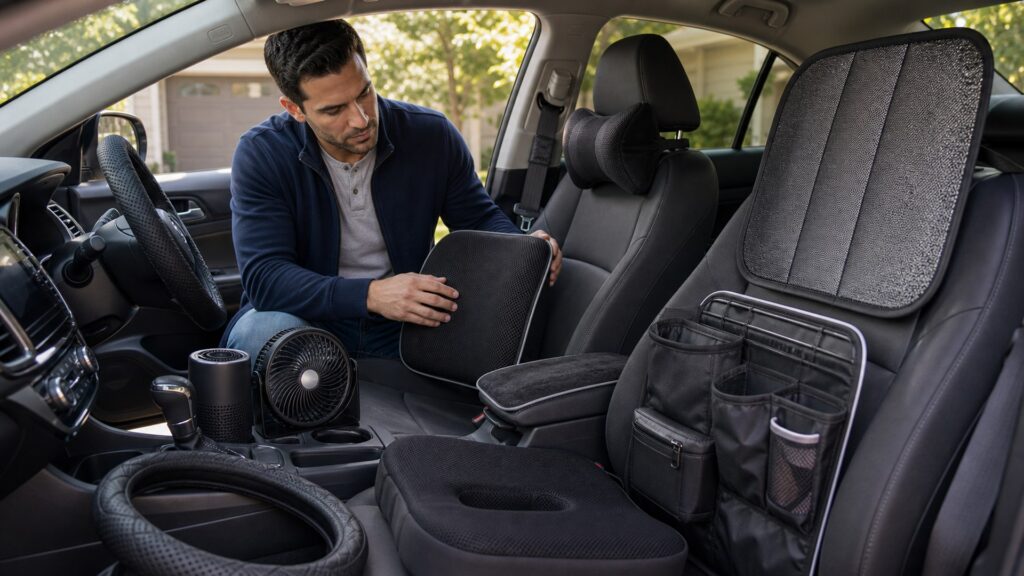
Buying framework
Diagnose discomfort before changing the seat environment
Adjust the vehicle first, isolate the symptom, then test the smallest reversible intervention over a representative drive.
Describe the symptom precisely: Record location, intensity, onset time, temperature, road, clothing, trip length, and whether the issue is pressure, posture, reach, glare, vibration, airflow, or noise.
Optimize built-in adjustments: Set seat height, distance, back angle, steering wheel, head restraint, mirrors, climate, vents, and factory lumbar according to the manual before adding thickness or powered devices.
Protect the occupant geometry: Check belt contact, buckle access, head-restraint position, airbag seams, occupant sensors, pedal travel, steering clearance, thigh support, visibility, and exit movement.
Run an extended parked-and-driving trial: Test entry, settling, normal controls, stops, turns, temperature, clothing, and at least the duration when symptoms usually appear. Stop if numbness, pain, instability, warnings, or interference develops.
Who this is for
Comfort priorities change with the symptom and driver
A hot-climate commuter, a shorter driver, and a long-distance driver need different geometry, materials, power, and trial periods.
Long-distance drivers: Prioritize stable posture, gradual pressure distribution, breathable materials, low adjustment drift, clear pedal reach, and comfort measured after hours rather than minutes.
Hot-climate drivers: Address solar load with lawful glazing or removable shades when parked, effective climate use, light and breathable contact layers, and products rated for parked-cabin temperatures.
Cold-climate drivers: Compare warm-up time, temperature control, automatic shutoff, current draw, plug quality, wire routing, material brittleness, and compatibility with heated factory seats and occupancy systems.
Drivers with recurring pain: Use medical or rehabilitation guidance where appropriate. A consumer cushion should not be treated as diagnosis, and any change must preserve safe vehicle operation and restraint fit.
What to pay attention to
Comfort specifications with safety consequences
Shape, compression, friction, temperature, and electrical behavior matter more than plushness or a brief hand test.
Posture, Pressure & Vehicle Control
Compare loaded shape, stability, belt and head-restraint geometry, pedal reach, wheel clearance, vision, and movement.
Heat, Glare & Powered Comfort
Compare solar load, shade, breathability, moisture, heating controls, electrical protection, wire routing, cleaning, and seasonal storage.
Thickness and compression: Measure loaded thickness, density, edge shape, bottoming, rebound, lateral stability, thigh support, seat contour fit, and how height changes eye position, pedals, wheel, belt, and head restraint.
Support geometry: Compare lumbar height and depth, adjustability, symmetry, pressure spread, shoulder freedom, pelvic position, strap routing, and whether support migrates during entry, braking, or cornering.
Thermal and moisture behavior: Evaluate breathability, airflow path, insulation, sweat absorption, drying, waterproof layers, condensation, surface temperature, UV stability, odor, and cleaning after repeated hot and cold cycles.
Powered accessory safety: Verify voltage, current, plug and socket rating, fuse, controller location, wire routing, abrasion protection, temperature regulation, shutoff, ignition behavior, heat uniformity, and recalls or support.
Glare, shade, and visibility: Check direct and reflected glare, windshield and mirror view, nighttime reflections, sensor and camera zones, legal visibility requirements, deployment zones, attachment, removal speed, and storage while driving.
Avoid these traps
Comfort upgrades that trade relief for interference
Immediate softness can conceal poor geometry, unstable support, trapped heat, and unsafe distance from restraints or controls.
Adding thickness before adjusting the vehicle: Built-in adjustments preserve the intended seat and restraint relationship. Extra layers should follow, not replace, a careful baseline setup.
Judging a cushion while unloaded: Foams and air cells change height, shape, and stability under body weight and heat. Evaluate loaded dimensions over the drive length that causes symptoms.
Routing heater wires across movement paths: Cables can abrade, snag feet, interfere with seat tracks, be pinched by rails, or overheat at poor connections. Route and protect them exactly as approved.
Driving with an improvised window shade: A parked-vehicle shade may block required vision, detach, reflect light, or enter an airbag zone. Remove and secure it before driving unless specifically lawful and designed for that use.
Decision guidance
Use the smallest change that produces durable relief
A good comfort upgrade improves the measured symptom while preserving posture, control, visibility, restraints, and an easy return to factory configuration.
Choose adjustable support if: The symptom responds to position changes and the support can be tuned without shifting belt, head restraint, eye point, or control reach.
Choose passive thermal control if: Shade, breathable material, ventilation, or insulation addresses the exposure without adding wiring, battery drain, hot spots, or control distraction.
Choose powered comfort if: The vehicle circuit, temperature controls, shutoff, wire path, materials, seat system, and supervision requirements are documented and acceptable.
Reject the product if: It creates warnings, numbness, unstable posture, poor belt fit, blocked airbag seams, reduced pedal control, obstructed vision, excessive heat, damaged plugs, or persistent odor.
Ownership & compatibility
Comfort products change as they compress and age
Reassess the driver position, materials, attachments, and electrical connections after break-in, seasonal changes, cleaning, and occupant changes.
Recheck geometry after break-in: Measure loaded height and inspect posture, belt, head restraint, mirrors, steering, pedals, seat travel, and pressure after foam or supports settle.
Inspect thermal products: Look for hot spots, discoloration, melted or loose connectors, cracked insulation, controller faults, odor, wet materials, blocked airflow, and failure to shut off.
Store seasonal accessories safely: Clean and dry them, avoid folds that damage heaters or foam, protect straps and connectors, label intended seating position, and keep shades secured outside use.
FAQ
Cabin comfort upgrade FAQ
Answers about cushions, lumbar supports, posture, seat airbags, occupant sensors, heat, shades, powered pads, long-drive trials, and persistent pain.
Can a seat cushion improve long-drive comfort?
How thick should a driving cushion be?
Where should lumbar support sit?
Can comfort covers interfere with seat airbags?
Will a cushion affect an occupant-classification sensor?
What is best for a hot car seat?
Are plug-in heated seat pads safe?
How should a sunshade be used safely?
When should cabin discomfort receive professional evaluation?
Bottom line
Comfort should improve the drive without changing its safety fundamentals
Identify the symptom, optimize factory adjustments, protect occupant geometry, trial the smallest intervention, and inspect it as materials and seasons change.
Diagnose first: Separate posture, pressure, heat, glare, vibration, and noise.
Preserve geometry: Protect belts, head restraints, airbags, sensors, sight lines, and controls.
Trial over time: Judge loaded performance, temperature, stability, and fatigue.
Reading Shortcuts
Move from cabin comfort upgrades fundamentals to specifications, decision paths, or recurring questions.
Decision Reminders
Keep these cabin comfort upgrades checks visible before committing.
- Symptom: Record location, onset, heat, route, and duration.
- Baseline: Optimize seat, wheel, head restraint, mirrors, and climate.
- Geometry: Check belt, eye point, pedals, wheel, and airbags.
- Material: Compare compression, friction, breathability, and odor.
- Power: Verify current, temperature control, wiring, and shutoff.
- Trial: Test through the real discomfort interval.
Glossary Snippets
Terms that clarify cabin comfort upgrades decisions.
When to Use a Top 10 Review
Use rankings after the requirements and compatibility gates are settled.
- Symptom field: Filter by the actual discomfort.
- Geometry review: Compare loaded posture effects.
- Thermal screen: Rank heat and moisture behavior.
- Trial result: Include extended-drive evidence.
Already down to 2–3 options? A Comparison is usually the faster next step.
When to Use a Comparison
Use direct cabin comfort upgrades comparisons when finalists differ in specifications that alter installation, use, or ownership.
- Same driver: Normalize body position and clothing.
- Same seat: Keep vehicle adjustments fixed.
- Same route: Match time, road, and temperature.
- Same duration: Judge after symptom onset.
Still exploring? Start with a Top 10 to build a shortlist first.