
How Mobile Payment Platforms Work

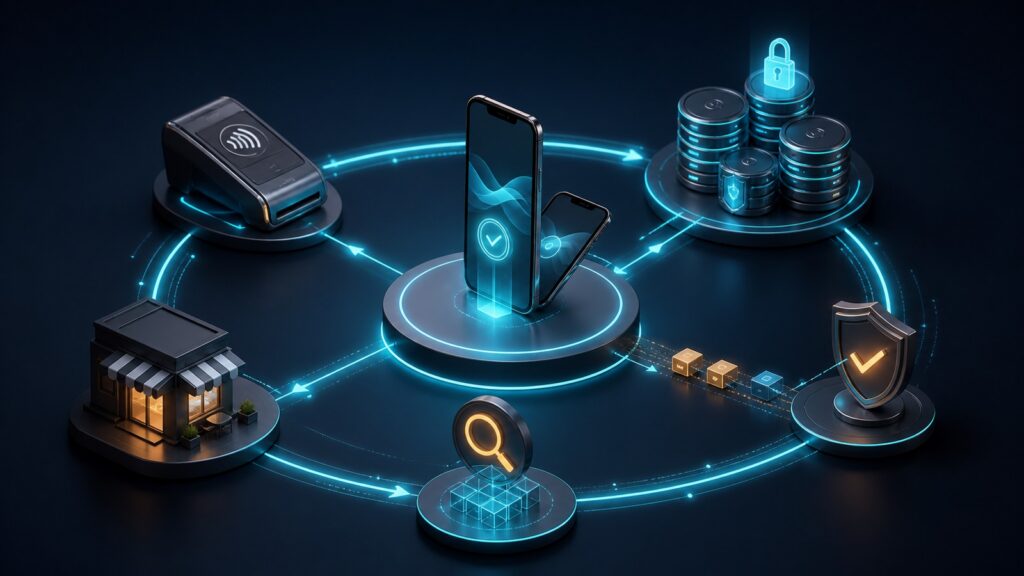
Mobile payment platforms let phones or tablets participate in accepting or making a payment. For a merchant, the setup may combine a payment app with a card reader, supported contactless acceptance directly on a phone, or a mobile checkout. For a customer, a wallet can supply a supported payment method without presenting the physical card.

The mobile device changes where the interaction happens, but it does not eliminate the payment process behind it. The provider still needs to handle the request, return an appropriate result, and connect the transaction with receipts, refunds, and eventual funding. A tap or a saved transaction is not automatically proof that money has reached the merchant's bank.

By: Review Streets Research Lab
Updated: September 25, 2026
Explainer · 8-12 min read
Editorial business scene illustrating mobile payment platforms work
What You'll Learn

Follow a Mobile Payment From Device to Deposit

Understand the customer device, merchant acceptance setup, processing result, and later financial records.

  • Distinguish a customer's wallet from a merchant's payment app
  • Compare reader-based and supported phone-based acceptance
  • Understand protected credentials without assuming every method works the same way
  • Handle weak connectivity and uncertain results
  • Follow completed payments through receipts, refunds, and payouts

Tip: First identify who is using the phone: the person paying, the person accepting payment, or both.

Definitions

Six Parts of a Mobile Payment Setup

The device is one component of an arrangement involving software, a payment provider, and supporting financial services.

Mobile Acceptance App

A mobile acceptance app lets an authorized merchant user initiate and manage supported payment operations on a device.

  • Example: A market seller enters a purchase amount and starts an eligible card payment.
  • Check: Check provider, device, and account compatibility.
  • Limit: Installing an app does not mean every phone can accept every payment method.

Card Reader

A card reader is supported hardware that obtains payment information through its enabled interfaces.

  • Example: A reader connected to a merchant tablet accepts an eligible contactless payment.
  • Check: Check pairing, power, connection, and supported methods.
  • Limit: Reader capabilities and operating requirements vary.

Tap to Pay Acceptance

Tap to Pay acceptance lets a compatible merchant phone accept supported contactless payments through an approved payment app or integration.

  • Example: A customer taps a contactless card or eligible wallet against the merchant's supported phone.
  • Check: Verify device, software, provider, and country support.
  • Limit: The feature is not universally available on every phone or account.

Mobile Wallet

A mobile wallet is a customer-facing service that presents supported payment credentials through a device.

  • Example: A customer uses Apple Pay for an eligible purchase.
  • Check: Check merchant and payment-network acceptance.
  • Limit: A wallet is not the same thing as the merchant's acceptance app.

Payment Token

A payment token is a substitute reference used within a supported payment arrangement instead of exposing ordinary card details in the same way.

  • Example: A supported wallet uses a device-associated payment credential rather than sharing the physical card number with the merchant.
  • Check: Use the provider's supported payment components.
  • Limit: Tokenization does not guarantee approval or remove all security responsibilities.

Pending Offline Payment

A pending offline payment is a transaction stored under a provider's supported offline process for later submission or completion.

  • Example: A seller's app queues an eligible payment until connectivity returns.
  • Check: Follow the provider's restrictions and upload requirements.
  • Limit: It may later fail, expire, or be declined rather than become a completed payment.

Tip: Contactless describes the local interaction; it does not guarantee that the merchant's system can complete payment without connectivity.

Setup

The Merchant Device Must Be Ready to Accept the Method

A working mobile setup needs the correct merchant account, supported software, and any required reader or device feature. The app creates the purchase context and hands payment collection to supported components. At a pop-up stall or service call, battery level, pairing, and connectivity become part of everyday payment readiness.

  • Check the assigned merchant account and location.
  • Confirm device and reader compatibility before relying on them.
  • Test the intended payment method in the actual operating environment.

A phone that can make contactless payments as a customer device is not automatically configured to accept them as a merchant device.

Customer Interaction

The Customer Presents a Method Through the Supported Route

The customer might tap a card or wallet, use a reader's supported card interface, or complete a mobile checkout. In a contactless card interaction, short-range communication exchanges the necessary payment data. Wallets can use protected credentials and authentication on the customer device, but their exact behavior depends on the wallet and method.

  • Let the payment interface guide the required customer steps.
  • Keep the amount and merchant context clear.
  • Do not assume a wallet logo guarantees acceptance of every underlying card.

The customer's device and the merchant's acceptance setup have different roles even when both happen to be phones.

Processing

The Platform Returns a Payment Result

For a typical card payment, the request travels through the provider's processing arrangement to the relevant network and issuer. The result returns to the merchant system, which must associate it with the correct sale. Other payment methods can use different paths and confirmation timing. A device interaction alone is not the whole result.

  • Check the final or pending status shown by the supported system.
  • Retain the transaction reference with the sale.
  • Investigate an interrupted response before starting another attempt.

If the app disconnects after submission, the original payment may need a status check rather than an immediate second tap.

Connectivity

Offline Collection Needs Its Own Rules

Some providers and device configurations support offline payments, while others require an online connection. Supported offline transactions can remain pending until they are uploaded and processed. The merchant must understand the permitted methods, limits, deadlines, and financial risk instead of treating the offline record as guaranteed collection.

  • Enable and use offline features only as the provider specifies.
  • Reconnect and upload according to the stated requirements.
  • Review the eventual result and unresolved transactions.

A seller at an event should plan an approved fallback rather than assume that any contactless payment will work during an outage.

After Payment

Receipts and Payouts Extend Beyond the Phone Interaction

A completed payment can produce a receipt and update the sale record. Later refunds or disputes can change its financial outcome. The provider's payout may combine many transactions after fees and adjustments, so the amount deposited need not equal one individual sale. Keep those records connected even if collection happened away from the office.

  • Make receipts traceable to the transaction.
  • Perform refunds through the provider's supported process.
  • Match payout details to the relevant business and bank records.

Mobile acceptance makes the point of payment portable; it does not make the later financial recordkeeping optional.

Quick Reality Check

A Market Seller Takes a Contactless Payment

The customer interaction and final financial result are separate parts of the sale.

While Connected

The supported app or reader collects the payment, the provider returns the relevant result, and the sale is updated.

A lost response is investigated using the original reference before requesting another payment.

Under a Supported Offline Arrangement

An eligible transaction may be stored as pending for later processing.

The seller follows upload requirements and checks the final result instead of treating storage as guaranteed approval.

Common Myths

Misconceptions About Mobile Payments

The convenience of a phone does not make all payment arrangements identical.

Any phone can accept a contactless card directly

Direct phone acceptance requires a supported device, app or integration, merchant account, and market.

A wallet and a merchant payment app are the same thing

The wallet presents the customer's method; the merchant app accepts and manages the sale. Their responsibilities differ.

An offline payment is already guaranteed money

Depending on the supported arrangement, later processing can fail or decline. Follow the provider's rules and review the final outcome.

Tip: Verify the complete device-and-provider arrangement rather than relying on the word mobile.

FAQ

Questions About How Mobile Payments Work

Practical distinctions for customers and merchants using phones and tablets.

Do I always need a separate reader?

No. Some supported setups accept contactless payments directly on a compatible phone. Others use a reader or a mobile online checkout.

Does a wallet payment bypass the card network?

Not necessarily. Many wallet payments use underlying card arrangements; other methods may use different funding routes.

What if a customer is unsure whether the payment succeeded?

Check the merchant's existing transaction and provider result before requesting another attempt. Do not rely only on a missing receipt or interrupted screen.

When does the merchant receive the bank deposit?

That depends on settlement, payout arrangements, the payment method, and account conditions. A successful device interaction does not promise immediate bank availability.

Bottom Line

Mobile payment platforms connect a portable customer interaction with the same need for verified processing, transaction records, and financial follow-through.

Check the device and method requirements, treat uncertain or offline results accurately, and keep receipts, adjustments, and payouts linked to the sale.

Next Steps

Go Deeper or Compare Your Options

Use these Review Streets paths to compare related categories and practical next decisions.

Quick Summary

Mobile Payment Roles and Stages

  • Customer wallets and merchant apps have different jobs.
  • Direct phone acceptance needs a supported setup.
  • A payment result matters more than the tap alone.
  • Offline transactions may still await processing.