
Direct thermal
Heat darkens treated label material.
- Process: The stock contains the reactive coating.
- Supply: No cartridge, toner or ribbon.
- Limit: Heat/light overexposure can obscure marks.
A shipping label printer reproduces text and barcodes as marks on physical label stock. Thermal methods use a printhead, the part applying heat to treated stock or a ribbon. Media movement builds the image row by row as stock passes the head. Sensing and printable dimensions govern its placement and reach.
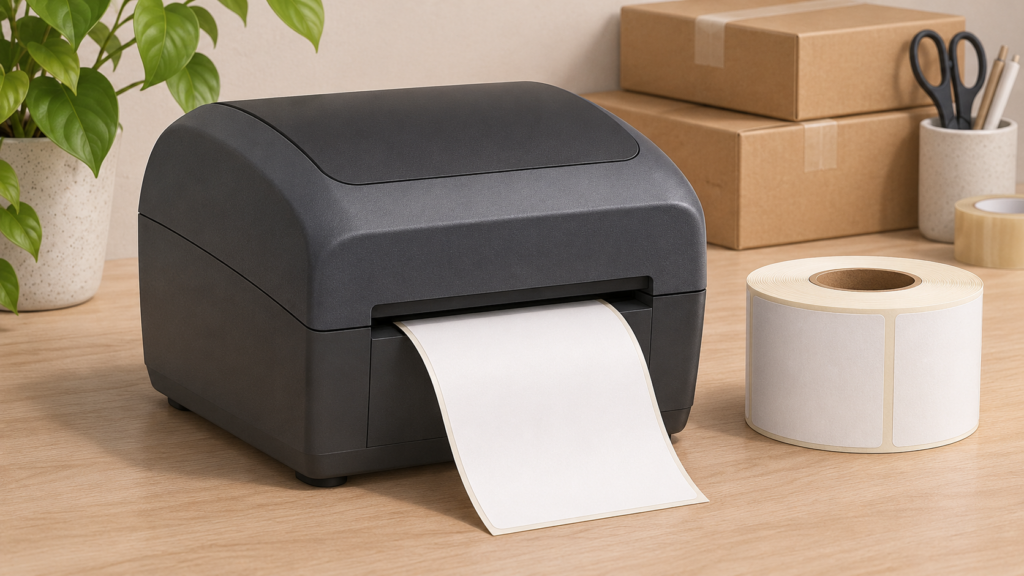
Follow the explanation from the material being marked to the limits of the finished image.
Tip: Start with the definitions if the terminology is unfamiliar.
These terms describe the parts of the explanation developed below.
Heat darkens treated label material.
A heated ribbon supplies coating to the label.
A roller that supports and drives label media.
A detector used to recognize features in label stock.
The number of printing dots within an inch.
The width across which a printer can make its image.
Tip: Use the definitions as a map; the following sections connect them into an explanation.
The first distinction is conceptual: what is being reproduced, and what it is being reproduced on.
The printer can add new marks without having created every visible part of the label.
Each method heats a different material.
Transfer needs compatible ribbon and stock.
Zebra’s ZQ600 Plus description explains rows forming as material passes the head.
In that Zebra guide, calibration identifies media type and length. This concerns the stock’s position and dimensions, rather than the meaning of an address.
Dot density describes the printed pattern; printable width describes its available span. Neither specification replaces the other.
A design can fit the material yet extend beyond the printer’s marking area. Treat those as separate dimensions.
Producing visible text and barcode marks establishes an image on media. Assessing that image’s quality is a further question.
Visible darkness is not the same proposition as instrument-based verification of a barcode’s print quality.
These are hypothetical illustrations, not product tests or observed shipping outcomes.
Imagine a sender looking at a Rollo printer beside the Zebra ZD421 Thermal Transfer Roll variant. Rollo forms marks in reactive stock; the transfer example uses a separate ribbon coating.
These are different image-forming processes. The transfer method needs a compatible ribbon/media pairing.
Imagine a neatly printed sticker containing only a recipient’s name and address. In FedEx’s terminology, that is a mailing label; its shipping label also includes a tracking barcode.
The hypothetical sticker’s neat appearance does not turn it into the other kind of document. This is a distinction about content, not a claim that a particular print passed inspection.
These statements go further than the printing mechanism supports.
Direct thermal still requires reactive stock.
One reacts within the label; the other transfers coating from a separate ribbon.
Zebra states media width and print width separately. The physical feed limit is not the maximum span of the printed image.
GS1 Greece describes verification as instrument-based print-quality grading. Visible darkness alone is not that measurement.
FedEx distinguishes the two: its shipping label includes tracking information in a barcode, beyond a recipient’s name and address.
Tip: Ask which proposition a statement actually establishes before extending it to another question.
A few edge cases help make the mechanism more precise.
Rollo documents black-only output for its printers. A color design does not change that stated hardware capability.
In Rollo’s example, the reactive side of direct-thermal stock must face upward toward the head. Feeding material through does not guarantee that the printable face received the heat.
Excess heat or light can darken stock, obscuring the text and barcode.
Rollo’s support guidance excludes it: the sensor cannot distinguish clear-label boundaries reliably. That is a documented Rollo limitation, not a rule for every thermal printer.
Rollo requires gaps or perforations. Brother’s QL range, using compatible DK supplies, includes continuous rolls cut to length. Continuous-stock capability therefore depends on the design.
No. Rollo says such files can print, but output remains at 203 dpi and can look different. File resolution does not raise the documented printer maximum.
Rollo explains that slower movement allows more heating time. It also identifies head residue as a cause of faded areas. Dot density alone does not describe those conditions.
GS1 Greece distinguishes a successful POS scan from formal verification. One reader’s success is not a guarantee of readability everywhere; this is not a carrier-certification claim.
Tip: Read a named example within its stated scope; avoid turning it into a universal rule.
Thermal printing forms marks. It changes reactive stock or transfers a ribbon’s coating.
A physical image and a verified barcode are separate results. Understanding that boundary helps you interpret a printed label without treating its appearance as proof of print quality.
Continue with the category’s related-reading formats.
Browse the category’s list archive.
Open the category’s comparison archive.
Find the category’s buying-guide archive.
Choose a retailer
Prices checked regularly. We may earn a commission at no cost to you.