
How to Choose Business Equipment for Conference Rooms
Conference rooms combine acoustics, lighting, furniture, displays, cameras, microphones, speakers, networks, and meeting software. Buying individual devices without designing the room as a system often produces poor audio, awkward camera angles, difficult controls, and recurring support calls.
This guide explains how to assess the room, define meeting patterns, choose displays and collaboration equipment, evaluate acoustics and camera coverage, simplify connections and controls, support accessibility, secure the system, and plan deployment, monitoring, and replacement.
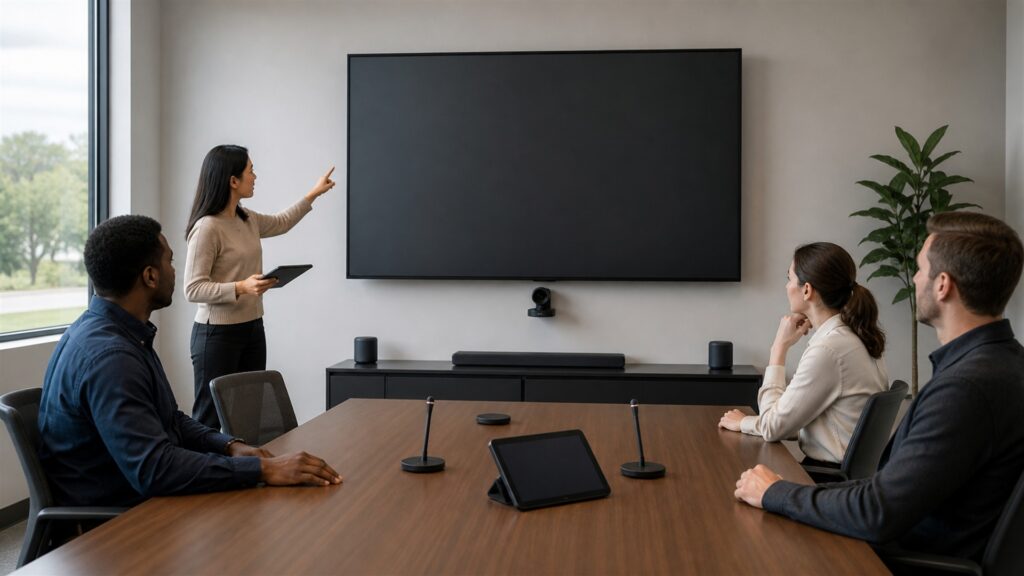
Buying framework
Design the room around participants and meeting behaviors
Observe how the room is used, where people sit or stand, what they share, and which failures disrupt meetings. Translate those patterns into coverage and control requirements.
Measure the complete room: Record dimensions, table shape, seating, sight lines, wall structure, windows, lighting, reflections, outlets, network, cable routes, doors, ventilation, and accessible movement.
Map meeting modes: Include local discussion, hybrid meetings, presentations, whiteboarding, training, confidential sessions, guests, and calls hosted from different platforms or devices.
Set experience targets: Define startup time, speech clarity, camera framing, display legibility, content-sharing steps, guest access, and recovery expectations for common failures.
Test from every seat: Evaluate face visibility, microphone pickup, speaker clarity, screen viewing, control reach, echo, glare, and remote-participant experience across the room.
Who this is for
Match equipment architecture to room type
A small focus room, standard conference room, training space, and divisible room require different coverage, complexity, and support.
Small focus and huddle rooms: Prioritize simple one-touch start, wide camera coverage, close-range audio, compact display placement, and easy laptop sharing without excessive hardware.
Medium conference rooms: Look for reliable framing, microphone coverage across the table, appropriate display size, intelligible speakers, room controls, and remote management.
Large board or training rooms: Require engineered camera views, distributed microphones and speakers, multiple displays, presentation sources, acoustic treatment, control, and qualified installation.
Flexible or divisible spaces: Evaluate movable furniture, changing orientation, wireless or floor connections, multiple room modes, presets, partition behavior, and support for reconfiguration.
What to pay attention to
Signals that determine conference-room quality
Judge the complete installed system with real participants and remote listeners. Device specifications cannot predict room reflections, echo, sight lines, or control complexity alone.
Signals that affect practical feel
One-touch start, obvious controls, readable displays, natural camera framing, clear speech, simple sharing, and fast recovery determine whether employees trust the room.
Signals that affect capability
Acoustic processing, coverage, resolution, network, management, platform support, security, wiring, monitoring, serviceability, and update policy determine sustained capability.
Microphone coverage: Test quiet and loud speakers, distance, turning away, paper and keyboard noise, overlapping speech, echo cancellation, and pickup near room edges.
Camera composition: Review field of view, participant size, auto-framing behavior, speaker tracking, privacy indicators, backlighting, whiteboard visibility, and manual fallback.
Display and content legibility: Size displays for the farthest seat and actual content. Test spreadsheets, presentations, video, captions, split views, glare, and remote-participant layouts.
Connection and control flow: Count steps for scheduled and unscheduled meetings, guests, different platforms, laptop sharing, source switching, volume, camera, privacy, and ending the session.
Avoid these traps
Common conference-room equipment mistakes
Most problems come from ignoring acoustics, choosing screens by wall size, relying on one microphone for a long table, or making controls too complicated.
Buying the camera before assessing sight lines: Table shape, display location, windows, and seating determine useful framing. A wide specification does not guarantee faces are large or well lit.
Treating audio as an accessory: Remote participants tolerate imperfect video better than unintelligible speech. Budget for microphones, speakers, echo control, room treatment, and testing.
Supporting guests only on paper: Test common guest laptops, adapters, permissions, wireless sharing, platforms, and security restrictions. Provide a clear fallback when the preferred connection fails.
Hiding complexity in unlabeled controls: Custom systems still need intuitive states, limited choices, visible privacy, and a reset path. Confusing controls create support dependence and abandoned rooms.
Decision guidance
Choose the simplest architecture that covers the entire room
Integrated appliances work well in predictable rooms; modular systems fit complex spaces. Select based on coverage, platform needs, support, and change tolerance.
Choose an integrated room appliance when: The room is small or medium, one collaboration ecosystem dominates, coverage is adequate, and simplified deployment and management outweigh component flexibility.
Choose a modular room system when: Camera views, microphones, speakers, displays, sources, controls, or room modes require engineered flexibility and qualified integration.
Choose bring-your-own-device equipment when: Users commonly host from laptops and need platform flexibility. Confirm USB behavior, charging, cable reach, switching, security, and recovery.
Choose managed installation and support when: Room downtime is costly or acoustics, wiring, control, multiple platforms, or distributed devices exceed internal design and maintenance capability.
Ownership & compatibility
Operate meeting rooms as shared production systems
Assign responsibility for room standards, calendars, platform accounts, updates, monitoring, cleaning, cables, spares, privacy, and escalation.
Room readiness checks: Test display, camera, microphones, speakers, controls, sharing, network, cables, and scheduled meeting integration before important sessions.
Remote monitoring: Use appropriate status, logs, alerts, and device management to identify offline components, update failures, or degraded peripherals before users report them.
Privacy and security: Control room accounts, guest access, stored data, recordings, camera and microphone indicators, network segmentation, administrator rights, and secure reset.
Lifecycle coordination: Track firmware, platform certification, warranty, cables, mounts, replacement compatibility, support dates, and planned refresh across the complete room.
FAQ
Conference-room equipment FAQ
Answers about displays, microphones, cameras, room appliances, acoustics, and meeting-platform support.
How large should a conference-room display be?
Does a conference room need multiple microphones?
Are all-in-one video bars suitable for every room?
How can one room support several meeting platforms?
Bottom line
Design the complete room, not a collection of devices
A dependable conference room helps every participant see, hear, share, and recover from problems through an integrated design that is simple to operate and support.
Measure and observe: Document room conditions, meeting modes, seats, and failure consequences.
Prioritize audio: Test microphone and speaker clarity before accepting the system.
Simplify controls: Limit steps for starting, sharing, switching, privacy, and ending.
Own the lifecycle: Monitor, update, clean, support, secure, and refresh the entire room.
Reading Shortcuts
Jump to the conference rooms decisions that most affect record quality, compliance work, and ownership effort.
Decision Reminders
Before selecting software for conference rooms.
- Test every seat: Coverage varies across one room.
- Protect speech clarity: Audio quality drives remote participation.
- Provide a fallback: Guests and platforms will vary.
Glossary Snippets
Useful terms for conference rooms accounting decisions.
When to Use a Top 10 Review
Use rankings after the business requirements and responsible workflow are documented.
- You need room-system options: A Top 10 can organize products after the space is assessed.
- Your meeting modes are known: Rankings improve with platform and coverage needs.
Already comparing finalists? A Comparison can expose direct tradeoffs.
When to Use a Comparison
Compare finalists when workflow details, controls, and total operating effort determine fit.
- Coverage differs: Compare actual seat-level audio and framing.
- Control differs: Startup, sharing, guests, and recovery need direct tests.
Need a broader shortlist first? Start with a Top 10.