
How to Choose Car Electronics & Driving Tech for Screen, Sensor, and App Integration
Screens, sensors, and apps form a chain: hardware detects or receives information, an interface translates it, software interprets it, and a display or alert asks the driver to act. A weak link can create delay, missing views, duplicate warnings, bad data, or a dashboard that demands more attention than the problem deserves.
This guide maps each function from source to fallback before choosing hardware. It compares factory and add-on displays, cameras, parking or vehicle sensors, phone projection, diagnostic apps, companion services, interfaces, latency, alert priority, mounting, permissions, updates, subscriptions, and offline behavior. The goal is one coherent information system rather than several disconnected screens competing for the driver.
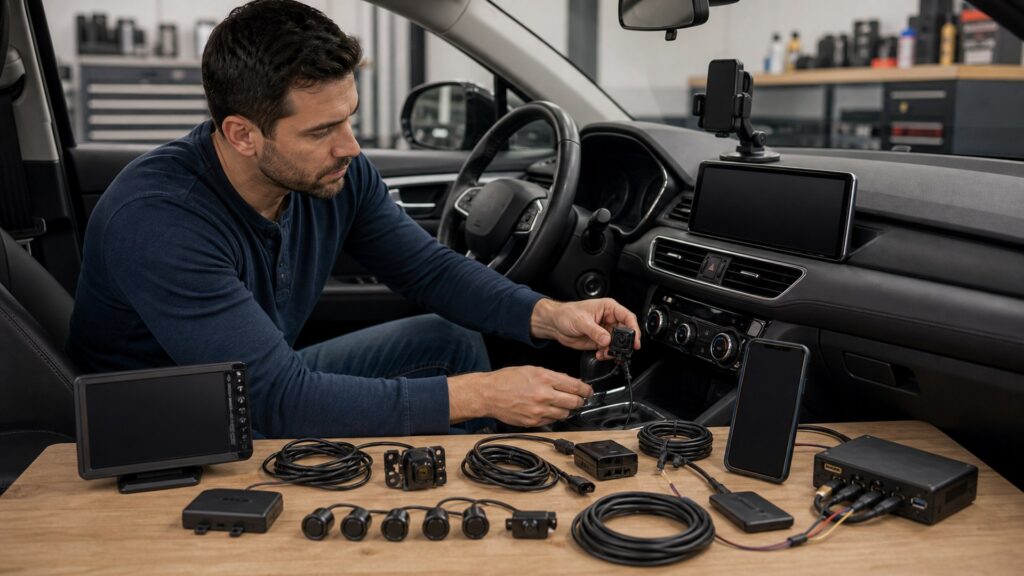
Buying framework
Trace information from sensor to driver decision
Define what is sensed, how it travels, where it appears, what the driver should do, and how failure is communicated.
Define each information job: Separate reversing view, parking distance, navigation, vehicle status, tire or engine data, recording, communication, and entertainment. Remove displays that repeat information without improving a decision.
Draw the complete data chain: Record sensor, power, connector, signal or network, adapter, phone, app, account, firmware, display, alert, and internet dependency. Mark which links are factory, aftermarket, local, or cloud-based.
Set screen and alert priority: Choose which view appears during reverse, calls, navigation, warnings, startup, and connection loss. Control sound, brightness, duration, menu depth, passenger access, and duplicate notifications.
Design the failure state: Test disconnected phones, blocked sensors, lost coverage, corrupt storage, app logout, expired subscriptions, interface faults, and reboot. Core vehicle operation and direct observation must remain available.
Who this is for
Integration depth should follow the information consequence
Convenience apps can tolerate graceful fallback; camera and warning functions demand clearer latency, geometry, and failure indications.
Phone-centered drivers: Prioritize reliable wired or wireless projection, one mount or factory screen, strong charging, app compatibility, voice control, and downloaded navigation without multiplying companion displays.
Camera and parking users: Require fast startup, correct trigger, known field, stable video, clean mounting, interpretable guidelines, and a visible unavailable state. Continue mirror and surroundings checks.
Vehicle-data enthusiasts: Understand which parameters are measured, calculated, delayed, manufacturer-specific, or unavailable. Avoid clearing diagnostic evidence or treating consumer app values as a complete diagnosis.
Shared and managed vehicles: Use role-based accounts, consistent profiles, guest access, standardized alerts, remote administration, data policies, and a removal process that does not depend on one driver's phone.
What to pay attention to
Integration specifications that shape trust
Compare the whole information path under real startup, connection, driving, heat, and failure conditions.
Sensors, Signals & Display Behavior
Map sources, fields, calibration, adapters, latency, triggers, screens, alerts, visibility, and physical controls.
Apps, Accounts & Lifecycle
Compare phone support, permissions, connectivity, cloud use, subscriptions, updates, offline states, privacy, deletion, and transfer.
Display placement and behavior: Evaluate sight lines, reach, glare, night dimming, resolution, touch targets, physical controls, vent and airbag clearance, startup, view switching, split-screen limits, and passenger interaction.
Sensor compatibility and geometry: Verify target type, range, field, mounting height and angle, obstruction, voltage, connector, signal format, calibration, weather, dirt, vibration, vehicle loading, and post-repair checks.
Interface and data latency: Measure startup and end-to-end delay, refresh rate, trigger accuracy, translation support, network behavior, dropped data, diagnostic side effects, and whether simultaneous inputs compete for bandwidth or one port.
App and phone dependence: Confirm operating systems, region, permissions, background operation, Bluetooth, Wi-Fi, USB data, cable capability, account recovery, app switching, offline functions, subscriptions, and support history.
Privacy and update control: Review location, contacts, audio, video, diagnostics, identifiers, driving behavior, cloud retention, sharing, export, deletion, security updates, release notes, and rollback or factory-reset options.
Avoid these traps
Integration choices that create competing dashboards
Adding screens and alerts without priority rules can increase glance time, hide failure, and make the driver arbitrate between conflicting systems.
Giving every function its own screen: Separate displays add mounts, wires, glare, startup, controls, theft exposure, and attention. Consolidate only when the combined interface preserves priority and fast access.
Assuming app data is direct measurement: Many values are calculated, delayed, filtered, generic, or unsupported by a vehicle. Understand the source, units, update rate, and diagnostic meaning before acting.
Stacking duplicate warnings: Two systems can use different thresholds and timing for the same hazard. Conflicting sounds or visuals increase workload; select a primary source and mute only after understanding consequences.
Updating every layer together: Changing phone, app, interface, display, and vehicle software at once obscures causality. Back up settings, update deliberately, and retest the complete chain after each material change.
Decision guidance
Choose one primary interface per driving task
The strongest integration reduces ambiguity: one trusted source, one clear presentation, one defined fallback, and documented ownership.
Use the factory screen if: It reliably presents cameras, vehicle settings, safety information, and phone projection with lower integration risk than an added display, even if its specifications look modest.
Add a dedicated display if: The information is frequent and important, placement is safe, latency and failure states are documented, and the new screen does not block or duplicate higher-priority vehicle functions.
Use a companion app if: The task is setup, review, export, or occasional status rather than continuous driver interaction, and permissions, offline behavior, support, and account ownership are acceptable.
Reject the integration if: Data sources are unclear, latency is unsuitable, sensor mounting cannot be validated, alerts conflict, permissions are excessive, or core function disappears when a phone, account, or cloud service fails.
Ownership & compatibility
Keep the information chain understandable
Future troubleshooting requires knowing which sensor, interface, app, account, and software version produced the displayed result.
Maintain an integration record: Save device and sensor IDs, wiring, mounts, interfaces, firmware, apps, permissions, accounts, subscriptions, calibration, settings, and acceptance tests with installation photographs.
Retest after system changes: Verify startup, views, triggers, latency, alerts, controls, offline behavior, storage, shutdown, and privacy settings after updates, phone replacement, windshield or body work, alignment, or sensor movement.
Remove data and restore cleanly: Export needed records, sign out, revoke permissions, delete cloud data where available, remove paired devices, factory-reset hardware, disclose modifications, and preserve factory parts.
FAQ
Screen, sensor, and app integration FAQ
Answers about display count, latency, app data, cameras, alerts, phone projection, permissions, updates, offline operation, and professional integration.
How many screens should a vehicle use?
Why does sensor information appear delayed?
Are vehicle-data apps accurate enough for diagnosis?
Can any camera connect to any vehicle display?
How should duplicate alerts be handled?
Does phone projection integrate every app?
Which app permissions deserve scrutiny?
How should integrated systems be updated?
When is professional integration appropriate?
Bottom line
Integrated technology needs one coherent information path
Trace every source, control display and alert priority, test latency and failure, govern app data, and preserve a usable offline fallback.
Trace the data: Identify sensor, interface, software, display, and dependency.
Control attention: Prioritize views, alerts, controls, placement, and failure states.
Own the lifecycle: Document permissions, updates, calibration, data, and removal.
Reading Shortcuts
Move from screen sensor and app integration fundamentals to specifications, decision paths, or recurring questions.
Decision Reminders
Keep these screen sensor and app integration checks visible before committing.
- Jobs: List the decisions each screen or sensor supports.
- Sources: Trace sensors, signals, adapters, apps, and accounts.
- Priority: Set views, alerts, brightness, sound, and fallback.
- Latency: Measure startup and end-to-end delay.
- Privacy: Review permissions, storage, sharing, and deletion.
- Lifecycle: Plan updates, retesting, records, and removal.
Glossary Snippets
Terms that clarify screen sensor and app integration decisions.
When to Use a Top 10 Review
Use rankings after the requirements and compatibility gates are settled.
- Display field: Compare placement and interface priority.
- Sensor screen: Review field and calibration.
- App review: Compare permissions and support.
- Lifecycle: Include updates and offline states.
Already down to 2–3 options? A Comparison is usually the faster next step.
When to Use a Comparison
Use direct screen sensor and app integration comparisons when finalists differ in specifications that alter installation, use, or ownership.
- Same vehicle: Normalize factory screens and networks.
- Same task: Compare one information job.
- Same latency: Measure source through display.
- Same fallback: Test loss of phone, data, and sensor.
Still exploring? Start with a Top 10 to build a shortlist first.