
How to Choose Cycling Accessories for Indoor Training
For indoor cycling, prioritize airflow, sweat management and a stable place for the screen before buying more sensors. A well-positioned ordinary fan and a suitable stand can solve practical problems that a premium data accessory cannot. Next, check what the trainer already reports and whether the chosen application can use those signals.
This guide assumes the bicycle or indoor bike and its supporting equipment are already suitable for use together. It covers the accessories around that setup: fans, mats, guards, displays and connected devices. The goal is a station that starts easily and supports the workout without duplicate measurements, unstable supports or a tangle of connections.
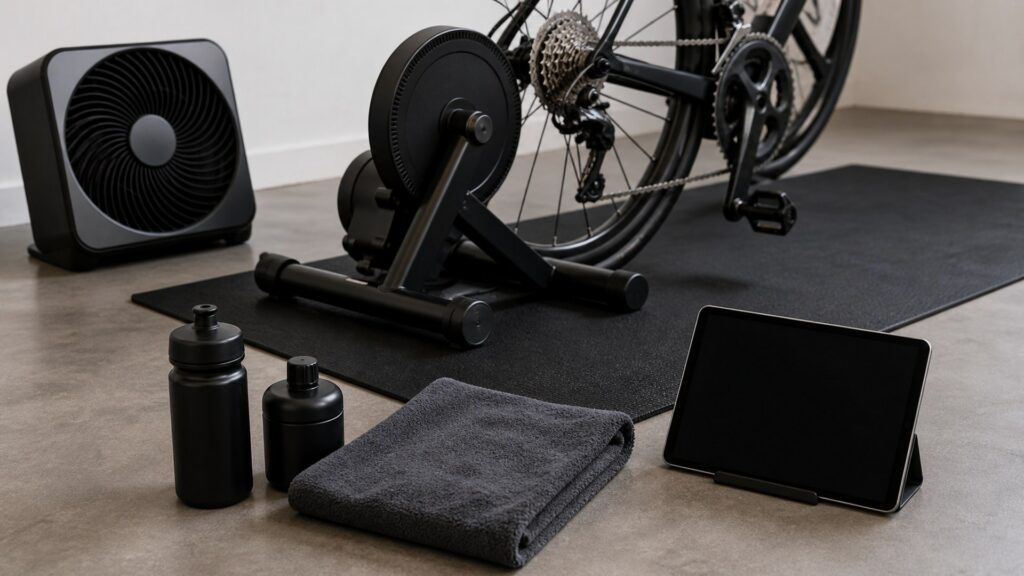
Buying framework
Solve the room before adding data
An indoor station has physical and electronic needs. Address them separately so a connection problem does not distract from an uncomfortable arrangement.
Direct airflow at the riding position: Choose a fan that can reach the seated and standing positions you actually use. Compare its placement and noise in the room before paying for automatic speed control.
Plan where sweat goes: Identify exposed bicycle parts, controls and floor areas beneath the rider. Select compatible protection and a cleaning routine rather than expecting a towel or mat to maintain the equipment by itself.
Set the display and essentials within reach: Place the screen where it is readable without forcing a persistent head position. Keep bottles, controls and any towel accessible without obstructing pedaling or the route on and off the bicycle.
Draw the connection path: List the trainer, sensors, receiving device and workout app, including the function each must provide. A clear diagram can reveal an unnecessary purchase before another wireless device enters the room.
Who this is for
Choose accessories for the way the room is used
A permanent training station and a shared corner impose different costs. Use the arrangement you will actually maintain.
Simple manual workouts: Start with a suitable fan, moisture management and whatever display the session needs. A connected fan or additional sensor is optional when it does not change the workout you follow.
App-controlled training: Check the host device and app support for resistance control and desired measurements. The connection plan matters more than matching every accessory to a single logo.
Several riders sharing equipment: Look for repeatable screen placement, accessible controls and easy cleaning between sessions. Personal sensors should be easy to identify and pair without capturing another rider's connection.
A space packed away after use: Favor manageable stands, a mat that can dry and a simple cable arrangement. Count the steps required to start training, not just how compact each item looks when folded.
What to pay attention to
Inspect physical fit and electronic function
Do not treat a generic compatible label as a complete specification. Check the station under the conditions in which it will be used.
Physical room and rider setup
Assess airflow direction, moisture coverage and stand stability with the rider and equipment in place.
App connections and duplicated functions
Trace each measurement and resistance command through the actual app and receiving device before adding a sensor.
Fan direction and adjustment: Confirm the fan can be aimed from an available position and controlled as intended. More fan power on paper is not useful when furniture blocks its airflow or the noise makes the room impractical.
Mat dimensions and stability: Allow space for the trainer's supports and expected moisture coverage. Follow the equipment's leveling instructions; a thick, soft mat is not automatically a better supporting surface.
Guard attachment and clearance: Check a sweat guard or towel arrangement against cables, steering parts and moving components. Use a retained setup that does not hang into the cranks, wheel or fan.
Screen-stand height and load: Match the stand to the device's size, mass and viewing angle. Confirm that reaching a control or moving around the bicycle does not tip the stand or catch a power cable.
Reported data versus resistance control: Verify the app supports the specific trainer functions you want. A sensor sending a number to the screen does not prove the system can command resistance or reproduce a particular workout mode.
Wireless protocol and connection limits: Check Bluetooth and ANT+ support on both ends, including any required receiver. Wahoo documents different simultaneous-connection capabilities across products; do not apply one device's allowance to another.
Avoid these traps
Skip upgrades that leave the real problem unsolved
Accessory ecosystems can encourage buying several pieces at once. Test the basic station before deciding which extras are justified.
Buying speed and cadence sensors automatically: Some trainers already report the data required by an app. Inspect the actual output and your intended measurement needs before paying for another sensor and battery.
Expecting a mat to silence the room: Floor protection and sound control are different tasks. Test the complete station in its intended location; a mat's thickness does not establish what another room or apartment will hear.
Pairing the same trainer to competing controllers: Multiple applications can complicate troubleshooting when control or connection limits are unclear. Follow the trainer and app instructions and choose one intended controller for the workout.
Buying a moving platform before basic compatibility: Rocker plates and front-end movement devices change support and clearance. Confirm approval for the exact bicycle, trainer and accessories before adding motion to a station that already works.
Decision guidance
Build the station in useful stages
Complete a normal session with the essential arrangement first. Then add the accessory that addresses the most concrete remaining inconvenience.
Airflow is inadequate: Improve fan position or choose a suitable fan before adding performance sensors. A manually controlled option may be sufficient when its airflow reaches the rider and its controls are practical.
Sweat reaches the bicycle or floor: Select an appropriate guard or mat and retain the required cleaning routine. Keep electrical equipment and its cables arranged according to the relevant instructions rather than covering the problem with loose fabric.
The display is awkward to read or operate: Choose a properly rated stand with the needed height and reach. Pay for a dedicated desk when it solves that placement task, not merely to complete a matching equipment set.
A workout needs a missing measurement or control: Buy the compatible sensor or receiver that fills that specific gap. Verify the complete app path first, and keep the simpler station when the existing trainer already supplies the required information.
Ownership & compatibility
Keep the station ready and dry
Indoor accessories need care even when they never encounter road dirt. Include cleanup and connection management in the routine.
Clean using the actual equipment guidance: Wipe and dry surfaces as directed, including areas below guards. Wahoo's indoor-bike guidance includes sweat removal, but its maintenance schedule should not be copied indiscriminately to another model.
Manage shared-device connections: Label personal sensors where useful and disconnect devices through the prescribed process. When a pairing fails, check whether another host has already claimed the connection before purchasing replacement hardware.
Inspect stands, cords and removable fittings: Check support fasteners and cable condition according to their instructions. Dry mats before storage and avoid creating trip or snag points when the room is rearranged.
FAQ
Questions about indoor accessories
These details help separate a necessary adapter from an optional extra.
Do I need a cycling-specific fan?
Is an ANT+ USB receiver always necessary?
Can a heart-rate strap control the trainer?
Do I need a front-wheel block?
Can I reuse a household table for the screen?
Will a power meter duplicate a smart trainer?
Should I buy a smart fan for shared training?
Can I leave a towel over the bicycle?
What should I check before paying for an app?
Bottom line
Buy a usable station before a connected collection
Indoor accessories should remove a physical or functional limitation. Choose the simplest arrangement that delivers the intended session.
Fix the room setup: Establish airflow, stable supports and moisture management first.
Prove the data path: Confirm the trainer, app and host deliver the functions you need.
Add one justified upgrade: Select further equipment only after identifying what the current station cannot do.
Reading Shortcuts
Separate room comfort and protection from the wireless functions needed for the session.
Decision Reminders
Test a normal workout before expanding the accessory system.
- 1: Aim airflow at the real riding position.
- 2: Keep guards and towels away from moving parts.
- 3: Check data already supplied by the trainer.
- 4: Verify the number and type of supported connections.
Glossary Snippets
Connection terms that determine whether a new sensor adds anything.
When to Use a Top 10 Review
Look for accessories that solve a documented placement, moisture or connection problem.
- Physical need: Choose between fan, guard, mat and stand upgrades by the problem observed during use.
- Electronic need: Require support for the exact function, rather than a general wireless badge.
References: Wahoo Bluetooth connection capabilities; Wahoo ANT+ connection guidance; Wahoo KICKR BIKE maintenance guidance; Wahoo HEADWIND setup instructions. Checked October 6, 2026. This guide does not claim original product measurements. Use the Comparison to assess finalists.
When to Use a Comparison
Compare complete stations, including any receiver and ongoing app cost.
- Setup effort: Count daily placement and pairing steps in a shared room.
- Function overlap: Exclude sensors whose output is already adequately available to the workout app.
For a selection of candidates, visit the Top 10.