
How to Choose OBD Diagnostic Tools for Screen, Sensor, and App Integration
A bright graph can look authoritative even when it is updating slowly, displaying the wrong parameter, or depending on a phone that will lose app support next year. Choosing an OBD tool around screens and apps therefore starts with the data path, not the display diagonal.
Identify the controller value or external measurement you need, then follow it through the vehicle interface, connection, software, screen, recording, and export. That sequence exposes the important tradeoffs between standalone handhelds, phone adapters, wireless tablets, and professional sensor accessories—and prevents interface polish from standing in for diagnostic capability.
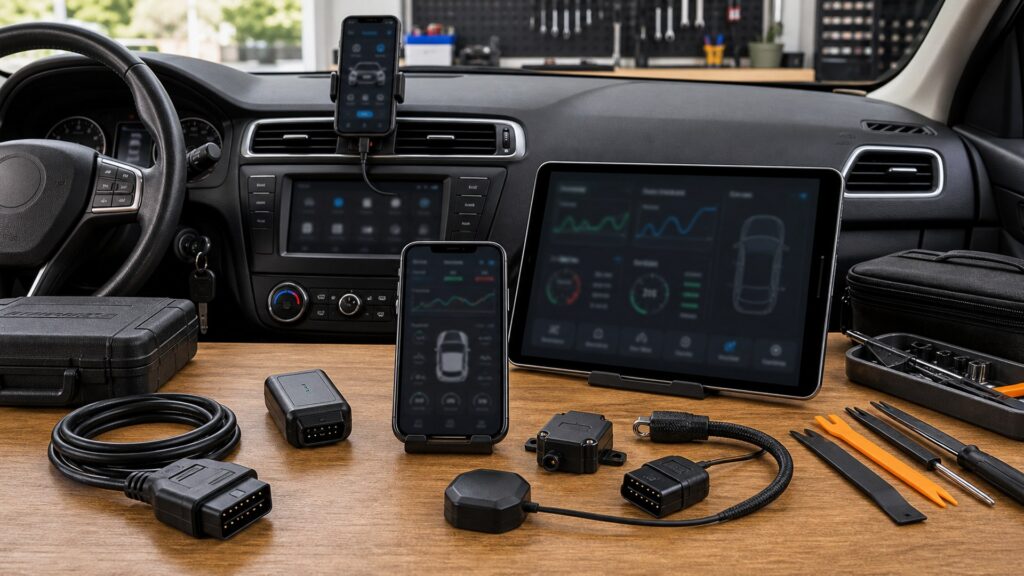
Buying framework
Follow the measurement from source to saved evidence
Every useful reading has an origin, transport path, update behavior, and record. Define all four before comparing screen resolution or app design.
Name the value: Write the module, PID, code state, freeze-frame field, or physical measurement required. Verify that the vehicle and chosen software expose it; an attractive dashboard cannot manufacture unavailable data.
Choose the host: Decide whether the task must work on the tool alone or may depend on a specific phone, tablet, operating system, account, and permission set.
Set the time requirement: A ten-second idle check and a forty-minute road-test log stress the connection differently. Specify duration, number of signals, and the minimum useful update interval.
Define the handoff: Choose whether evidence must be read at the car, emailed as a PDF, analyzed in CSV, or retained in a native log. Test that path before purchase.
Who this is for
Choose an interface around the diagnostic moment
The best host is the one available, legible, and dependable where the evidence is collected—not necessarily the largest or most connected option.
Quick warning-light triage: A self-contained reader offers immediate codes, freeze frame, readiness, and voltage without pairing. Prioritize clear menus and daylight legibility over elaborate dashboards.
Owner using one familiar phone: A quality app adapter can deliver flexible graphs and inexpensive updates. Confirm the exact operating system, offline behavior, account ownership, and supported enhanced modules.
Technician recording road tests: A tablet and wireless VCI can keep the display visible while the connector remains secure. Stable reconnection, focused PID lists, timestamps, markers, and export matter more than simultaneous gauges.
Advanced electrical or mechanical diagnosis: Pressure transducers, current clamps, thermocouples, scopes, or meters require defined ranges, safe inputs, calibration, and training. These measurements complement rather than replace module data.
What to pay attention to
Specifications that control what the graph can prove
Evaluate the complete measurement chain under the intended vehicle and workload. Marketing screenshots rarely show latency, dropouts, or export restrictions.
Information Path
Confirm source availability, module access, VCI throughput, PID grouping, timestamps, and saved output.
Interface & Measurement
Test legibility, controls, wireless behavior, app support, external inputs, and safe operating limits.
Screen and controls: Check sunlight, night dimming, viewing angle, glove operation, font scale, and whether critical actions require nested menus. Resolution matters less than readable labels and quick capture.
Host and app support: Verify current and promised operating systems, simultaneous devices, login requirements, offline use, background recording, privacy permissions, and what happens to purchased features when hardware changes.
PID depth and identity: Distinguish generic powertrain PIDs from manufacturer-enhanced data in transmission, ABS, body, battery, or hybrid modules. Confirm units, definitions, and scaling for the exact vehicle.
Sampling under load: Ask how refresh changes with one PID versus a group and whether data arrives sequentially. A fast-looking numeric tile may conceal gaps that matter when comparing two events.
Connection architecture: A cable avoids radio pairing but limits placement. Bluetooth and Wi-Fi add mobility yet may sleep, switch networks, face interference, or depend on background-app rules. Test reconnection after key cycles.
Logs and exports: Look for timestamps, event markers, vehicle identity, selectable intervals, and files that open without the vendor service. Screenshots are convenient but weak for long or multi-channel evidence.
Accessory measurement inputs: Confirm channel count, voltage and current limits, isolation, sample rate, probe compatibility, zeroing, and calibration. Never infer safety from connector shape or a sensor icon in the app.
Avoid these traps
Interface shortcuts that produce weak evidence
Most integration failures happen when buyers compare what a display shows without checking where the value came from or how it was captured.
Buying by screen size: A larger panel does not add module coverage, faster queries, clearer definitions, or better logs. Test the exact workflow and treat display dimensions as ergonomics only.
Assuming every vehicle sensor is a PID: Some sensors are not exposed through generic OBD, are represented by calculated values, or live in unsupported modules. Verify the data list for the vehicle and function.
Graphing too many channels: More requested PIDs can slow each update and blur short events. Record the smallest diagnostic set first, then add context only if timing remains adequate.
Making a personal phone the archive: App deletion, device replacement, account loss, or background restrictions can strand records. Export important logs promptly to an owner-controlled location.
Connecting unverified probes: A transducer or clamp with the wrong range, grounding, or input protection can damage equipment or create unsafe testing. Follow the tool and accessory ratings exactly.
Decision guidance
Match the platform to independence and evidence depth
Start with the simplest system that can acquire, display, and retain the required evidence without an unsupported host or measurement chain.
If immediate use matters most: Choose a self-contained handheld with a readable screen, physical controls, and the generic or enhanced coverage you have verified. Add export only if records must leave the vehicle.
If flexible graphs matter most: Choose an app and adapter with documented vehicle support, stable background logging, clear file export, and an operating-system policy compatible with your replacement cycle.
If road-test capture is routine: Favor secure connector fit, dependable wireless recovery, focused channel selection, timestamps, markers, and a host that can be positioned without obstructing the driver.
If external measurements are required: Use a platform designed for the specific clamp, transducer, meter, or scope task. Budget probes, leads, calibration, protective accessories, and the training needed to interpret them.
Ownership & compatibility
Keep the app, host, and records under control
Connected diagnostics create dependencies beyond the VCI. Document them so a phone update or account change does not interrupt the evidence path.
Maintain a compatibility note: Record app version, host operating system, VCI firmware, purchased packages, paired devices, and confirmed vehicles. Review it before major updates or hardware replacement.
Export and label records: Save important logs with vehicle, date, complaint, and test condition in a durable format. Retain the native file when it preserves timing or channel metadata.
Inspect the physical chain: Check connector pins, cable strain relief, VCI retention, charger condition, probe insulation, clamp batteries, and transducer zero before relying on a long capture.
Control updates deliberately: Read release notes, preserve known-good installers where permitted, and test a noncritical vehicle after app or firmware changes before adopting them across routine work.
FAQ
Screen, sensor, and app questions before purchase
These answers separate interface convenience from the vehicle access and measurement quality that make the display useful.
Is a phone-based OBD tool as capable as a handheld?
Does a bigger scanner screen improve diagnosis?
Why do live-data graphs sometimes update slowly?
Can an app show every sensor installed in the car?
Should I choose Bluetooth or Wi-Fi for logging?
What makes a useful OBD data export?
Do external pressure or current sensors plug into any scanner?
Will the adapter keep working if the app subscription ends?
Can I watch live data while driving?
Bottom line
Buy the complete evidence path
A useful integration starts with an available value and ends with a legible, durable record. Every component between those points should be verified for the intended vehicle and test.
Verify the source: Confirm module, PID, definition, external input, and vehicle-specific access.
Stress the connection: Test the intended channel set, duration, key cycles, host, and wireless conditions.
Own the result: Choose readable controls, safe accessories, exportable logs, and supportable software dependencies.
Reading Shortcuts
Move from the data source to a durable record.
Decision Reminders
Keep interface polish in perspective.
- Source: Verify the value exists and is accessible.
- Rate: Test the full channel group.
- Host: Confirm OS, account, and offline behavior.
- Link: Stress key cycles and long recordings.
- Export: Open evidence outside the app.
- Safety: Respect every external input rating.
Glossary Snippets
Terms behind a diagnostic display.
When to Use a Top 10 Review
Use rankings after choosing the required data path.
- Filter: By host independence and verified PIDs.
- Test: Sampling, reconnection, and export.
- Price: Apps, packages, hosts, and accessories.
- Exclude: Unsupported input or OS assumptions.
Already down to 2–3 options? A Comparison is usually the faster next step.
When to Use a Comparison
Compare finalists with the same vehicle and recording task.
- Display: Read identical values in daylight and darkness.
- Record: Log the same focused PID set.
- Recover: Repeat pairing and key cycles.
- Export: Open and label the resulting files.
Still exploring? Start with a Top 10 to build a shortlist first.