
How to Choose Performance & Tuning for Compatibility and Calibration Checks
Compatibility is more than whether a flange, connector, or file name matches. Modern vehicles coordinate engine torque, transmission shifts, stability control, emissions monitoring, security, thermal protection, and driver information across several modules. One undocumented interface can create faults that appear far from the installed part.
Build an application record before ordering: VIN, market, engine and transmission codes, emissions family, hardware revisions, software identifiers, existing modifications, and intended fuel. Ask who supplies the calibration, which modules it touches, what data must be logged, and how the stock state is restored. Treat installation as commissioning with pre-scan, controlled flashing, relearns, functional checks, and an acceptance log—not as the moment the hardware becomes usable.
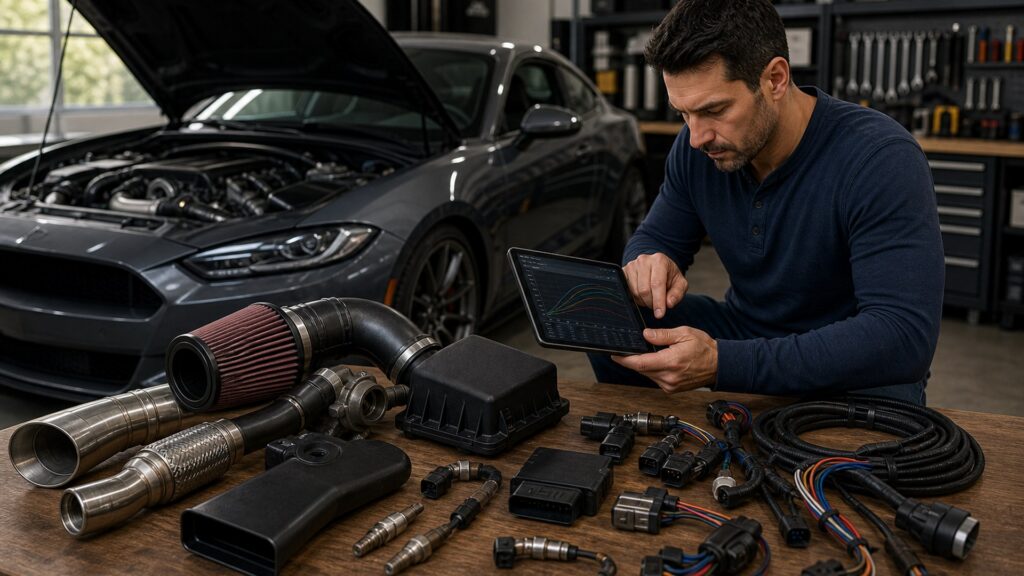
Buying framework
Build an interface matrix before choosing the part
Compatibility requires every physical, electrical, digital, software, legal, and service dependency to have an owner and verification method.
Freeze the vehicle identity: Capture VIN, build date, market, engine, transmission, emissions label, module IDs, factory options, recalls, and current software.
Inventory existing changes: List hardware, coding, calibrations, fuels, sensors, alarms, remote start, driver-assistance changes, and prior repairs that alter assumptions.
Map each interface: Record mounting, airflow, fluid, wiring, signal, network, module, thermal, emissions, security, and service dependencies for the candidate.
Write commissioning acceptance: Define successful flash, no unresolved faults, required readiness behavior, stable logs, correct shifts, sensor plausibility, and verified rollback.
Who this is for
Compatibility risk rises with system interconnection
Simple mechanical replacements, sensor-changing parts, multi-module calibrations, and locked platforms require different evidence and support.
Direct replacement buyers: Still confirm revision, connector, calibration need, emissions application, service procedure, and whether learned values must be reset.
Airflow or fueling modifiers: Require sensor range, injector data, fuel pressure, calibration, diagnostics, and protection behavior matched to exact hardware.
Multi-module tuners: Need coordinated ECU and TCU torque models, gateway access, stability interaction, software version support, and controlled update policy.
Locked or warranty-sensitive platforms: Prioritize authorized access, recovery method, flash history, dealer-update consequences, documentation, reversibility, and clear support escalation.
What to pay attention to
Compatibility evidence that survives installation
A supported application is documented by identifiers, ranges, dependencies, procedures, and observable acceptance results.
Interface Match
Dimensions, materials, connectors, signals, network messages, ranges, fuel, and thermal environment.
Software Lifecycle
IDs, licenses, access, backups, flashing, coding, updates, diagnostics, recovery, and ownership transfer.
Application identifiers: Demand exact years, markets, engine and transmission codes, emissions families, hardware revisions, exclusions, and required companion parts.
Signal and sensor range: Verify type, supply, ground, connector pinout, frequency or voltage, scaling, plausibility checks, saturation, and fail-safe response.
Module communication: Confirm expected messages, torque requests, diagnostic routing, security access, sleep behavior, update dependencies, and loss-of-communication handling.
Calibration deliverables: Identify who provides the file, what modules change, supported fuels and parts, revision log, data channels, update terms, and rollback artifact.
Commissioning procedure: Require stable power, pre-scan, backups, flash sequence, coding, relearns, leak checks, functional tests, logs, and post-scan documentation.
Avoid these traps
Compatibility shortcuts that create expensive diagnostic ambiguity
When identifiers and baselines are missing, installers cannot separate a bad part, wrong file, wiring fault, or preexisting condition.
Assuming connector fit proves support: Shared housings can carry different pinouts, signal types, calibration ranges, or network behavior across production revisions.
Updating software without a plan: Dealer or over-the-air updates may overwrite, reject, or conflict with aftermarket files and companion-module expectations.
Letting multiple vendors blame one another: Unclear hardware, calibration, and installation boundaries leave the buyer without a responsible party or reproducible test.
Clearing faults before recording them: Erasing codes, freeze-frame data, adaptations, or readiness state removes evidence needed to identify baseline and commissioning failures.
Decision guidance
Buy the candidate with the strongest documented interface support
Prefer complete application evidence and recovery access over a longer feature list or broader marketing claim.
If the vehicle has an uncertain production split: Verify labels, part numbers, connectors, module IDs, and dimensions on the actual vehicle before ordering or flashing.
If a sensor range will change: Require correct scaling, control limits, diagnostics, protection strategy, and logs across the new range.
If several modules manage torque: Use a coordinated solution with named ECU, TCU, stability, gateway, and instrument behavior rather than independent conflicting files.
If rollback is unavailable: Delay the change until stock backups, licenses, hardware, security access, and a recovery process are demonstrably available.
Ownership & compatibility
Manage calibration as a maintained vehicle configuration
Repairs, battery events, module replacement, software updates, fuel changes, and resale can invalidate the original commissioning state.
Keep a configuration ledger: Store identifiers, files, checksums where available, licenses, hardware revisions, dates, installer notes, fuel, logs, and scan reports.
Revalidate after system changes: Repeat relevant checks after dealer updates, module replacement, sensor changes, fuel changes, repairs, battery interruption, or new hardware.
Preserve transfer and recovery access: Document account ownership, device pairing, stock parts, rollback steps, support contacts, and what a future technician needs to service the vehicle.
FAQ
Compatibility and calibration questions
These answers cover application fit, software versions, sensors, flashing, updates, diagnostics, and ownership.
How can I verify a tune supports my exact vehicle?
Does a matching connector mean a sensor is compatible?
Why might an ECU tune require a TCU tune?
What should be backed up before flashing?
Can a dealer update overwrite an aftermarket calibration?
What does commissioning include after installation?
Should diagnostic trouble codes ever be disabled?
Who should support a part supplied by one vendor and tuned by another?
What should be included in a rollback plan?
Bottom line
Compatibility is a documented chain of interfaces
Freeze the vehicle identity, map every dependency, commission the complete system, and preserve the evidence required to update or restore it.
Identify precisely: Use the actual vehicle, module, hardware, fuel, and emissions identifiers—not a broad model label.
Commission completely: Treat flashing, relearns, scans, functional tests, and matched logs as part of installation.
Own the lifecycle: Keep files, licenses, revisions, rollback access, and support responsibilities with the vehicle record.
Reading Shortcuts
Move from the measured problem to a documented interface matrix that can be installed and verified.
Decision Reminders
Keep the complete interface matrix in view while comparing parts.
- Identity: VIN, market, codes, module IDs.
- Interfaces: Mechanical through network dependencies.
- Software: Version and module coordination.
- Commission: Scan, flash, relearn, validate.
- Evidence: Logs, faults, readiness, records.
- Rollback: Stock state and access preserved.
Glossary Snippets
Terms that separate useful performance from apparent compatibility.
When to Use a Top 10 Review
Use a product roundup only after the required function and interface matrix limits are known.
- Problem defined: The visibility or mobility failure is specific.
- Vehicle mapped: Interfaces and limits are documented.
- Format chosen: The correct product family is settled.
- Evidence available: Finalists can be compared on relevant tests.
Have finalists already? Open a Comparison for a closer tradeoff.
When to Use a Comparison
Compare finalists that solve the same defined interface matrix problem on the same vehicle.
- Application: Both match the exact vehicle and function.
- Performance: Evidence addresses the operating problem.
- Integration: Mounting and system effects are understood.
- Ownership: Inspection and service demands are acceptable.
Need a broader field? Use a Top 10 to form a shortlist.