
How to Choose Radar Detectors for Screen, Sensor, and App Integration
A detector alert begins at an antenna, not on the phone. Front and rear receivers, laser optics, GPS, signal processing, priority logic, audio, and display all act before an app adds settings, updates, or shared information. Weakness anywhere in that chain changes what the driver receives.
Map the complete alert path before choosing screen size or connectivity. Decide which information must be glanceable on the detector, which controls need physical access, which phone functions are safe only while parked, and what remains when pairing, data, or a subscription disappears. Integration is valuable when it reduces interpretation work.
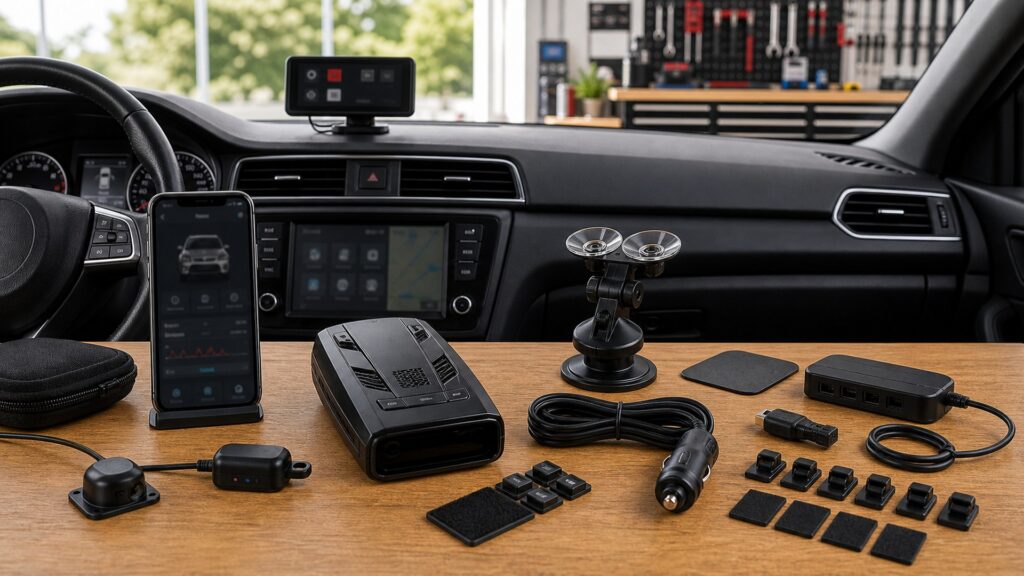
Buying framework
Trace each alert from antenna to driver action
Define sensing, processing, presentation, control, and connected-service roles before comparing displays.
Identify sensing hardware: List forward and rear radar receivers, laser optics, GPS antenna, external modules, and the mounting conditions each requires.
Define essential alert fields: Choose band, strength, direction, frequency, signal count, speed, location, and priority information that can be grasped with a brief glance or by audio.
Assign controls by context: Keep mute and basic mode access physical or safely remote; reserve detailed settings, logs, and database work for parked app use.
Test disconnected operation: Unpair the phone, disable data and Wi-Fi, and confirm reception, audio, screen, GPS memory, mute, settings, and recovery behave as documented.
Who this is for
Match interface depth to interpretation needs
Drivers differ in need for direction, frequency, multi-signal detail, remote controls, and connected information.
Audio-first driver: Prioritize distinct tones, voice labels, progressive ramp, volume, auto mute, and a reachable physical control over a dense visual dashboard.
Direction-focused traveler: Front and rear antennas plus clear arrows and signal priority help interpret movement, provided mounting and calibration support the architecture.
Data-oriented enthusiast: Frequency, bogey count, customizable displays, logs, and app profiles add context when configured while parked and tested methodically.
Connected commuter: Automatic lockouts, database updates, shared alerts, and remote settings can reduce routine work if privacy, subscription, and offline behavior are acceptable.
What to pay attention to
Specifications that determine alert-path clarity
Integration quality appears in priority, legibility, audio, physical access, offline behavior, and transparent dependencies.
Sensing & Interpretation
Compare antenna direction, radar bands, laser reception, GPS, signal strength, frequency, arrows, multi-signal priority, display, and audio.
Connected Ownership
Evaluate remote controls, phone pairing, app permissions, Wi-Fi, databases, crowd data, offline states, updates, privacy, and subscriptions.
Antenna and sensor layout: Confirm receiver count and direction, laser field, GPS placement, external module requirements, glass effects, and whether one blocked component degrades specific features.
Display hierarchy: Band, strength, direction, frequency, count, speed, and muted status need readable priority in sunlight and darkness without tiny persistent text.
Audio and remote control: Distinct tones, voice, ramp, alert priority, volume, auto mute, cord buttons, and remote controls should handle daily interaction without phone manipulation.
App role: Determine whether the phone changes settings, shows alerts, updates files, stores logs, supplies GPS, or enables community data, plus operating-system and background requirements.
Wi-Fi and database services: Identify which downloads happen directly, supported networks, regional coverage, release cadence, account login, subscription, and recovery from interrupted updates.
Privacy and fallback: Review location, speed, device, account, and community data; then verify what remains functional after logout, phone replacement, service expiration, or cloud outage.
Avoid these traps
Interface choices that add distraction or false confidence
Feature overlap becomes harmful when the driver must reconcile several screens or trust an unavailable service.
Buying the largest screen: Size does not improve receiver coverage, filtering, priority logic, or audio; test whether essential information is readable in one short glance.
Making the phone the mute button: Pairing failures, background limits, notifications, and legal restrictions make phone-only control fragile and distracting; retain accessible physical interaction.
Assuming arrows identify the source: Direction shows where a signal is received, not whether it is enforcement, a vehicle sensor, or infrastructure; combine context carefully.
Skipping offline tests: Connected demonstrations hide account, network, subscription, and host dependencies; remove each service deliberately before purchase acceptance.
Decision guidance
Choose the simplest complete alert path
Add direction and connectivity only where they make a recurring alert easier to interpret or maintain.
If audio already conveys enough: Choose a compact detector with strong tones, voice or ramp, simple display, physical mute, and independent core operation.
If source movement matters: Add directional reception and a readable arrow hierarchy; confirm front and rear placement and multi-signal behavior.
If apps simplify ownership: Use connectivity for parked settings, updates, or records while preserving essential alerts and controls without the phone.
If services supply critical data: Document coverage, latency, privacy, account recovery, subscription, offline fallback, and how the detector distinguishes local reception from network information.
Ownership & compatibility
Maintain sensors, hosts, accounts, and fallback states
The detector, mount, optics, phone, account, software, and databases require separate upkeep.
Clean and inspect sensing paths: Keep radar and laser windows unobstructed, preserve antenna angle, check external modules and cables, and verify GPS after mount changes.
Maintain host compatibility: Record phone OS, app version, permissions, account owner, paired devices, firmware, database date, Wi-Fi needs, and subscription renewal.
Rehearse fallback and reset: Periodically unpair, go offline, restart, restore the approved profile, test physical mute, and confirm connected features do not mask core status.
FAQ
Screen, sensor, and app questions before purchase
Exact model architecture and service terms determine the right answers.
Do more antennas always mean better detection?
What should a detector screen show?
Are laser sensors equivalent to radar antennas?
Can a phone app replace the detector display?
What does Bluetooth usually provide?
What does built-in Wi-Fi change?
Are crowd alerts the same as detector alerts?
How should app privacy be evaluated?
What happens when a subscription expires?
Bottom line
Keep essential alerting independent and glanceable
Core reception and alerts should remain clear when optional hosts or networks vanish.
Start at the sensors: Verify antenna directions, laser optics, GPS, mounting, and processing before judging the user interface.
Design the interaction: Make audio, display hierarchy, and physical mute sufficient for quick interpretation without phone handling.
Expose dependencies: Test offline, review privacy and subscriptions, preserve account recovery, and document update and fallback states.
Reading Shortcuts
Move through the alert-path integration from RF and laser sensors through processing, display, audio, phone, and cloud decision in order.
Decision Reminders
The display is the end of the alert path, not its source.
- Identify sensing hardware: Verify and record this requirement.
- Define essential alert fields: Verify and record this requirement.
- Assign controls by context: Verify and record this requirement.
- Clean and inspect sensing paths: Verify and record this requirement.
- Maintain host compatibility: Verify and record this requirement.
- Rehearse fallback and reset: Verify and record this requirement.
Glossary Snippets
Terms used in this detector plan.
When to Use a Top 10 Review
Use rankings only after the requirements are fixed.
- Start at the sensors: Use this as a shortlist filter.
- Design the interaction: Use this as a shortlist filter.
- Expose dependencies: Use this as a shortlist filter.
- Exclude: Use this as a shortlist filter.
Already down to 2–3 options? A Comparison is usually the faster next step.
When to Use a Comparison
Compare finalists against the same route, vehicle, settings, and power test.
- Identify sensing hardware: Test this point on both finalists.
- Define essential alert fields: Test this point on both finalists.
- Assign controls by context: Test this point on both finalists.
- Test disconnected operation: Test this point on both finalists.
Still exploring? Start with a Top 10 to build a shortlist first.