
How to Choose Vehicle Security Systems for Screen, Sensor, and App Integration
A security alert is useful only when the owner can tell what happened, to which vehicle, at what time, and what response is appropriate. That chain starts with sensor placement and calibration, continues through the control module and radio or cellular path, and ends at a remote screen or phone permission that may be muted, delayed, logged out, or offline.
Evaluate the complete evidence path. Trigger each supported zone, confirm its label and severity on every screen, measure delivery under realistic signal conditions, and inspect history after the fact. Protect accounts and location data, learn subscription boundaries, and preserve local arming, disarming, siren, authorized start, and emergency override when connected services fail.
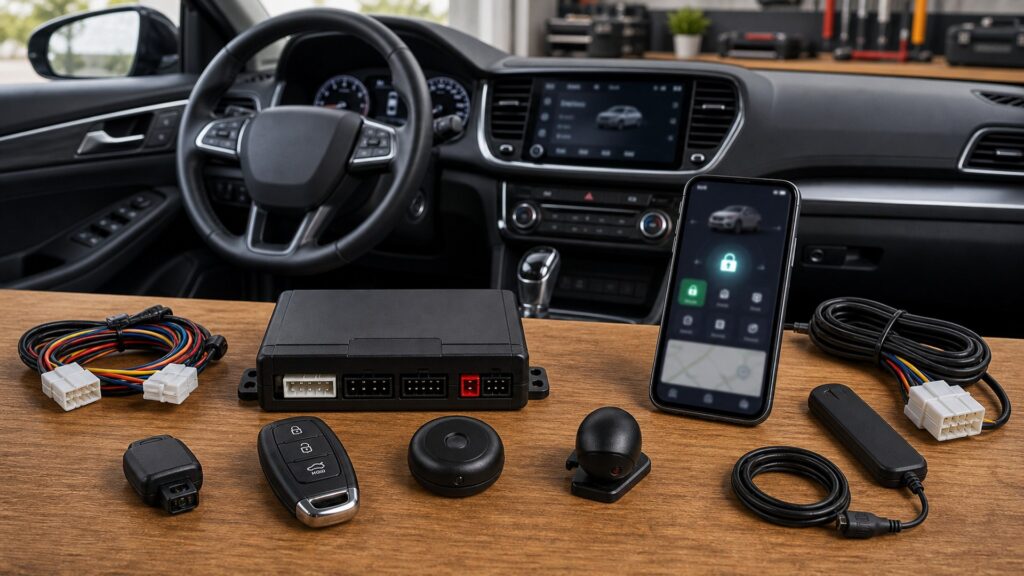
Buying framework
Trace every alert from detector to decision
A credible event names the detector, zone, vehicle state, time, severity, communication path, recipient, and required action.
List decisions, not notifications: Define which entry, impact, glass, tilt, movement, ignition, low-voltage, or location events require awareness and what the recipient should do.
Map the evidence chain: Record detector, mounting, zone, threshold, control input, event name, remote symbol, app label, timestamp, delivery path, history, and fallback.
Assign identities and permissions: Separate owner, household user, driver, installer, fleet administrator, and temporary user access to commands, location, history, billing, and settings.
Create an outage matrix: Test behavior without phone permission, Bluetooth, RF range, cellular coverage, GPS, cloud login, subscription, main power, or remote battery.
Who this is for
Match interfaces to response distance and user count
Local LEDs, one-way remotes, two-way displays, and cellular apps solve different confirmation and distance problems.
Local-alarm owner: Clear LED status, distinct siren behavior, named zones, reliable fob control, and documented override may be more valuable than an app.
Two-way remote user: Choose readable icons, vibration or tone options, event memory, battery indication, command confirmation, and realistic building-range testing.
Cellular app subscriber: Demand timely named alerts, secure authentication, controlled location, history, account recovery, subscription clarity, and useful network-loss behavior.
Multi-user or multi-vehicle household: Prioritize unmistakable vehicle identity, role limits, invitation and revocation, command logs, notification routing, and protection against shared-password confusion.
What to pay attention to
Specifications that make alerts trustworthy
Accuracy depends on physical calibration, clear data, delivery resilience, secure identities, usable history, and bounded fallback.
Event Quality
Assess sensor selectivity, zone naming, timestamps, context, severity, state consistency, history, calibration, bypass visibility, and nuisance control.
Digital Resilience
Assess RF and cellular delivery, phone permissions, accounts, MFA, shared users, privacy, subscription loss, outages, exports, updates, and local fallback.
Sensor selectivity: Compare separate zones, mounting rules, shock stages, tilt baseline, glass pattern, proximity field, temperature effects, adjustment range, bypass, and diagnostic status.
Display clarity: A remote or in-vehicle indicator should distinguish armed, disarmed, triggered zone, command success, remote start, timer, battery, range, and fault states.
Notification delivery: Assess RF range, cellular coverage, latency, retry behavior, phone focus modes, background permissions, battery optimization, roaming, outage recovery, and duplicate alerts.
Account protection: Look for individual users, MFA or strong authentication, secure recovery, device lists, session revocation, role limits, change notices, and account-transfer procedures.
History and evidence: Verify timestamps, time zones, vehicle names, event detail, location accuracy, retention, export, deletion, outage gaps, and whether history is suitable only as supporting information.
Connected-service boundaries: Document subscription tiers, renewal, app and OS support, firmware, cloud dependency, privacy terms, data sharing, service closure, and functions retained offline.
Avoid these traps
Connected features that produce false confidence
More screens do not improve protection when they repeat vague messages or depend on one fragile account and network.
Choosing sensors by quantity: Several poorly identified detectors can create ambiguous alerts; each sensor needs a credible event, distinct zone, calibration method, and owner response.
Testing notifications beside the vehicle: Real hotel rooms, workplaces, garages, weak coverage, phone focus modes, background restrictions, and low batteries reveal delivery limitations.
Sharing one account password: Shared credentials destroy attribution and complicate revocation; use supported individual users and grant only required commands and data.
Treating location as proof or permission to pursue: GPS can drift or update late; provide authorized information to police and insurers rather than confronting a suspected thief.
Decision guidance
Choose the simplest complete evidence path
Buy only the sensors and interfaces that deliver distinct, actionable information under tested conditions.
Choose local interfaces for immediate proximity: Use clear status and zone feedback when the responsible person remains near the vehicle and connected distance adds little value.
Add two-way RF for bounded confirmation: A return message can reduce command uncertainty without a cellular plan, but actual structures, interference, and remote batteries define reach.
Add an app for justified remote events: Cellular delivery and location make sense when distance changes response, provided coverage, accounts, privacy, fees, permissions, and fallback are acceptable.
Reduce integration when provenance is vague: Skip redundant sensors, generic alerts, unnecessary location collection, or cloud-only commands that cannot be mapped to reliable events and tests.
Ownership & compatibility
Maintain sensors, permissions, accounts, and history
Phones, operating systems, batteries, firmware, subscriptions, users, and sensor baselines change throughout ownership.
Run a quarterly event drill: Trigger each approved zone, confirm labels and times across interfaces, inspect history, measure delay, test acknowledgement, and record nuisance or missed events.
Audit digital access: Review users, roles, devices, MFA, recovery methods, phone permissions, location settings, subscriptions, billing, exports, privacy terms, and former-user removal.
Retest after ecosystem changes: App, phone OS, firmware, vehicle battery, remote battery, carrier, sensor service, windshield work, and account changes can alter the evidence chain.
FAQ
Integration questions before linking the app
Exact platform documentation should resolve these details before accounts and permissions are granted.
Is a two-way remote better than a phone app?
Can the app identify which sensor triggered?
Why are push alerts delayed?
Do shock and glass sensors duplicate each other?
What should happen when the subscription expires?
Should I share location with every driver?
Is app history reliable evidence of theft?
How do I test offline fallback?
What if the app no longer supports my phone?
Bottom line
Keep local control when screens go dark
Connected convenience should never erase documented physical override or understandable local security behavior.
Demand event provenance: Every alert should identify a tested detector, zone, state, vehicle, time, path, recipient, and response.
Secure the digital layer: Control users, permissions, MFA, devices, location, history, subscriptions, recovery, updates, and exports.
Preserve local fallback: Maintain clear arming, disarming, siren, authorized starting, override, and records when connected services fail.
Reading Shortcuts
Move through the a coherent evidence path from physical sensor to screen and remote app decision in order.
Decision Reminders
A screen is useful only when its alert can be explained.
- List decisions, not notifications: Verify and record this requirement.
- Map the evidence chain: Verify and record this requirement.
- Assign identities and permissions: Verify and record this requirement.
- Run a quarterly event drill: Verify and record this requirement.
- Audit digital access: Verify and record this requirement.
- Retest after ecosystem changes: Verify and record this requirement.
Glossary Snippets
Terms used in this security system plan.
When to Use a Top 10 Review
Use rankings only after the requirements are fixed.
- Demand event provenance: Use this as a shortlist filter.
- Secure the digital layer: Use this as a shortlist filter.
- Preserve local fallback: Use this as a shortlist filter.
- Exclude: Use this as a shortlist filter.
Already down to 2–3 options? A Comparison is usually the faster next step.
When to Use a Comparison
Compare finalists through the arm, trigger, notify, disarm, authorized-start, sleep, override, and service sequence; make sensor zone an explicit recorded result.
- List decisions, not notifications: Check both candidates against this requirement.
- Map the evidence chain: Record the result for each shortlisted option.
- Assign identities and permissions: Use the same operating conditions for both tests.
- Create an outage matrix: Keep the evidence with the final decision.
Still exploring? Start with a Top 10 to build a shortlist first.