
How to Choose Walkers for Mobility Aids Support Needs
Walker support needs are about how the user transfers weight, pauses, turns, and crosses surfaces. A frame that feels sturdy in one room may be wrong if it rolls too freely or catches during a threshold change.
This guide helps match support level to real mobility needs while keeping clinical questions separate. Use it to compare fixed frames, two-wheel walkers, rear tips, glides, frame rigidity, and when professional direction matters.
Buying framework
Match walker support to the user's gait demands
The support decision should begin with stopping confidence and weight shift, then move to floor contact and the amount of movement the walker allows.
Pause stability: A standard frame is useful when the user needs the aid to settle before weight moves forward.
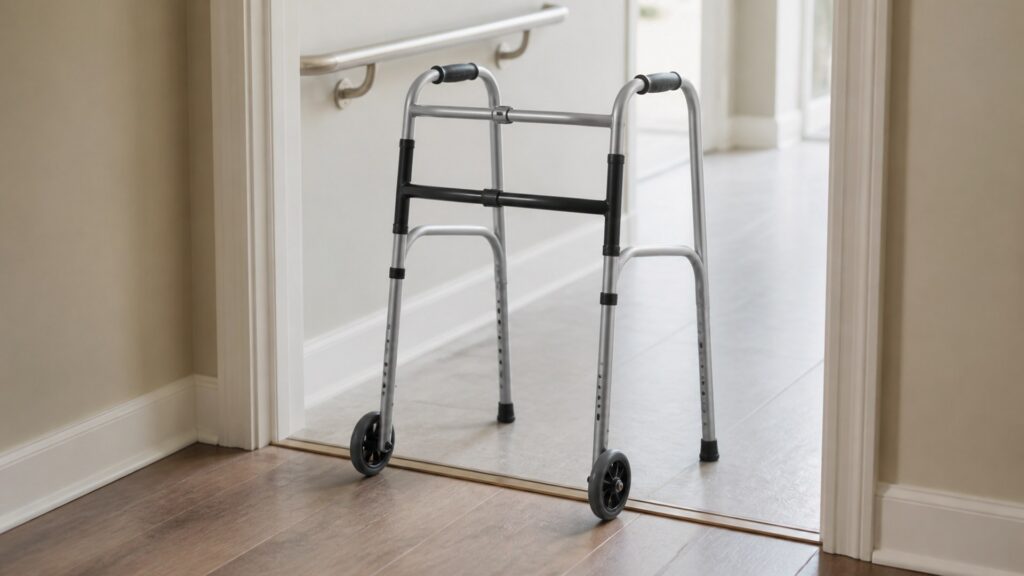
Rolling control: Front wheels reduce lifting effort but require enough control to prevent the frame from getting ahead.
Rear behavior: Tips, ski glides, and other rear contacts decide whether the walker drags, slides, or plants.
Care boundary: Unclear balance, weakness, or weight-bearing instructions should decide the aid category before features are compared.
Who this is for
Walker users comparing support levels
These profiles focus on the amount of assistance the frame must provide during movement.
Balance-conscious user: Needs predictable stopping before each step or transfer.
Low-strength user: Needs support that does not require more lifting than the user can repeat safely.
Threshold crosser: Needs contact parts that handle room transitions without sudden catches.
Aid-type checker: Needs to know whether a walker, cane, crutches, or rollator is the more appropriate category.
What to pay attention to
Support-related walker characteristics
Support specifications should explain how the walker behaves while the user shifts weight, not only the material or listed capacity.
Support Needs Contact
For support needs, contact parts show how this walker grips, slides, rolls, or wears.
Support Needs Setup
For support needs, settings and locks need a clear confirmation routine.
Frame rigidity: Flex can reduce confidence even when the listed weight capacity looks adequate.
Base footprint: A wider or deeper stance may feel steadier but still has to clear rooms and transfers.
Wheel diameter: Small front wheels behave differently over thresholds, rugs, and uneven flooring.
Tip compound: Rubber quality affects grip, noise, and how quickly the rear legs wear.
Grip location: Hand placement should support the instructed movement without pulling the user out of alignment.
Avoid these traps
Support mistakes to avoid
The wrong support choice often comes from treating more movement as better movement.
Choosing wheels for speed: Easier forward motion is not helpful if the user needs a frame that pauses firmly.
Overlooking thresholds: A walker can feel stable on flat flooring and still catch at door strips or rugs.
Ignoring fatigue: A frame that works for one trip may demand too much lifting after several rooms.
Self-prescribing gait: Walker features should not be used to invent a weight-bearing plan.
Decision guidance
Choose by the support failure you need to prevent
The best shortlist removes the highest-risk mismatch first: unwanted rolling, too much lifting, unreliable rear contact, or poor fit with instructions.
If the aid must stop firmly: Start with a standard walker or a front-wheel model with controlled rear contact.
If lifting is the barrier: Compare front-wheel designs and confirm they remain controllable on the user's floors.
If transitions are difficult: Test tips, glides, and wheel height against the actual thresholds involved.
If needs are changing: Prioritize adjustability and professional reassessment over buying a faster style.
Ownership & compatibility
Keep support behavior consistent
Support changes when contact parts wear, wheels loosen, buttons stick, or the frame is bent during storage.
Inspect rear contact: Uneven tips or glides can make the walker pull, drag, or stop differently on each side.
Listen for looseness: Clicks, wobble, or new flex deserve attention before regular use continues.
Recheck after changes: New flooring, a different route, or a recovery milestone can change the support requirement.
FAQ
Questions buyers ask about how to choose walkers for mobility aids support needs
These answers focus on the support needs decisions that affect walker fit, contact, setup, and safe use boundaries.
How much support does a walker provide?
Is a standard walker more supportive?
When are front wheels appropriate?
Can rear glides reduce support?
What if the walker feels wobbly?
Are rollators better for support?
Should weight capacity be the main support spec?
How do I handle rugs and thresholds?
When should support needs be reassessed?
Bottom line
Support is a behavior, not a label
Choose the walker that gives the right amount of movement and stopping control for the user's real gait, surfaces, strength, and care instructions.
Control rolling: Do not choose wheels unless the user can manage them.
Respect surfaces: Thresholds and rugs reveal support mismatches quickly.
Revisit needs: Changing recovery or balance can change the correct walker style.
Reading Shortcuts
support-needs checkpoints.
Decision Reminders
Before choosing: support-needs.
- Control: Confirm walker control in use.
- Fit: Measure body contact points.
- Surfaces: Check the expected floors.
- Wear: Inspect replaceable parts.
- Storage: Park it without clutter.
- Guidance: Ask about clinical limits.
Glossary Snippets
walker terms for support-needs.
When to Use a Top 10 Review
Ranked picks after support-needs.
- Shortlist: Compare after fit decisions.
- Filter: Use support-needs priorities.
- Complaints: Watch repeated fit issues.
- Upkeep: Check replacement details.
For support-needs finalists, use Comparison next.
When to Use a Comparison
Compare close walker options.
- Fit: Check measurements side by side.
- Control: Compare brakes and contact.
- Storage: Match the real location.
- Care: Review wear and cleaning.
For broad support-needs shopping, start with Top 10.