
Extended desktop
One Mac workspace spread across displays.
- Host: The Mac runs the apps.
- Windows: Each screen can show different Mac windows.
- Movement: Mac windows can cross screens.
Start with what needs to appear on the screen, play in the headphones or show up as a file. Travel electronics help deliver those results when the parts support the same task. With Sidecar, an iPad can display a Mac window. An audio adapter can carry an equipped seat’s sound to paired headphones.
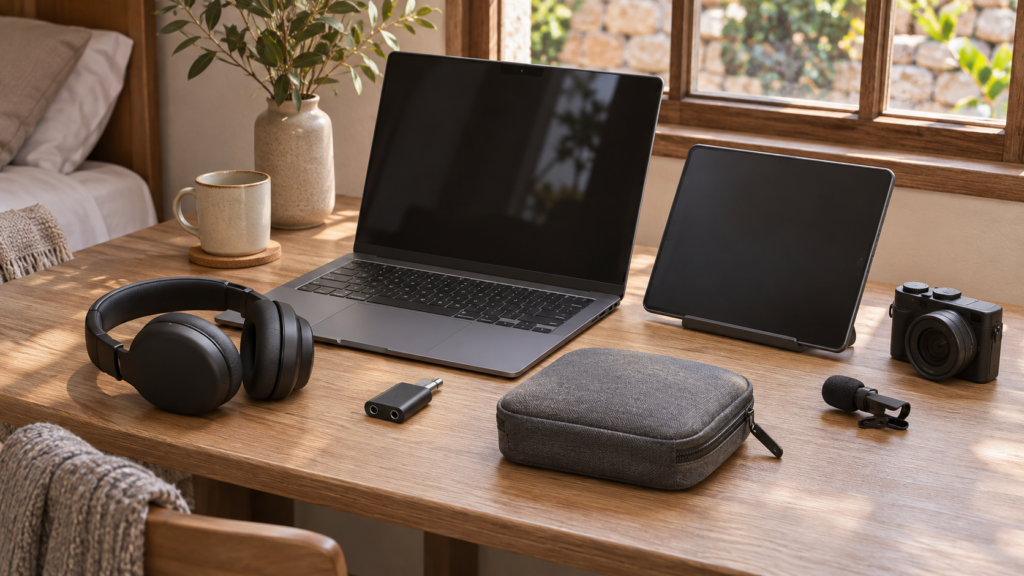
Follow the result you want at the other end of each setup. On the Action 5 Pro, that could be a file from the camera’s own microphone.
Tip: Separate hardware from eligibility. Library participation and a valid card matter even before you try a particular ebook.
Give the result a precise name. In Garmin Explore, for example, a Collection is a group you can select for a device.
One Mac workspace spread across displays.
The same Mac view shown on both screens.
An adapter that sends sound from a wired headphone output to wireless headphones.
A group of saved Garmin Explore items that can be assigned to a device for sync.
Temporary ebook access that a compatible reader can receive.
Here, a Mic 2 transmitter connects to the camera without a standalone receiver.
Tip: Distinguish access from ownership. The library loan has an expiry even after it reaches your reader.
Sidecar lets an iPad display Mac windows. Imagine two quiz hosts sharing a desk on a weekend trip as they check the questions before the game.
At this desk, the choice follows the work. Extend for different windows or mirror for a shared view.
Assume a hypothetical flight where the carrier permits the setup. The seat has a working, compatible 3.5 mm headphone output. AirFly Pro 2 uses transmit mode to take that sound to wireless headphones.
Think of what the traveler would listen for. The film dialogue reaches the paired headphones from the seat via AirFly.
A GPX file can hold trip records for Garmin Explore. Think of two questions about the handheld. Which group should reach it, and what are you going to look for when it does?
Weekend Walk is useful when you are thinking about the trip as a whole. For the lookout alone, it’s the separate Waypoint that matters. Name the item you want to find, the same way you would single out a meeting point when talking through the plan.
Libby describes borrowing on a compatible Kobo or syncing eligible loans from another device. Think about the library you borrow from and the reader you want to bring.
Look for the eligible loan on the synced reader. For the traveler who planned to read that evening, that is the moment their borrowing and reading plans come together.
The DJI Osmo Action 5 Pro accepts DJI Mic 2 audio directly. For a narrated clip, decide where you want the voice to come from and whether a separate recording from the camera position belongs in the project.
When you sit down with the hypothetical clip, identify the source before you use the file. The optional WAV holds the camera’s own sound.
A familiar setup can change with one new input. A two-prong seat jack changes the plug arrangement.
In the hypothetical flight, a seat reassignment puts the traveler in front of a two-prong jack. They want the same film in the same headphones. The original setup assumed a standard 3.5 mm output.
Twelve South recommends its two-prong airline adapter between the seat and AirFly. It says a direct connection to a multi-prong jack will likely play sound in only one ear.
Imagine borrowing the original edition of an invented novel. The Kobo catalogue lists a later reissue. The same library card is already on the Kobo account, and the reader has synced over Wi-Fi.
If the publication dates differ and there’s no exact match, the ebook may stay in Libby and fail to appear on Kobo. In this example the traveler wants that original edition. That is the one variable the new setup asks you to notice.
Names and connectors give you part of the picture. Sidecar also has an account requirement.
Both devices also need the same Apple Account with two-factor authentication.
Read the switch from AirFly’s position. The adapter sends wirelessly at the seat, so use TX.
Collection selection sets up the transfer. Arrival depends on a completed device sync.
The Kobo sync brings over compatible ebook loans.
The camera can accept the linked Mic 2 transmitter directly.
Tip: Name the prerequisite precisely. A library card is useful here when its library participates in Libby.
Some jobs stay with a particular device. Garmin puts detailed maps on the phone side of this pairing.
Yes. Switch to the iPad Home Screen and return to the Mac view from there.
Twelve South lists the International Airline Adapter as part of the AirFly Pro 2 Deluxe package.
Yes. If the headphones fail to pair with AirFly, Twelve South suggests checking whether they’re already connected to another device, such as a phone or Mac.
Garmin puts detailed mapping on the mobile side of this setup. The paired phone can display maps in Explore.
For app-to-website sync, both use the same Garmin Explore account. The phone needs internet access, and Garmin requires permission to receive and store your data.
OverDrive excludes both formats from this Kobo reader integration.
It stays a library loan. Kobo says access expires at the end of the lending period.
The separate WAV described by DJI comes from the Action 5 Pro’s built-in microphone. The camera saves it during video recording when the backup setting is on.
Tip: Keep the package and the connection questions separate. The AirFly Pro 2 Deluxe bundle adds the airline adapter.
Give each piece a job, then name what should appear at the destination. In a seat setup the headphones pair to AirFly. That connection is one part of the traveler’s larger task, which is to hear the film.
When a trip changes one part of the setup, start with the condition that changed. For library reading, for example, identify the participating library and valid card. A short description of the result and where you expect it gives you a way to tell whether the setup did its job.
Choose the reading format that fits the question you want to answer next.
Browse grouped reading by topic.
Explore side-by-side coverage.
Read about selection and buying considerations.
Choose a retailer
Prices checked regularly. We may earn a commission at no cost to you.