HubSpot Sales Hub vs Pipedrive: Which Sales CRM Software Is Better?

HubSpot Sales Hub and Pipedrive overlap most clearly for teams that want sales reps to follow up faster and keep opportunities moving. The difference is the center of gravity. HubSpot wraps selling in email, meetings, quotes, reporting, and customer platform context. Pipedrive strips the workflow down to pipeline stages, activities, and deal focus. This review favors HubSpot for teams that need more than a clean board.

By: Review Streets Research Lab
Updated: September 4, 2026
Approx. 10-12 min read
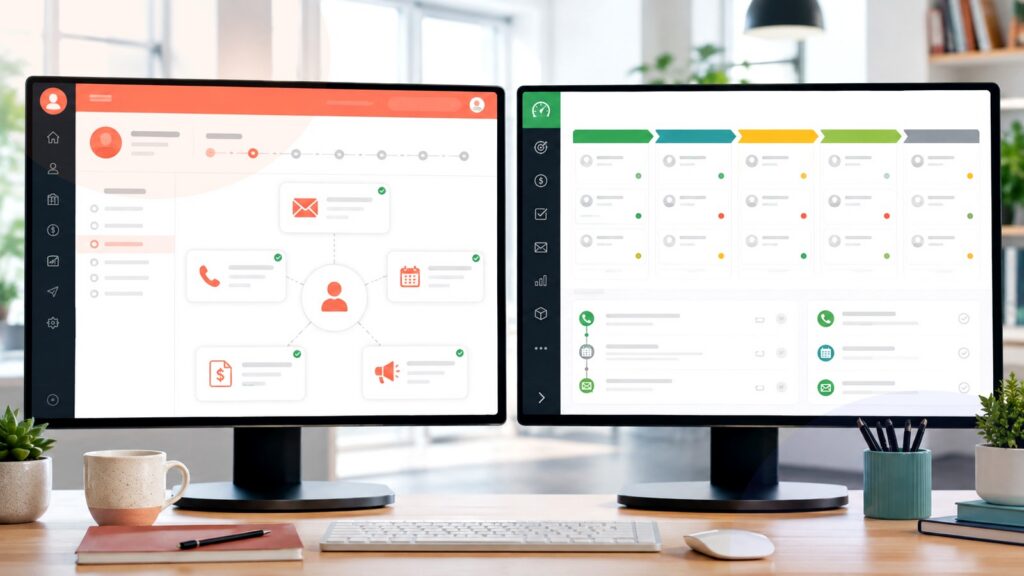
HubSpot Sales Hub vs Pipedrive business comparison image

Head-to-head

HubSpot Sales Hub vs Pipedrive: Which Sales CRM Software Is Better?

HubSpot Sales Hub is the stronger default when sales engagement, CRM adoption, reporting, and marketing handoff matter together. Pipedrive is better when the team wants a lean pipeline tool with minimal distractions.

HubSpot Sales Hub comparison image

HubSpot Sales Hub

HubSpot Sales Hub works best when sales activity is tied to email sequences, calling, meetings, quotes, automation, reporting, and customer data that may also connect with marketing, service, and content teams.

Score 8.8/10 Best for sales teams needing fast adoption and engagement tools Focus Engagement hub Why buy Team context
  • Connects CRM with outreach and meetings
  • Better fit for marketing-to-sales handoff
  • Helpful reporting without heavy admin work
VS
Pipedrive comparison image

Pipedrive

Pipedrive works best when the buying team wants salespeople to see every open deal, schedule the next action, keep contact history tidy, and avoid a broader customer-platform rollout.

Score 8.6/10 Best for sales teams wanting simple visual pipeline adoption Focus Deal board Why buy Low friction
  • Keeps deal movement highly visible
  • Simple enough for fast rep adoption
  • Good value for focused sales teams
Metric
HubSpot Sales Hub
Pipedrive
Winner
Engagement workflow
Stronger for sequences, email, meetings, calls, quotes, and coordinated follow-up
Good for activity reminders and email-connected selling inside a simpler pipeline
HubSpot Sales Hub
Pipeline simplicity
Approachable, but broader platform context can add extra setup decisions
Cleaner pipeline-first workspace with fewer distractions for reps and managers
Pipedrive
Customer context
Better when marketing, service, and sales history need to inform outreach
Focused mainly on contacts, deals, activities, and the sales process
HubSpot Sales Hub
Automation depth
Stronger when sequences, task automation, reporting, and lifecycle handoffs work together
Good for practical sales automations tied to deal stages and activities
HubSpot Sales Hub
Administration fit
Best with an owner who can tune properties, pipelines, reports, and handoffs
Easier for lean teams that want less configuration overhead
Pipedrive
Growth path
Better if CRM may expand into marketing, service, content, or revenue reporting
Better if sales wants to stay centered on pipeline execution
HubSpot Sales Hub
Real-world context
This matchup is not just about pipeline views. HubSpot wins when the sales process depends on outreach history, handoffs, and shared customer context. Pipedrive stays compelling when the team mainly needs disciplined follow-up.

Why people choose it

  • Stronger sales engagement and customer context in one workflow
  • Good mix of sequences, meetings, quotes, automation, and reporting
  • Best when sales must coordinate with marketing and service data

Why people choose it

  • Cleaner pipeline view for teams that live inside deal stages
  • Fast onboarding when the sales process is simple and activity-led
  • Strong fit for teams that want fewer system decisions
Winner: HubSpot Sales Hub HubSpot Sales Hub wins for teams that want sales engagement and customer-platform context without jumping into a heavier enterprise CRM. Pipedrive remains better for teams that want the cleanest possible pipeline workflow.
Read FAQs

Deep dive

What actually matters in this matchup

This comparison is about the layer around the pipeline. HubSpot adds outreach, meeting, quote, and customer-history context around sales work. Pipedrive keeps attention on deal movement, next activities, and whether reps can maintain the board faithfully. That matters once outreach begins.

Workflow center: HubSpot Sales Hub is strongest when sales activity includes outreach sequences, meetings, calls, quotes, tasks, reporting, and customer history. Pipedrive is strongest when the daily job is moving deals, scheduling follow-ups, and keeping a pipeline honest. That matters once outreach begins.

Sales adoption: Both products can be easy to adopt, but they encourage different habits. HubSpot helps reps work from a richer engagement timeline. Pipedrive keeps the interface closer to deal cards, activity reminders, and simple manager visibility. That keeps rep adoption visible.

Handoff needs: Choose HubSpot when leads arrive through marketing campaigns, website forms, chat, content offers, or lifecycle programs. Its advantage grows when sales needs context before contacting buyers. Pipedrive is cleaner when lead sources are simpler. That keeps the engagement rollout grounded.

Reporting reality: HubSpot gives managers more room to combine pipeline activity with engagement and customer data. Pipedrive reporting is easier to read for straightforward pipelines, but it may feel narrower once leaders want lifecycle or campaign context. That choice should match how sellers actually follow up.

Configuration: Pipedrive requires fewer decisions before it becomes useful. HubSpot asks for more thoughtful setup around properties, lists, automations, and handoffs, yet that extra setup pays off when teams want coordinated revenue activity. Use that lens before comparing another feature list.

Final choice: Pick HubSpot if the sales system should connect outreach, customer records, and future lifecycle work. Pick Pipedrive if the organization wants a practical pipeline board that reps update because it stays direct and uncomplicated. That keeps the decision tied to outreach, handoffs, and pipeline habits.

Methodology

How we evaluated the matchup

This review treats sales engagement and pipeline discipline as separate buying needs, not interchangeable checkboxes.

Scope: We evaluated HubSpot Sales Hub as a sales engagement and CRM workflow inside a broader customer platform. We evaluated Pipedrive as a focused visual pipeline CRM. The review does not claim instrumented hands-on testing. That matters once outreach begins.

What we compared: The comparison weighs sequence support, meetings, calling, quotes, pipeline clarity, activity reminders, reporting, automation, lead handoff, implementation effort, marketing adjacency, sales-manager visibility, and the amount of system ownership required after launch. That keeps the engagement rollout grounded.

Interpretation: HubSpot earns the default win because broader engagement context helps more teams than a deal board alone. Pipedrive still wins when pipeline simplicity, low friction, and rep consistency outweigh lifecycle reporting or platform expansion. That keeps the engagement rollout grounded.

Buyer checks: During demos, ask each vendor to show a new lead, first outreach, meeting booking, quote follow-up, stalled-deal review, manager report, automation edit, and the exact permissions required for your team structure. That choice should match how sellers actually follow up.

FAQ

HubSpot Sales Hub vs Pipedrive: common questions

Is HubSpot Sales Hub more complicated than Pipedrive?
Usually, yes, because HubSpot covers more of the customer workflow. That added surface can be useful when sales needs sequences, meetings, quotes, and reporting, but Pipedrive feels cleaner for pipeline-only teams. That keeps the decision tied to outreach, handoffs, and pipeline habits. That keeps rep adoption visible.

Where does Pipedrive have the advantage?
Pipedrive has the advantage when a team wants clear deal stages, next activities, and fast adoption without designing a broader customer platform. It is especially attractive for sales groups that value focus over feature breadth. That choice should match how sellers actually follow up.
Which is better for outbound sales teams?
HubSpot Sales Hub is stronger when outbound work depends on sequences, templates, meetings, calling, tracking, and CRM context. Pipedrive can still work when outbound is managed through simple activities and pipeline follow-up. That keeps the decision tied to outreach, handoffs, and pipeline habits.

Which is better for marketing handoff?
HubSpot Sales Hub is the safer pick when marketing and sales need shared context around forms, campaigns, contacts, lifecycle stages, and follow-up. Pipedrive can handle leads, but it is not as centered on that handoff. That choice should match how sellers actually follow up.
Which option is easier to train?
Pipedrive is usually easier to train for pure pipeline work. HubSpot can also be approachable, but training should cover the engagement timeline, properties, task automation, reporting, and how sales uses shared customer data. That keeps the decision tied to outreach, handoffs, and pipeline habits.
Can a team start with Pipedrive and switch later?
Yes. Teams should keep field names, activity types, deal stages, and source tracking consistent from the beginning. Clean records make any future migration to HubSpot or another CRM much less painful. That keeps the decision tied to outreach, handoffs, and pipeline habits. That matters here.
What should buyers verify before buying?
Confirm current plan limits, automation access, email and calendar sync, calling availability, reporting depth, data export, permissions, support coverage, onboarding help, and whether required integrations are native or need paid middleware. That keeps the decision tied to outreach, handoffs, and pipeline habits. That matters here.
Is this review based on hands-on testing?
No. It synthesizes official product information, public documentation, and workflow analysis for sales teams. Buyers should verify current features, pricing, implementation details, and support expectations with the vendors before committing. That keeps the decision tied to outreach, handoffs, and pipeline habits. That matters once outreach begins.

Key Takeaways

  • HubSpot wins when engagement context matters.
  • Pipedrive wins when pipeline focus matters most.
  • Marketing handoff changes the buying decision.
  • Both tools can work for small sales teams.
  • Training should match the workflow depth.
  • Do not buy breadth your team will ignore.

Verdict

The Better Default for Sales Engagement Context

HubSpot Sales Hub is the stronger default when sellers need outreach tools, customer history, quotes, meetings, and reporting in one connected workflow.

#1 Winner

HubSpot Sales Hub

HubSpot Sales Hub wins when the CRM must do more than show deal stages; it should also guide outreach and preserve customer context.

  • Better sales engagement layer around the CRM
  • Stronger marketing-to-sales context and reporting
  • More room to grow into a customer platform

Runner-up

Jump to the Head-to-Head

Tip: Demo the first 15 minutes of a rep's day in each product. The better workflow will usually become obvious quickly.

Where to Buy

Use the official HubSpot and Pipedrive pages to confirm demos, trials, current plans, and included engagement tools.

Vendor terms, demos, pricing, and feature availability change regularly. Some links may earn a commission and never affect rankings.

Accessories You’ll Want

  • Lead handoff map (shows how contacts move from marketing source to owner, task, and follow-up)
  • Engagement checklist (captures required email, calling, meeting, quote, and sequence workflows)
  • Pipeline hygiene rules (defines when reps update stages, activities, close dates, and lost reasons)
  • Manager dashboard sketch (prevents buying a CRM before deciding what leaders need to inspect)
  • Training runbook (turns daily rep behavior into steps instead of a feature tour)

Tip: Build the demo around one real lead source and one real sales follow-up path.