
Laser Hair Removal Devices Buying Guide for Device Features and Attachments
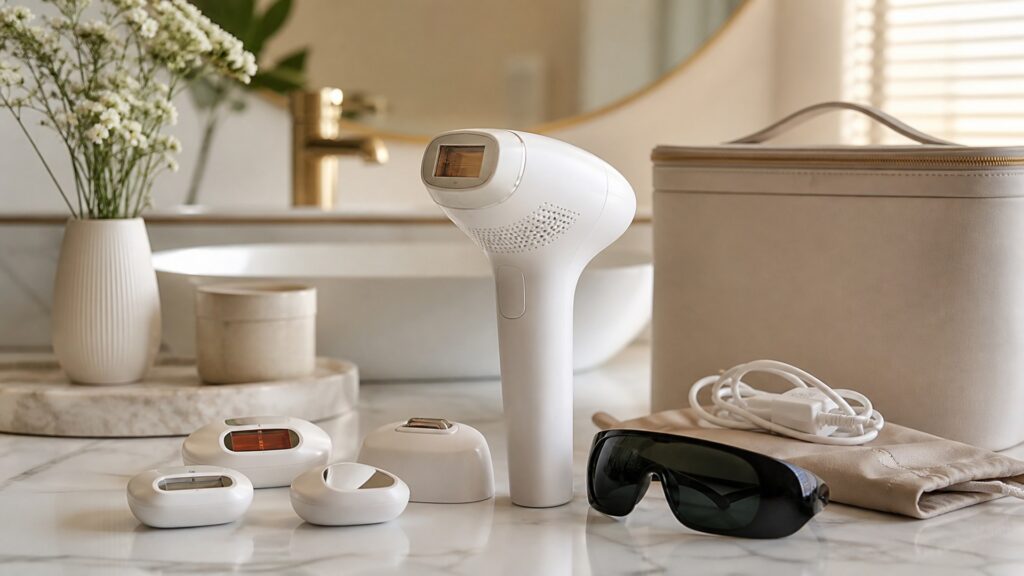
Consumer laser devices may add skin sensors, contact indicators, cooling, multiple energy levels, precision attachments, apps, counters, and cordless operation. Features are useful only when they improve eligibility checks, spot placement, comfort, tracking, or serviceability.
Start with verified laser technology and a treatment map. Cooling cannot broaden compatibility, and an app cannot safely identify tattoos, dark lesions, medication conflicts, or excluded eye and intimate zones.
Buying framework
Define the device features and attachments routine before comparing products
Use the setting, frequency, and skin priorities to narrow laser hair removal devices logically.
Start with the use case: Map each feature to eligibility, pulse placement, comfort, schedule, or maintenance.
Rank the practical tradeoffs: Test sensor messages, spot visibility, grip, controls, lockout, and counters without firing.
Check instructions early: Exclude attachments whose technology, wavelength, or zone is poorly documented.
Use profiles
Match laser hair removal devices to the person and pace
Three shopper profiles expose different priorities for device features and attachments.
Routine-focused buyer: A precision user benefits from visible spot edges and a reliable pulse counter.
Performance-focused buyer: A multi-tone-zone user needs conservative sensing plus manual mark avoidance.
Occasional or flexible user: A long-session user should compare cooling consistency and power delivery.
Specifications
Read the specifications through a device features and attachments lens
Translate technical language into visible routine benefits.
Handling lens
Evaluate each feature within one verified eligible zone.
Ownership lens
Check whether the spot boundary stays visible as the hand moves.
Skin-Tone Compatibility: Skin sensors sample local pigment and cannot diagnose every lesion.
Energy Settings: Contact indicators support full placement without measuring prior overlap.
Treatment Window: Pulse counters help log dose only when resets and zones are understood.
Pulse Speed: Cooling changes comfort and total session time.
Safety Sensors: Apps add reminders while creating software, account, and support dependencies.
Common mistakes
Avoid shortcuts that undermine device features and attachments
A good purchase can still disappoint when selection or use is based on the wrong assumption.
Buying from one metric: Do not accept sensor approval as permission to pulse over dark marks.
Skipping compatibility checks: Avoid treating counters as targets to maximize.
Ignoring post-use care: Do not buy cooling as evidence of higher safe energy.
Decision guidance
Choose the simplest option that covers the real need
Use these decision rules to finish a shortlist for device features and attachments.
Choose the basic format when: Choose transparent sensing, contact feedback, visible spot control, and service.
Choose the flexible format when: Select precision attachments only for explicitly labeled zones.
Pause before upgrading when: Reject app-dependent features without durable offline instructions.
Ownership & compatibility
Plan for clean, repeatable ownership
The best value remains convenient after the first few uses.
Consumables and replacements: Keep sensors, window, and cooling plate clean and scratch-free.
Cleaning and storage: Retain manuals and logs outside the app ecosystem.
Routine compatibility: Store attachments protected and labeled by eligible zone.
FAQ
Laser Hair Removal Devices Buying Guide for Device Features and Attachments FAQ
Practical answers about choosing and owning laser hair removal devices for device features and attachments.
What matters most when choosing laser hair removal devices for device features and attachments?
Is the most expensive option better for device features and attachments?
How should I compare two similar laser hair removal devices options?
Bottom line
Buy for repeatable device features and attachments results
A focused shortlist is easier to own and use well.
Prioritize fit: Value features only after technology and eligibility are proven.
Verify the limits: Use counters and apps for accuracy, never exposure goals.
Count ownership costs: Keep a durable offline record of zones and instructions.
Reading Shortcuts
Jump to the key laser hair removal devices decisions.
Decision Reminders
Keep these checks beside your shortlist.
- Check skin-tone compatibility: Check all skin-tone, hair-color, medication, and body-area restrictions.
- Check energy settings: Patch test exactly as directed before broader treatment.
- Check treatment window: Never aim toward the eyes and follow all eye-safety directions.
Glossary Snippets
Plain-language laser hair removal devices terms.
When to Use a Top 10 Review
Use a ranked list to identify a manageable set of strong candidates.
- You are still exploring: A ranked list can reveal the main formats and price tiers.
- You want a shortlist: Start broad, then confirm fit with this buying guide.
Have finalists? Use a Comparison.
When to Use a Comparison
Use a direct comparison when only a few candidates remain.
- Features are close: Side-by-side details clarify meaningful differences.
- Prices overlap: Compare ownership value, not only purchase price.
Still exploring? See the Top 10.