
OBD Diagnostic Tools Buying Guide for Road Trip Technology Needs
A diagnostic tool earns its place in a road-trip kit by working quickly when the car, phone, and driver are away from their usual support. The useful questions are modest: which warning triggered, what evidence was stored, whether an emissions monitor has completed, and what information should be shared with a repair shop.
Travel changes the buying priorities. Offline access, verified coverage, daylight readability, reliable pairing, report export, and protected storage matter more than a giant menu of shop functions. The scanner should support calm triage while the vehicle is safely parked; it cannot declare every fault harmless, replace the owner's manual, or make roadside programming sensible.
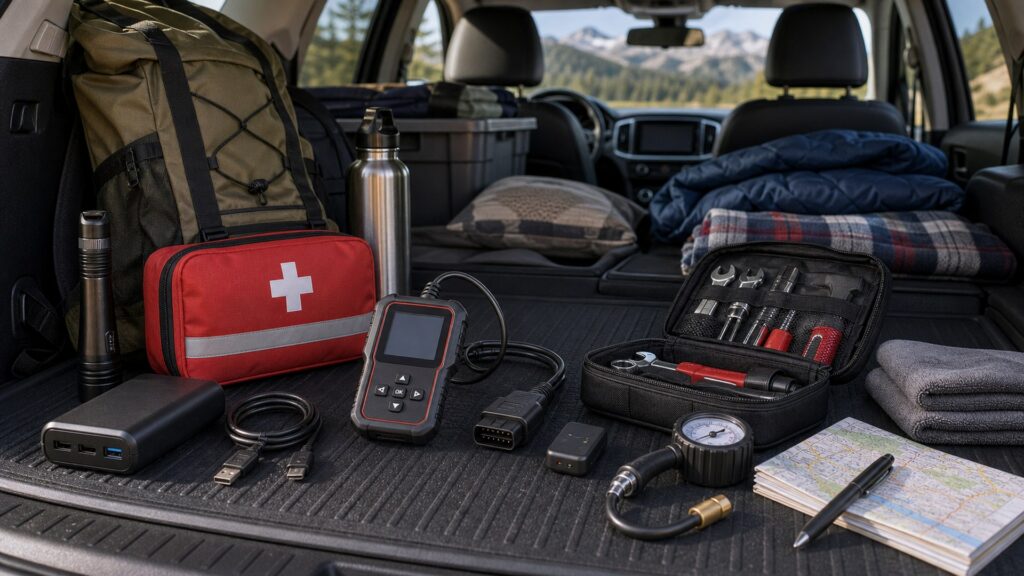
Buying framework
Plan for parked triage, not a traveling repair bay
A road-trip scanner should reduce uncertainty without encouraging risky roadside work. Define the information you want to capture, the conditions in which the tool must operate, and the point at which warnings or symptoms require professional help.
Choose the trip questions: Prioritize reading DTC status, freeze frame, readiness, system voltage, and a small set of live PIDs. Those outputs help document what happened; they do not certify that the vehicle is safe to continue.
Design for no signal: Confirm that the installed app, vehicle profile, and code definitions needed for a basic scan work without cellular service. Save owner-manual guidance and assistance numbers separately rather than assuming every explanation loads online.
Preserve a handoff: Select a tool that can save a VIN- or time-tagged report, screenshot, or export before conditions change. A repair facility can use recorded code status and operating data more effectively than a remembered code number.
Set an escalation boundary: Temperature, oil-pressure, brake, steering, restraint, charging, and other critical warnings demand the vehicle-specific manual and a safe stopping decision. Generic OBD access may not reach the responsible module at all.
Who this is for
Match the travel kit to the driver and vehicle
The right level depends on who will use the scanner under pressure and which warnings the trip vehicle can generate. Favor a familiar workflow over extra depth that no traveler knows how to navigate.
The simplicity-first traveler: You want an independent screen, quick generic scan, readiness check, and no pairing ritual. A pocket handheld suits occasional trips if its text remains legible and the cable stores without stressing the connector.
The app-comfortable driver: You already manage phone permissions, updates, and file sharing and want graphs or logs from a compact adapter. Verify offline behavior, operating-system support, export options, and a connection method that does not disrupt navigation or other essential phone use.
The older-vehicle troubleshooter: Your known car has intermittent drivability or transmission symptoms and you can interpret saved data. Choose verified enhanced coverage and recording for that exact powertrain rather than paying for broad makes you will not connect.
The multi-vehicle trip organizer: You support several family, club, or fleet vehicles and need repeatable reports, wider protocol coverage, and durable storage. An enhanced handheld may reduce app-account friction, but each important module still needs vehicle-specific confirmation.
What to pay attention to
Travel features that still work away from the garage
Portable value comes from dependable access under imperfect conditions. Compare the complete scan workflow—vehicle link, screen or phone, stored software, power, and export—not merely the adapter's size.
Roadside Access & Evidence
Look for quick communication, explicit code status, freeze-frame retrieval, readiness, voltage, selective logging, and a report that survives beyond the current session.
Travel Independence & Portability
Test what happens without cellular data, with a low phone battery, in bright light, and after the tool has spent months inside a protective case.
Startup path: Count the steps from parking safely to seeing a code: cable connection, ignition position, pairing, app sign-in, VIN selection, and software loading. Fewer dependencies make occasional use easier to remember.
Offline behavior: Determine whether scanning, code definitions, saved vehicle profiles, and reports remain available without internet access. Download required brand packages before departure and verify them in airplane mode.
Readable evidence: The interface should distinguish confirmed, pending, and permanent DTCs where the vehicle supplies them and display freeze frame and readiness without burying status labels. Daylight legibility and sensible units matter at a turnout.
Selective recording: A log should capture a few relevant PIDs with useful timestamps and export them for later review. Configure recording while stationary and avoid watching graphs or handling the phone while driving.
Power and connection: DLC-powered readers avoid a separate tool battery, but app systems still need a charged phone and reliable Bluetooth or Wi-Fi. Check whether the chosen connection conflicts with other travel devices or drains the host faster.
System reach: Verify enhanced access if the trip concern involves transmission, ABS, restraint, hybrid, EV, steering, or body modules. A successful generic emissions scan can coexist with an unread warning from another controller.
Avoid these traps
Roadside habits that erase evidence or add risk
Travel stress can turn a useful scanner into a source of false reassurance. The goal is to record a condition clearly and choose the next safe step, not to force the warning light off.
Scanning in an exposed location: Do not remain beside moving traffic merely to connect a tool. Reach a safe place, follow the vehicle's warning guidance, and use roadside assistance when stopping conditions or symptoms make hands-on inspection unsafe.
Clearing before saving: Erasing codes can remove freeze-frame context and reset emissions readiness. Capture the full report first, then leave clearing for a documented repair or confirmation procedure rather than using it to test whether the light returns.
Watching data while driving: A live graph can become a distraction. Configure the channels while parked, use a passenger or an appropriate logging function, and review the recording after the vehicle is stationary.
Packing an untested adapter: An unopened dongle, forgotten password, expired brand package, or incompatible phone is dead weight. Pair it, scan the actual trip vehicle offline, export a report, and verify storage before departure.
Decision guidance
Choose the travel-ready format that removes your main dependency
The best road-trip format is the one a real traveler can operate after a long day, with limited connectivity and a warning already present. Start with the dependency most likely to fail and choose around it.
If anyone in the vehicle may need to scan: Pick a standalone reader with a simple menu, clear DTC status, freeze frame, readiness, and voltage display. Practice the ignition sequence and keep a short instruction card in the case.
If one technical user wants compact logging: Use a vetted phone adapter whose app is installed, licensed, and tested offline. Favor exportable logs and stable pairing over dashboards meant to stay visible throughout the drive.
If the trip vehicle has recurring non-engine warnings: Choose a compact enhanced scanner only after confirming the affected modules and functions for that exact model. Save a baseline full-system report before the trip so new faults are easier to identify.
If the journey involves several vehicles: Select broader vehicle coverage, automatic identification, durable cabling, and consistent PDF or shareable reports. Keep any make-specific adapters labeled so the kit remains usable across drivers.
If a warning suggests immediate risk: Let the owner's manual, observable symptoms, and professional assistance control the decision—not a reassuring generic scan. A tool that cannot see the responsible module cannot rule out a serious condition.
Ownership & compatibility
Make the scanner part of the pre-trip check
A travel tool can sit unused for months, so reliability depends on deliberate rehearsal and storage. Check the whole kit before each long journey instead of discovering expired access or damaged hardware after a warning appears.
Refresh software at home: Install app and vehicle updates, confirm the subscription state, sign in, and retest offline before departure. Avoid starting a large download or firmware change when the trip is already underway.
Rehearse report sharing: Save a sample scan outside the app and confirm that another person can open it. Include the correct VIN or vehicle name so a shop does not have to match an unlabeled screenshot to the car.
Inspect the physical kit: Check connector pins, cable strain relief, adapter housing, phone charging cable, and protective case. Store the tool where heat, moisture, and loose cargo are less likely to damage it.
Disconnect thoughtfully: Unless continuous logging is intentional and supported, remove the adapter after use. Documented sleep behavior matters because vehicle electrical systems and dongle designs vary, especially during extended parking.
FAQ
Road-trip questions to settle before departure
Test these details on the actual travel vehicle while support and connectivity are still easy to reach.
Will an OBD scanner work without cellular service?
Can I leave a Bluetooth adapter plugged in for the whole trip?
Can a code tell me whether it is safe to keep driving?
What should I save before clearing a code?
Is a handheld reader better than a phone adapter for travel?
What does a readiness result tell me on a trip?
Do I need all-system coverage in a road-trip scanner?
How can live data be recorded without distracting the driver?
Will secure-gateway functions work in an area with no internet?
Bottom line
Pack dependable information, not false certainty
A strong travel scanner is compatible with the actual vehicle, quick for the intended user, functional offline, and able to preserve evidence for a qualified repair decision. Its limits should be as clear as its features.
Test before leaving: Complete a scan, offline lookup, recording, and report export at home.
Use it while parked: Treat data capture as a stationary task and keep driving attention on the road.
Escalate uncertainty: Let critical warnings, symptoms, and vehicle guidance override a reassuring code read.
Reading Shortcuts
Move from travel risk to the tool format that removes it.
Decision Reminders
Run this checklist while still at home.
- Pair: Connect every intended phone to the adapter.
- Download: Install vehicle data and definitions for offline use.
- Scan: Confirm the exact trip vehicle communicates.
- Save: Export a labeled sample report.
- Charge: Pack host-device power and the correct cable.
- Store: Protect the connector from heat, moisture, and loose cargo.
Glossary Snippets
Travel-use terms worth recognizing at a glance.
When to Use a Top 10 Review
Use a roundup after deciding which travel dependencies must be eliminated.
- Start with: The exact trip vehicle and likely warning types.
- Filter for: Offline access, simple startup, and shareable evidence.
- Inspect: Case quality, cable protection, and daylight readability.
- Verify: That required modules work before departure.
Already down to 2–3 options? A Comparison is usually the faster next step.
When to Use a Comparison
Compare finalists under the same simulated no-signal trip scenario.
- Time: Count steps from connection to a saved report.
- Disconnect: See what remains usable without cellular service.
- Share: Open exported evidence on another device.
- Repeat: Have the least technical traveler perform the scan.
Still exploring? Start with a Top 10 to build a shortlist first.