Pipedrive vs Zoho CRM: Which Sales CRM Software Is Better?

Pipedrive and Zoho CRM create the clearest contrast in this batch. Pipedrive is about sales focus: deals, stages, activities, reminders, and managers who want a board everyone understands. Zoho CRM is about broader control: custom modules, automation, analytics, multichannel records, and suite value. The better pick depends on whether simplicity is the requirement or the limitation.

By: Review Streets Research Lab
Updated: September 4, 2026
Approx. 10-12 min read
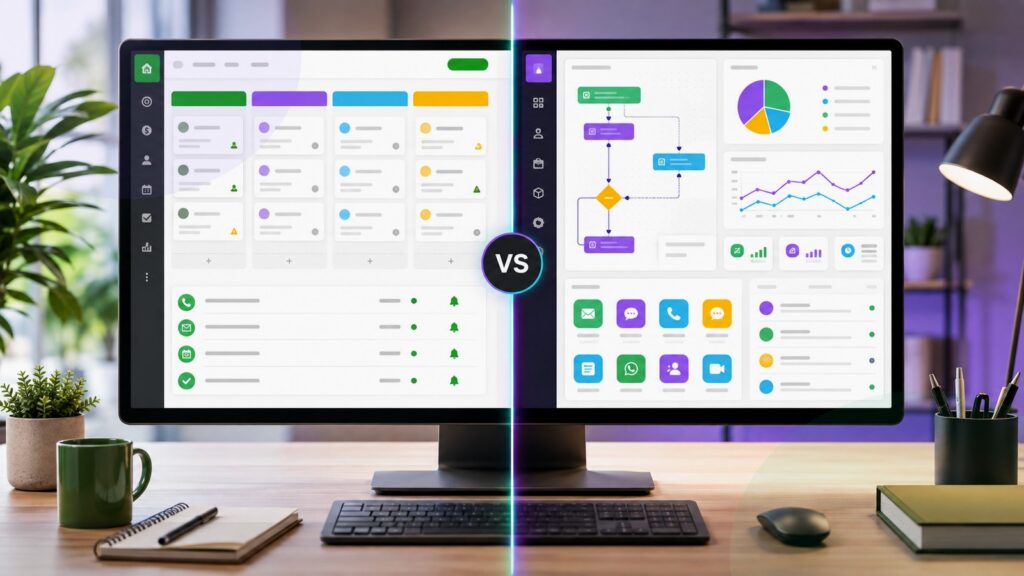
Pipedrive vs Zoho CRM business comparison image

Head-to-head

Pipedrive vs Zoho CRM: Which Sales CRM Software Is Better?

Zoho CRM is the better default when teams need customization, automation, analytics, and suite breadth. Pipedrive is better when the priority is a simple visual pipeline reps will keep current.

Pipedrive comparison image

Pipedrive

Pipedrive is strongest for small and midsize sales teams that want pipeline visibility, next-action discipline, email and calendar support, useful automations, and minimal CRM administration.

Score 8.6/10 Best for sales teams wanting simple visual pipeline adoption Focus Sales motion Why buy Clarity
  • Fast pipeline adoption for reps
  • Simple activity and deal discipline
  • Lower administrative burden
VS
Zoho CRM comparison image

Zoho CRM

Zoho CRM is strongest for teams that want more configurable records, workflow rules, sales automation, analytics, AI assistance, multichannel engagement, and connections across a broader business software suite.

Score 8.7/10 Best for value-focused teams wanting broad CRM customization Focus CRM breadth Why buy Control
  • Deeper customization for growing teams
  • Broader automation and analytics toolkit
  • Stronger fit with a business app suite
Metric
Pipedrive
Zoho CRM
Winner
Pipeline clarity
Stronger for a simple visual board, deal movement, and next-activity focus
Good pipeline support, but broader configuration can make the workspace busier
Pipedrive
CRM breadth
Focused on sales pipeline execution and lighter supporting workflows
Stronger for modules, automation, analytics, multichannel records, and wider business processes
Zoho CRM
Setup speed
Faster for teams that want to start with stages, owners, activities, and deals
Requires more setup decisions when the buyer wants a tailored CRM process
Pipedrive
Automation control
Good for straightforward sales automation tied to deals and reminders
Stronger for workflow rules, blueprints, scoring, assignments, and process customization
Zoho CRM
Reporting room
Useful for activity, pipeline, goals, and simple forecast visibility
Better when reports need custom fields, modules, dashboards, and cross-process context
Zoho CRM
Long-term value
Best when simple adoption remains the highest-value requirement
Best when the company will grow into broader CRM control and suite workflows
Zoho CRM
Real-world context
This decision starts with the word enough. If a clean sales board is enough, Pipedrive is hard to beat. If the business already sees custom records, automation, analytics, and suite workflows coming, Zoho CRM is safer.

Why people choose it

  • Best when the CRM must stay simple and visible
  • Strong activity reminders and pipeline discipline
  • Good value for teams without heavy admin capacity

Why people choose it

  • Better for customized records, rules, analytics, and automation
  • Useful AI and multichannel engagement inside a broader CRM
  • Stronger long-term fit when operations need more than pipeline tracking
Winner: Zoho CRM Zoho CRM wins because its broader customization, automation, analytics, and suite path cover more long-term sales CRM needs. Pipedrive is the better choice when simplicity itself is the strategic advantage.
Read FAQs

Deep dive

What actually matters in this matchup

This is the purest simplicity-versus-breadth choice in the group. Pipedrive protects seller focus with a direct pipeline model. Zoho CRM offers more configurable machinery for teams that need automation, analytics, custom records, and suite-connected processes. That matters once workflows expand.

Daily use: Pipedrive is easier to understand because the work revolves around moving deals and scheduling next activities. Zoho CRM can support that same sales rhythm, but its broader feature set becomes valuable only when teams configure it intentionally. That matters once workflows expand.

Growth pressure: Zoho CRM becomes the stronger pick when a company outgrows simple deal tracking and needs custom modules, scoring, process rules, multichannel history, or more detailed dashboards. Pipedrive stays better when focus prevents CRM fatigue. That keeps the CRM breadth decision grounded.

Administration: Pipedrive needs less administration to stay useful. Zoho CRM needs more decisions, but those decisions create room for a more tailored system. Buyers should be honest about who will own fields, workflows, and cleanup. That keeps the CRM breadth decision grounded.

Automation: Pipedrive automations are practical for reminders, stage movement, and sales follow-up. Zoho CRM is stronger when automation becomes process design, including assignments, approvals, blueprints, scoring, notifications, and connected records across the customer journey. That question matters when simple pipelines become broader operations.

Reporting: Pipedrive reporting is easier for managers who want a direct view of pipeline health. Zoho CRM reporting can cover more business context, but it depends on clean configuration, consistent fields, and disciplined user behavior. Use that test before adding another workflow requirement.

Final choice: Choose Pipedrive if adoption will decide success and the process should stay close to deals. Choose Zoho CRM if the team needs a broader CRM foundation that can absorb customization, automation, analytics, and suite expansion. That keeps the decision tied to adoption, customization, and maintainable process depth.

Methodology

How we evaluated the matchup

This review weighs focused pipeline adoption against broader CRM configurability, using official product information and buyer fit.

Scope: We treated Pipedrive as a focused sales pipeline CRM and Zoho CRM as a broader configurable CRM suite. The analysis uses official product information and workflow fit, not instrumented hands-on testing. That question matters when simple pipelines become broader operations.

What we compared: The scoring considers pipeline clarity, activity management, setup effort, customization, automation, analytics, AI support, multichannel records, suite integrations, administrator ownership, data hygiene, sales-manager visibility, and value for teams at different growth stages. That keeps simplicity honestly priced.

Interpretation: Zoho CRM wins the default verdict because broader CRM needs usually emerge as teams grow. Pipedrive still wins when focus, speed, and rep compliance are more valuable than extra configuration options. That question matters when simple pipelines become broader operations.

Buyer checks: Before deciding, verify plan limits, workflow automation access, custom module requirements, dashboard needs, mobile use, email sync, data export, integration coverage, support expectations, migration help, and ownership after launch. That question matters when simple pipelines become broader operations.

FAQ

Pipedrive vs Zoho CRM: common questions

Which product is simpler to use?
Pipedrive is simpler for most sales teams because the product keeps attention on deals, stages, activities, and next steps. Zoho CRM can be made approachable, but its value comes from broader configuration. That keeps the decision tied to adoption, customization, and maintainable process depth.

Why does Zoho CRM win the overall verdict?
Zoho CRM wins because it covers more long-term CRM needs, including customization, automation, analytics, AI support, multichannel records, and suite connections. Pipedrive is excellent when those broader needs are not required. That keeps the decision tied to adoption, customization, and maintainable process depth.

When should a team choose Pipedrive?
Choose Pipedrive when the team mainly needs pipeline visibility, activity discipline, quick onboarding, and a system reps will keep updated. It is strongest when simplicity creates more value than configuration breadth. That keeps the decision tied to adoption, customization, and maintainable process depth.
When should a team choose Zoho CRM?
Choose Zoho CRM when the business needs custom modules, workflow rules, sales automation, reporting depth, multichannel engagement, and suite integration. It is better when CRM must become more than a deal board. That keeps the decision tied to adoption, customization, and maintainable process depth.
Which is better for managers?
Pipedrive is better for managers who want fast pipeline inspection and activity follow-up. Zoho CRM is better for managers who need customized dashboards, broader customer context, and more control over process rules. That keeps the decision tied to adoption, customization, and maintainable process depth.
Which has the better value?
Zoho CRM has the stronger broad-value case because it bundles deeper CRM capability. Pipedrive has the better value case when the team would ignore that breadth and benefit more from immediate pipeline adoption. That keeps the decision tied to adoption, customization, and maintainable process depth.
Can a team use both tools?
Usually, that would create unnecessary duplication. A team should choose one system of record for deals, contacts, activities, reports, and automations unless there is a very specific integration reason to split work. It helps separate useful simplicity from limits the team will outgrow.
Is this review based on hands-on testing?
No. It uses official product information, public documentation, and buyer workflow analysis. Buyers should verify current features, plan limits, pricing, implementation scope, support coverage, and security details before purchasing. That keeps the decision tied to adoption, customization, and maintainable process depth. That matters once workflows expand.

Key Takeaways

  • Pipedrive wins the pure simplicity argument.
  • Zoho CRM wins the broader CRM argument.
  • Automation depth favors Zoho CRM.
  • Rep compliance favors Pipedrive.
  • Admin ownership should decide the risk.
  • Do not buy breadth without a maintainer.

Verdict

The Better Default for Broader CRM Control

Zoho CRM is the stronger default when the buyer expects customization, automation, analytics, multichannel records, and suite-connected workflows to matter over time.

#1 Winner

Zoho CRM

Zoho CRM wins because it gives growing teams more room to design a complete CRM process beyond a visual deal board.

  • Broader customization and automation depth
  • More reporting room for growing CRM needs
  • Stronger suite path beyond simple pipeline work

Runner-up

Jump to the Head-to-Head

Tip: Ask whether simplicity is the requirement or merely the starting point. That answer decides this comparison.

Where to Buy

Use the official Pipedrive and Zoho CRM pages to confirm trials, demos, current plans, and automation or customization limits.

Vendor terms, demos, pricing, and feature availability change regularly. Some links may earn a commission and never affect rankings.

Accessories You’ll Want

  • Pipeline stage map (defines what each deal stage means and when reps move opportunities)
  • Customization request list (separates must-have fields and modules from nice-to-have configuration)
  • Automation flow draft (shows which reminders, assignments, approvals, and alerts should run automatically)
  • Manager reporting brief (identifies the dashboards leaders need before choosing a CRM)
  • Suite roadmap (tracks whether future business apps should connect directly to the CRM)

Tip: Write down the first five automations you need. If the list grows quickly, Zoho CRM deserves extra weight.