
Radar Detectors Buying Guide for Fleet and Commuter Vehicles
A radar detector stops being a personal gadget when several drivers, routes, or vehicles share it. One driver may disable a needed band, another may inherit stale GPS lockouts, and a move into a commercial motor vehicle can turn the entire use case into a prohibited one.
Begin with permission, not hardware. Classify every vehicle, verify jurisdictions and organizational policy, then define an assigned mount, power kit, settings baseline, update owner, and driver interaction rule. Eligible commuter use should remain simple and consistent; no fleet efficiency claim overrides the federal commercial-vehicle prohibition.
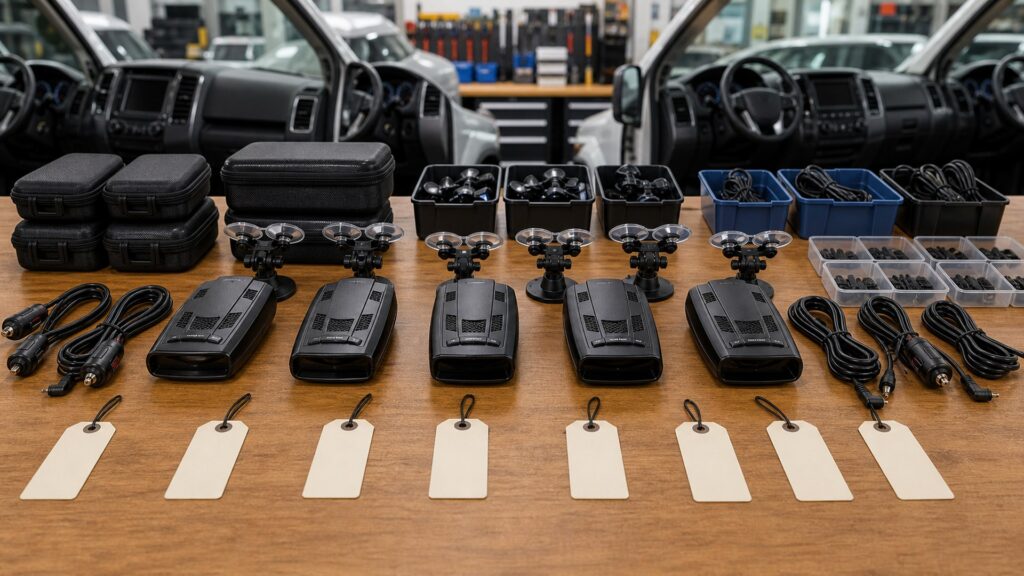
Buying framework
Approve the vehicle-driver assignment before the receiver
Each proposed assignment needs legal, vehicle, route, settings, and custody approval before purchase.
Classify every vehicle: Determine whether each unit is a commercial motor vehicle and exclude detector possession or use wherever federal or local law prohibits it.
Approve routes and policy: Document jurisdictions, employer rules, insurer concerns, windshield restrictions, and acceptable driver interaction before equipment selection.
Create an assignment record: Pair detector serial, mount, cord, vehicle, route profile, driver group, app account, and update owner rather than circulating loose hardware.
Define driver authority: Train alerts, mute, removal, and reporting; reserve band, filter, lockout, firmware, and factory-reset changes for an accountable administrator.
Who this is for
Match governance depth to shared use
Single commuters, shared households, and managed passenger fleets need different records; commercial vehicles require exclusion.
Single daily commuter: A personal baseline and familiar GPS memory work when vehicle, route, legal status, and update responsibility remain stable.
Multi-car household: Vehicle-specific mounts and power kits plus named profiles prevent unsafe fit and settings drift while the receiver moves between eligible cars.
Managed passenger-car fleet: Asset custody, driver training, approved configurations, privacy review, scheduled updates, and documented jurisdiction checks become purchase requirements.
Commercial operation: Do not equip or carry detectors in commercial motor vehicles covered by 49 CFR 392.71, regardless of receiver features or route.
What to pay attention to
Specifications that make detector behavior repeatable
Consistency comes from vehicle-specific hardware and governed software rather than identical boxes alone.
Governance & Legality
Determine permitted vehicle classes, jurisdictions, driver rules, custody, privacy, training, and incident handling.
Assigned-System Reliability
Match each detector to vehicle glass, mount, power, route, settings, updates, memory, accessories, and records.
Vehicle-class record: Store VIN or unit, weight and use information needed for classification, operating jurisdictions, and the source and date of the legal review.
Assigned installation kit: Each vehicle needs confirmed windshield transmission, legal mount, antenna angle, camera clearance, power behavior, and a complete labeled accessory set.
Configuration profiles: Approved bands, city or highway sensitivity, BSM filtering, low-speed audio, brightness, and alert priority should be recoverable after reset.
GPS memory ownership: Lockouts and user marks belong to routes and vehicles; moving a detector can carry inappropriate quiet zones or erase a useful commute history.
Update administration: Track firmware, database date, utilities, cables, accounts, subscription, change notes, and the post-update route check for every serial number.
App data and custody: Review location sharing, driver identifiers, cloud retention, phone requirements, permissions, theft exposure, checkout, return, and damaged-part reporting.
Avoid these traps
Fleet habits that create legal and configuration failures
Informal sharing spreads settings, stale memory, missing accessories, and legal assumptions between drivers.
Treating a light fleet as automatically eligible: Business use, vehicle specifications, and jurisdiction can affect classification; verify each unit instead of applying a passenger-car assumption.
Passing one configured detector among routes: Lockouts, bands, filters, brightness, and mounting needs travel with the device; unrecorded swaps make alerts inconsistent.
Letting every driver tune settings: Uncontrolled changes destroy the baseline and complicate incident review; offer simple mute and reporting rules with administrator-owned configuration.
Ignoring privacy and custody: Connected apps may expose location or identities, while loose mounts and cords disappear; review data terms and track complete kits.
Decision guidance
Choose by permission, route, and accountability
Choose the simplest permitted arrangement that an owner can support and drivers can operate without distraction.
For one eligible commuter: Choose a stable personal platform with clear alerts, familiar-route quieting, a verified mount, and owner-controlled updates.
For several household vehicles: Standardize compatible brackets and approved power only where each car passes fit and legal checks; keep separate route profiles.
For a managed passenger fleet: Require policy, training, serial inventory, assigned kits, locked baselines, update logs, privacy review, and defined exceptions.
For any covered CMV: Remove the detector and its components; the correct decision is compliance, not a different product tier.
Ownership & compatibility
Run detectors as controlled assigned assets
Assign responsibility for versions, hardware, privacy, training, and removal instead of leaving upkeep to whoever drives.
Audit assignments: Review vehicle classification, routes, law, driver list, serial, mount, power kit, settings, GPS memory, and account quarterly.
Control changes: Designate who updates firmware, databases, subscriptions, and profiles; log resets, repairs, missing parts, unusual alerts, and route changes.
Train removal and reporting: Drivers should secure equipment, avoid in-motion configuration, report faults, and never move a kit into an unapproved or prohibited vehicle.
FAQ
Fleet and commuter questions before deployment
Exact classification, route, policy, and detector behavior control these answers.
Can a company put detectors in its vehicles?
What counts as a commercial motor vehicle?
Should drivers share one detector?
How should GPS lockouts be handled?
Can fleet managers lock detector settings?
What should driver training include?
Do connected detector apps create privacy issues?
How should firmware updates be managed?
What happens when a vehicle changes routes?
Bottom line
Standardize only lawful passenger-vehicle use
A documented passenger-vehicle assignment is the unit of ownership; prohibited CMV use is not a purchasing option.
Establish permission: Verify class, route, law, employer policy, insurance concerns, and safe driver interaction.
Assign the system: Pair each detector with a compatible mount, power kit, settings baseline, route memory, and accountable owner.
Govern the lifecycle: Track custody, training, privacy, versions, updates, faults, transfers, and removal from prohibited vehicles.
Reading Shortcuts
Move through the policy, assigned-vehicle consistency, driver workload, and commercial-vehicle boundaries decision in order.
Decision Reminders
Fleet consistency begins with legal vehicle assignments.
- Classify every vehicle: Verify and record this requirement.
- Approve routes and policy: Verify and record this requirement.
- Create an assignment record: Verify and record this requirement.
- Audit assignments: Verify and record this requirement.
- Control changes: Verify and record this requirement.
- Train removal and reporting: Verify and record this requirement.
Glossary Snippets
Terms used in this detector plan.
When to Use a Top 10 Review
Use rankings only after the requirements are fixed.
- Establish permission: Use this as a shortlist filter.
- Assign the system: Use this as a shortlist filter.
- Govern the lifecycle: Use this as a shortlist filter.
- Exclude: Use this as a shortlist filter.
Already down to 2–3 options? A Comparison is usually the faster next step.
When to Use a Comparison
Compare finalists against the same route, vehicle, settings, and power test.
- Classify every vehicle: Test this point on both finalists.
- Approve routes and policy: Test this point on both finalists.
- Create an assignment record: Test this point on both finalists.
- Define driver authority: Test this point on both finalists.
Still exploring? Start with a Top 10 to build a shortlist first.