
Radar Detectors Buying Guide: How to Choose the Right One
A detector that announces every supermarket door and neighboring blind-spot sensor soon becomes background noise. Another model may test strongly in open terrain yet perform poorly behind heat-reflective glass or present alerts so abruptly that direction and urgency are hard to judge.
The right choice begins with the roads, vehicle, and driver. Map the signal clutter and travel pattern, confirm that the windshield and mount permit reception, then compare filtering, GPS behavior, alert presentation, power, and updates. A detector supplies information—not immunity from speed limits, enforcement, or local equipment rules.
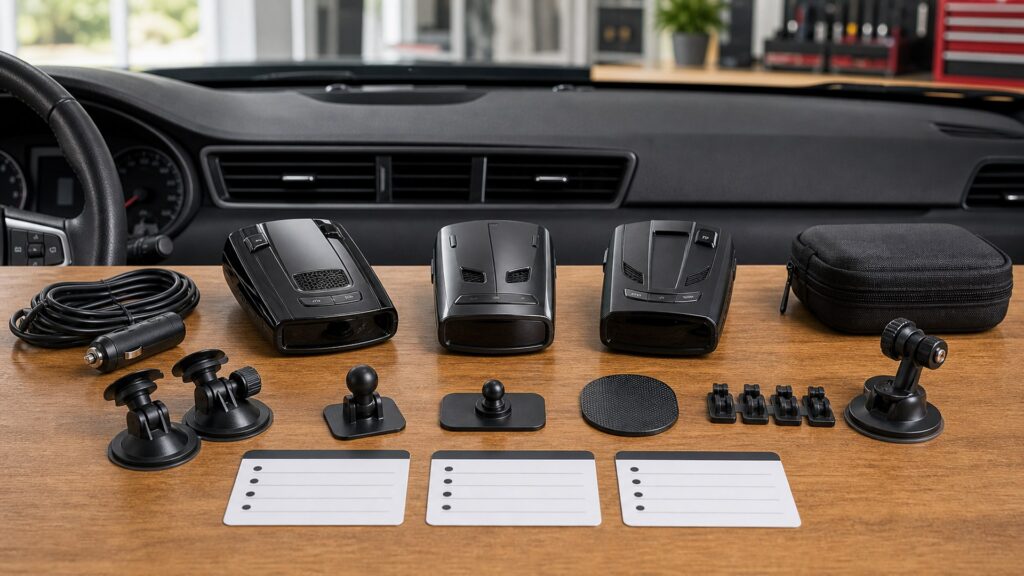
Buying framework
Define the alerts worth hearing before buying range
A useful detector is one the driver leaves configured, understands quickly, and can operate legally. Start with the operating environment rather than a maximum-distance claim.
Map the roads: Separate dense commercial streets, familiar commute corridors, open highways, and cross-border travel. Note stationary door sensors, traffic monitors, vehicle-generated K-band clutter, and any region-specific bands.
Set the noise budget: Decide how much manual muting is acceptable and whether repeated routes justify GPS memory or speed-based quieting. Excessive alerts can erase the value of additional sensitivity.
Audit the vehicle: Identify metallic or athermic windshield areas, mirror and camera housings, legal mounting zones, available sockets, switched circuits, and a level forward position that does not block sightlines.
Plan upkeep and law: Confirm current rules by jurisdiction and vehicle class, then identify the firmware, database, computer, cable, and subscription steps required to keep chosen features current.
Who this is for
Match the detector class to the driving pattern
The value of GPS, direction, and remote installation changes with route repetition, cabin constraints, and time spent on open roads.
Occasional local driver: Prioritize understandable tones, a simple city mode, accessible mute, and modest cost. Advanced range has little value if urban false alerts dominate every trip.
Daily commuter: GPS lockouts, low-speed quieting, refined BSM filtering, automatic brightness, and easy updates can make repeat routes far calmer without constant button presses.
Frequent highway traveler: Longer forward reception, a progressive strength ramp, configurable bands, reliable mount, and possibly directional information help interpret changing signals across varied terrain.
Owner needing an integrated cabin: A remote system can hide antennas and place a controller conveniently when coated glass or a crowded windshield defeats portable mounting. Installation quality, service access, and law become central.
What to pay attention to
Specifications that shape trustworthy daily alerts
Performance includes what the detector receives, what it rejects, and how clearly it communicates the remainder. Evaluate the controls as carefully as the antenna claims.
Signal Relevance
Compare active bands, sensitivity modes, BSM filtering, GPS rules, direction, and strength behavior on representative routes.
Vehicle & Lifecycle Fit
Confirm glass transmission, physical alignment, power accessories, legal placement, database sources, and update support.
Bands and selectable scanning: X, K, Ka, laser, and photo-radar modes are not equally relevant everywhere. Buy the needed coverage, then disable or narrow settings only with reliable local information and model guidance.
K-band false-alert filtering: Nearby driver-assistance sensors overlap the difficult K-band environment. Strong filtering should reduce nuisance signals without being described as perfect classification; updates and route testing remain important.
GPS behavior: Location memory can suppress recurring stationary X or K sources, while speed thresholds calm low-speed driving. Check learning rules, manual controls, memory capacity, and how stale locations are removed.
Direction and ramp: Arrows can distinguish an approaching signal from one receding behind the vehicle. Regardless of antenna count, the tone and strength progression should communicate changes without requiring long display glances.
Display and audio: Test daylight brightness, dark mode, voice labels, volume range, alert priority, multi-signal presentation, and mute reach from the driving position. A crowded screen is not automatically more informative.
Windshield and mount: Metallic coatings can sharply attenuate radar and GPS. Confirm a manufacturer-approved clear area, keep the unit level and forward-facing, and avoid camera zones, wiper blockage, tint bands, and curved off-axis positions.
Power and updates: Compare socket cord controls, USB requirements, hardwire options, low-voltage behavior, ignition shutoff, firmware tools, database frequency, host-computer support, and any recurring access charge.
Avoid these traps
Buying habits that make a detector noisy or ineffective
A sophisticated receiver can still fail as a daily tool when its settings, placement, or legal context are treated as afterthoughts.
Ranking only by longest test distance: Terrain, traffic, source orientation, filtering, glass, and alert threshold change real use. Balance useful warning behavior with quietness and clarity instead of treating one distance as universal.
Enabling every mode without research: Unneeded bands and specialized photo-radar modes can add scan workload or nuisance alerts. Begin with documented regional settings and make one measured change at a time.
Locking out alerts casually: A stored mute should be tied to a repeat stationary source, not a guess during one encounter. Review unexpected quiet zones and understand which bands the model learns automatically.
Hiding the detector behind hostile glass: A convenient high mount may sit inside a coated area or tint strip that blocks radar or GPS. Validate reception and manufacturer guidance before permanent wiring.
Assuming purchase equals permission: Detector legality and windshield mounting rules vary, and federal rules prohibit radar detectors in commercial motor vehicles. Check the exact vehicle and every jurisdiction on the route.
Decision guidance
Choose the least complicated detector you will trust
Spend first on relevant reception and nuisance control. Add direction, connectivity, or remote installation only when the route or vehicle creates a clear benefit.
If most driving is local and unfamiliar: Select simple band controls, effective filtering, clear tones, and an easy mute. GPS databases may matter more than learned commute lockouts when routes rarely repeat.
If the same commute repeats daily: Favor mature location memory, speed-based muting, BSM filtering, automatic brightness, and update convenience. Test how the device distinguishes a new signal near a muted location.
If long highways dominate: Prioritize balanced forward and rear reception, readable ramp behavior, stable mounting, and band configuration. Directional arrows earn their cost when the driver values source movement at a glance.
If the windshield blocks reception: Use an approved clear zone if one exists; otherwise consider a professionally installed remote antenna system. Price labor, controller location, serviceability, and legality before committing.
Ownership & compatibility
Maintain settings, hardware, and legal fit
Route conditions and vehicle electronics change. A short periodic review keeps the detector relevant instead of letting learned rules and neglected hardware accumulate.
Update with a record: Log firmware and database versions, read release notes, preserve the required cable or utility, and confirm custom settings after every update or reset.
Revisit quieting rules: Audit manual marks and learned lockouts when businesses, traffic equipment, or enforcement patterns change. Investigate unexpected silence rather than assuming the detector made a correct classification.
Inspect installation: Keep the unit level, clean the optical window, replace weakened suction hardware, secure cables away from controls and airbags, and verify ignition-off behavior after service.
Check before crossing boundaries: Reconfirm detector possession, use, and windshield-mount rules for each jurisdiction and vehicle class. Never carry one in a commercial motor vehicle where federal regulation prohibits it.
FAQ
Radar detector questions to settle before purchase
The answers are starting points; local law, vehicle construction, route conditions, and exact model behavior still require verification.
Are radar detectors legal everywhere in the United States?
Which radar bands should a detector cover?
Does laser detection provide advance warning?
What does GPS add to a radar detector?
Can filtering remove every blind-spot-monitor alert?
Are directional arrows worth the extra cost?
Will a radar detector work behind metallic windshield glass?
Should I hardwire a radar detector?
How often should firmware and camera data be updated?
Bottom line
Prioritize relevant alerts over maximum claims
The best detector fits the route and glass, filters responsibly, communicates changes clearly, and can be mounted, powered, updated, and used lawfully.
Profile the environment: List road types, signal clutter, jurisdictions, vehicle class, and windshield construction.
Test the interpretation: Compare quieting, ramp, direction, display, audio, and control reach on representative drives.
Own the installation: Maintain legal placement, reliable power, current software, and reviewed location memory.
Reading Shortcuts
Move from route conditions to a lawful installation.
Decision Reminders
Keep the receiver useful in daily driving.
- Routes: Map clutter and regional bands.
- Glass: Confirm an RF-transparent mounting area.
- Noise: Budget for filtering and GPS quieting.
- Alerts: Test tone, ramp, direction, and mute.
- Updates: Check firmware and database access.
- Law: Verify jurisdiction and vehicle class.
Glossary Snippets
Terms that shape alert behavior.
When to Use a Top 10 Review
Use rankings after defining roads, glass, and acceptable noise.
- Filter: By region, glass, and mount.
- Prioritize: Relevant alerts and quiet operation.
- Check: Updates, accessories, and laws.
- Exclude: Models that cannot fit the vehicle.
Already down to 2–3 options? A Comparison is usually the faster next step.
When to Use a Comparison
Drive finalists through the same clutter and control tasks.
- Receive: Compare relevant-band behavior.
- Filter: Repeat busy urban routes.
- Interpret: Judge ramp, direction, audio, and display.
- Maintain: Compare update and accessory paths.
Still exploring? Start with a Top 10 to build a shortlist first.