
Vehicle Security Systems Buying Guide for Driver Assistance Setups
Modern security and driver-assistance systems share more of the vehicle than their labels suggest. Both may rely on windshield space, body-controller messages, ignition states, key authentication, battery management, warning displays, telematics, and service access. A careless installation can disturb those shared resources.
Treat unchanged factory safety behavior as a hard acceptance test. Map camera and radar zones, preserve calibration access, use exact-vehicle interfaces, and test every remote-start interlock, keyless state, warning lamp, diagnostic code, and sleep cycle. Security features should operate while the vehicle is parked without adding ambiguity when the driver takes control.
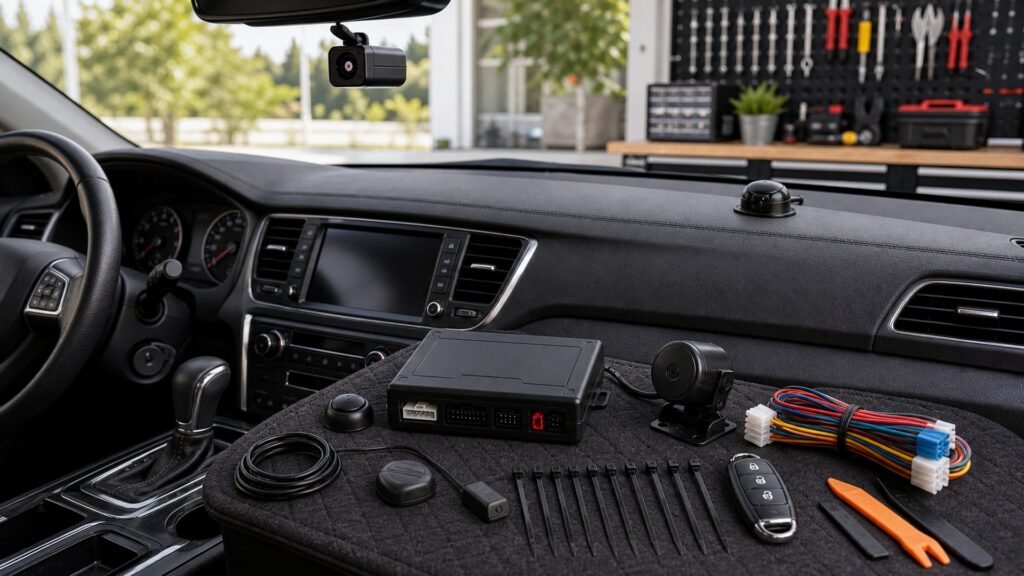
Buying framework
Protect factory safety behavior before adding security
Document shared physical, network, ignition, key, power, and service resources before selecting components.
Map physical safety zones: Locate forward and cabin cameras, radar and ultrasonic sensors, mirror housings, airbags, displays, calibration targets, and service-removal paths.
Map shared electronic states: Record key presence, locks, ignition, propulsion ready, gear, brake, hood, doors, sleep, telematics, alarms, warnings, and CAN gateway behavior.
Assign security interfaces: Identify which exact module, firmware, discrete input, antenna, sensor, relay, app, or subscription touches each shared state.
Write coexistence tests: Compare factory behavior before and after installation through arming, triggers, start, takeover, shutdown, driving, parking, sleep, scan, and service mode.
Who this is for
Match integration depth to the ADAS architecture
A simple alarm sensor and a remote-start security network touch different portions of an ADAS-equipped vehicle.
Alarm-only ADAS owner: Perimeter and impact sensing can remain limited in scope when mounts, wiring, power, and network connections avoid factory safety zones.
Remote-start security buyer: Exact key, immobilizer, brake, hood, gear, takeover, climate, charging, and propulsion-ready logic demand documented vehicle support.
Cellular and telematics user: Confirm the added modem, GPS, antennas, wake schedule, app, and notifications coexist with factory connected services and battery management.
Recently calibrated vehicle owner: Preserve windshield and bumper sensor access, disclose added hardware to service staff, and budget retesting after collision or glass work.
What to pay attention to
Specifications that reveal cross-system risk
Compatibility evidence includes keep-out maps, supported messages, interlock states, sleep behavior, and clean diagnostic scans.
Physical Coexistence
Protect camera fields, radar zones, driver monitoring, airbags, displays, sensor calibration areas, and service access.
Logical Coexistence
Preserve network messages, keyless authentication, interlocks, telematics, sleep, diagnostic status, alerts, and factory updates.
Camera and sensor clearance: Mount antennas, LEDs, and controls outside documented views, radar zones, driver-monitoring lines, defroster elements, and calibration or replacement areas.
Network interface scope: Verify supported messages, gateway requirements, firmware, limitations, and failure behavior; avoid experimental commands on safety or propulsion networks.
Remote-start interlocks: Hood open, brake, gear, key, door, propulsion, engine sensing, shutdown, takeover, and manual-transmission conditions must follow exact platform rules.
Power and wake behavior: Measure sleep current, cellular check-ins, module wakeups, low-voltage response, battery-management messages, and behavior during charging or accessory modes.
Alert separation: Security sirens, chirps, LEDs, app notifications, and remote confirmations should not imitate or obscure collision, lane, parking, key, or driver-monitoring warnings.
Diagnostic acceptance: Perform pre- and post-install scans, verify warning lamps and ADAS availability, preserve calibration access, and document any unrelated existing codes.
Avoid these traps
Security shortcuts that can disturb safety equipment
Assumed independence can leave cameras blocked, modules awake, warning lamps active, or remote start unsafe.
Mounting hardware beside a camera: A convenient mirror location may block a field or service cover; honor manufacturer keep-outs rather than relying on visual guesswork.
Using one status wire for every state: Modern vehicles distinguish ignition, accessory, ready, charging, key, gear, and shutdown through data; oversimplification creates unsafe logic.
Skipping a post-install scan: Warning lamps are not the only evidence of faults; compare module codes and communication before and after work.
Assuming later dealer updates are harmless: Body, key, telematics, or ADAS firmware can alter messages and behavior; retain installer support and retest after service.
Decision guidance
Choose functions with clean coexistence evidence
Add only functions whose interactions and fallback states can be demonstrated on the exact vehicle.
If basic detection avoids shared systems: Choose targeted perimeter or movement sensors with safe power, mounting, and alerts while leaving factory authentication untouched.
If remote start is required: Use a coordinated exact-vehicle security platform with every interlock, takeover, shutdown, and diagnostic state documented.
If cellular recovery is required: Verify antenna zones, modem wake behavior, backup power, data privacy, app ownership, factory telematics, and low-battery handling.
If coexistence evidence is incomplete: Do not add network commands or immobilization; use reversible physical deterrence and factory services until support is documented.
Ownership & compatibility
Retest after calibration, updates, keys, or battery work
Factory software and sensor service can change nearby hardware or network behavior long after installation.
Keep before-and-after evidence: Store photos, configuration, module and firmware, pre/post scans, interlock results, sleep current, warning behavior, and calibration clearances.
Retest after relevant service: Windshield, bumper, camera, radar, key, battery, body-module, telematics, or software work triggers a complete coexistence check.
Use service mode deliberately: Provide technicians the correct temporary procedure and hardware map without disabling factory safety features or surrendering permanent account control.
FAQ
ADAS and security questions before installation
Exact vehicle and platform instructions govern these answers.
Can an alarm interfere with ADAS?
Where can the security antenna be mounted?
Does remote start affect collision systems?
Should the vehicle be scanned after installation?
Can a cellular tracker wake the vehicle?
Will security alerts sound like safety warnings?
What if the windshield needs camera calibration?
Can dealer software updates affect the alarm?
Should security disable a moving vehicle?
Bottom line
Accept no unexplained change in factory operation
A successful installation preserves every required warning, intervention, authentication, and calibration state.
Protect physical fields: Keep hardware outside camera, radar, driver-view, airbag, display, and calibration zones.
Preserve logical states: Verify keys, ignition, gear, brake, hood, network, telematics, warnings, sleep, takeover, and shutdown.
Prove coexistence repeatedly: Use scans, current measurements, interlock tests, service records, and post-update checks with no unexplained safety changes.
Reading Shortcuts
Move through the coexistence with cameras, radar sensors, keyless systems, driver monitoring, telematics, and remote-start interlocks decision in order.
Decision Reminders
Factory safety operation is the nonnegotiable baseline.
- Map physical safety zones: Verify and record this requirement.
- Map shared electronic states: Verify and record this requirement.
- Assign security interfaces: Verify and record this requirement.
- Keep before-and-after evidence: Verify and record this requirement.
- Retest after relevant service: Verify and record this requirement.
- Use service mode deliberately: Verify and record this requirement.
Glossary Snippets
Terms used in this security system plan.
When to Use a Top 10 Review
Use rankings only after the requirements are fixed.
- Protect physical fields: Use this as a shortlist filter.
- Preserve logical states: Use this as a shortlist filter.
- Prove coexistence repeatedly: Use this as a shortlist filter.
- Exclude: Use this as a shortlist filter.
Already down to 2–3 options? A Comparison is usually the faster next step.
When to Use a Comparison
Compare finalists against the same parked arm, trigger, notification, disarm, authorized start, sleep, and service test.
- Map physical safety zones: Test this point on both finalists.
- Map shared electronic states: Test this point on both finalists.
- Assign security interfaces: Test this point on both finalists.
- Write coexistence tests: Test this point on both finalists.
Still exploring? Start with a Top 10 to build a shortlist first.