
Walkers Buying Guide for Comfort and Fit
Comfort in a walker is mostly about pressure and posture, not padding alone. Grip diameter, handle height, wrist angle, elbow bend, and how far the frame sits from the body all change how tiring the aid feels.
This guide focuses on body contact points and fit checks. It helps buyers notice shoulder elevation, forward lean, palm pressure, uneven adjustment holes, and frame stance before assuming discomfort is unavoidable.
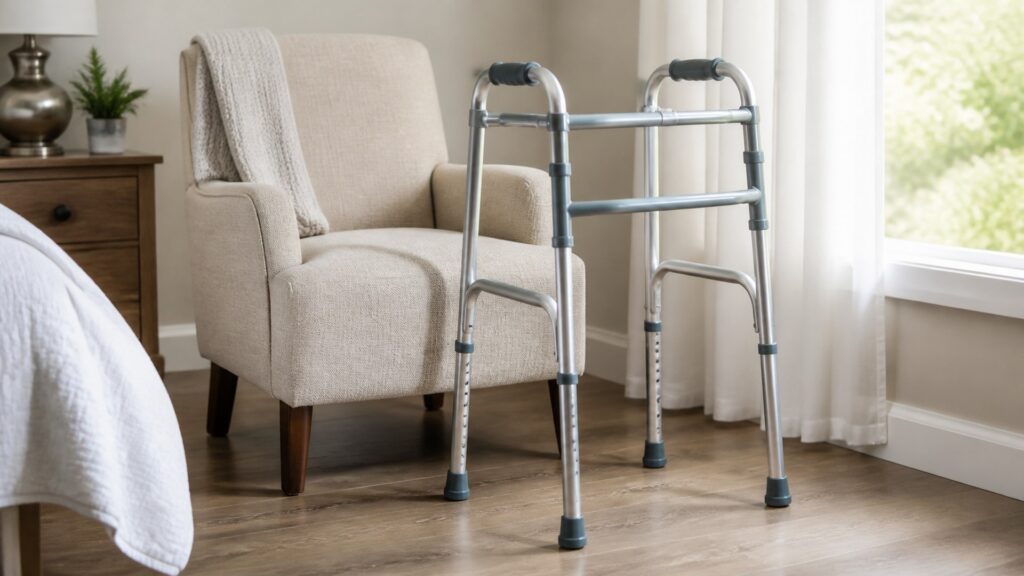
Buying framework
Fit the walker where hands and posture meet
A comfortable walker keeps the user close enough to the support area while reducing avoidable strain through the palms, wrists, shoulders, and upper back.
Grip pressure: Handles should spread palm load without becoming slick, narrow, or hard to hold during repeated starts.
Elbow position: The height setting should allow a slight bend instead of raised shoulders or a forward slump.
Frame stance: The user should stand inside the frame's working area rather than reaching out to chase it.
Therapy fit: If a therapist taught a gait pattern, the comfort setup should preserve that pattern instead of fighting it.
Who this is for
Comfort-focused walker users
These profiles focus on the places discomfort usually appears during repeated indoor movement.
Palm-pressure user: Needs grips that feel secure without concentrating load in one sore spot.
Posture watcher: Needs height settings that keep shoulders low and hands naturally aligned.
Short-route repeater: Needs comfort during many small trips, not just during one showroom pass.
Fit-sensitive recovery user: Needs adjustments that work with the taught step sequence and fatigue level.
What to pay attention to
Fit details that affect comfort
Comfort specifications should be read as posture clues. Small differences in hand position can matter after several rooms.
Comfort Fit Contact
For comfort fit, contact parts show how this walker grips, slides, rolls, or wears.
Comfort Fit Setup
For comfort fit, settings and locks need a clear confirmation routine.
Grip shape: Foam, molded, or contoured grips distribute pressure differently across palms and fingers.
Adjustment spacing: Height holes that are too far apart may leave the user between workable positions.
Frame depth: A deep frame can encourage reaching, while a shallow stance may crowd the user's step.
Hand symmetry: Both handles should align evenly so one shoulder or wrist does not compensate.
Surface feedback: Tips, wheels, and glides can add vibration or drag that shows up as hand fatigue.
Avoid these traps
Comfort mistakes to avoid
Comfort problems often start when a buyer treats the walker like a fixed-size object instead of an adjustable body interface.
Choosing padding first: Soft grips cannot fix the wrong handle height or a frame that keeps the user reaching.
Ignoring wrist angle: A grip that feels fine briefly may irritate the wrist during repeated starts and turns.
Skipping both-side checks: Uneven adjustment holes can make one arm carry more load than the other.
Confusing fatigue with weakness: Discomfort may come from setup, but persistent pain or instability needs professional review.
Decision guidance
Choose by the discomfort pattern
Shortlist walkers by the body signal they need to reduce: palm pressure, shoulder lift, reaching, or uneven weight through the hands.
If palms get sore: Prioritize grip shape and texture before trays, bags, or color options.
If shoulders rise: Look for height range and smaller adjustment increments around the needed setting.
If the user leans: Compare frame depth and front-wheel placement rather than blaming balance alone.
If comfort changes daily: Choose settings and contact parts that caregivers can inspect consistently.
Ownership & compatibility
Maintain the comfort setup
A comfortable walker can become uncomfortable when grips compress, buttons shift, or rear contact parts wear unevenly.
Watch grip wear: Replace torn, slick, flattened, or loose handles before hand pressure changes.
Mark correct settings: A small visual reference helps restore the same height after folding or transport.
Clean contact areas: Dry grips and adjustment points so moisture does not make the walker harder to hold.
FAQ
Questions buyers ask about walkers buying guide for comfort and fit
These answers focus on the comfort fit decisions that affect walker fit, contact, setup, and safe use boundaries.
What makes a walker comfortable?
How should the handles line up?
Are foam grips better?
Why do my hands hurt when using a walker?
Does walker width affect comfort?
Should comfort change the walker type?
How can caregivers preserve fit?
When is discomfort a safety issue?
Can grip covers solve fit problems?
Bottom line
Comfort starts with fit, not extras
The best comfort-focused walker supports relaxed shoulders, useful arm position, secure hands, and a frame stance the user can repeat throughout the day.
Read the hands: Grip pressure often reveals fit problems early.
Check posture: Height and frame depth should reduce reaching and shoulder lift.
Keep it repeatable: Comfort depends on restoring the same setup after cleaning, folding, or travel.
Reading Shortcuts
comfort-fit checkpoints.
Decision Reminders
Before choosing: comfort-fit.
- Control: Confirm walker control in use.
- Fit: Measure body contact points.
- Surfaces: Check the expected floors.
- Wear: Inspect replaceable parts.
- Storage: Park it without clutter.
- Guidance: Ask about clinical limits.
Glossary Snippets
walker terms for comfort-fit.
When to Use a Top 10 Review
Ranked picks after comfort-fit.
- Shortlist: Compare after fit decisions.
- Filter: Use comfort-fit priorities.
- Complaints: Watch repeated fit issues.
- Upkeep: Check replacement details.
For comfort-fit finalists, use Comparison next.
When to Use a Comparison
Compare close walker options.
- Fit: Check measurements side by side.
- Control: Compare brakes and contact.
- Storage: Match the real location.
- Care: Review wear and cleaning.
For broad comfort-fit shopping, start with Top 10.