
What Makes Digital Payment Platforms Different from Cloud Accounting Software

A digital payment platform helps a business accept and manage customer payments. Cloud accounting software records the business's financial activity and organizes it into balances and reports. They overlap when a sale is paid, but accepting the payment and explaining it in the books are different jobs.

The distinction remains useful even when one product connects the two. Accounting software can offer invoice payment links through a payment provider, and payment platforms can include invoicing features. Look at who handles collection, who owns the financial records, and how the results move between them.

By: Review Streets Research Lab
Updated: September 25, 2026
Explainer · 8-12 min read
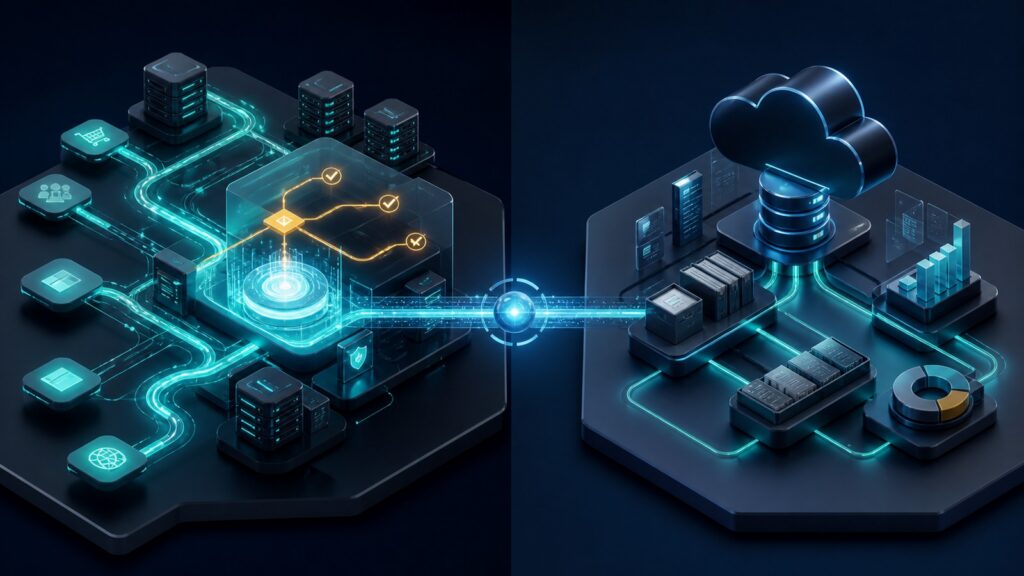
Editorial business scene illustrating digital payment platforms and cloud accounting software
What You'll Learn

Separate Collecting a Payment From Recording the Business

Understand which records answer payment questions and which explain balances, costs, and reporting.

  • Identify the payment platform's role at checkout
  • Distinguish transaction status from an accounting balance
  • Recognize invoice-payment integrations
  • Follow refunds and fees into the books
  • Explain why a payout is not another sale

Tip: Trace one purchase from its original order or invoice through payment, fees, and the bank deposit.

Definitions

Payment and Accounting Records That Should Not Be Confused

The records are connected, but each describes a different event or obligation.

Payment Transaction

A payment transaction records an attempt or completed operation handled by a payment service.

  • Example: A platform records a card payment associated with an online order.
  • Check: Read the provider's status and the linked order reference.
  • Limit: A transaction list does not capture every activity in the business.

Invoice

An invoice records a bill for goods or services supplied or agreed.

  • Example: A business invoices a customer for a completed service.
  • Check: Identify which system creates and maintains the bill.
  • Limit: Issuing an invoice does not establish that collection succeeded.

Receivable

A receivable is an amount due to the business under its financial records.

  • Example: A customer invoice remains unpaid after a declined collection attempt.
  • Check: Check payments and adjustments applied to the balance.
  • Limit: A payment status alone may not explain all amounts a customer owes.

Provider Balance

A provider balance records funds and adjustments held or tracked within the payment service.

  • Example: A payment appears in a pending balance before becoming available for payout.
  • Check: Distinguish pending and available amounts.
  • Limit: A provider balance is not necessarily cash already in the merchant's bank.

Payout

A payout transfers eligible funds from the provider arrangement to a destination account.

  • Example: One bank deposit includes the proceeds of several sales.
  • Check: Use the provider's transaction breakdown to explain the transfer.
  • Limit: Counting the deposit as a new sale can duplicate sales already recorded.

Accounting Adjustment

An accounting adjustment changes financial records to reflect a correction or later event.

  • Example: A customer refund is reflected in the relevant accounting records.
  • Check: Connect the adjustment to its source and original transaction.
  • Limit: An entry in the books does not itself execute a refund through the provider.

Tip: Keep payment operations and accounting entries linked without assuming that an action in one system automatically performs the other.

Collection

Use the Payment Platform to Answer What Happened to the Attempt

A customer asks whether a purchase went through. The payment platform supplies the attempt's status, method, and related events. It may show a decline, an unresolved result, or a successful payment followed by a refund. Those details explain the collection process more precisely than an invoice marked unpaid.

  • Locate the payment using a stable reference.
  • Check whether the result is final or pending.
  • Review any later refunds or disputes.

If the provider shows success while the invoice still looks unpaid, investigate the connection before asking the customer to pay again.

Financial Records

Use Accounting to Explain the Wider Business

Cloud accounting brings sales and collections together with spending, liabilities, bank activity, and reporting. A payment dashboard sees activity handled through that provider; it may not know about a supplier invoice or a payment accepted elsewhere. A complete financial view requires those other records too.

  • Record business activity through the chosen accounting process.
  • Keep the appropriate evidence for costs and adjustments.
  • Use the accounting system's reporting rules rather than a checkout status as a reporting shortcut.

The amount collected today and the result reported for a period answer different questions and should not be treated as interchangeable measures.

Overlap

An Accounting Payment Button Can Use a Separate Payment Service

An online invoice can let a customer pay without the business building its own checkout. The accounting product and payment provider may exchange the result automatically. That is a useful integration of two functions, not proof that their responsibilities are identical. Check what the connection actually transfers.

  • Verify supported payment methods and account eligibility.
  • Test a successful payment and a failed one.
  • Check how refunds and fees reach the records.

For a business collecting against invoices, the integrated connection may already cover the required payment experience.

Refunds

Returning Money and Correcting Records Are Separate Steps

A partial refund changes the financial outcome without erasing the original sale and payment history. The payment platform needs to perform the eligible refund operation, while accounting needs the corresponding record under the business's process. A customer-service note alone does neither.

  • Confirm the original payment and earlier refunds.
  • Verify the provider's actual refund result.
  • Check the accounting adjustment and customer balance afterward.

For example, refunding one item from a multi-item order should leave a trace of the original payment and the amount returned, not an unexplained smaller deposit.

Reconciliation

Explain the Deposit Instead of Recording It as Another Sale

A hypothetical $200 customer payment and $6 provider fee can produce a $194 payout if there are no other adjustments. The deposit is the transfer of the resulting funds, not an additional $194 sale. Real payouts may combine many transactions, refunds, and other adjustments, so use the detailed report rather than guessing from the bank amount.

  • Preserve gross payment, fee, and refund information.
  • Match the payout reference to the bank record.
  • Choose one source for each sale or invoice to avoid duplicate imports.

A useful accounting connection preserves the explanation of the money while reducing repeated entry.

Quick Reality Check

One Payment, Two Useful Views

The payment screen and the accounting screen can show different facts about the same purchase.

Payment Platform

Explains the attempt, collection result, refund operations, and provider-side financial activity.

Use it to investigate a failed checkout or confirm whether money was returned.

Cloud Accounting

Connects the sale and payment with the customer's balance, business costs, bank activity, and financial reports.

Use it to explain the broader financial records and reconcile the result.

Common Myths

Misconceptions About Payment Platforms and Cloud Accounting

Shared screens and integrations do not make every record mean the same thing.

A successful payment completes the books

The payment and any related fees or adjustments still need to reach the appropriate financial records.

Accounting products cannot accept online payments

Many connect payment services to invoices. Check the supported integration rather than relying on the product category.

The payout amount is always the sales amount

Payouts can include several transactions and deductions or adjustments. Their detail explains the difference.

Tip: Test the connection through a partial refund, not only an uncomplicated sale.

FAQ

Questions About Payments and Cloud Accounting

Practical checks for businesses connecting collection to bookkeeping.

Can one provider supply both functions?

A provider may bundle features or connect services. Still identify which records govern payment status and which govern the books.

Which system should create invoices?

Choose a clear source based on the billing process, then configure the connection so that the same obligation is not independently created twice.

What if payment succeeds but accounting does not update?

Retain the provider evidence and repair the missing update. Do not treat an integration failure as proof that the customer must pay again.

Does a payment report replace financial statements?

No. It covers the provider's activity and can support the books, but it is not automatically a complete set of business financial statements.

Bottom Line

Payment platforms handle collection activity; cloud accounting puts its financial results into the context of the whole business.

Connect the records carefully, preserve adjustments, and avoid counting a customer payment and its later payout as separate sales.

Next Steps

Go Deeper or Compare Your Options

Use these Review Streets paths to compare related categories and practical next decisions.

Choose Where Enterprise Payments Run

Use a digital payment platform for payment acceptance when the enterprise accounting setup cannot deliver a required customer experience or payment capability through its existing modules and connections.

Trace Digital Payment Data

Digital payment data has to connect the purchase, the payment attempt, the business's next action, and the eventual financial result.