
When to Use Barcode Equipment Instead of Office Machines

Use barcode equipment instead of office machines when work depends on repeated, immediate identification of physical items, locations, containers, assets, or shipments and the decoded value must drive a validated transaction. General-purpose office devices are designed mainly around pages; barcode devices are designed around compact identifiers at the point of action.

The decision depends on frequency, latency, environment, ergonomics, label media, mobility, feedback, and integration—not on whether an office scanner can recognize one test code. This explainer defines when purpose-built printers, imagers, and mobile computers reduce operational friction and when page-oriented office equipment remains the more supportable choice.

By: Review Streets Research Lab
Updated: September 1, 2026
Explainer · 8-12 min read
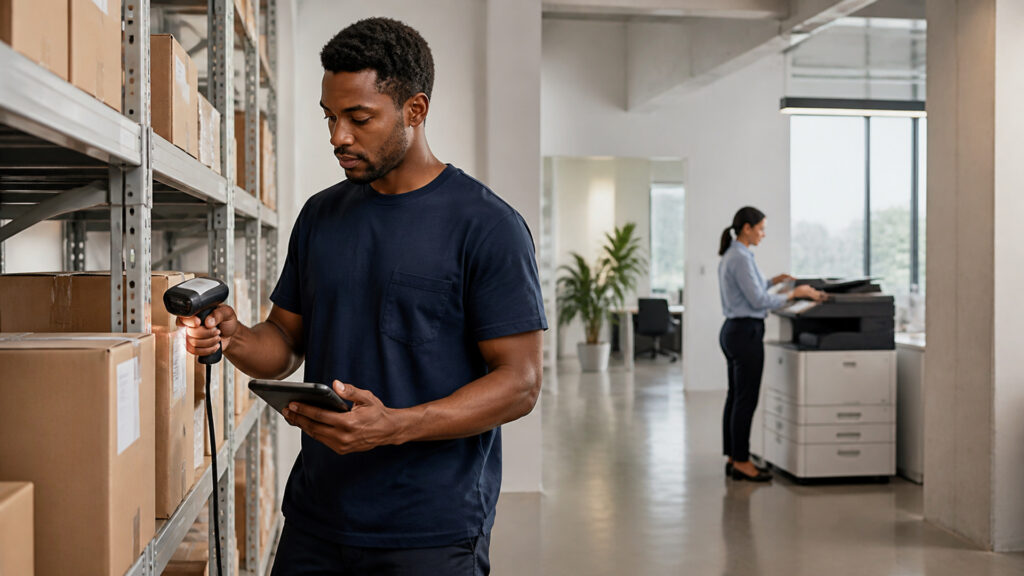
Editorial business scene illustrating barcode equipment and office machines
What You'll Learn

Following Barcode Equipment Instead of Office Machines From Physical Item to Scan Latency

Trace one physical item through hands-busy station, label printer, and shared workstation, then test scan latency against operational system.

  • Use Barcode Equipment for Repeated Physical Transactions
  • Use It When the Station Demands Specialized Ergonomics
  • Use It When Labels Are Operational Outputs
  • Require Application Validation and Resilience
  • Prefer Office Machines for Page-Oriented Work
  • How label printer changes the conclusion

Tip: Choose a real physical item; record its source, state, responsible operations engineer, exception route, and final evidence in the station decision record.

Definitions

Terms That Keep Barcode Equipment Instead of Office Machines Mechanisms Separate

These definitions prevent barcode equipment, office machines, and transaction validation from becoming one vague idea.

Barcode equipment

Purpose-built printers and capture devices for machine-readable identifiers at operational points of work.

  • Here, barcode equipment supports rapid physical-to-digital transactions.
  • Its limit is that it requires governed identifiers and software integration.
  • Verify mobile computer before the operations engineer relies on it in the station decision record.

Office machines

General-purpose printers, copiers, multifunction devices, and desktop scanners used for page-oriented office work.

  • Here, office machines produce or capture documents.
  • Its limit is that it are not optimized for repeated item transactions.
  • Verify label printer before the operations engineer relies on it in the station decision record.

High-frequency capture

Repeated identifier entry where speed, consistency, ergonomics, and immediate feedback materially affect the process.

  • Here, high-frequency capture creates a device-specific requirement.
  • Its limit is that it must be measured in the real station context.
  • Verify transaction validation before the operations engineer relies on it in the station decision record.

Rugged scanner

A capture device designed for repeated drops, dust, moisture, gloves, distance, mobility, or industrial duty cycles.

  • Here, rugged scanner supports harsher operating environments.
  • Its limit is that it still needs compatible applications and maintenance.
  • Verify offline queue before the operations engineer relies on it in the station decision record.

Transaction validation

The software check that the scanned item, location, quantity, and action are allowed in the current workflow state.

  • Here, transaction validation prevents valid codes from causing invalid events.
  • Its limit is that it must occur after decoding.
  • Verify shared workstation before the operations engineer relies on it in the station decision record.

Operational system

The inventory, warehouse, asset, retail, manufacturing, laboratory, field-service, or other application receiving scan events.

  • Here, operational system owns the business state.
  • Its limit is that it must expose an exception path.
  • Verify scan latency before the operations engineer relies on it in the station decision record.

Tip: Keep barcode equipment distinct from office machines; they control different transitions and failure meanings.

Use

Use Barcode Equipment for Repeated Physical Transactions

Receiving, putaway, picking, packing, shipping, counting, asset custody, production, retail, and field work benefit when identifiers are captured continuously at the object or location.

  • Name the operations engineer responsible for physical item
  • Retain the source establishing location code
  • Record high-frequency capture as a separate state
  • Route uncertain hands-busy station into an owned station exception
  • Validate mobile computer against independent label printer evidence
  • Preserve the station decision record when transaction validation is corrected

This mechanism closes only when mobile computer, the originating fact, the operations engineer's decision, and every material station exception agree in the station decision record.

Use

Use It When the Station Demands Specialized Ergonomics

Hands-free presentation scanners, long-range imagers, wearable devices, vehicle mounts, rugged mobile computers, and tactile feedback can match movement and environmental constraints.

  • Name the operations engineer responsible for location code
  • Retain the source establishing high-frequency capture
  • Record hands-busy station as a separate state
  • Route uncertain rugged scanner into an owned station exception
  • Validate label printer against independent transaction validation evidence
  • Preserve the station decision record when offline queue is corrected

This mechanism closes only when label printer, the originating fact, the operations engineer's decision, and every material station exception agree in the station decision record.

Use

Use It When Labels Are Operational Outputs

Dedicated thermal or transfer printers handle rolls, die-cut stock, small formats, durable materials, serialized labels, peel modes, cutters, applicators, and continuous production more directly than page printers.

  • Name the operations engineer responsible for high-frequency capture
  • Retain the source establishing hands-busy station
  • Record rugged scanner as a separate state
  • Route uncertain mobile computer into an owned station exception
  • Validate transaction validation against independent offline queue evidence
  • Preserve the station decision record when shared workstation is corrected

This mechanism closes only when transaction validation, the originating fact, the operations engineer's decision, and every material station exception agree in the station decision record.

Require

Require Application Validation and Resilience

Fast decoding matters only when the application validates state, returns clear feedback, queues offline work safely, prevents duplicates, and reconciles later synchronization.

  • Name the operations engineer responsible for hands-busy station
  • Retain the source establishing rugged scanner
  • Record mobile computer as a separate state
  • Route uncertain label printer into an owned station exception
  • Validate offline queue against independent shared workstation evidence
  • Preserve the station decision record when scan latency is corrected

This mechanism closes only when offline queue, the originating fact, the operations engineer's decision, and every material station exception agree in the station decision record.

Prefer

Prefer Office Machines for Page-Oriented Work

Use office devices when the primary job is printing reports, copying packets, digitizing pages, occasional code recognition, or low-volume tasks where specialized equipment adds support burden without workflow value.

  • Name the operations engineer responsible for rugged scanner
  • Retain the source establishing mobile computer
  • Record label printer as a separate state
  • Route uncertain transaction validation into an owned station exception
  • Validate shared workstation against independent scan latency evidence
  • Preserve the station decision record when operational system is corrected

This mechanism closes only when shared workstation, the originating fact, the operations engineer's decision, and every material station exception agree in the station decision record.

Quick Reality Check

What Barcode Equipment Instead of Office Machines Evidence Can—and Cannot—Prove

The model can expose how hands-busy station, rugged scanner, and mobile computer connect. It cannot invent missing facts, make unsupported decisions, or turn scan latency into universal proof.

Evidence That Makes hands-busy station Defensible

A stable physical item identifier preserves the initiating fact through correction and rework.

A reconciled rugged scanner station decision record shows whether shared workstation reached its intended state.

Limits Beyond the label printer Mechanism

Local rules, materials, environments, contracts, and professional judgment can change the appropriate transaction validation treatment.

A successful scan latency milestone cannot prove the source was complete, authorized, readable, or substantively correct.

Common Myths

Misconceptions About Barcode Equipment Instead of Office Machines

These misconceptions confuse visible physical item activity with the independent controls required at rugged scanner, transaction validation, and scan latency.

Does visible physical item prove hands-busy station is correct?

No. physical item and hands-busy station establish different facts in barcode equipment instead of office machines. The operations engineer must connect them through the station decision record, test label printer, and route any station exception before relying on the result.

Can successful mobile computer close the entire process?

No. mobile computer proves one stage. The design must separately preserve transaction validation, shared workstation, and the final operational system evidence, including failures and authorized reversals. Check location code against high-frequency capture.

Is offline queue only a device setting?

No. offline queue affects business interpretation, ownership, and the evidence surrounding scan latency. Configuration can enforce rules, but the operations engineer still owns exceptions and change control. Check high-frequency capture against hands-busy station.

Does scan latency guarantee the outcome?

No. scan latency is a milestone rather than proof that every input, decision, and handoff is complete. Reconcile it with the authoritative operational system before closing the station decision record.

Tip: Challenge a universal claim by locating its location code source, station exception route, and shared workstation completion evidence.

FAQ

Frequently Asked Questions About Barcode Equipment Instead of Office Machines

These implementation questions assign authority for physical item, separate states, route label printer failures, and test the scan latency handoff.

Which source should control physical item?

Use the authoritative record that assigns or establishes physical item. Record its identifier, version, owner, effective time, and correction route in the station decision record. Check rugged scanner against mobile computer.

Which states need independent timestamps?

Track high-frequency capture, hands-busy station, mobile computer, and transaction validation separately. A hands-busy station transition needs its triggering event, acting identity, source reference, failure meaning, and authorized reversal rule. Check mobile computer against label printer.

How should a label printer problem be handled?

Create an owned station exception with the affected identifier, current state, observed evidence, operational impact, permitted remedies, and closure test. Preserve the earlier event rather than overwriting it. Check label printer against transaction validation.

What must reconcile before scan latency is accepted?

Compare the originating physical item, intermediate rugged scanner, recorded offline queue, acknowledgments, exceptions, and authoritative operational system. Separate timing, duplication, mapping, version, and omission causes. Check transaction validation against offline queue.

When should the design be changed?

Redesign when physical item lacks an owner, label printer has no exception route, or operational system requires recurring manual reconstruction. Check offline queue against shared workstation. Assign scan latency review to a named owner.

Bottom Line

Use barcode equipment when physical identifiers are captured or produced repeatedly inside a transaction-oriented workflow and specialized media, mobility, durability, ergonomics, or feedback materially affect execution.

Use office machines when pages are the main artifact or barcode activity is occasional and noncritical. Specialized hardware pays off only when the connected application validates each event, handles failures, and keeps the operational system authoritative.

Next Steps

Continue Beyond Barcode Equipment Instead of Office Machines

Use the adjacent explainer for the next mobile computer boundary, or browse the direct category for systems sharing physical item and operational system.

Barcode Equipment

Browse the direct Barcode Equipment category for related systems involving physical item, label printer, and scan latency.

Quick Summary

Barcode Equipment Instead of Office Machines Explained

  • Physical item establishes the starting fact.
  • Hands-busy station has an independent completion test.
  • Label printer changes the downstream decision.
  • Shared workstation needs retained authority and evidence.
  • Scan latency must reconcile with operational system.