When to Use Document Scanners Instead of Office Machines

Use document scanners instead of general office machines when paper capture is a sustained production process with meaningful requirements for throughput, mixed media, duplex completeness, double-feed detection, image profiles, OCR, indexing, quality review, and repository delivery. A multifunction printer can scan pages, but its shared design may prioritize copying and printing over capture control.

The decision is not based on advertised pages per minute alone. It depends on batch variability, missing-page risk, operator handling, required image fidelity, metadata, downstream systems, and support ownership. This explainer identifies when dedicated capture reduces operational and records risk and when an office machine remains the simpler choice.

By: Review Streets Research Lab
Updated: September 1, 2026
Explainer · 8-12 min read
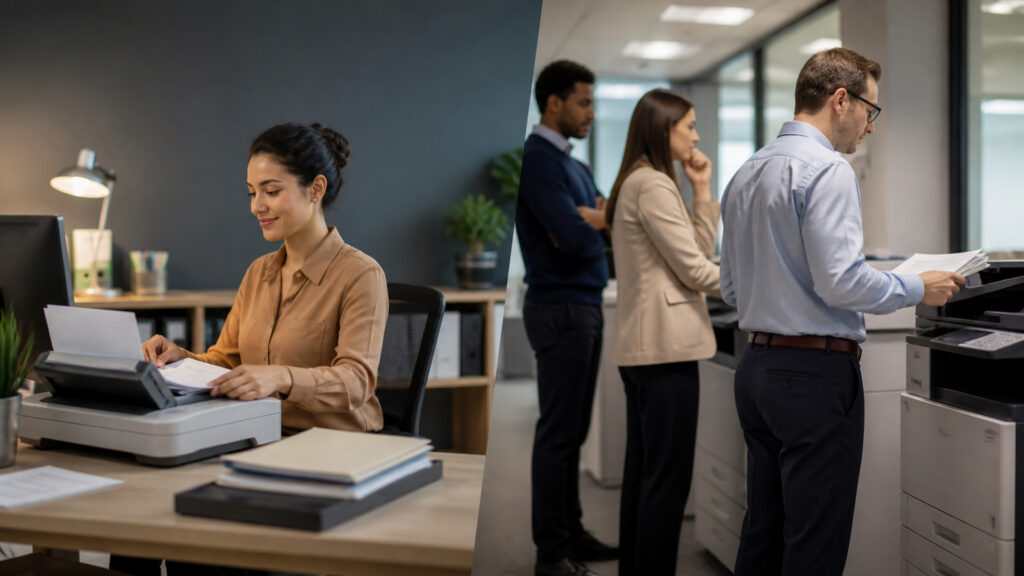
Editorial business scene illustrating document scanners and office machines
What You'll Learn

Following Document Scanners Instead of Office Machines From Capture Volume to Repository Delivery

Trace one capture volume through double-feed detection, capture profile, and quality review, then test repository delivery against records requirement.

  • Use Document Scanners for Sustained Capture Volume
  • Use Them for Difficult or Mixed Paper
  • Use Them for Controlled Capture Profiles
  • Require Quality and Repository Integration
  • Prefer Office Machines for Occasional General Work
  • How capture profile changes the conclusion

Tip: Choose a real capture volume; record its source, state, responsible capture operations lead, exception route, and final evidence in the capture decision file.

Definitions

Terms That Keep Document Scanners Instead of Office Machines Mechanisms Separate

These definitions prevent document scanner, office machine, and capture profile from becoming one vague idea.

Document scanner

Purpose-built equipment for controlled, repeated conversion of paper records into digital page packages.

  • Here, document scanner specializes capture throughput and quality.
  • Its limit is that it requires an indexing and repository process.
  • Verify batch separation before the capture operations lead relies on it in the capture decision file.

Office machine

A general-purpose multifunction printer, copier, or desktop device handling varied page tasks.

  • Here, office machine consolidates routine office functions.
  • Its limit is that it may provide adequate low-volume scanning.
  • Verify capture profile before the capture operations lead relies on it in the capture decision file.

Double-feed detection

Sensing that identifies overlapping sheets or abnormal transport.

  • Here, double-feed detection reduces silent page omission.
  • Its limit is that it still needs operator resolution.
  • Verify OCR processing before the capture operations lead relies on it in the capture decision file.

Straight paper path

A transport route minimizing bends for thick, fragile, embossed, or irregular media.

  • Here, straight paper path broadens material handling.
  • Its limit is that it does not make every original safe to feed.
  • Verify index validation before the capture operations lead relies on it in the capture decision file.

Capture profile

A saved configuration for source, duplexing, resolution, color, image corrections, recognition, file format, metadata, and destination.

  • Here, capture profile makes repeated jobs consistent.
  • Its limit is that it needs governance.
  • Verify quality review before the capture operations lead relies on it in the capture decision file.

Records requirement

The completeness, fidelity, retention, access, disposition, audit, or legal need governing the captured package.

  • Here, records requirement defines acceptance.
  • Its limit is that it must be established outside the scanner.
  • Verify repository delivery before the capture operations lead relies on it in the capture decision file.

Tip: Keep document scanner distinct from office machine; they control different transitions and failure meanings.

Use

Use Document Scanners for Sustained Capture Volume

Dedicated feeders, higher duty cycles, larger input capacity, faster duplex paths, and continuous batching suit repeated digitization better than shared multifunction queues.

  • Name the capture operations lead responsible for capture volume
  • Retain the source establishing mixed paper
  • Record duplex page as a separate state
  • Route uncertain double-feed detection into an owned capture exception
  • Validate batch separation against independent capture profile evidence
  • Preserve the capture decision file when OCR processing is corrected

This mechanism closes only when batch separation, the originating fact, the capture operations lead's decision, and every material capture exception agree in the capture decision file.

Use

Use Them for Difficult or Mixed Paper

Straight paths, adjustable guides, ultrasonic detection, carrier sheets, flatbeds, and configurable separation help manage receipts, cards, thin stock, long pages, and mixed batches.

  • Name the capture operations lead responsible for mixed paper
  • Retain the source establishing duplex page
  • Record double-feed detection as a separate state
  • Route uncertain straight paper path into an owned capture exception
  • Validate capture profile against independent OCR processing evidence
  • Preserve the capture decision file when index validation is corrected

This mechanism closes only when capture profile, the originating fact, the capture operations lead's decision, and every material capture exception agree in the capture decision file.

Use

Use Them for Controlled Capture Profiles

Work-specific profiles can enforce resolution, color, blank-page handling, rotation, OCR, naming, separation, metadata prompts, and destinations.

  • Name the capture operations lead responsible for duplex page
  • Retain the source establishing double-feed detection
  • Record straight paper path as a separate state
  • Route uncertain batch separation into an owned capture exception
  • Validate OCR processing against independent index validation evidence
  • Preserve the capture decision file when quality review is corrected

This mechanism closes only when OCR processing, the originating fact, the capture operations lead's decision, and every material capture exception agree in the capture decision file.

Require

Require Quality and Repository Integration

Page counts, feed exceptions, image review, OCR confidence, index validation, file checks, delivery acknowledgments, and retention rules make capture auditable.

  • Name the capture operations lead responsible for double-feed detection
  • Retain the source establishing straight paper path
  • Record batch separation as a separate state
  • Route uncertain capture profile into an owned capture exception
  • Validate index validation against independent quality review evidence
  • Preserve the capture decision file when repository delivery is corrected

This mechanism closes only when index validation, the originating fact, the capture operations lead's decision, and every material capture exception agree in the capture decision file.

Prefer

Prefer Office Machines for Occasional General Work

A multifunction device is usually sufficient when scanning is infrequent, page sets are simple, staff need copying and printing too, and no specialized capture or records workflow exists.

  • Name the capture operations lead responsible for straight paper path
  • Retain the source establishing batch separation
  • Record capture profile as a separate state
  • Route uncertain OCR processing into an owned capture exception
  • Validate quality review against independent repository delivery evidence
  • Preserve the capture decision file when records requirement is corrected

This mechanism closes only when quality review, the originating fact, the capture operations lead's decision, and every material capture exception agree in the capture decision file.

Quick Reality Check

What Document Scanners Instead of Office Machines Evidence Can—and Cannot—Prove

The model can expose how double-feed detection, straight paper path, and batch separation connect. It cannot invent missing facts, make unsupported decisions, or turn repository delivery into universal proof.

Evidence That Makes double-feed detection Defensible

A stable capture volume identifier preserves the initiating fact through correction and rework.

A reconciled straight paper path capture decision file shows whether quality review reached its intended state.

Limits Beyond the capture profile Mechanism

Local rules, materials, environments, contracts, and professional judgment can change the appropriate OCR processing treatment.

A successful repository delivery milestone cannot prove the source was complete, authorized, readable, or substantively correct.

Common Myths

Misconceptions About Document Scanners Instead of Office Machines

These misconceptions confuse visible capture volume activity with the independent controls required at straight paper path, OCR processing, and repository delivery.

Does visible capture volume prove double-feed detection is correct?

No. capture volume and double-feed detection establish different facts in document scanners instead of office machines. Check capture volume against mixed paper. Assign duplex page review to a named owner.

Can successful batch separation close the entire process?

No. batch separation proves one stage. The design must separately preserve OCR processing, quality review, and the final records requirement evidence, including failed attempts and authorized reversals. Check mixed paper against duplex page.

Is index validation only a device setting?

No. index validation affects business interpretation, ownership, and evidence surrounding repository delivery. Configuration can enforce rules, but the capture operations lead still owns exceptions and controlled change. Check duplex page against double-feed detection.

Does repository delivery guarantee the outcome?

No. repository delivery is a milestone rather than proof that every input and handoff is complete. Reconcile it with authoritative records requirement before closing the capture decision file. Check double-feed detection against straight paper path.

Tip: Challenge a universal claim by locating its mixed paper source, capture exception route, and quality review completion evidence.

FAQ

Frequently Asked Questions About Document Scanners Instead of Office Machines

These implementation questions assign authority for capture volume, separate states, route capture profile failures, and test the repository delivery handoff.

Which source should control capture volume?

Use the authoritative record or observed artifact that establishes capture volume. Record its identifier, version, owner, effective time, and correction route in the capture decision file. Check straight paper path against batch separation.

Which states need independent timestamps?

Track duplex page, double-feed detection, batch separation, and OCR processing separately. A double-feed detection transition needs its triggering event, acting identity, source reference, failure meaning, and authorized reversal rule. Check batch separation against capture profile.

How should a capture profile problem be handled?

Create an owned capture exception with the affected identifier, current state, observed evidence, impact, permitted remedies, and closure test. Preserve the earlier event rather than overwriting it. Check capture profile against OCR processing.

What must reconcile before repository delivery is accepted?

Compare originating capture volume, intermediate straight paper path, recorded index validation, acknowledgments, exceptions, and authoritative records requirement. Separate timing, duplication, mapping, version, and omission causes. Check OCR processing against index validation.

When should the design be changed?

Redesign when capture volume lacks an owner, capture profile has no exception route, or records requirement requires recurring manual reconstruction. In document scanners instead of office machines, those patterns identify a failing boundary rather than simple operator effort.

Bottom Line

Use dedicated document scanners when capture volume, paper variability, missing-page risk, controlled profiles, indexing, quality review, or repository integration makes scanning a distinct production workflow.

Use office machines for occasional, uncomplicated page capture where a shared device meets the actual records requirement. Dedicated hardware adds value only when the surrounding capture and quality process uses its controls.

Next Steps

Continue Beyond Document Scanners Instead of Office Machines

Use the adjacent explainer for the next batch separation boundary, or browse the direct category for systems sharing capture volume and records requirement.

Document Scanners

Browse the direct Document Scanners category for related systems involving capture volume, capture profile, and repository delivery.

Quick Summary

Document Scanners Instead of Office Machines Explained

  • Capture volume establishes the starting fact.
  • Double-feed detection has an independent completion test.
  • Capture profile changes the downstream decision.
  • Quality review needs retained authority and evidence.
  • Repository delivery must reconcile with records requirement.