When to Use Meditation Headbands Instead of Breathing Trainers

Choose a headband such as Muse 2 in Mind mode to hear how its app responds to EEG during an exercise you already know. To follow a breath cue or add effort to the inhale, check that the trainer offers the exact function you need.

By: Review Streets Research Lab
Updated: November 25, 2026
Explainer · 10–13 min read
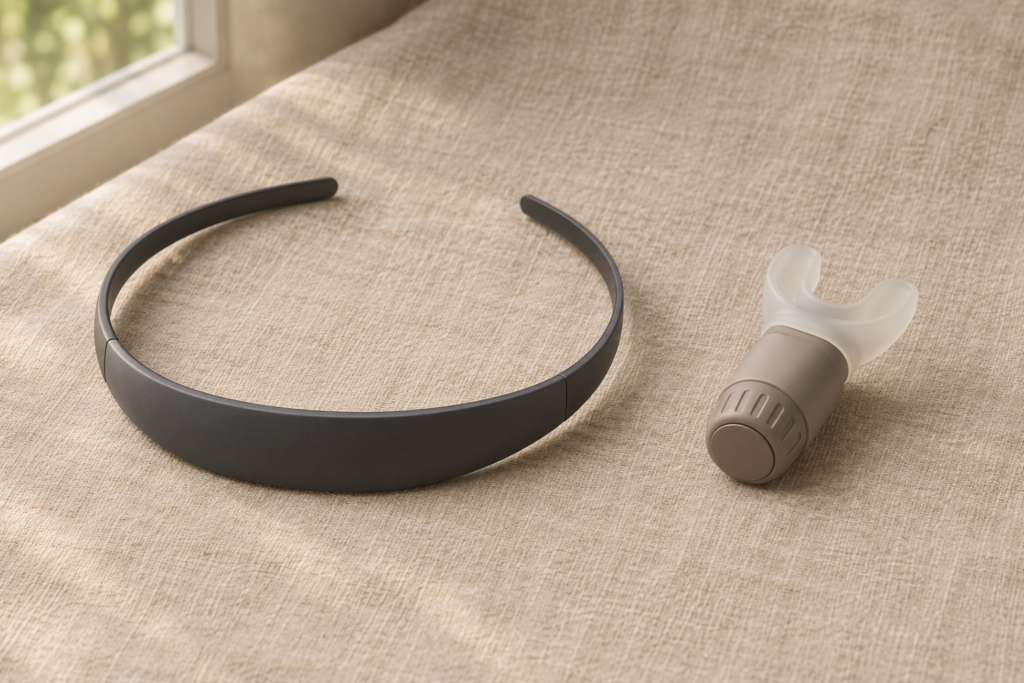
A dark meditation headband beside a compact breathing trainer with a silicone mouthpiece.
What you’ll learn

Find the job your equipment needs to do

An extra response is easier to assess once you’ve decided what you’ll be doing and what you want to notice while you do it.

  • Identify which instructions you already have for the session.
  • Identify what a change in the output would let you observe.
  • Decide whether you need that response now or can review it later.
  • Distinguish a cue you follow from a load you work against.
  • Recognize when two feedback features answer different questions.
  • Decide how you’ll notice the output without changing the exercise.
  • Identify cases where a single mode or configuration can cover both jobs.

Tip: Try describing the observation as something you could hear or see during a specific part of your usual session.

Terms to know

Six terms for comparing the two jobs

The words below describe what you observe, what you do and what the equipment needs from you.

Feedback task

A feedback task is observing how an output responds to a signal the equipment picks up.

  • Input: Muse 2 in Mind mode uses EEG, short for electroencephalography, to record electrical activity from the brain.
  • When: You might have a live response or a result to review afterward. If you need to spot the moment something changes, look for the live response.
  • Observation: Name what you expect to learn. What would you have to observe to answer that question?

Breath cue

A breath cue is a prompt you can follow to time a part of your breathing.

  • What it marks: Look at the instructions for the exercise you’re following. Name the phase you want the prompt to identify.
  • How it arrives: Muse Breath supplies an audible pacing guide. Moonbird gives you a movement to feel.
  • Your part: Following the prompt becomes part of the exercise. If your instructions leave the rhythm up to you, decide whether you want to add that step.

Breathing load

A breathing load is resistance that adds effort to a breathing action.

  • Where it acts: With POWERbreathe Plus, the work comes as you draw air in.
  • What you control: You set the Plus resistance by hand.
  • What you can review: Resistance describes the effort in the exercise. If you also want a record of it, check for that feature separately.

Sensor contact

Sensor contact is the physical connection to the body that the documented sensor uses to get a signal.

  • Headband: On Muse 2, the forehead sensors and the contacts tucked behind the ears need to touch skin.
  • Handheld: Moonbird uses contact with your thumb for its optical pulse sensor.
  • Why it matters: If keeping your usual posture makes you repeatedly break the required contact, reevaluate whether collecting that signal fits the session.

Overlap

Overlap means a documented device mode or configuration can serve more than one of the jobs you’re comparing.

  • Two jobs at once: A Muse Breath session combines pacing and feedback. You can identify a purpose for each part separately.
  • Sensor versus signal: Write the quantity beside the word feedback. That extra detail tells you whether two products are offering the same observation.
  • Configuration: Record the model, the app mode and any accessory you plan to use.

Task fit

Task fit is the match between what you want to do or notice and the documented feature that lets you do it.

  • Instructions: Write down the direction you already follow so you can tell when equipment would change the exercise itself.
  • Required moment: Decide whether coming back to a result later would still answer your question. If you need a time reference inside the session, a later summary may miss the point.
  • Useful difference: If seeing a second quantity would leave your question exactly where it started, leave that feature out of the comparison.

Tip: When you describe an output, give it a verb. You might listen for a change or follow a cue. Those verbs make the job concrete.

Your practice

Decide what you need to observe

Start with a session you could already do from memory or from instructions you have. A VA mindful breathing exercise, for example, asks you to notice the breath at its ordinary rhythm.

  • In that exercise, you return your attention to breathing when it drifts. That gives you an instruction to keep in place while you decide what to add.
  • For that exercise, decide whether you’re curious about the device’s response or about a particular breath you took.
  • Keep the two observations separate. You might hear a sound change and still be unsure where you were in the breath cycle.
  • Keep the exercise as specified. For this VA exercise, changing how you breathe would change what you’re meant to observe.
  • In your notes, leave a blank where you have no observation. “The sound changed” is a complete answer if that change is what you wanted to notice.

Look for a feature that can supply the particular observation you want.

Live response

What the weather sound can tell you

In a Muse 2 Mind session, a soundscape responds to information from EEG sensors.

  • In scalp EEG, electrodes against the head pick up the brain’s electrical activity.
  • Muse describes quieter weather audio when its own interpretation of the signal puts it in a focused category, and louder weather during periods it classifies as wandering. The drop in volume is something you could listen for.
  • You can hear when the audio changes. To establish when a breath started, you’d need an observation of the breath.

If your question is how an app responds to EEG, check whether the trainer measures that signal and what it gives you in response.

The trainer

What the breathing device asks of you

Once you know the feedback you want, put it alongside the trainer’s actual task. The label alone leaves that task open.

  • Moonbird expands for the inhale and contracts for the exhale. Its standalone mode can replay a saved rhythm.
  • Moonbird’s app can display heart rate and heart rate variability from an optical pulse signal during a session. Use that reading if your question is about pulse.
  • POWERbreathe Plus applies adjustable resistance to the inhale, making the in-breath take more effort. The effort itself is part of the exercise.

Compare what the trainer asks you to do with what you set out to observe. A task may be worth practicing without giving you the observation you wanted.

In the session

Contact and attention

Think about the particular moment when you want the feedback. The physical contact and how you notice the response have to work at that moment.

  • Muse says a positioning adjustment may be needed to get a strong signal from Muse 2. If contact demands repeated attention in your particular practice, that can change the session you wanted to observe.
  • Moonbird’s pulse sensor needs skin contact at your thumb. POWERbreathe Plus asks you to breathe in through the device. If your exercise is to notice the breath at your nostrils, drawing it in through the trainer changes what you’re observing.
  • A connected mobile device plays the Muse audio. If your practice calls for keeping your gaze on a spot, sound leaves that gaze available. A Moonbird pulse readout is something to look at, so decide when you would be willing to glance at it.

A feature can meet your description on paper and still be an awkward addition to a particular session. How much it changes what you do is part of deciding whether to use it.

Where jobs overlap

When two functions still leave one job open

If you need two functions, keep them separate on your list. You can then see whether one configuration covers both.

  • In Muse Breath mode, you can follow an audio guide to pace your breathing and get feedback on your breathing pattern as you go.
  • The Moonbird movement supplies the pace. While it runs, the paired app can display a pulse reading.
  • If you need feedback about your breathing pattern, find out whether the app reports it. A pulse number describes pulse.

If the verified trainer covers both jobs, it already meets that need.

Two situations

How the same request can lead to different choices

In these hypothetical sessions, one reader wants to recognize a response to a signal. The other wants a private timing prompt.

Two notes about a single moment

Imagine silently counting the last few ordinary breaths in a familiar session. You’re listening for a change during that stretch. Afterward you plan to make two notes, one about the change you heard and one about the breath you were on.

Suppose you’re wearing a connected Muse 2 with usable contact and hear its Mind weather soften while you count. That gives you something to put in the first note. To record which breath you were on when it happened, use your own count for the second.

Your own pace in a shared room

Imagine two people using the same room to follow different breathing patterns they already know. You said you wanted feedback, but what you need is a quiet prompt you can feel at each phase of your own pattern.

Moonbird’s movement can mark your chosen rhythm. The other person can carry on with the practice they brought. Looking at a pulse reading would answer a separate question.

Common assumptions

What the device label can’t tell you

These assumptions can make an extra feature seem essential before you’ve defined the job.

Does breath-focused practice always require a wearable?

The VA’s mindful breathing exercise starts with observing your breathing as it is. You can follow that instruction when you have no sensor reading you need to check.

Does a breathing trainer always add resistance?

With Moonbird’s pacing movement, you follow the change in shape to time the breath. A POWERbreathe resistance exercise makes the inhale take more effort. Ask what the named device has you do before you treat it as a substitute.

Is live feedback always an upgrade?

If your question depends on noticing a change as it happens, you need information during the exercise. If the question comes up afterward, check whether there’s a record you can use.

Does a change in sound prove my practice improved?

In Muse Mind, the sound responds to how the app classifies the signal. For this comparison, you can describe what changed in the audio. It takes separate evidence to judge whether your practice improved.

Do pacing and feedback require separate devices?

Muse Breath provides pacing and feedback in the same session. A single mode may be sufficient when those are precisely the two jobs you need.

Tip: When a feature is called feedback, see whether you can describe the event you would notice in a few words. That makes it easier to check whether it’s actually the cue you need.

Questions readers ask

Modes, accessories and when to leave feedback out

Once you’ve named the observation, the remaining questions are about how you’ll get it and what you’ll need with you.

Do I need a paid plan for Muse Mind feedback?

The Muse 2 works with the Muse app for standard Mind sessions. Premium is optional for Mind.

Can I keep my own pacing track and add feedback audio?

Muse’s Premium External Audio can layer real-time biofeedback over audio from compatible apps. If your track provides the pacing, decide what you want to learn from the second sound.

Can I hear Muse without earbuds?

Yes. The sound comes from a Bluetooth-connected mobile device, and Muse lists that device’s speaker as an option.

Can I get a result later and hear only the instructor during a guided session?

With Premium, a Guided Meditation plays the instructor without live feedback audio. The Muse app can show graphs afterward if you wore a connected Muse 2 that collected usable readings.

Does Moonbird need my phone for the movement cue?

No. Moonbird can play a saved pacing exercise on its own. Use the app if you also want the pulse-derived readout.

What do I need for app data with POWERbreathe Plus?

POWERbreathe documents using the optional Smart Adaptor to connect the Plus to the ActiBreathe app for digital training guidance and data.

How do I tell what a sound is responding to in the Muse app?

In Mind, the weather sound changes as Muse interprets the EEG signal. In Breath, Muse says birdsong accompanies a sustained High harmony rating between your breathing and the audio guide. Check which mode you opened before interpreting the sound.

When would I leave feedback out of a session I already know?

If you could hear a change and still have no answer to the question you started with, keep the exercise you already know.

Tip: When you check how a feature is delivered, use the full mode name. A description for a different mode can answer the wrong question about your session.

The takeaway

Ask what you could put in your notes afterward. If a change in the output would still leave your original question about your breath unanswered, you need a way to observe the breath itself.

Moonbird’s movement can give you a pace to follow. Choose that function when you need a cue for breathing, with timing that fits your exercise.

Continue browsing

Meditation Headbands archives

Visit the category archive for the format you want to browse.

Lists

Open the Meditation Headbands lists archive.

Comparisons

Go to the category’s comparisons archive.

Buying Guides

Browse the buying guides archive for Meditation Headbands.