When to Use Meditation Headbands Instead of Guided Meditation Devices

Use a meditation headband when your usual guide gives you the directions you need and you're looking for a sensor output your current setup can't supply. First decide whether you need that information before the guide finishes. Then choose how much of the recorded instruction you want to keep.

By: Review Streets Research Lab
Updated: November 25, 2026
Explainer · 10–13 min read
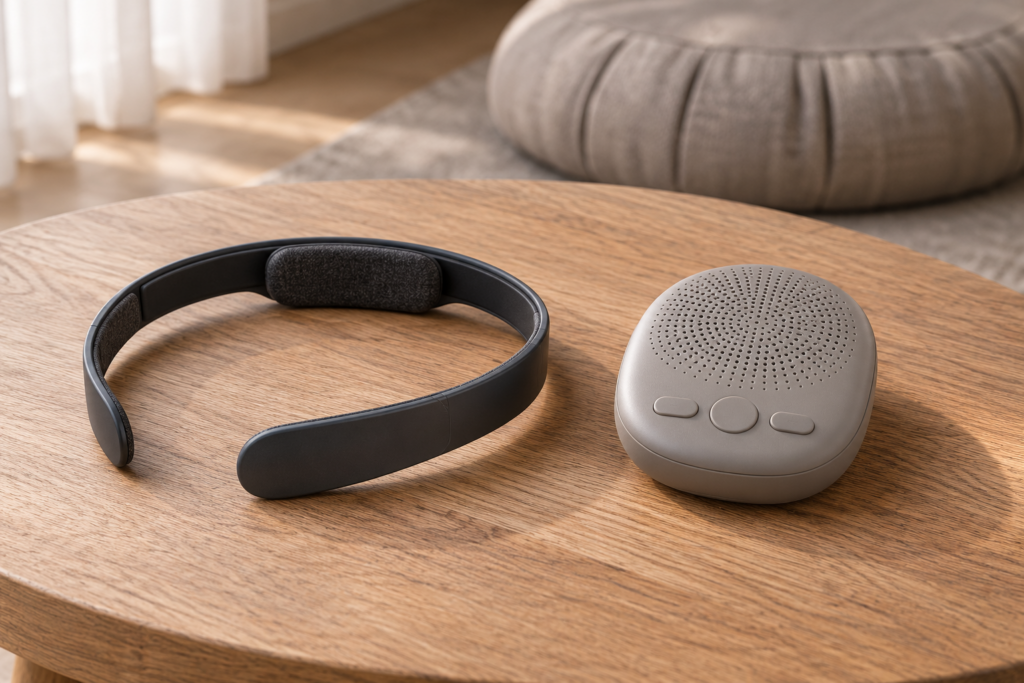
A dark meditation headband and a compact audio player with three buttons sit on a light oak table.
What you’ll learn

What feedback would add

Start with the parts of your guide you rely on. Then you can tell whether a sensor output has a place in that same session.

  • Identify which directions you still want to hear.
  • Decide when the information would reach you in time to be useful.
  • Recognize a sound that changes with a sensor signal.
  • Identify what your current setup measures, if it has a sensor.
  • Spot when something you already wear could interfere with the headband’s contact.
  • Work out when familiar audio and feedback can share a session.
  • Decide what you’d do with the information once you have it.

Tip: Think of the last point when you waited for your guide to speak. Where would an extra sound have had room in that exercise?

Key terms

The parts of the decision

The instructions tell you what to do. These terms describe the other job you might want a device to do while you follow them.

Existing instruction

The directions you already know how to follow.

  • Content: A body scan is one example of an exercise a guide can lead you through.
  • Source: Your directions might come from a recording or from an exercise you’ve learned by heart.
  • Enough to start: You know how to begin and what to do at each step.

Additional task

Something specific you want to observe while you practice or afterward.

  • Signal: The physical activity you want information about.
  • Output: What you hear, see or open to get that information.
  • Timing: The point at which the information would be useful to you.

Signal-linked feedback

An output that changes in response to a measurement.

  • EEG: Electroencephalography, or EEG, records electrical activity associated with the brain.
  • Cue: In a sound-based mode, you can hear a change in the output.
  • Processing: The app turns the recording into something you can interpret later, such as a session report.

Guidance with sensing

A session that brings together guidance and an output from a sensor.

  • Guide: The directions still give the session its sequence.
  • Recap: In some modes you can look back at a sensor graph after following a guide.
  • Audio overlay: A supported mode can play feedback over compatible existing audio.

Sensor contact

The physical connection between the sensor and your skin.

  • Fit: Muse says over-ear headphones may need adjustment for good sensor contact.
  • Starting check: The Muse app checks how well it’s picking up the signal as a session begins.
  • Continuity: Fit can matter again once the session is under way if a sensor loses contact.

Functional overlap

Two setups serve the same purpose when either can give you the observation you want.

  • Subject: The reading needs to come from the signal you’re interested in.
  • Format: A display is useful when looking at it fits how you want to practice.
  • Moment of use: Information you need halfway through an exercise must be available while you’re still doing it.

Tip: Describe the feature in terms of what you could hear or see and when. That gives you a more concrete comparison than the word “feedback” on its own.

Your starting point

Decide which directions need to stay

Knowing an exercise can mean knowing what comes next while still relying on a voice to tell you when to move on. Start by identifying what you get from the recording before you decide how to add feedback.

  • Start from the exercise as you actually do it. If you intend to keep a familiar recording, take its pace and pauses as given.
  • Identify a transition you leave to the recording. If you still wait for the voice to tell you when to move on, keep that instruction in the comparison.
  • Decide whether you want a reminder at that moment or an output that depends on a reading. A reminder may be all you were after.
  • Ask when you’d use the information. If you only want to look back over the session, you can wait until it ends.
  • Decide what you’d listen for in a pause and what has to wait until the guide has finished speaking.

If the only thing you want to hear is the next instruction, the guide you already follow covers that job.

The headband’s output

The mode determines what reaches you

Leave room on your comparison for two questions. What will you hear while practicing, and what will you want in front of you afterward?

  • Muse 2 uses EEG in its Mind Sessions, where wind and weather sounds can change in response to the signal. If you need spoken directions at the same time, check which mode will play them.
  • Muse’s Guided Meditations play an instructor’s voice without live feedback audio. With a worn, connected Muse 2 or Muse S collecting usable readings, the app shows graphs afterward.
  • An EEG-derived report is the app’s presentation of a recording. For this decision, the important part is that you have something to examine when you’re done.

Decide whether you'd be comfortable listening for anything besides the instructor's voice.

The guide you already have

Where guided setups overlap

Compare the feature you’d actually use in your usual session. The relevant difference might be what changes as you practice, or whether you need to look at something to notice it.

  • On the original Morphée, physical keys let you select the theme, the session and its length before you start playback. That documented sequence gives you a recording to follow and describes playback in terms of what you select.
  • With HeartMath’s Inner Balance Coherence Plus sensor and app, you can watch your heart rhythm live and follow guided sessions. That can serve a question about the rhythm if you’re comfortable looking at a screen.
  • A heart-rhythm display answers a question about heart rhythm. It leaves an eyes-closed question about EEG-linked sound open.

If your current guided setup already gives you the reading you mean to use, a headband has to answer a different question to add anything.

Wearing the device

What it takes to catch the cue

If following the guide already takes your full attention, start by deciding when you could spare some for another sound.

  • Over-ear headphones can make it harder to get the Muse sensors seated well. If your usual practice depends on those headphones, the fit matters to the observation you wanted to make.
  • Lost sensor contact can leave a gap in Muse tracking. If you were hoping to check a particular stretch, a blank leaves the question about that stretch open.
  • Picture the part where the instructor asks you to move on. Would you want a second sound competing for your attention there?

If you want to give the guide your full attention, save any review for later.

What to use next time

When to switch, combine or keep your setup

Picture the next session with the extra device in place. Whether to add it comes down to what you could do with the information and which parts of the familiar session you want to keep.

  • Switch from your usual player when you can keep the directions you rely on and the new setup gives you the observation you wanted. You might know the exercise well enough to lead yourself.
  • Keep a familiar recording if you still rely on its instructions. If you're adding feedback, check whether the recording will work with the option you intend to use.
  • Keep your current setup when it already gives you the information in a form you’ll use. The same goes if you realize you’d finish the exercise and never look at the reading.

If you try a different setup, keep the exercise itself familiar so you can pay attention to whether the extra feature fits.

Two ways this can play out

One observation you’d use and one you’d leave

Both examples start with a practice the person already knows. What changes is whether the extra information has a place in their session.

Keep the lesson and add a sound

Imagine you know a seated exercise but rely on the instructor’s voice to tell you when to move on. You want to keep that guide and hear a feedback sound between instructions. Your recording is in an app that works with Muse’s Premium External Audio feature.

External Audio can layer feedback over the recording. If you hear a cue in a longer pause and still catch the next instruction, the extra sound fits the particular role you had in mind.

A body scan that already does the job

Imagine you end the evening with the body scan on a Morphée. You know the voice and the order of the exercise. You want to follow that sequence, and you can’t think of a reading you’d use along the way or afterward.

Keeping the recording serves that goal. If you can’t say what you’d do with extra information, the headband has no clear job in this session.

Assumptions to test

What the device label can’t tell you

Treat these statements as assumptions to test against the session you’d actually run.

“If I can hear the guide, I must be hearing feedback, too.”

Muse’s Guided Meditations play the instructor’s voice without live feedback audio. You can hear the voice with the band off. When a supported band captures usable readings, you can see the data after the session.

“A guided setup can only play instructions.”

HeartMath’s setup pairs an app with a clip-on sensor. Its guidance and live view of heart rhythm serve separate purposes.

“Adding feedback always makes the setup more useful.”

A background sound is useful only if you can hear it while still catching the instructions you need. If it competes with the voice, reconsider when you want the information.

“Once I know the exercise, the next step is to add a sensor.”

Knowing the exercise settles what you’ll do. Whether you want information about the session is a separate decision, and it’s fine to be satisfied with the exercise itself.

“A higher Calm score means I meditated better.”

Muse presents the Calm score as a result generated by the app. Read it as information about that session’s output. A score on its own can’t establish the quality of your practice.

Tip: When you come across a score, look for the app’s description of what it displays before deciding what the number can tell you.

Questions about your usual setup

Audio, access and session records

Once you know which observation you want, the details of the app or accessory can affect whether you can get it the way you planned.

Can I try the instructor’s pacing before I wear the band?

Yes. Play a recording from Muse’s Premium Guided Meditations catalog with the band off. Listen for how the instructor signals the transitions you rely on.

Can I use a favorite recording from another app?

With compatible audio, Muse’s External Audio feature can play its live feedback alongside your recording. That feature requires Premium.

Do Muse 2 Mind Sessions need a paid subscription?

Muse 2 includes Mind Sessions without Premium.

Can I try both sounds without putting on earbuds?

With Premium External Audio and a compatible recording app, you can play both tracks through the connected phone’s built-in speaker. Listen for the next spoken transition before deciding the mix works for you.

What if I already wear over-ear headphones?

You may need to adjust them to keep the Muse sensors in contact. If you’re trying this with headphones you already use, the app’s opening signal check gives you a chance to see whether that fit works at the start.

Can I keep just the voice from my usual recording and still collect data?

In Muse External Audio, Tracking Only leaves out the Muse feedback sounds while tracking runs alongside compatible outside audio. Your recording still supplies the instructions.

Does a streak mean the app captured a reading?

Muse can count a Guided Meditation toward your streak even when the session supplies no sensor data because the band is off.

What if I want a quick look halfway through and then to go back to the guide?

With an Inner Balance Coherence Plus sensor, the HeartMath app lets you view heart rhythm live while following a guided session. A glance would suit a moment when the guide gives you time to look.

Tip: If you want to keep a particular recording, look up whether it plays in the mode you intend to use. The answer determines whether that mode can take the place of your usual player.

The takeaway

Keep the directions that make your session work. Add a headband when it supplies information your current setup can’t give you in a form you’ll use.

For your next session, decide what you’d do with the extra information if it appeared. If you’d simply carry on with the guide as usual, the familiar setup may already be enough.

Explore the category

More on meditation headbands

Explore the category by article format.