When to Use Travel Electronics

Use travel electronics when you need power, sound or internet access for what you’re doing on the trip. A carry-along battery makes sense when you need your phone in hand as it charges. Headphones have a purpose when a venue offers a live feed you want to hear. What you need follows from what you’re doing and what the place actually provides.

By: Review Streets Research Lab
Updated: November 25, 2026
Explainer · 10–13 min read
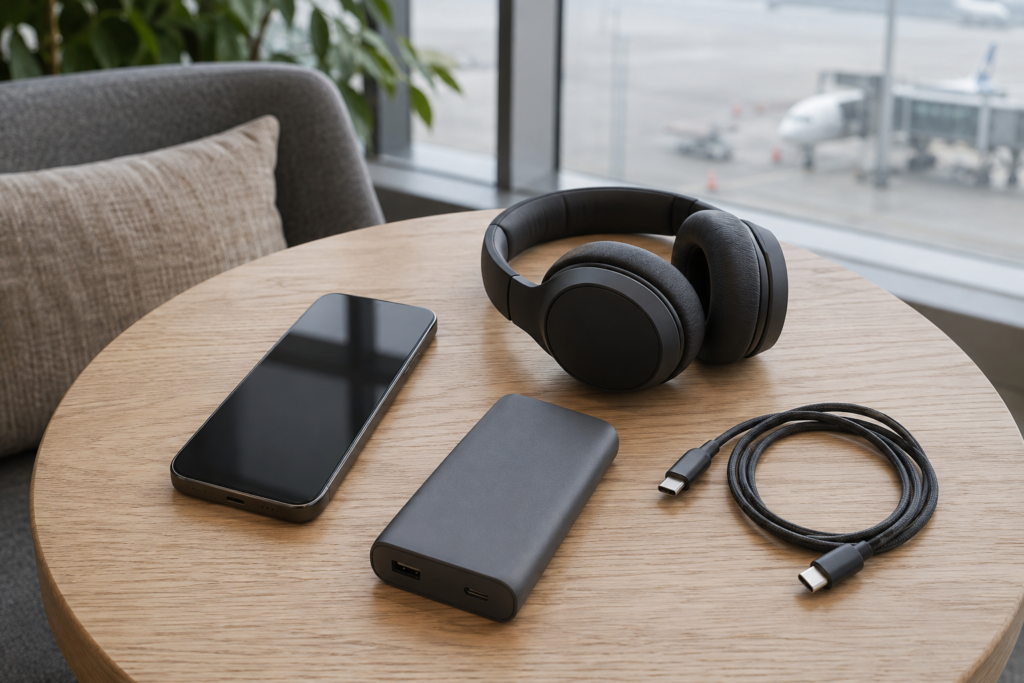
A phone, headphones, a power bank and a coiled cable on a table beside an airport lounge window.
What you’ll learn

What gives each device a job?

The decision looks different at a festival with two ways to charge, a talk with its own audio feed and a booth with a dedicated internet order.

  • When it matters to keep a phone with you while it charges.
  • What makes a live event the reason to put on headphones.
  • When a compatible room USB outlet can serve a phone.
  • Which wall-charger task gives a plug adapter a purpose.
  • How a second screen changes the case for a shared hotspot.
  • What makes an exhibitor responsible for supplying wireless equipment.
  • Why a listed venue and the program you mean to follow both matter.

Tip: Name the task before naming the gear. “We both need to work online at this table” gives a shared hotspot a purpose.

Key definitions

Six terms you’ll see in travel listings

A listing can describe a service that takes an item, a socket a room provides or a connection a booth orders.

Hand-in charging

A charging service that temporarily takes the device you bring.

  • Eligible items: Volt takes phones and personally owned power banks.
  • Who has it: The item stays at the charging point.
  • When you get it back: You collect the same item when it is ready.

Direct USB charging

Charging from a suitable USB power outlet by cable.

  • Port names: A listing may name USB-A and USB-C separately.
  • Device input: A USB-C phone can be one cable-fed device.
  • Power output: Rhodania’s port listing gives no rating.

Standalone wall charger

A separate unit that charges a battery using power from a wall outlet.

  • Where the battery goes: The battery sits in the charging unit.
  • Which part matters: The charger takes the wall power.
  • What must suit it: The supply and the plug fit are separate requirements.

Venue audio feed

Sound the venue makes available through a listening system.

  • Audio source: The event itself supplies the sound.
  • Where it arrives: The ListenWIFI app is one way to receive it.
  • What you listen through: Personal headphones play the feed.

Travel hotspot

A portable device that lets nearby Wi-Fi equipment use a mobile internet connection.

  • Internet service: Sakura’s rental relies on a cellular network.
  • Client: A device using the hotspot, such as a Wi-Fi-enabled computer or tablet.
  • Portable power: The rental runs on a battery you can recharge.

Exhibitor uplink

The venue’s internet connection for an exhibit booth.

  • Order type: The Venetian Expo lists router use under its dedicated internet service.
  • Endpoint: A device at the booth that needs the connection, such as a wired station.
  • Wireless equipment: A router or access point is what the exhibitor provides when its devices use Wi-Fi.

Tip: Pay attention to what the listing names. A phone drop-off is about what you leave. USB-C names a kind of outlet.

At a festival

Charging a phone you still need in your hand

Imagine walking between sets and looking up saved set times whenever your group changes its mind. Your phone is low. A take-along rental bank fits when you still need the screen and the event offers the service.

  • The group is still deciding what to see. Each time the plan changes, somebody asks to see the schedule. That’s the case for charging on the move.
  • Here the phone itself needs the charge. Leave that item at a counter and it’s unavailable until you collect it.
  • Roskilde Festival’s 2026 Recharge Zones listed an on-site Volt battery rental that let attendees charge a phone while carrying it.
  • Volt also lists phone drop-off at Roskilde. The festival’s 2026 Recharge Zone listing specified a visitor-supplied charger for its service for attendees’ phones and banks.
  • That Roskilde listing was for 2026. Volt’s arrangements can vary by event. The relevant listing is the one for the outing you’re planning.

If your next activity leaves you free to do without the handset, a drop-off service can fit that part of the outing.

At a live program

When headphones have a program to play

Imagine sitting down for a talk at the Chautauqua Amphitheater and wanting to follow it through headphones. In this example, the session’s ListenWIFI feed is running.

  • Chautauqua lists the Amphitheater as a listening venue. In the example, you’re there for one speaker, so the useful question is whether that session is being carried.
  • Receiving the selected Chautauqua feed on a phone calls for the app and that venue’s local connection.
  • The listener needs a supported phone and working headphones, either wired or paired beforehand over Bluetooth.

The decision turns on the sound you came to hear. If the venue is sending that program to your device, you have the talk itself to listen to.

In a hotel room

When a wall charger gives an adapter a job

Picture a phone and a separate camera battery charger on a hotel desk. The phone can use compatible USB power. The charger still needs a wall outlet.

  • Rhodania Boutique Hôtel Genève lists USB-A and USB-C charging ports alongside Type J and Type F wall sockets.
  • Apple documents USB-C charging for iPhone 15 and later. Assume the guest’s room port actually supplies compatible power and they have a suitable cable. The phone can charge from that port in this example.
  • Canon directs EOS R50 owners to a wall outlet for the separate LC-E17 charger. The documented input is 50 or 60 Hz AC, from 100 to 240 V.

A plug adapter has a job when the power already suits the standalone charger and the plug needs help fitting.

At a shared table

When two screens need to go online together

Suppose two travelers in Japan sit down to change tomorrow’s route. One uses a laptop to revise the plan while the other uses a Wi-Fi-only tablet to look up opening hours. A shared rental hotspot has a job when those online tasks need to happen at the same time.

  • Looking up a detail together was one job. Now the answers have to come together while the group is discussing the route. Both screens have a reason to use the connection.
  • Sakura Mobile’s Travel Pocket WiFi can serve the nearby Wi-Fi-capable laptop and tablet on one connection.
  • The rental is for use in Japan. Using it for internet at the table depends on usable mobile service, which the example assumes.

One itinerary can involve two online tasks. The second screen is what gives the shared connection a job here.

At an exhibit

When the booth itself needs wireless

Imagine traveling to a show at The Venetian Expo with a demonstration visitors will try on two wireless tablets. That choice gives your booth’s wireless equipment its job.

  • The Expo’s guide lists wireless router use under dedicated exhibitor internet. The hypothetical booth has ordered the dedicated wired connection.
  • For the wireless tablets, the exhibitor provides its own router or its own access point.
  • The Expo describes a separate arrangement for an all-wired exhibit. In that version of the demonstration, visitors could work at a fixed desk.

The tablets give the wireless equipment a job because they belong to the demonstration. The choice follows from what the exhibitor wants a visitor to do at the booth.

Reality check

What does the venue’s offer establish?

Look at what providers say about a connection for a live program or the ports in a guest room. Each answers a particular question.

A listening feed serves the program

The ListenWIFI phone option brings the venue’s own sound to its app over the local network. Imagine following a talk that way when someone beside you wants to send a sketch to a colleague. One person wants to hear what’s happening in the room. The other needs to get something outside it.

Hearing the talk tells you the feed is reaching one device. The sketch still needs an internet connection on the other. A hotspot with usable mobile service is one way to provide it.

A room listing can name a port without rating it

Rhodania lists a USB-A and a USB-C charging port. For a guest with a USB-C-charging phone, the latter offers a direct option if the supply and cable suit the device.

Suppose a traveler needs a source with an output their device specifies. Rhodania’s port listing leaves that output unspecified. The traveler in that example still has an open question about the supply, even after finding the port in the room.

Common myths

What the service name can lead you to assume

Labels like “charging” and “internet” describe the broad service. The detail that matters for your activity can be somewhere else in the listing.

“Once my phone starts charging at the festival, I can walk away with it.”

With a phone drop-off, the handset stays at the service point until collection. Volt’s carry-along rental, where offered, serves the person who wants to keep moving with the phone.

“My headphones are all I need to hear the venue feed.”

At Chautauqua, the phone needs the app and the connection for the venue whose feed you want. The headphones play what the phone receives.

“The room has USB charging, so it covers my separate camera battery charger too.”

The LC-E17 calls for wall power. For that unit, the relevant part of the room listing is the mains socket.

“Every screen at our table needs its own mobile service.”

Wi-Fi-equipped screens can use the Sakura rental’s shared connection where mobile service is usable. The rental is the device that uses the mobile service.

“The expo internet order includes the router for my wireless devices.”

At The Venetian Expo, the order supplies the internet service. The exhibitor brings the equipment that gives its wireless devices access.

Tip: Read a service name alongside what the operator says it provides. For an exhibit, asking “Which part of the wireless setup comes with the internet service?” is more useful than just asking whether the booth has internet.

FAQ

Questions that come up on the trip

Find out which item stays behind, where a room’s port is and who looks after the booth’s equipment.

Can I hand in my own battery bank and keep my phone?

Yes, where Volt offers the service for your own power bank. You would leave the bank and collect it when it’s ready, keeping the handset with you. Roskilde’s 2026 Recharge Zone information specified using your own charger for the service for attendees’ phones and banks.

What do I do with a rented Volt bank when I’m finished?

Volt describes returning the borrowed bank to a Volt point at the event. Use the return terms for the event you’re attending.

Does the Chautauqua app need Bluetooth headphones?

Chautauqua accepts wired headphones that work with your device. Bluetooth headphones need to be paired already.

Can I listen through a venue receiver instead of putting an app on my phone?

If the host supplies a ListenWIFI receiver, the manufacturer says you can use wired earbuds or headphones with it and skip the app.

Where might I find a hotel’s USB ports?

T62 Hotel Budapest places the room’s USB charging ports in the desk lamp base. Looking only at the wall sockets would miss that charging point.

How many screens can use Sakura’s Travel Pocket WiFi together?

Sakura Mobile gives a maximum of 15 simultaneous device connections and recommends five or fewer. Those figures tell you about connection count. Real speeds depend on network conditions, including the radio band and the number of devices around you.

Does “Japan only” tell me whether the hotspot will work where I’m staying?

Japan is the geographic scope of the rental service. The shared table still needs to be somewhere the rental can get usable mobile service.

Who looks after my wireless router at The Venetian Expo?

The exhibitor handles configuration and support for a router they choose to connect.

Tip: Look for the distinction that changes the answer for your activity. For example, a headline giving a maximum number of connections answers a different question from what speeds you’ll get at the table.

Bottom line

Give the equipment a job before you decide to use it. Ask what the place supplies and what you still need from the device. If you need to keep the phone in hand, a service that lets you carry the battery suits that job.

Ask which parts of the activity have to happen at the same time. “We need both screens online during this conversation” gives one shared connection a purpose.

Next steps

Explore travel electronics

Choose a reading format for the question you want to answer next.