Why Access Controls Matter on Shipping Scales

Access controls matter on shipping scales because ordinary weighing and changes to the settings behind it involve different authority. Documented designs include physical gates and password-protected setup. Understanding what each restriction covers helps you recognize when a familiar control leads into a configuration question.

By: Review Streets Research Lab
Updated: November 25, 2026
Explainer · 8–10 min read
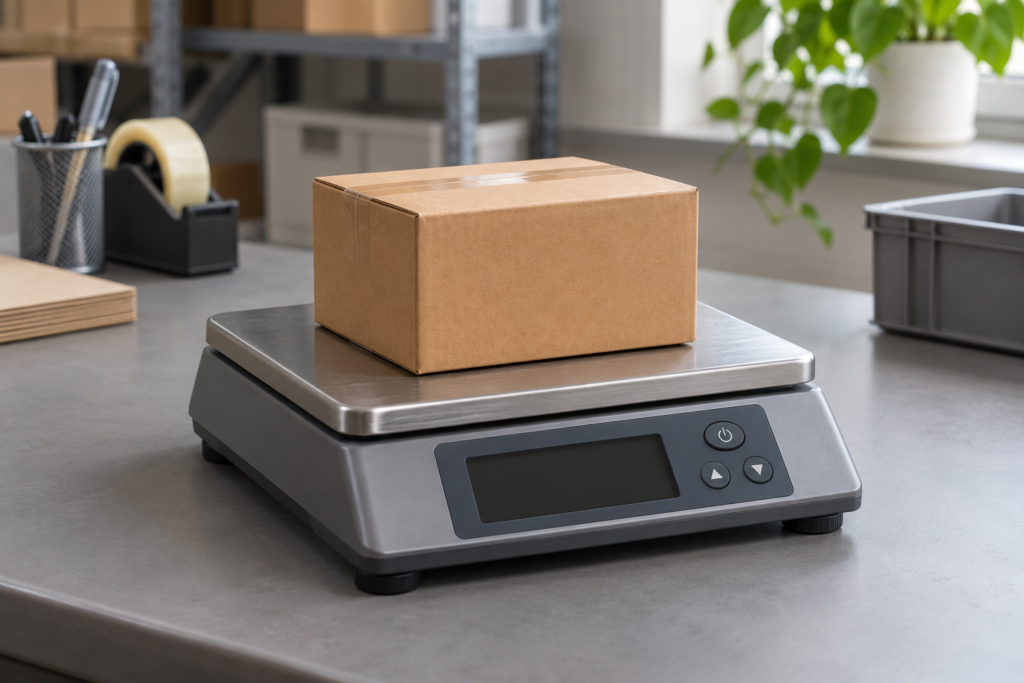
An unbranded parcel scale with a plain cardboard box on its metal platform.
What you’ll learn

Understand the boundary before changing a setting

Start with the action being considered. On the PS150/400 Slimline, ordinary keypad operation and calibration use familiar controls for different purposes.

  • What ordinary power, zero and unit controls do on the PS25.
  • Why the PS165/PS330’s front buttons also appear in calibration.
  • How the BenchPro BP-P separates user and service configuration.
  • Why ZP2XX communication settings have a separate access path.
  • How Courier5000 button locks differ from its calibration lock.
  • Why Courier7000’s documented trade mode restricts settings.
  • Where CPWplus factory access becomes a technician’s responsibility.

Tip: For PS165/PS330, distinguish ordinary weighing from the separate calibration procedure when interpreting a key.

Key definitions

Six terms for reading an access boundary

BC graphical-display configuration distinguishes password-protected areas from its physically protected Scale block.

Operator control

A command used in ordinary weighing, such as selecting the displayed unit.

  • Everyday task: PS150/400 Slimline keys cover power, units and tare.
  • Limited purpose: Its tare key removes the current load’s contribution from the displayed reading.
  • Another context: PS165/PS330 front controls also serve a separate calibration procedure.

User menu

A model’s documented area for user configuration, rather than a promise that every change is appropriate.

  • Preferences: CPWplus user parameters control weighing-operation preferences.
  • Connections: BenchPro BP-P includes communication choices here.
  • Scope: Rice Lake describes that menu as covering non-Legal-for-Trade parameters.

Service menu

A wider configuration area: BenchPro BP-P includes all parameters and calibration.

  • Entry boundary: BP-P uses a physical setup switch for this area.
  • Another design: ZP2XX provides service access through a physical switch.
  • What lies behind it: ZP2XX service settings include capacity and displayed divisions.

Calibration lock

A restriction on recalibration; its implementation and wider effects depend on the documented design.

  • Physical example: Courier1000 uses an internal switch to disable calibration.
  • Menu example: Courier5000’s CAL lock also restricts specified measurement settings.
  • Separate function: Courier5000 has another menu for disabling selected keypresses.

Metrology seal

A seal intended to reveal access to settings controlled for a particular regulated-use arrangement.

  • Purpose: Courier7000’s manual describes preventing undetected access to legally controlled settings.
  • Scope: The sealed, legal-for-trade 67XXU reserves configuration and calibration for authorized personnel.
  • Verification: Courier7000 assigns verification to a local official or authorized service agent.

Access password or PIN

A credential gate for a specified settings area, with scope defined by the model.

  • Optional manager gate: BC graphical-display scales can password-protect selected program areas.
  • Factory boundary: CPWplus reserves PIN-protected calibration references for qualified technicians.
  • Separate protection: The BC metrology lock concerns the Scale block separately.

Tip: Treat a lock’s name as the start of the explanation: Courier5000 documents different effects for button locking and calibration locking.

Everyday operation

A familiar button has a task-specific purpose

PS165/PS330 instructions reuse front controls for weighing and calibration. Shared hardware does not make those tasks equivalent.

  • Power and zero are ordinary PS25 functions. Returning the display to zero is an operating command, rather than evidence of wider service authority.
  • Unit selection changes how the PS25 displays weight. It does not establish permission to repair the instrument.
  • On PS150/400 Slimline scales, tare adjusts the current displayed load. Calibration is a separately documented task requiring suitable weights.
  • On ZP2XX, the same key changes meaning with context: UNITS selects a weighing unit during operation but acts as escape in menus.
  • PS165/PS330 calibration reuses UNIT and TARE. Button labels alone leave out which task is underway.

For PS150/400 Slimline users, familiarity with the keypad does not supply the weights required for calibration.

Configuration reach

User settings and service settings can cover different ground

BenchPro BP-P makes the distinction explicit: its user menu covers one set of parameters, while service access reaches more.

  • The BP-P user menu includes communication choices as well as display preferences. “User” describes its menu scope, not a harmlessness guarantee.
  • Avery’s ZP2XX communications board is separate from scale configuration and calibration; changing its communication settings does not require entering the service menu.
  • BP-P service access includes calibration and all configuration parameters. The distinction concerns what can be changed, not simply how many buttons are visible.

A ZP2XX connection question and a calibration question therefore belong to different documented configuration paths.

The gate itself

Different restrictions control different actions

The BC graphical-display service manual, revision 02 from 2016, separates ordinary setup, optional manager-password access and full access associated with its calibration control.

  • Courier7000 key locking makes the selected button press ineffective. It can target individual keys or all buttons.
  • Courier1000’s internal calibration lock disables recalibration. Its manual also describes optional tamper-evident labels associated with the enclosure.
  • For BC graphical-display models, an optional manager password protects Defaults, Operator Mode and Setup. The metrology lock separately affects the Scale block.

On that BC interface, a password boundary and a metrology boundary must be interpreted separately; one label cannot describe both scopes.

Mode and state

Installed mode changes what access means

The ZP2XX manual describes a different access route for its non-legal-for-trade configuration. A mode qualification is part of the explanation.

  • ZP2XX’s nonE mode permits additional configuration choices and a password route to service functions without changing the physical service-switch position.
  • With Courier7000’s security switch locked and Legal for Trade on, calibration is disabled and specified settings are fixed or retained.
  • Brecknell PS-USB can display setup menus while particular changes still require its config/cal switch. The displayed seal-switch position cannot be changed in software.

For PS-USB, seeing an option and being able to change its protected value are different questions.

Service authority

Reaching a setting does not supply the service qualification

CPWplus distinguishes control access from the qualifications and equipment needed for particular work.

  • Adam reserves CPWplus factory parameters for qualified technicians because they contain critical calibration references.
  • PS25 instructions allow external battery and platform-obstruction checks, while reserving repairs for Brecknell customer service or authorized dealers.
  • PS150/400 Slimline calibration requires the necessary weights even though its procedure uses familiar controls. Access does not provide that equipment.

With PS25, an ordinary external check and a repair request call for different responses. Button access cannot erase the manufacturer’s repair restriction.

Reality check

Two hypothetical handoffs

These fictional situations are not reports of testing or service outcomes. ZP2XX separates communications setup from calibration; Courier1000 has an internal calibration lock.

Hypothetical configuration handoff

Imagine a mailroom operator reviewing a connection question. For ZP2XX, communication settings are separate from the configuration and calibration menus.

If the discussion turns to calibration for a legal-for-trade application, Avery recommends a qualified scale technician using certified weights. The connection task does not remove that qualification.

Hypothetical service request

Imagine an owner requesting recalibration. If a Courier1000’s internal calibration lock is enabled, calibration is disabled.

OHAUS reserves servicing for authorized personnel and housing access for authorized, qualified personnel. The request therefore becomes a service handoff, not an invitation to open the enclosure.

Common myths

Five conclusions the controls do not justify

These are misleading inferences, not claims about how frequently people make them. GP100/GP250 calibration, for example, requires an accurate weight.

A working button means the entire setup is open.

PS165/PS330 reuse buttons across ordinary operation and calibration. Courier1000 separately supports an internal calibration lock. Button familiarity alone does not establish unrestricted setup access.

Button locking and calibration locking are interchangeable.

Courier5000 documents both: one suppresses selected keypresses; the other hides calibration entries and locks specified settings. Their reach differs.

A user-menu option is automatically appropriate to change.

BP-P includes tare configuration, but Rice Lake warns that enabling tare could violate metrological approvals. Menu availability does not settle that decision.

Certified hardware proves the installed scale’s legal status.

For PS-USB, Brecknell distinguishes NTEP-certified hardware from certification and registration of the installed scale. This is a manufacturer-scoped limitation, not advice about every shipping application.

Reaching calibration means the necessary resources are available.

The Slimline instructions require appropriate calibration weights. Familiar keys do not supply a known reference mass.

Tip: For PS25, follow the documented separation between external checks and authorized repair rather than treating every problem as a settings change.

FAQ

Questions that remain at the boundary

Brecknell’s 67XXU includes documented change counters as well as a physical configuration/calibration boundary.

Does HOLD indicate that GP100/GP250 configuration is locked?

No. Here HOLD retains a stable weight on the display after the package is removed. The held reading describes the display’s behavior, not a configuration-access decision.

Why might GP100/GP250 offer only one weighing unit?

Its unit-switching configuration can restrict weighing to kilograms or pounds. An unavailable unit can therefore reflect that setting; the ordinary unit control works within the configured choice.

Can 67XXU calibration steps be visible without a saved change?

Yes. Its manual says calibration steps can be performed with the sealed calibration switch off, but their result will not be saved. Visibility and committing a change are separate.

Do 67XXU change counters identify the person responsible?

The documented counters record numbers of configuration changes and calibrations, not named people. They also wrap after their maximum count; they are not an unlimited personal history.

Does a Courier5000 Readout reset clear its CAL lock?

No. OHAUS explicitly excludes that lock from a Readout-menu reset. A reset’s documented scope matters more than the word “reset” alone.

Can Courier1000’s weighing mode make calibration unavailable?

Yes. Calibration is unavailable in Dynamic Weighing mode. Its manual states that limitation separately from the internal calibration-lock description.

What does a CPWplus factory PIN prompt signify?

It marks entry to the section containing critical calibration references, reserved for a qualified technician. Treat it as a service boundary rather than a request to guess a code.

What information supports a CPWplus service handoff?

Adam asks for the model, serial number, software revision, purchase and supplier details, plus the problem and recent history. Those details describe the unit and its circumstances.

Tip: A CPWplus handoff should identify the particular unit and symptom, following Adam’s requested service information.

Bottom line

Interpret access in relation to a particular task. PS165/PS330 ordinary controls and calibration share buttons, but calibration still requires a suitable known weight.

For a PS25 problem, that distinction becomes practical: its instructions separate external checks from repairs reserved for Brecknell or authorized dealers. Identify the kind of work before deciding who should do it.

Next steps

Continue exploring shipping scales

Choose a related-reading format for your next question.