
Why Attention Support Devices Attention Safety Factors Matters

Attention support can create risk when a reminder arrives at the wrong moment, uses an intolerable signal, or exposes a private routine to the wrong person.

Safe use therefore begins outside the settings screen. The user and helpers need to map hazardous activities, reduce notification competition, protect records, and decide which tasks still require human supervision.

By: Review Streets Research Lab
Updated: August 19, 2026
Explainer · 8-12 min read
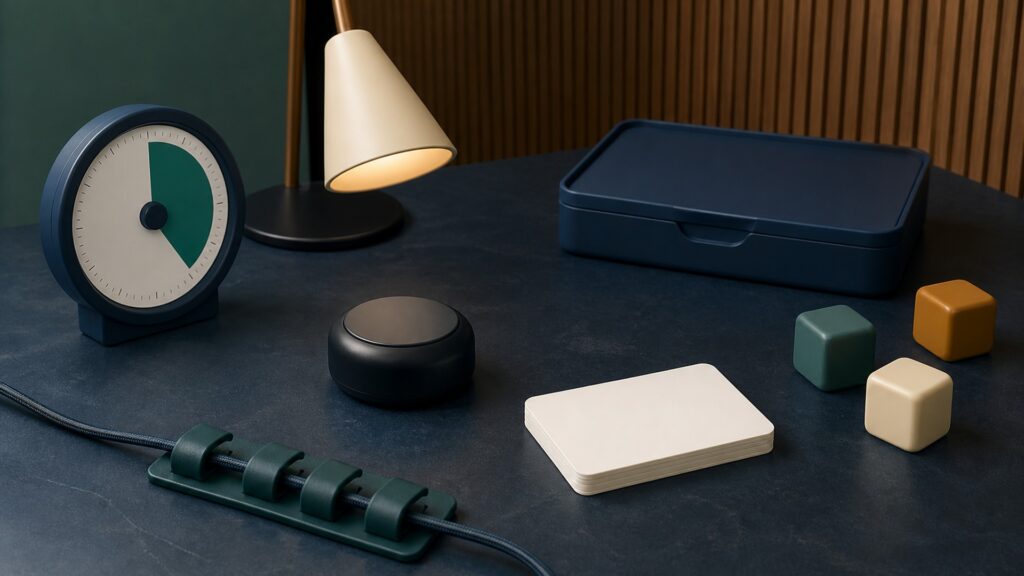
People-free editorial still life for Why Attention Support Devices Attention Safety Factors Matters
What You'll Learn

Build safety around the way prompts interrupt real life

This guide examines hazardous timing, sensory burden, alert overload, privacy, supervision, and the limits of using reminder data as evidence about attention.

  • When interruption creates danger
  • How prompt intensity affects sensory load
  • Why all notification sources matter
  • What activity histories can reveal
  • Which tasks still need supervision
  • When symptoms require independent help

Tip: Read the concept as part of a system, then connect it back to the use case.

Definitions

Six Concepts That Shape This Decision

These definitions connect the main idea to the variables, limits, and practical signals readers need to compare options.

External Cue

An external cue is a sound, vibration, light, or message intended to bring a specific action back into awareness.

  • Its safety value depends on where the cue appears. A benign desk reminder can become a dangerous interruption near traffic, machinery, heat, or medication preparation.
  • List the places where prompts may arrive, then disable or defer them anywhere immediate attention must stay on a hazard.
  • A cue cannot judge whether interruption is safe simply because its scheduled time has arrived.

Start Latency

Start latency is the time between a usable prompt and the first meaningful step of the intended task.

  • Very short latency is not always desirable. A person should finish crossing a street or stabilizing equipment before acknowledging a reminder.
  • Record latency only during activities in which responding is safe; note why a delayed response occurred instead of treating every delay as failure.
  • Latency data does not reveal whether a pause reflected distraction, thoughtful hazard control, pain, confusion, or another legitimate priority.

Sustained Interval

A sustained interval is the continuous period spent on the selected activity after it begins.

  • Longer intervals can increase fatigue, visual strain, repetitive motion, or missed environmental signals. Safe pacing matters more than maximizing an uninterrupted timer.
  • Compare the planned interval with posture, lighting, break needs, and the consequences of becoming absorbed in that particular setting.
  • Duration alone says nothing about work quality, emotional strain, or whether continuing was appropriate.

Redirection

Redirection is a later prompt that helps someone return after attention shifts away from the chosen activity.

  • Repeated redirections may support recovery, but they may also interrupt recovery from stress or create conflict when another person controls the settings.
  • Review who created each redirect, whether the user can pause it, and what was happening when it appeared.
  • No redirection should override pain, panic, urgent caregiving, or a need to leave an unsafe environment.

Prompt Load

Prompt load combines notification frequency, complexity, sensory intensity, and the effort required to acknowledge messages.

  • A high load can mask important alarms, increase frustration, and train users to dismiss every signal. Simplifying the notification environment is therefore a safety measure.
  • Count all alerts from the phone, wearable, computer, and room—not only those generated by the attention product.
  • A tolerable laboratory sequence may still become overwhelming during an ordinary busy day.

Task Transfer

Task transfer means using a supported behavior in a different place, schedule, or activity from the original setup.

  • Safety rules may change during transfer. A vibration suitable for office planning may be unsuitable while cycling or supervising a child near water.
  • Before copying a routine elsewhere, reassess hazards, privacy, sensory demands, and who can provide help.
  • Success in one quiet task does not establish safe use in every environment.

Tip: Keep the definitions connected; the strongest answer usually comes from the whole system, not one term.

Map the moments when interruption is dangerous

Safety begins by identifying situations in which noticing a prompt would compete with a more important demand.

Consider a warehouse employee approaching a forklift lane when a wristband vibrates about inventory paperwork. The worker needs a rule established beforehand: ignore the cue until reaching a protected area. Similar conflicts occur while driving, using a stove, bathing, climbing stairs, or crossing streets. A scheduling feature is useful only when it respects those boundaries.

  • Name activities that require undivided attention
  • Create quiet periods around predictable hazards
  • Choose a safe place for later acknowledgement
  • Keep emergency alarms distinguishable from routine cues

The correct response to a reminder may be deliberate delay.

Set sound, light, and vibration below the distress threshold

A prompt must be noticeable without startling the user or aggravating sensory sensitivity.

Volume and vibration should be tested in the actual room, not selected from a menu in isolation. A sharp tone that seems mild at noon can be disruptive during sleep, migraine, anxiety, or hearing-aid use. Increase intensity gradually and invite the user to stop the test. Accessibility may require a different modality rather than a stronger one.

  • Begin with the least intense usable signal
  • Test around relevant hearing or sensory needs
  • Avoid flashing patterns for susceptible users
  • Provide an immediate mute control

More intensity does not automatically create safer attention.

Reduce alert competition before adding another reminder

Important cues disappear when calendars, messages, games, alarms, and prompts all request attention together.

An alert inventory often reveals that the new product is not the main problem. Disable obsolete notifications, combine routine reminders, and reserve distinctive signals for high-priority events. After changes, observe whether acknowledgements improve without increasing anxiety. The aim is a small, intelligible signal system rather than constant electronic supervision.

  • Inventory every notification source
  • Retire duplicate or obsolete alerts
  • Assign distinctive signals sparingly
  • Watch for reflexive dismissal

A quieter device ecosystem can be more protective than a louder attention aid.

Protect activity records and control relationships

Logs of missed starts, breaks, and completed routines can expose health concerns, work habits, locations, or family conflict.

Review whether data stays on the device, enters a cloud account, or is shared with employers, schools, clinicians, or relatives. The user should understand who can change prompts and who can inspect performance. Safety includes protection from coercive monitoring, especially when one person controls another person’s schedule.

  • Use individual accounts and strong recovery methods
  • Share the minimum history needed
  • Remove former viewers promptly
  • Discuss who may edit schedules

Convenience does not justify invisible surveillance.

Keep human supervision where consequences are high

A reminder may support a step, but it cannot verify that the task was understood or completed safely.

Medication dosing, cooking with flame, hazardous work, and care of vulnerable people may require confirmation by a qualified or responsible person. If the device fails, the plan should still specify whom to contact and what to do. New confusion, fainting, severe distress, or rapid functional decline warrants independent assessment rather than more prompts.

  • Define which tasks still require supervision
  • Write a fallback for power or network loss
  • Separate urgent symptoms from productivity data
  • Revisit the plan after any near miss

Automation should remain one layer within a wider safety plan.

Quick Reality Check

What an attention support device can and cannot make safer

The product can structure a reminder pathway, but it cannot evaluate every hazard surrounding the user.

What the evidence can support

A well-designed setup can reduce avoidable distraction, clarify which alerts deserve action, and document whether a cue reached the user.

Repeated observations can show whether quieter signals, fewer notifications, or different timing improve safe acknowledgement during a named routine.

What remains unresolved

The device cannot determine whether someone is medically fit, emotionally able, or physically safe to continue an activity.

A favorable log does not rule out coercion, dangerous absorption, missed emergencies, or risks occurring while the product was absent.

Common Myths

Misconceptions That Distort the Decision

Common shortcuts and misunderstandings can make the topic seem simpler than it is.

Myth: a stronger prompt is always safer

A louder tone or harder vibration may startle, distract, or overwhelm the user. The safest cue is the least intrusive signal that remains noticeable in the intended environment without masking alarms or worsening sensory distress.

Myth: missed prompts prove that someone was not paying attention

A missed notification may reflect dead battery, poor placement, hearing difficulty, sleep, pain, urgent competing demands, or a deliberate safety choice. Investigate the circumstances before interpreting it as motivation, compliance, or impairment.

Myth: attention logs are harmless productivity data

Prompt histories can reveal routines, difficulties, locations, and periods of vulnerability. Treat them as sensitive records: restrict viewers, use secure accounts, understand retention, and avoid sharing more detail than the support purpose requires.

Myth: reminders can replace supervision for risky activities

Prompts cannot confirm comprehension, physical capacity, correct dosing, safe technique, or an emergency response. High-consequence activities may still need direct observation, professional guidance, or another person who can intervene when conditions change.

Tip: Treat strong claims as starting points for comparison, not final answers.

FAQ

Questions to Ask Before Choosing

Concise answers to common questions readers may have after the main explanation.

Should prompts be used while driving?

Routine attention prompts should generally be silenced or deferred while driving because they compete with road awareness. Configure a driving mode before departure and review ordinary reminders only after parking in a safe location.

How can alert overload be recognized?

Warning signs include repeated dismissal, irritation, confusion about which alert matters, missed emergency signals, and worsening task completion. Review every notification source, then remove duplicates and lower the frequency before increasing intensity.

Who should be allowed to see attention records?

Access should be limited to people who genuinely need the information and whom the user has authorized when consent is possible. Review shared accounts, old devices, cloud retention, and permissions after role changes.

When does a concerning change need more than device adjustment?

New confusion, fainting, severe headache, sudden functional loss, escalating distress, or unsafe behavior deserves appropriate clinical or emergency attention. Do not respond only by increasing reminders or shortening timers when warning signs are present.

Bottom Line

Attention support is safest when prompts yield to hazards, sensory settings remain tolerable, activity records stay controlled, and high-consequence tasks retain appropriate supervision.

Judge the setup by safer daily action, not by acknowledgement speed. Preserve a separate plan for emergencies, technical failure, and changes that a reminder system cannot explain.

Next Steps

Go Deeper or Compare Your Options

Use these Review Streets paths to connect the explainer to related categories, comparisons, and next decisions.