
Why Data Flow Matters in Shipping Label Printers

Data flow matters because the file you open and the instructions a printer receives can differ. Software may convert a shipping label before sending it, while page-size and scaling choices affect how it fits. Understanding those steps helps explain why a readable file can still produce an unexpected label.

By: Review Streets Research Lab
Updated: November 25, 2026
Explainer · 9–11 min read
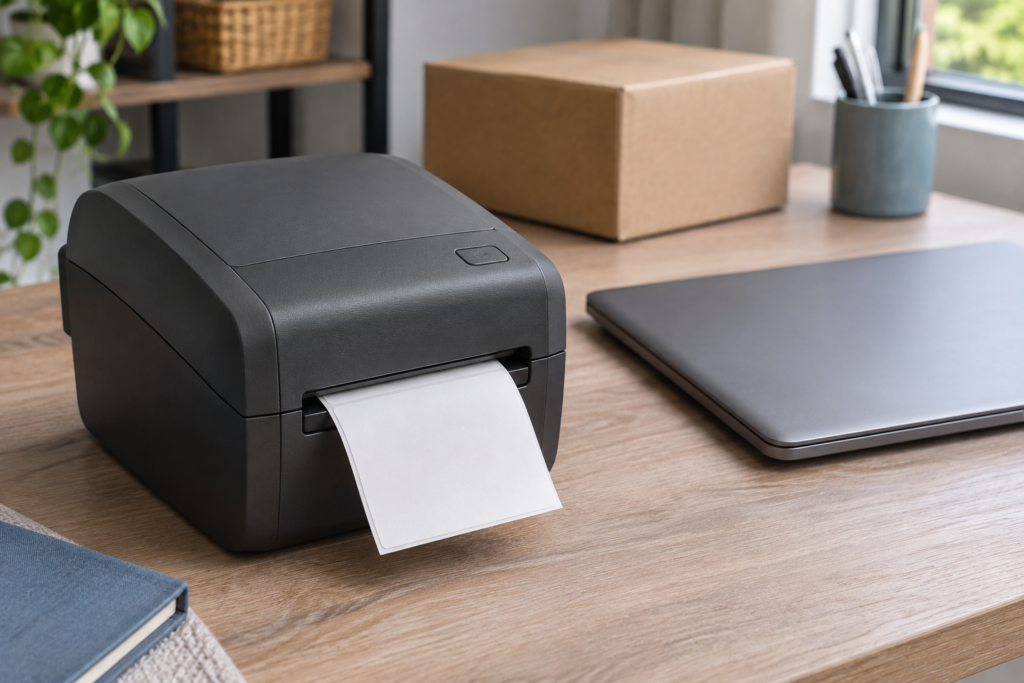
Unbranded label printer with a blank label beside a closed laptop and plain parcel
What you’ll learn

Understand the label-to-printer path

Different configurations place document conversion on different computers. Follow the relevant path rather than assuming a fixed sequence.

  • Distinguish a label document from an encoded Windows print job.
  • Recognize printer-language data as a prepared representation of the page.
  • Understand the conversion work a documented Windows driver performs.
  • See why a print server does not always perform that conversion.
  • Separate a supported connection from the network printing protocol.
  • Understand size and scaling in the CUPS printing system.
  • Interpret Windows job status without treating it as a visual check.

Tip: Microsoft now prefers Internet Printing Protocol drivers with Print Support Apps. Its graphics-based path below is a documented example.

Key terms

Vocabulary for following a print job

Here, the host means the computer or device submitting the work. A print server is another computer that hosts printing for clients.

Label document

The created page containing the label, including its orientation and any surrounding blank space.

  • Page boundary: In Rollo’s documented example, a label can occupy only part of a full-size page.
  • Orientation: Rollo’s sideways-label guidance distinguishes source orientation from rotation settings.
  • Job distinction: Windows records a document as a print job, which can include several pages.

Printer language

A format for describing the page in terms the printer understands. PDL means page description language.

  • Target support: RAW is Windows’s term for prepared data that can pass onward without another conversion; target-language support still matters.
  • Prepared data: Windows client-side rendering can produce PDL before server queuing.
  • Direct PDF: Zebra PDF Direct adds PDF interpretation on supported Print DNA printers.

Printer driver

Software with conversion and configuration roles in Microsoft’s documented driver architecture.

  • Rendering: This means converting application graphics into data usable by the printer.
  • Options: The configuration component exposes selectable printer features to the application.
  • Location: In Windows client-side rendering, the client computer runs the driver.

Print spooler

The Windows component that manages recording and scheduling print jobs.

  • Driver loading: The spooler locates and loads the required driver.
  • Recording: Windows stores a job using a supported data type.
  • Further processing: A Windows print processor can convert spooled data before transmission.

Print queue

The software printing destination that Windows associates with one or more physical devices.

  • Device distinction: A Windows queue and the hardware connected to it are different objects.
  • Job identity: CUPS reports an identifier for managing a submitted job.
  • Transmission: A Windows port monitor carries prepared commands to the printer.

Scaling

Changing the size at which a document fits the selected output page.

  • Destination size: Mac scale-to-fit uses the paper size selected for the destination.
  • Available choices: Mac print options depend on both the application and printer.
  • Source dimensions: CUPS fit-to-page needs accurate size information in the print file.

Tip: RAW is a Windows print-data classification here. It is not a promise that an arbitrary document needs no interpretation.

Representation

Identify which version of the label is being sent

The source document, intermediate drawing instructions and device language are alternative representations. They are not five compulsory stages.

  • The created document: a Windows print job records document content in an encoded form and may contain multiple output pages.
  • CUPS input: its printing interface accepts PDF. In its documented processing chain, filters prepare printable data and a backend writes to the device.
  • Recorded drawing instructions: Microsoft’s documented Windows graphics path can store intermediate instructions as an enhanced metafile, or EMF, rather than immediately producing the final printer image.
  • Prepared printer language: in Windows client-side rendering, the client produces the device’s PDL before the print server queues it. The source document and transmitted representation therefore need not be identical.
  • Direct document interpretation: Zebra’s PDF Direct is an on-printer interpreter for supported Print DNA printers. That named capability should not be assumed for every model or firmware.

The accepted file type does not establish the device’s native input format.

Preparation

Locate the conversion work

Conversion determines how application content becomes printer-usable data. Microsoft’s graphics-driver examples illustrate that work; its current guidance prefers the modern Internet Printing Protocol class-driver and Print Support Apps approach for Windows printer development.

  • Application graphics become device data: in the documented driver architecture, the rendering component translates graphics commands. The configuration component separately tells the application which printer options are available.
  • Queued data may need more work: a Windows print processor reads the spool file, converts its contents and returns a stream for transmission. Being recorded as a job is not the same step as completing that conversion.
  • The work can happen on different computers: Microsoft describes one configuration with client-prepared printer data and another with intermediate data converted at the print server. Those are different arrangements for the same preparation problem.

Knowing where conversion happens gives a clearer explanation of the path than assuming the computer simply forwards the opened file unchanged.

Transmission

Separate prepared data from its route to the device

A Windows port monitor is the communications component that carries prepared commands onward. Its role is transmission, after the conversion described in Microsoft’s documented path.

  • A physical connection is only one part: Rollo’s USB model prints from a Windows or Mac computer by cable. Its Wireless model supports additional hosts, so one model’s path cannot stand in for the entire range.
  • A network also needs a printing protocol: a protocol is the set of communication rules. CUPS documents AppSocket, Internet Printing Protocol and Line Printer Daemon alternatives; the selected protocol must suit the destination.
  • A phone can use a documented mobile path: Rollo’s X1040 Wireless supports iPhone and iPad printing through AirPrint on the same Wi-Fi network. Its setup guidance calls for the latest Rollo app, requiring iOS or iPadOS 15 or later.

In CUPS’s documented chain, filters prepare printable data; the backend handles delivery to the device.

Interpretation

Understand which instructions shape the output

CUPS’s processing interface carries submitted print options alongside the file. The job therefore describes how to print, as well as what to print.

  • Source dimensions still matter when fitting: CUPS warns that fit-to-page can scale incorrectly if the print file lacks accurate size information. Automatic fitting therefore still relies on meaningful input dimensions.
  • Orientation belongs to the document too: Rollo’s sideways-label guidance explains that surrounding blank space and sideways content can carry through to output. Rotation settings address a different part of that geometry from page size.
  • Direct RAW jobs carry their own requirements: Microsoft’s WritePrinter documentation requires RAW jobs to express their print settings in a language the hardware understands. That requirement concerns the documented graphics-printing path supported by this interface.

Zebra notes that scaling can introduce barcode-scanning issues. Page-size handling therefore concerns the resulting label’s use, as well as its appearance.

Status

Read each status in its own context

Job, carrier and store records describe different events or connections. Their meanings come from the specific system reporting them.

  • Windows job flags: JOB_STATUS_COMPLETE can mean sent but not yet printed. Monitors without TrueEndOfJob can set JOB_STATUS_PRINTED upon submission.
  • Carrier records: UPS’s US “Label Created” status means shipment details and billing information arrived. Its “Shipped/On the Way” status means UPS has received the shipment and it is moving through its network.
  • Store connections: Rollo distinguishes printing another platform’s label from connecting that store to Rollo Ship. The ability to print does not itself establish that orders import into the shipping service.

FedEx likewise says location and delivery updates wait for a package scan. A digitally created label can exist before the tracking record contains that movement evidence.

Reality check

Two illustrations of the boundaries

These hypothetical examples apply documented limits; they are not test observations.

Illustration: a label inside a larger page

Imagine a seller opening a full-page PDF to print on a Rollo. Rollo documents label content inside a larger page as a source of small or cut-off output.

Its guidance offers cropping the label region in Adobe Acrobat Reader, then printing the snapshot with the specified size and fit settings. This illustrates a format boundary, not a diagnosis of every sizing fault.

Illustration: a completed computer job

In this hypothetical case, a Windows job reaches JOB_STATUS_COMPLETE. Microsoft defines that flag as sent, potentially before physical printing.

The operator still has a question about physical output. The queue flag does not answer it through an independent visual check.

Myths and misconceptions

Five misleading shortcuts

CUPS documents whether its socket backend waits for the printer to finish a job. That configurable behavior makes blanket descriptions of completion too broad.

Does opening a PDF prove the printer accepts PDF directly?

No. Zebra presents PDF Direct as a specific on-printer capability for supported Print DNA printers. Direct interpretation requires that support; the file’s extension does not establish it.

Does RAW mean any file can bypass conversion?

No. In Microsoft’s documented RAW path, the data already needs to suit the printer. PostScript, for example, counts as RAW in the stated case only when the target supports that language.

Does selecting fit-to-page remove the need for source dimensions?

No. CUPS explicitly ties that feature to accurate size information inside the file. Fitting cannot be interpreted independently of those dimensions.

Does a printed flag prove a label emerged?

Not in every documented Windows configuration. A port monitor without TrueEndOfJob can mark JOB_STATUS_PRINTED when it submits the job.

Does a printed label establish carrier possession?

No. UPS’s US “Label Created” record concerns shipment and billing details. Its separate receipt-and-movement status provides a different kind of evidence.

Tip: Even waiting for completion is implementation-specific: CUPS documents a socket-backend option that changes whether it waits for the printer to finish the job.

FAQ

Questions about particular print paths

Rollo’s custom-size guidance distinguishes model-specific paths, including whether an application needs to refresh its size list.

Why is a new Rollo Wireless custom size missing in my application?

Rollo’s X1040 guidance says the application may need to close and reopen after a custom size is created. That refresh can be needed before the updated size appears.

Why can a Rollo label remain sideways?

The source document may already be sideways. Rollo describes rotation settings for Mac and Windows after checking the source layout.

Will a platform’s size change update an existing label?

Rollo’s ShipStation example says generated labels will not update when the label-size setting changes. The downloaded file and future label generation are different cases.

Does zero PagesPrinted mean nothing printed?

Not necessarily. In Windows JOB_INFO_2, that field can be zero when the job contains no page-delimiting information.

Does a print server always perform the conversion?

No. Microsoft documents both client-prepared printer data and intermediate data converted at the server. The server’s presence alone does not locate the rendering work.

Does the document alone determine the copy count?

CUPS passes a copy count separately from the file to its processing programs. The job specifies how many copies are requested.

Where do orders remain when Rollo prints another platform’s label?

Rollo’s compatibility guidance says the orders remain on that platform. Printing the label does not itself import them into Rollo Ship.

What does a CUPS job identifier refer to?

It identifies the submitted print job. CUPS’s documented cancellation and move operations use that reference to select which job to act on.

Tip: For a Rollo custom-size question, identify the model first: its guidance gives separate Wireless X1040 and USB X1038 paths.

Bottom line

A label print job is more than the document’s visible content. Microsoft’s RAW-job requirements show why its settings must be expressed in a language the hardware understands.

For shipment progress, use the carrier’s documented events. FedEx says location and delivery updates require a package scan, so an existing digital label alone does not provide those updates.

Next steps

Continue with shipping label printers

Choose a related reading format for your next question.

At a glance

The distinctions to keep

  • Windows print jobs encode documents and may contain several output pages.
  • Zebra PDF Direct is a qualified device capability, not universal PDF support.
  • Rollo USB and Wireless models support different host paths.
  • RAW jobs through Microsoft’s WritePrinter interface must express settings the hardware understands.
  • FedEx tracking location updates require a package scan.