Why Interactive Training Mirrors Training Function Matters

Interaction is useful in a training mirror when it helps you make a better exercise decision or complete suitable work more clearly. Selecting a class, pausing instruction, reviewing a supported metric, or asking a coach a question can each serve a purpose. More responses on the screen do not automatically create a better session.

Training function connects those responses to the plan. Evaluate whether the interaction helps choose appropriate work, understand the movement, make a useful adjustment, and review what happened. Keep the scope of sensors, automatic recommendations, and personal coaching clear so the routine does not depend on capabilities the system lacks.

By: Review Streets Research Lab
Updated: October 22, 2026
Explainer · 8-12 min read
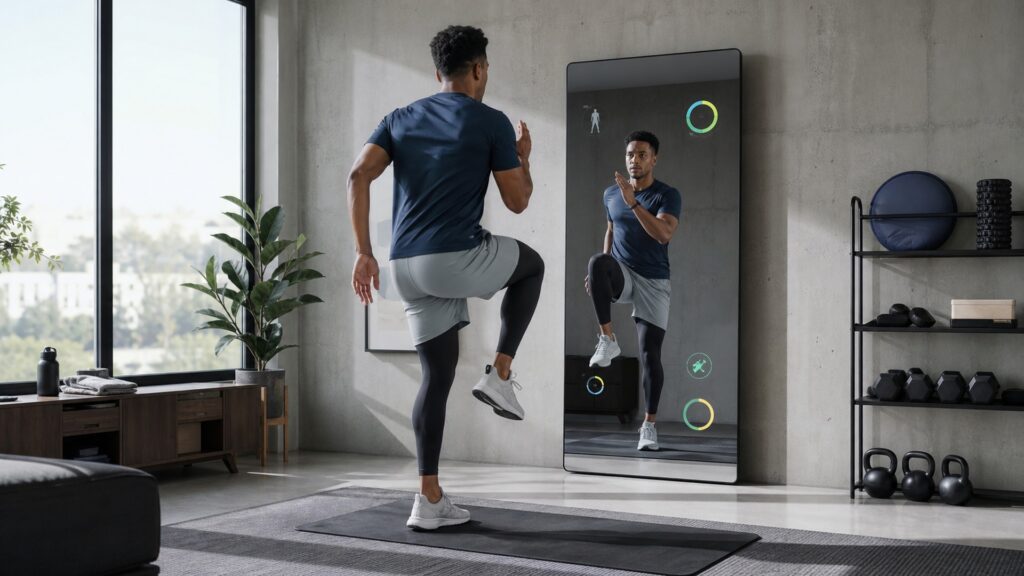
interactive training mirrors training function explainer hero image for Review Streets
What You'll Learn

Judge Interaction by the Training Decision It Supports

Review useful controls, meaningful feedback, adjustments, session continuity, and follow-up.

  • Assign a practical purpose to each interaction.
  • Check what information a metric actually provides.
  • Distinguish recommendations from complete personalization.
  • Keep physical transitions and controls workable.
  • Review comparable work with enough context.

Tip: Test a complete representative session and identify where an interaction actually helped, rather than counting available features.

Definitions

Six Elements of Useful Interactive Training

These terms connect a response on the mirror to practical exercise.

Decision Support

Decision support is information or control that helps make a specific session choice.

  • Example: reviewing equipment requirements before selecting a class
  • Check: name the decision being helped
  • Limit: more information is not always more useful

Feedback Relevance

Feedback relevance is how closely a measurement or cue relates to the intended task.

  • Example: using a supported metric for a purpose it can actually describe
  • Check: read the metric’s meaning
  • Limit: a precise-looking number can still answer the wrong question

Adjustment Scope

Adjustment scope is the part of a session a recommendation or control can change.

  • Example: choosing a suitable offered variation
  • Check: verify the actual response
  • Limit: a recommendation does not imply all personal needs were considered

Session Continuity

Session continuity is the practical flow through exercise, recovery, and transitions.

  • Example: pausing instruction to prepare the next setup
  • Check: include physical readiness
  • Limit: a timer does not establish that the user is ready

Coaching Fit

Coaching fit is whether available instruction or personal guidance meets the session’s need.

  • Example: using a supported individual session to clarify a task
  • Check: check observation and communication scope
  • Limit: live playback alone is not personal coaching

Progress Context

Progress context is the relevant setup and work information needed to interpret later comparisons.

  • Example: noting a changed variation alongside session completion
  • Check: check what is retained
  • Limit: interaction counts alone do not establish physical progress

Tip: A simple control can be valuable when it solves a recurring exercise problem reliably.

The Purpose

Start With the Exercise Plan Rather Than the Interface

Choose suitable activities and check their physical requirements. Then identify which controls or guidance help make those sessions practical. The mirror should serve the intended work rather than draw attention to interactions that add little to the routine.

  • Check equipment and space first.
  • Select representative suitable sessions.
  • Identify the specific decisions needing help.

A clear equipment list and easy class selection can be useful before exercise even begins. Their value comes from removing uncertainty, not from how many menus the interface contains.

The Information

Use Feedback That Answers a Relevant Question

Identify the source and meaning of each available metric or cue. Reflection, paired measurements, automatic observations, and personal feedback provide different information. Use them within their scope, and do not assume one metric establishes technique, suitability, and progress together.

  • Read the feedback definition.
  • Check required setup or pairing.
  • Resolve unclear information before acting on it.

A participation record may answer whether a class was completed. It may not answer which weights were used or whether the movement remained comparable to an earlier session.

The Adjustment

Understand What Personalization Actually Changes

Review how recommendations are produced and which inputs they use where explained. A suggested class, offered variation, and live coaching response are different levels of assistance. Check that any change fits the actual person, equipment, and room rather than accepting it solely because it appears automatically.

  • Review available alternatives.
  • Keep the adjustment’s purpose clear.
  • Seek suitable guidance when uncertainty remains.

A class recommendation may help find content without assessing an unfamiliar exercise setup. The recommendation’s useful scope should remain explicit.

The Flow

Make Interaction Work During the Physical Session

Controls must be practical from the positions used in the workout. Check pause, audio, transitions, and the normal finish. Allow time to handle accessories and learn movements. Interaction that repeatedly interrupts execution can reduce the value of otherwise useful content.

  • Test real standing and floor positions.
  • Prepare equipment changes.
  • Pause when instructions need review.

A playback pause can give time to arrange the next task. It should support a controlled transition rather than encourage rushed movement to keep up with the screen.

The Review

Connect Records and Guidance to Repeated Use

Review actual useful sessions, relevant changes, and recurring barriers. Check what history captures and whether current services support the intended routine. Where personal coaching is used, verify the communication and observation available rather than relying on a general interactive label.

  • Keep important variations identifiable.
  • Compare sufficiently similar work.
  • Review support and feature access over time.

A system can be useful with a few clear functions used consistently. Training quality comes from suitable repeated work and understandable decisions, not the number of responses generated during a session.

Quick Reality Check

Responsive Features and Useful Training

A response has value when it helps the intended activity.

Responsive Features

Selection, playback, supported metrics, and available communication.

Model-specific recommendations or adjustment options.

Training Requirements

Suitable work, equipment, instruction, and transitions.

Meaningful review and a realistic place in the routine.

Common Myths

Misconceptions About Interactive Training Value

Responsiveness alone does not establish exercise quality.

More interaction always improves training

Each response needs a useful purpose and manageable attention demand.

A recommendation fully accounts for my situation

Check its scope and the actual setup.

A displayed metric proves complete progress

Read what it measures and preserve relevant context.

Live content guarantees individual guidance

Personal observation and communication must be supported explicitly.

Tip: Keep the interaction tied to a clear exercise decision and verify its limits.

FAQ

Frequently Asked Questions About Training Function

Questions about useful responses, guidance, and review.

What makes an interaction useful?

It helps select, understand, adjust, complete, or review suitable exercise in a clear practical way.

Do I need automated sensing?

Not necessarily. Useful instruction and controls can support a session without full movement sensing.

Can recommendations replace checking equipment?

No. Confirm the physical requirements and suitability of the actual session.

How should I evaluate personal coaching?

Check what observation, conversation, preparation, and follow-up the supported service provides.

What should I review after repeated use?

Useful completed work, relevant records, clarity of decisions, setup barriers, and ongoing feature access.

Bottom Line

Training function gives mirror interaction a concrete purpose.

Use controls and feedback to support suitable exercise decisions, practical transitions, and meaningful review. Verify personalization and coaching within their actual capabilities.

Next Steps

Go Deeper or Compare Your Options

Use these Review Streets paths to compare related categories and practical next decisions.

Fitness

Explore activities and equipment for a balanced home routine.

Quick Summary

Make Responses Useful

  • Start with suitable exercise.
  • Read feedback within its scope.
  • Check adjustment limits.
  • Review meaningful repeated work.