Why Mindfulness Audio Devices Mindfulness Audio Measurement Context Matters

Measurement context tells you what had to happen for a number to appear. Ten minutes could be the length of an audio track or the time you entered after a session. The same principle applies to a completion label or a headphone level. What the field collects determines what you can conclude.

By: Review Streets Research Lab
Updated: November 27, 2026
Explainer · 10–12 min read
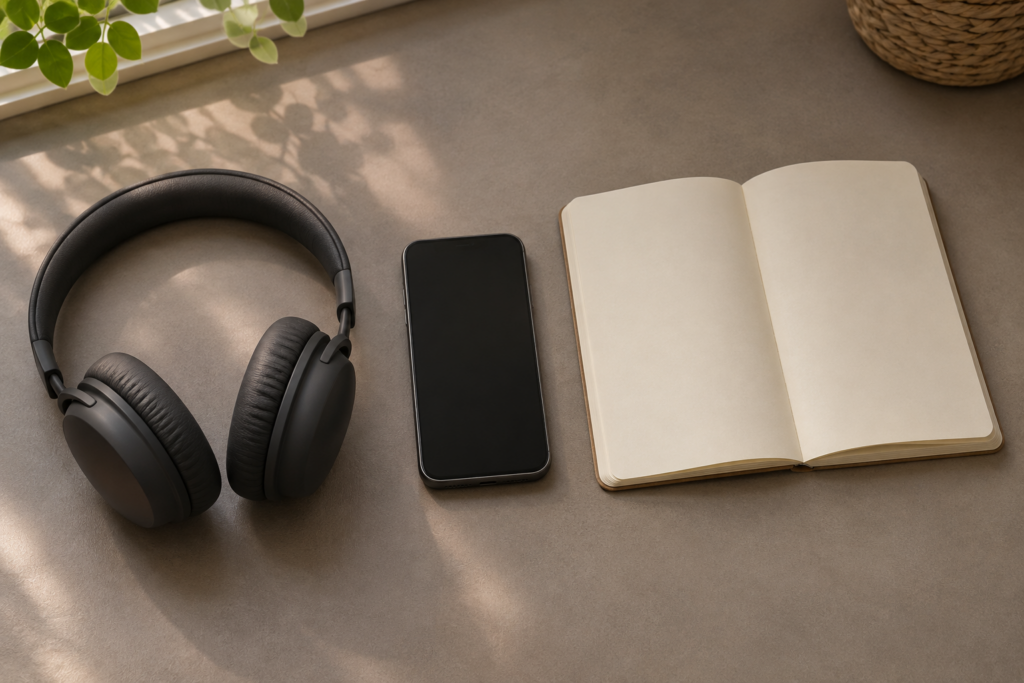
Black over-ear headphones, a phone with a dark screen, and an open blank notebook on a desk.
Reading the record

What you’ll learn

Start with one value you’ve seen on a playback screen or in your history. Keep it in mind as you work through the examples.

  • How to recognize a number you set yourself
  • Which event puts a row in the history
  • How to tell track length, playback position and logged time apart
  • Where a practice entry can come from
  • What earns a session or a day credit
  • How to handle a blank or mismatched record
  • Which questions about listening a log can answer

Tip: Use the label as a clue. Ask what you or the device would have had to do for that particular value to appear.

The vocabulary

What audio settings and session records mean

Use these terms to put a more precise name on what you see during playback or in your history.

Playback event

A particular action or milestone the player can record, such as starting a track.

  • Trigger: A press of Play can be enough to create a record.
  • Status: Started and finished tracks can appear in the same history.
  • Saving: A finished track may still need time to save to a profile.

Recorded duration

The amount of time a log stores under its own rules.

  • Unit: A practice form can take minutes. A browser player can describe a track in seconds.
  • Reference: A player’s position tells you where it is in the file.
  • Inclusion: Some logs can include practice time added after the audio ends.

Setting

A value you choose to control playback or its timing.

  • Scope: A selected duration can apply to one step of a routine.
  • Display: Clock digits can temporarily show the selected volume.
  • Interruption: Switching a player off can cancel a running timer.

Self-report

Information you supply about your own practice or experience.

  • Origin: An entry can describe a session away from the app.
  • Fields: A form can ask when you practiced, for how long and what you did.
  • Specificity: If your goal is to distinguish practice on your own from practice with audio, look for a field that allows that distinction.

Derived estimate

An approximate value worked out from other information.

  • Input: A phone’s volume setting can be one input to a headphone level estimate.
  • Unit: A headphone level meter can show decibels, abbreviated dB.
  • Equipment: The method can depend on which headphones are in use.

Comparability

How well two records answer the same question.

  • Counting unit: Write the unit next to the number before comparing totals. Use the full label if the unit is a kind of event.
  • Eligibility: Two totals can include different kinds of audio.
  • Coverage: Establish which account and time window each total covers.

Tip: Try finishing this sentence for the field you’re looking at. “This number goes up when I…” If it belongs to a control, finish with the action that changes the setting.

The field

Find out what the screen is showing

Start with where the value appears. You can often narrow down what it means by finding the control or record it belongs to.

  • Start with the control. On Hatch Restore, the clock shows the volume you select while you adjust it.
  • Identify a countdown by its job. The Hatch Rest Mini timer sets how long the sound is scheduled to play. Turning the device off during the countdown cancels it.
  • Read the player timeline. Jumping ahead in a browser player changes the position it reports. The file itself stays just as long.
  • Look at the row status. A 7Mind history entry could refer to a track you started or one you finished.
  • If you’re looking at a total, find out what a single addition to it represents. A useful label will tell you what gets added.

If all you can identify is a control, you’ve learned what the device was set to do. A separate question about what happened during playback needs a record of its own.

The source

Work out where the value came from

Once you know which field you’re reading, ask who or what supplied the value. That’s especially useful when two screens use similar-looking numbers.

  • Look for a unit on a level display. In its English-language Singapore iPhone guide, Apple describes a live headphone meter with readings in dB.
  • Look for an entry form behind a practice log. A person can supply information about an off-app session by hand, even when that practice generated no playback event in that app.
  • For sound dose calculations, the ITU standard points to two inputs that matter for precision. One is how much the volume controls change the signal. The other is how much sound the listening device produces for a given signal.

If a level estimate changes after you switch headphones, keep the equipment change in the picture when you interpret the new number.

The rules

Read the clock and the inclusion rules together

To interpret a total, look for the point at which time starts counting, the event that assigns it a date and anything the tally leaves out.

  • Insight Timer offers a way to keep practicing after a guided recording ends and log the longer interval. In that case the track length alone gives you only part of the logged time.
  • For a session that starts late and ends after midnight, find out which event puts it on the calendar. The date may answer when the session ended even if you’re looking for when it began.
  • In one Headspace study, researchers counted music and other activities in their tally of total sessions while leaving them out of mindfulness minutes. Those were rules for the study’s data.

If one number is bigger than you expected, first ask whether it includes activity you left out when you counted it yourself.

Coverage

Check whether records line up

A difference is easier to interpret when you know that both values cover the same activity. Start with the records you expected to see.

  • A blank can leave you with more than one possibility. For example, Insight Timer includes sessions finished on its website in your statistics when you use the same account. In that case the account is part of the record’s coverage.
  • The word “day” can have a special meaning in a streak. Headspace groups meditations completed within an eight-hour window as one day for its run streak.
  • For a repeat comparison, use the same field and matching time windows. Write down any difference in qualifying activity or account before interpreting a rise or fall.

When two totals follow different rules, compare which events qualify before comparing their size.

The limits

Ask what the record says about the listener

A session log can be useful even when your question about the experience needs another kind of information.

  • One feasibility study logged how long Headspace was open. The researchers separately asked whether participants had practiced with the app, on their own or not at all.
  • A health dashboard can hold records supplied by a partner app. With permission, the main Calm app can write eligible completed guided sessions to Apple Health.
  • The feasibility study used a questionnaire for its measures of stress, anxiety and depression. Time with the app open was a distinct measure.

If your practice felt interrupted, describe the moment you lost track and what drew your attention away. That gives you a specific experience to talk about.

Two examples

What a record can settle

Here are two imagined situations where the label is more informative than the number beside it.

A track with a break in the middle

Imagine pausing a ten-minute recording because you want more time to consider one of its prompts. Two minutes later you resume at the same spot and play everything that remains. For this example, assume the history then shows a completed session.

At normal speed, twelve minutes pass between start and finish. For completion, 7Mind requires playback through the end and a saved record. In the imagined case, the label leaves open how the log handled the break and how closely the listener followed the practice.

Two counters showing three

Picture two fictional totals of three. One is for a specific track in the Insight Timer teacher dashboard’s Total Plays metric. The other is a listener’s total of completed meditations in 7Mind.

The teacher’s figure counts starts, including plays that end early. The listener’s figure credits meditations that finished and saved. To work out how often listeners finished a track they started, you’d need both events for the same track, audience and period.

Misreadings

Five ways to overread a number

Each of these readings asks a field to answer a question outside its job.

Does “complete” mean I followed the practice attentively?

A playback-based completion tells you the finish met the app’s rule. How closely you followed the practice remains open.

Does a longer streak show improvement?

A streak can show a run of qualifying activity under the app’s rules. To assess improvement you’d need information about the change you care about.

Do streak counters give credit for the same activities?

Calm counts its Sleep Stories toward its streak. Headspace excludes its Sleepcasts from its run streak. The credit rules belong to the individual counters.

Do the volume digits give the sound level at my ear?

A volume setting describes the chosen control position. Estimating audio level from that setting depends on the measurement method and equipment. The setting alone leaves the level at your ear unanswered.

Is a number in a health dashboard automatically a clinical measure?

A dashboard can show completed-session data imported from an app. What the number can substantiate depends on what the original field collected.

Tip: Try rewriting the label as a plain sentence about what happened. If you find yourself naming a feeling or a health change, ask what in the record actually supports that.

At the edges

When the record raises another question

Offline use, interruptions and date boundaries are good reasons to look up the rule for the particular field.

Why might yesterday’s streak credit be missing?

Balance normally gives streak credit when the day’s first meditation audio finishes. It says that credit can show up late when you finish offline. Treat a missing credit as an open question while you check sync and eligibility.

Does background sound add to my Apple Health minutes?

With the relevant background timer enabled, a Calm Scene can keep playing after a meditation ends or when you leave the app. Calm excludes Scenes from the mindfulness minutes it sends to Apple Health.

Can a notification stop the audio even if I leave the controls alone?

Calm lists notification sounds as one reason a session can pause. If that happens, look at the saved record to see what status the session ended up with.

Can I add a practice session I did on my own?

Insight Timer lets you add off-app practice by entering a date, duration in minutes and type of practice. The entry contributes to your statistics once saved.

Which day gets credit if a meditation spans midnight?

For the documented Happier Mindful Minute Challenge, an eligible meditation spanning midnight counted on the day it finished. For an ordinary history or streak, look for the dating rule for that field.

A screen moved after an update. Could the metric have changed too?

Calm’s help page records a move of the Scenes menu from version 7.4 onward. That tells you where to look in that version. To establish a change in what gets counted, look for a description of the new counting rule.

Can I look at my records outside the app?

Insight Timer documents a CSV session export from the mobile app for devices with an email account configured. You can open that file in a spreadsheet. Use the actual export and its documentation to establish what’s included.

Can I compare dB readings taken with different headphones?

The unit can match while the method differs. Apple’s Singapore iPhone guide says the meter gives its best accuracy with headphones from Apple or Beats. For other headphones, it can estimate level from the phone’s volume. Keep track of which pair was in use when reading any difference.

Tip: For a missing credit, start with the question you can check first. Did the track finish? Was that activity eligible? Has the entry reached your history?

Bottom line

Read a number as the answer to a specific question. Its label helps you find that question, and the collection rule tells you how much of the answer the number covers.

When you compare sessions, carry the field name and what earned credit along with the number. That keeps the useful part of the record in view and leaves room for what only you can say about the experience.

Related reading

Explore mindfulness audio devices

Find the Review Streets category pages for lists, comparisons and buying guides.

Lists

Visit the mindfulness audio devices lists archive.

Comparisons

Open the mindfulness audio devices comparisons archive.

Buying guides

Browse buying guides for mindfulness audio devices.