How Business Equipment Works

Business equipment works by converting an input into a controlled output. The input may be paper, a barcode, a package, temperature, digital data, electrical power, or an operator command. Mechanical assemblies, electronics, sensors, embedded software, and user controls perform and monitor the transformation.

The device is only one part of the operating system around it. Supplies must arrive, operators must prepare work correctly, network services may authorize or record jobs, safety interlocks must remain active, and finished output must move to the next step. Rated speed describes an ideal capability; sustained throughput depends on setup, queues, duty cycle, errors, maintenance, and downstream capacity. Reliable equipment management therefore joins engineering limits with workflow ownership and lifecycle records.

By: Review Streets Research Lab
Updated: August 26, 2026
Explainer · 8-12 min read
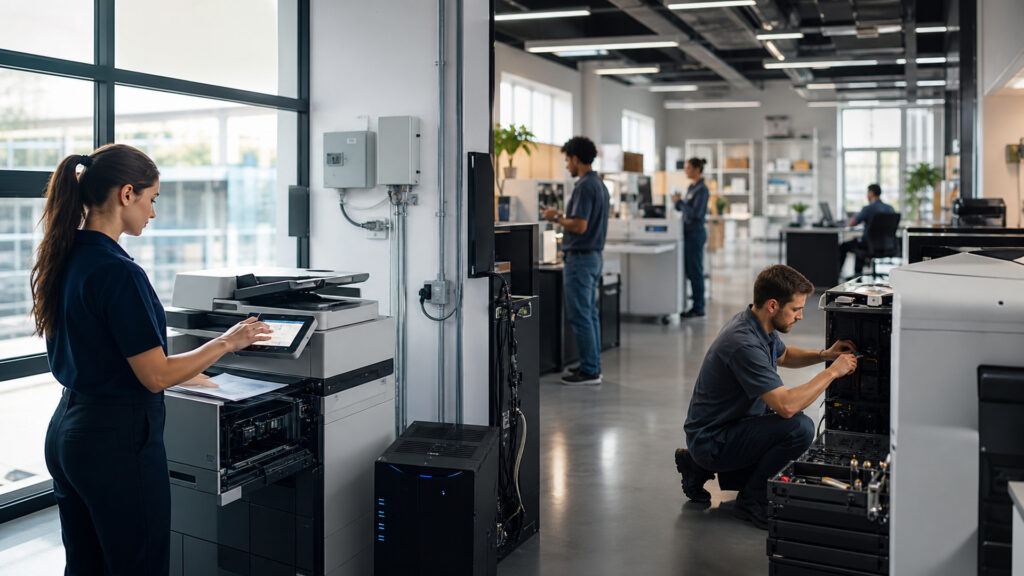
Editorial business scene illustrating business equipment
What You'll Learn

From Work Input to Verified Business Output

Most equipment can be understood through its energy, material, control, information, operator, and maintenance paths even when the specific mechanism differs.

  • How equipment transforms inputs into outputs
  • What controllers, sensors, and actuators do
  • Why user and network interfaces matter
  • How consumables and environment affect results
  • Why rated speed differs from sustained throughput
  • How safety and exception states interrupt operation
  • What maintenance and asset records preserve capability

Tip: Map one job through preparation, loading, command, sensing, actuation, output verification, unloading, data recording, and exception recovery; the slowest constrained step defines practical throughput.

Definitions

Key Concepts That Define Business Equipment

These concepts describe the common physical and digital elements used to control equipment and evaluate its real operating capacity.

Actuator

A component that converts electrical, pneumatic, hydraulic, or other energy into controlled physical action.

  • Motion: moves, clamps, feeds, cuts, or positions
  • Command: follows controller output
  • Feedback: may report position, load, or completion

Sensor

A component that measures presence, position, identity, temperature, pressure, speed, or another operating condition.

  • Detection: observes the process
  • Signal: sends state to the controller
  • Protection: supports validation and interlocks

Controller

The hardware and software that evaluates inputs and sequences equipment actions under programmed logic.

  • State: tracks current operating condition
  • Logic: selects permitted next actions
  • Fault: stops or modifies unsafe or invalid operation

Duty Cycle

The amount and pattern of operation equipment can sustain within thermal, mechanical, supply, and service limits.

  • Load: describes jobs over time
  • Recovery: allows cooling or replenishment
  • Life: influences wear and service intervals

Consumable

A replaceable material used or depleted during operation, such as toner, labels, blades, filters, batteries, or packaging.

  • Specification: must match equipment requirements
  • Yield: affects available work capacity
  • Quality: influences errors and output consistency

Interlock

A control that prevents or interrupts operation unless defined safety or process conditions are satisfied.

  • Condition: verifies guard, cover, position, or state
  • Stop: blocks hazardous or damaging action
  • Reset: requires a defined recovery sequence

Tip: A device's output specification is meaningful only when the input quality, supplies, environment, operator steps, network services, and downstream handling match the test conditions.

Energy and Work Path

How Equipment Converts Resources Into Action

Power supplies, motors, heaters, pumps, optics, radio modules, or processors create the action needed for a job. Materials and information follow their own path through feeders, guides, scanning zones, tooling, or data buffers.

  • Confirm voltage, grounding, ventilation, and load requirements
  • Use specified materials and consumables
  • Keep feed paths aligned and unobstructed
  • Separate startup demand from steady operation
  • Account for heat, noise, dust, and waste

Understanding both the energy path and the work path explains why an apparently powered device may still be unable to produce valid output.

Control and Sensing

How the Machine Sequences a Job

The controller reads operator commands, job data, and sensor signals, then directs actuators in a permitted order. It checks conditions such as material presence, cover position, temperature, identity, and completion.

  • Validate inputs before starting motion or processing
  • Use feedback to confirm each critical state
  • Stop safely when conditions leave permitted limits
  • Present fault codes with recovery guidance
  • Record counters and events needed for diagnosis

Controlled sequencing turns raw power into repeatable work and prevents later steps from running on missing or unsafe conditions.

Interfaces and Workflow

How Equipment Joins the Business Process

Operators load and clear work through physical controls, while software, networks, drivers, or management platforms submit jobs and collect status. Permissions may determine who can print, scan, open, dispense, or change settings.

  • Define accepted job formats and upstream validation
  • Use named users or devices where accountability matters
  • Integrate status without hiding local fault conditions
  • Protect administrative and remote-management access
  • Route completed output to a named downstream owner

Equipment creates value only when its job state, output, and exceptions are visible to the process around it.

Capacity and Exceptions

Why Nameplate Speed Is Not Workflow Throughput

Setup, loading, warm-up, batch size, jams, calibration, consumable changes, operator availability, and downstream congestion reduce sustainable output. Repeated overload accelerates wear and increases faults.

  • Measure complete cycle time rather than peak component speed
  • Match batch size to setup and queue behavior
  • Track causes and duration of stoppages
  • Provide buffers without losing item identity
  • Plan redundancy for critical single points of failure

Capacity planning must follow the entire job cycle and recovery pattern, not a laboratory maximum quoted for one stage.

Maintenance and Lifecycle

How Equipment Retains Safe, Repeatable Capability

Inspection, cleaning, calibration, lubrication, wear-part replacement, firmware control, and service records keep output within expected limits. Asset governance also covers assignment, warranty, security, disposal, and replacement planning.

  • Use condition, counter, or calendar-based maintenance
  • Lock out hazardous energy during authorized service
  • Keep approved parts, supplies, and firmware versions
  • Record faults, repairs, downtime, and recurring causes
  • Sanitize stored data before reassignment or disposal

Maintenance is part of production capacity: neglected service converts predictable work into outages, quality defects, safety exposure, and emergency cost.

Quick Reality Check

Equipment Is a Work System, Not an Isolated Purchase

Practical performance depends on the surrounding people, facilities, supplies, data, maintenance, and process handoffs.

What Well-Matched Equipment Provides

It performs a defined transformation repeatedly within known quality, safety, capacity, and operating limits.

Instrumented status and maintenance records also make exceptions and lifecycle costs easier to manage.

What Specifications Leave Out

Peak speed rarely includes setup, loading, jams, inspections, consumable changes, user delays, or downstream bottlenecks.

Connectivity does not guarantee workflow integration, secure administration, or useful exception ownership.

Common Myths

Misconceptions About Business Equipment

These assumptions ignore the control, environment, and workflow conditions behind equipment performance.

Rated speed equals real business throughput

Published speed usually measures a defined device stage under specified conditions. Practical throughput also includes setup, loading, warm-up, validation, errors, consumable changes, unloading, handoffs, and the capacity of upstream and downstream work.

Connected equipment manages itself

Network access can submit jobs, report status, and support diagnostics, but people still govern permissions, supplies, calibration, maintenance, physical safety, exception recovery, firmware, stored data, and responsibility for completed output.

Preventive maintenance is only a repair expense

Scheduled cleaning, inspection, calibration, and wear-part replacement preserve output quality and predictable capacity. Deferring them can create repeated stoppages, collateral component damage, emergency service, wasted materials, safety risk, and shortened asset life.

The newest equipment is automatically the best fit

Newer models may add capability but can also require different supplies, training, network services, space, power, integrations, and support contracts. Fit depends on the actual job profile and surrounding operating system.

Tip: Evaluate equipment with complete job-cycle data, error causes, service history, supply requirements, operator steps, and downstream capacity—not a single maximum-speed figure.

FAQ

Frequently Asked Questions About Business Equipment

These questions explain how to connect device mechanics with operating capacity, maintenance, and business workflow.

What are the basic parts of business equipment?

Most devices combine a power source, controller, sensors, actuators or processing elements, a work path, operator controls, safety mechanisms, and an output interface. Many also depend on consumables, networks, software, and storage.

Why does equipment slow down under heavy use?

Sustained load can expose feeding limits, queue delays, thermal recovery, processing bottlenecks, consumable changes, operator constraints, or maintenance needs. Duty-cycle guidance describes the workload pattern the device is designed to tolerate.

How should equipment capacity be measured?

Measure completed acceptable jobs per relevant period, including setup, loading, errors, recovery, inspection, and unloading. Record queue time and bottleneck utilization separately so device speed is not confused with end-to-end workflow throughput.

What data should equipment maintenance records contain?

Record asset identity, location, meter or condition readings, faults, downtime, service actions, parts, consumables, firmware, technician, safety checks, recurring causes, cost, and the date or condition triggering the next intervention.

How does equipment connect to business software?

Drivers, APIs, network protocols, device-management platforms, or exported files can carry jobs, identity, configuration, counts, and status. Integrations need authentication, supported formats, error handling, time synchronization, and clear record ownership.

When should business equipment be replaced?

Consider safety, support status, failure frequency, output quality, capacity, downtime, supplies availability, security, compatibility, energy use, repair cost, and migration impact. Compare replacement with repair, redundancy, workflow redesign, or managed service options.

Bottom Line

Business equipment works by combining energy, mechanics or processing, sensors, controls, interfaces, supplies, operators, and maintenance to transform defined inputs into verified outputs.

Real performance belongs to the complete work system. Duty cycle, exception recovery, safety, connectivity, downstream capacity, serviceability, and lifecycle governance determine whether specifications become dependable business capability.

Next Steps

Continue Into Office Workflows and Operating Capacity

These explainers apply the equipment model to recurring office work and connect physical capacity, queueing, and exceptions to broader workflow and scalability decisions.