
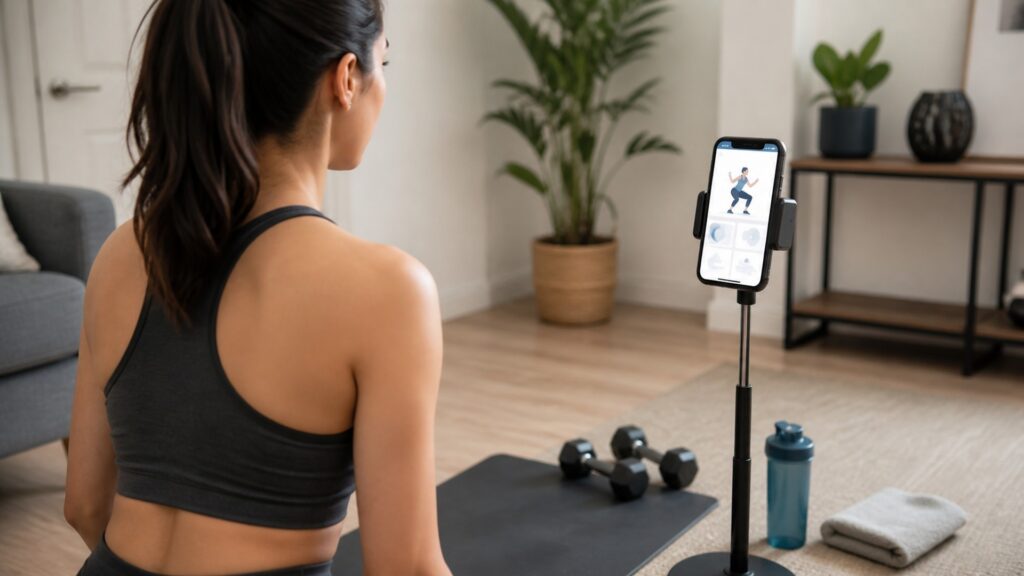
How Fitness Training Apps Work

Fitness training apps work by turning workout planning, instruction, tracking, and reminders into a guided software flow. The app cannot do the workout for you, but it can reduce the number of decisions between opening your phone and completing a useful session.

A good training app connects four jobs: it learns enough about your goal, gives you an appropriate plan, shows you what to do, and records enough progress to make the next workout easier to choose.

By: Review Streets Research Lab
Updated: September 21, 2026
Explainer · 8-12 min read
fitness training apps explainer hero image for Review Streets
What You'll Learn

How Fitness Training Apps Guide A Workout

A clear look at how training apps move from setup to workout instructions, logging, and the next session.

  • How onboarding shapes the first plan
  • Why exercise libraries need filters and substitutions
  • Where demos, timers, and cues help during the session
  • How logging turns one workout into usable history
  • Why reminders help only when they support a realistic routine
  • What separates a useful app from a crowded content library

Tip: Follow the app from setup to the next workout. The best apps make each step easier without burying the user in options.

Definitions

Key Concepts That Explain Fitness Training Apps

These concepts show how an app turns fitness content into a usable training flow.

Profile Setup

Profile setup is the information the app uses to understand goals, level, schedule, equipment, and training preferences.

  • Example: choosing beginner strength workouts with dumbbells three days per week
  • Check: look for setup questions that affect the plan
  • Limit: setup is weak if every user receives nearly the same workouts

Program Structure

Program structure is how workouts are arranged across days or weeks so training has a clear direction.

  • Example: a four-week plan that alternates strength sessions and recovery days
  • Check: confirm the app explains what comes next
  • Limit: a list of workouts is not the same as a plan

Exercise Instruction

Exercise instruction is how the app shows the movement, setup, tempo, and common form cues.

  • Example: a video demo with written notes for a split squat
  • Check: review whether the cue is clear before the set starts
  • Limit: instruction cannot fully replace qualified coaching for complex needs

Workout Logging

Workout logging records what happened so the app or user can make a better decision later.

  • Example: saving sets, reps, weight, duration, or completion
  • Check: test whether logging is quick during a real workout
  • Limit: tracking too much can become a chore

Progress Feedback

Progress feedback turns workout history into charts, suggestions, streaks, or next-step recommendations.

  • Example: showing that weekly training volume increased gradually
  • Check: look for feedback that changes future choices
  • Limit: more data is not useful unless it guides action

Adherence Support

Adherence support helps users return to the next workout through reminders, scheduling, and recovery from missed sessions.

  • Example: rescheduling a missed session without restarting the plan
  • Check: see how the app handles a skipped day
  • Limit: generic notifications can become easy to ignore

Tip: A strong app should make the next workout clearer, not simply display more fitness content.

Setup

The App Starts By Narrowing The Choices

Most training apps begin with onboarding because the app needs to know what kind of workout can realistically fit. Goal, experience, equipment, available time, and training days all shape the first recommendation.

  • Useful setup asks questions that change the plan.
  • Equipment filters prevent unrealistic workouts.
  • Time and frequency settings keep the plan from becoming too ambitious.

Good onboarding should feel practical, not like a quiz with no visible effect.

Planning

The Plan Turns Goals Into Sessions

After setup, the app translates the goal into workouts. The strongest apps organize sessions across a week or program instead of leaving users to choose randomly from a large library.

  • A plan should explain today's workout and the next one.
  • Progression should be visible enough to understand.
  • Rest days and lighter sessions are part of useful planning.

The plan is where a training app becomes more than a searchable video collection.

During The Workout

The App Acts Like A Checklist And Coach

During a session, the app needs to be easy to use while the user is moving. Demos, timers, set lists, substitutions, and quick logging matter more in the workout than decorative features.

  • Movement demos should answer setup questions quickly.
  • Timers and rest cues should be easy to follow.
  • Logging should not interrupt the workout flow.

A useful app keeps the session moving without making the phone the hardest part of training.

After The Workout

The Log Shapes The Next Decision

Once the workout is complete, the record should help the user understand what happened and what to do next. Completion history, effort, load, duration, and missed sessions can all inform the next recommendation.

  • The app should make progress easy to review.
  • Next-session guidance should reflect what was completed.
  • Missed workouts should be recoverable without confusion.

The point of logging is not the record itself. It is a better next step.

Practical Check

The Best App Is The One You Can Use Repeatedly

Fitness apps succeed when the whole flow is easy to repeat. A polished app can still fail if setup is confusing, workouts do not fit available equipment, or tracking feels like extra work.

  • Test the first full week before judging the app.
  • Check substitutions for equipment you do not have.
  • Watch for reminders that help rather than nag.

A training app works when it turns intention into repeatable sessions with less friction.

Quick Reality Check

Where Fitness Training Apps Help And Where They Fall Short

Apps can organize training well, but they still have limits.

Where Apps Help

They make workout planning, instruction, and logging easier to manage.

They can adapt to different equipment, schedules, and training locations.

Where Apps Fall Short

They cannot fully watch form or replace hands-on coaching.

They become less useful when recommendations are generic or logging is too slow.

Common Myths

Misconceptions About How Fitness Training Apps Work

A good app is not just a video library with reminders.

More workouts always make the app better

A smaller library with better structure can be more useful than hundreds of disconnected sessions.

Personalized means fully adaptive

Some apps use onboarding answers once and do not meaningfully adjust when the user misses sessions or improves.

Wearables are required

Wearables can add useful data, but many apps work well with manual logging and clear programs.

An app can replace every kind of coaching

Apps can guide many workouts, but complex movement issues, pain, or medical needs may require qualified human support.

Tip: Judge the app by whether it improves the next workout, not by how many features it lists.

FAQ

Frequently Asked Questions About Fitness Training Apps

Short answers about setup, personalization, tracking, and real-world use.

Do fitness training apps create personalized workouts?

Some do, but personalization varies. Basic apps filter workouts by goal or equipment. Stronger apps adjust future sessions based on completion, progress, and feedback.

Can a fitness training app help beginners?

Yes, if it explains movements clearly, starts with appropriate volume, and offers substitutions when equipment or skill level does not match the workout.

Do fitness apps work without wearable devices?

Yes. Wearables can add heart rate or activity data, but many strength, mobility, and general fitness apps work with manual logging.

What should I test before paying?

Try the first week, log a real workout, check exercise substitutions, and see whether the app makes the next session clear.

What is the practical takeaway?

A good fitness app turns goals into repeatable sessions and makes the next workout easier to start.

Bottom Line

Fitness training apps work best when they connect planning, instruction, logging, and next-step guidance.

The strongest apps reduce workout decisions without hiding the practical details that make a plan usable.

Next Steps

Go Deeper or Compare Your Options

Use these Review Streets paths to compare related categories and practical next decisions.

Quick Summary

Fitness Apps Explained

  • Apps begin with goals, equipment, schedule, and experience.
  • Good plans organize sessions instead of offering random workouts.
  • Demos, timers, substitutions, and quick logging shape the workout itself.
  • Progress feedback matters only when it helps choose the next session.