What Makes Mobile Payment Platforms Different from Freelancer Accounting Software

Mobile payment platforms help a freelancer collect money during a customer interaction. Freelancer accounting software helps explain the business behind that payment: which client owes money, which expenses belong to a project, and how income and costs affect the books. The distinction is the work each product centers on, not whether the owner works alone.

There is real overlap. Accounting products may offer payment links, card acceptance, and mobile features, while payment platforms may include invoices and sales reports. A freelance photographer taking payment at an event and a consultant billing a monthly project can therefore need different tools, even at the same revenue level. Compare the complete process from customer payment to finished records rather than treating the two categories as automatic substitutes.

By: Review Streets Research Lab
Updated: September 25, 2026
Explainer · 8-12 min read
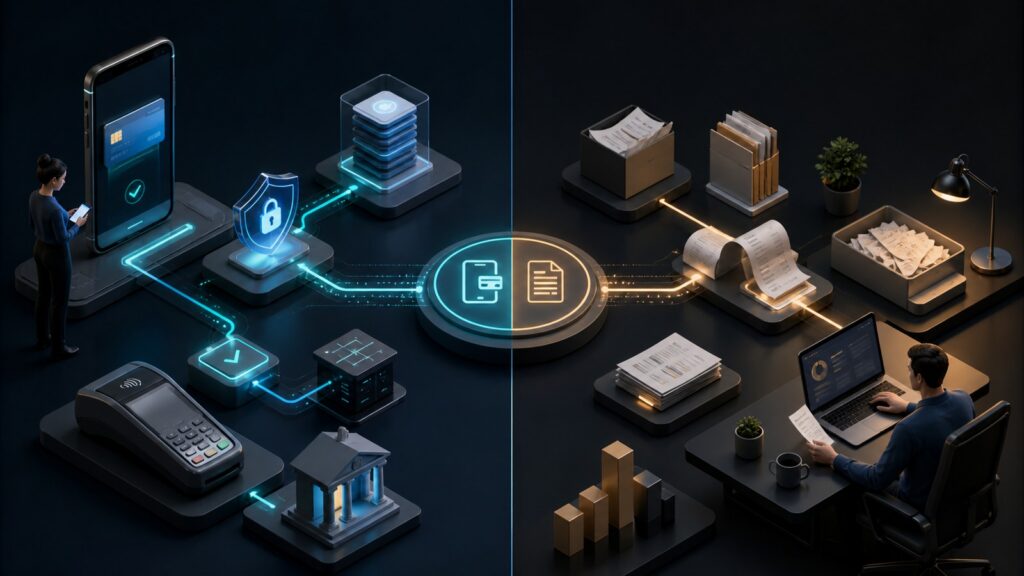
Editorial business scene illustrating mobile payment platforms and freelancer accounting software
What You'll Learn

Compare Getting Paid with Keeping the Books

A useful comparison starts with what happens during a sale and what the business still needs to do afterward.

  • Identify whether the main problem is immediate payment collection or incomplete financial records.
  • Distinguish payment approval, a receipt, and an accounting entry.
  • Understand where invoice and mobile features overlap between products.
  • Compare an event-based freelancer with a project-based professional.
  • Follow fees, refunds, and deposits into the books without double counting.
  • Decide when one integrated product is enough and when two connected tools help.

Tip:List your last five customer payments. Note how each was collected and how much work it took to record the sale, fee, and deposit.

Definitions

Six Terms Behind the Payment and Accounting Comparison

These terms separate collecting money from documenting the business activity that produced it.

Mobile Payment Acceptance

Mobile payment acceptance lets a business collect a supported payment through a phone, tablet, reader, or mobile checkout.

  • Purpose: It supports the interaction in which the customer chooses a method and pays.
  • Example: A photographer accepts a card payment at an event using supported equipment.
  • Limit: Accepting the payment does not automatically organize all business expenses.

Freelancer Accounting

Freelancer accounting software organizes financial records for an independent business, with capabilities that vary by product.

  • Purpose: It helps track income, expenses, invoices, and related reports.
  • Example: A designer records client invoices and categorizes software subscription expenses.
  • Limit: Some freelancer-focused tools provide basic records rather than a complete accounting system.

Invoice

An invoice records a request for payment for specified goods or services.

  • Purpose: It tells the client what is owed and on what terms.
  • Example: A consultant sends an invoice for a completed project milestone.
  • Limit: Sending an invoice does not mean the client has paid it.

Payment Receipt

A payment receipt records the payment reported by the collection service.

  • Purpose: It gives the customer a reference for the transaction.
  • Example: A mobile checkout emails a receipt after a successful sale.
  • Limit: A receipt alone does not explain business profit or all later adjustments.

Payment Processing Fee

A payment processing fee is a charge associated with accepting or handling a payment under the provider’s terms.

  • Purpose: Recording it separately explains why the deposit can be less than the sale.
  • Example: A hypothetical $200 payment with a $6 fee produces $194 before other adjustments.
  • Limit: Actual fees vary, and the example is not a provider quote.

Bank Reconciliation

Bank reconciliation checks that recorded transactions and bank activity agree, with differences investigated.

  • Purpose: It helps establish that the books reflect the money entering and leaving the business.
  • Example: A freelancer matches a provider payout with the sales and fees it contains.
  • Limit: A bank feed imports activity but does not guarantee that every entry is categorized correctly.

Tip:Ask what evidence a screen provides. An invoice balance, payment status, and bank deposit each describe a different part of the transaction.

Customer Interaction

Start with How Your Clients Actually Pay

A market vendor, mobile stylist, or event photographer may need to accept payment while the customer is present. A writer delivering a monthly project may need to send an invoice and follow up later. Both are freelancers, but the first problem centers on checkout and the second on billing and recordkeeping.

  • Identify whether customers usually pay in person, through a link, or against an invoice.
  • Check whether you need supported card readers or phone-based acceptance.
  • Consider deposits, partial payments, and payment after delivery.
  • Test the customer’s actual steps rather than relying on a feature list.

A photographer selling prints at an event needs a quick payment result and a receipt. The same photographer may invoice a corporate client for a separate shoot, so one business can have both patterns.

Payment Mechanics

Collecting Money Is Different from Marking an Invoice Paid

A payment service handles the attempt to collect money and reports its result. An accounting entry records the business interpretation of that result. Manually marking an invoice as paid cannot authorize a customer’s card or guarantee that a bank deposit will arrive.

  • Use the collection service’s result to establish payment status.
  • Retain a reference that connects the payment to its invoice or sale.
  • Check how failed attempts, refunds, and charge disputes are displayed.
  • Keep pending results distinct from completed payments.

Some accounting products include an integrated payment service that performs these steps. In that case, evaluate the combined offering rather than assuming an accounting label means that payment collection is missing.

Business Records

A Sales Dashboard Does Not Show the Whole Freelance Business

Payment reports can summarize transactions processed by that service. A freelancer’s financial picture may also include travel costs, equipment purchases, software subscriptions, unpaid invoices, and income collected elsewhere. Those records need a consistent home even if checkout is already running smoothly.

  • Check whether income from every payment channel can be included.
  • Review expense categories and receipt attachment capabilities.
  • Confirm the reports needed for routine bookkeeping and accountant collaboration.
  • Separate business records from personal spending where applicable.

A designer might collect $2,000 through a payment link while paying project expenses from a business bank account. The payment report describes collection; it cannot establish the project’s net result without the relevant costs.

Connected Records

Link the Sale, Fee, and Deposit Without Counting Income Twice

Using both products works well when the handoff is clear. A payment integration may create a sale in the accounting software before the bank feed imports the payout. If the imported deposit is recorded as another sale, the business can overstate income even though each tool appears to be working.

  • Choose which system creates the invoice or original sale record.
  • Check whether the connection transfers fees and refunds as well as gross payments.
  • Match the bank deposit with the existing records instead of automatically adding new income.
  • Inspect a real example of a payout containing several transactions.

For the hypothetical $200 sale with a $6 fee, the records should explain both the $200 sale and the $194 deposit. The appropriate bookkeeping entries depend on the business’s setup, but the deposit should not become an unexplained second sale.

Practical Fit

Choose the Smallest Setup That Completes the Job

One product may be enough if its payment features suit customers and its recordkeeping meets the business’s needs. A separate payment platform becomes useful when its acceptance methods, device support, or service tools solve a concrete problem that the accounting product leaves open.

  • Compare the full cost, including subscriptions, processing, hardware, and manual work.
  • Check the availability of features in your country and service plan.
  • Test a refund and the resulting accounting record before committing.
  • Confirm that records can be exported if the business changes tools.

A consultant paid through a few monthly invoices may gain little from separate point-of-sale hardware. An event-based freelancer may gladly use a dedicated payment tool while keeping accounting software for the books.

Quick Reality Check

Two Different Centers of Gravity

The categories overlap, but their strengths usually answer different daily questions.

Mobile Payment Platform

Its main value is helping customers complete a payment and helping the merchant handle the transaction afterward.

It is especially relevant when the place, method, or speed of acceptance creates friction.

Freelancer Accounting Software

Its main value is organizing the business’s income, costs, receivables, and financial records.

An integrated payment service may cover collection too, so verify the actual product rather than assuming a separate tool is necessary.

Common Myths

Misconceptions About Payments and Freelance Accounting

Avoid choosing software from the category name alone.

Freelancers only need freelancer accounting software

Working alone does not remove the need for suitable payment acceptance. A solo operator serving customers in person may still need a capable mobile checkout.

Accounting software cannot take payments

Some accounting offerings include or connect to payment services. Compare supported methods, devices, costs, and customer experience in the actual plan.

A payment report is a complete set of books

It usually covers activity processed through that service. Expenses, unpaid invoices, and other income may need separate records to describe the business accurately.

Connecting the products eliminates all bookkeeping checks

Connections can reduce data entry, but mappings, refunds, and bank matching still need review. A successful transfer can carry a duplicate or incorrectly categorized record.

Tip:Evaluate one complete customer payment, including its fee and bank deposit, rather than only the checkout or invoice screen.

FAQ

Frequently Asked Questions About These Two Tool Categories

Answers for freelancers deciding how payment collection and bookkeeping should fit together.

Can one product cover both jobs?

Yes, if its payment service supports how your customers pay and its financial records meet your needs. Test the actual combination, including fees, refunds, and reports, instead of assuming that a longer feature list guarantees a better fit.

Which should I prioritize if I am starting out?

Identify the immediate gap. If customers cannot pay conveniently, address acceptance. If you already collect money but cannot explain income, costs, or unpaid invoices, improve the records. Many businesses need a modest solution for both from the start.

Do mobile payments always require a card reader?

No. Options can include payment links, in-app checkout, and supported phone-based acceptance as well as readers. Availability depends on provider, device, payment method, and location.

Will freelancer accounting software handle every tax task?

Do not assume so. Features and coverage vary by product and jurisdiction, and organized records are not the same as a completed filing. Check the reports and exports needed for your particular business.

What is the most useful integration test?

Process a test sale, issue a partial refund, and trace both into the accounting records and payout. Confirm that gross income, fees, refunds, and the bank deposit are represented once and can be explained.

Bottom Line

Mobile payment platforms center on collecting money; freelancer accounting software centers on understanding and recording the business.

Choose by the customer payment process and the records you need afterward. When one product cannot do both well, connect the tools and verify the handoff.

Next Steps

Compare a Real Client Payment from Start to Finish

Use one typical transaction to compare customer effort, payment handling, and bookkeeping work. Include a refund or fee so the test reflects more than the easiest sale.