
Softphone
A software client that provides calling functions through a general-purpose computer or mobile device.
- Host: supplies processing and display
- Client: registers with call control
- Peripheral: captures and plays audio
Softphones and desk phones are endpoints for the same calling system, but they place the user interface and audio chain in different environments. A softphone is an application running on a computer, tablet, or mobile device. A desk phone is dedicated hardware with its own processor, handset, speaker, controls, and network connection.
That structural difference changes daily behavior. Softphones follow users and integrate with directories, messaging, and screen workflows, but inherit the host device's operating system, audio peripherals, battery, notifications, security, and network state. Desk phones provide persistent physical controls, predictable acoustics, and often Power over Ethernet, but remain tied to a location and separate device lifecycle. Many businesses use both because roles and failure needs differ.
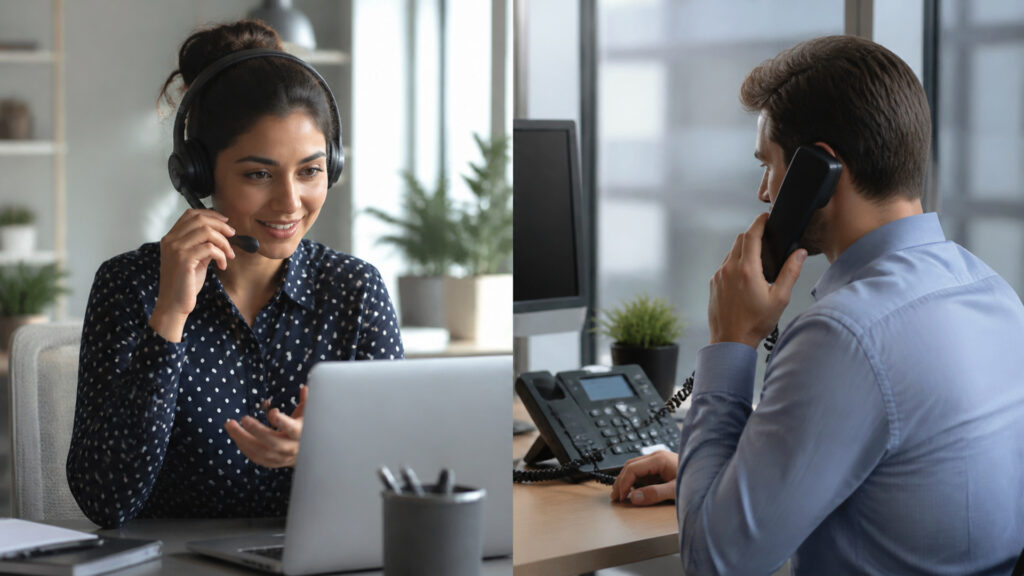
Compare capture, controls, identity, mobility, power, network paths, security, management, location, and role fit.
Tip: Test the same call on representative devices, headsets, networks, user accounts, locations, and failure states; compare setup, audio, controls, recovery, emergency data, and support evidence.
These terms identify the software, hardware, identity, power, and location mechanisms that distinguish calling endpoints.
A software client that provides calling functions through a general-purpose computer or mobile device.
A dedicated endpoint designed primarily for voice calling at a fixed or assigned location.
The microphone, speaker, handset, or headset converting sound between acoustic and digital form.
The authenticated association of an endpoint with call control and an authorized identity.
Delivery of electrical power and data to a compatible endpoint over Ethernet cabling.
Dispatchable location information associated with a calling identity, endpoint, network, or user.
Tip: A user number can ring both endpoint types, so evaluate the complete local path: device, microphone, speaker, operating system or firmware, power, access network, registration, and location data.
Softphones share CPU, memory, display, operating system, network adapters, and audio drivers with other applications. Desk phones package those functions in managed, purpose-built hardware.
The form factor changes how many unrelated software and hardware layers can disturb a call.
Softphones connect calls with calendars, messages, customer records, links, and mobile work. Desk phones offer tactile answer, hold, transfer, line keys, speakerphone, and handset behavior without foregrounding an application.
Softphones reduce context switching for screen-based roles; physical phones reduce interface friction for repeated or shared calling.
A laptop softphone may survive office power on battery and move to mobile data, while a PoE desk phone can remain powered through a protected switch. Either can lose DNS, call control, Wi-Fi, LAN, internet, or credentials.
Endpoint diversity can improve continuity only when alternate power, access, and registration paths are genuinely independent.
Softphones inherit host patching, malware, local storage, browser, application permissions, and device-management controls. Desk phones need secure firmware, web interfaces, provisioning, certificates, ports, and physical protection.
Neither endpoint is automatically safer; security follows identity, host control, provisioning, update speed, physical access, and evidence.
Mobile staff and computer-centered roles often benefit from softphones. Reception, shared areas, frequent callers, emergency stations, and users needing persistent tactile controls may justify desk phones.
A mixed endpoint strategy is coherent when each form solves a defined workflow or continuity need.
Both forms can share identities, codecs, routing, carriers, and features while presenting different local dependencies.
They follow authenticated users, integrate screen workflows, and reduce separate hardware for mobile or hybrid work.
They can shift among approved networks and devices.
Dedicated acoustics, tactile controls, stable placement, and centrally protected PoE paths support frequent, shared, or critical calling.
They add hardware, cabling, provisioning, and lifecycle work.
These claims confuse endpoint form with cost, quality, mobility, or technology generation.
The application may be included, but calling still requires platform licenses, numbers, carrier service, internet, networks, devices, headsets, security, support, emergency configuration, and operations. Endpoint software removes neither service nor lifecycle cost.
Purpose-built acoustics can be predictable, yet a certified headset and controlled computer can sound excellent. Room noise, microphone placement, codec, network timing, echo, hardware quality, and user behavior determine the result.
Remote use depends on authorized identity, supported device, network reachability, local regulation, emergency location, security policy, firewall behavior, bandwidth, latency, and suitable audio. Mobility is an engineered capability, not universal access.
Modern desk phones commonly use SIP, encrypted media, directories, presence, programmable keys, APIs, and centralized provisioning. Dedicated hardware remains appropriate where tactile workflow, fixed location, shared use, or protected power matters.
Tip: Compare one role across both endpoints using the same call path; isolate device, audio, power, network, identity, security, location, and workflow effects.
These questions clarify numbers, headsets, remote use, power, management, and endpoint selection.
Yes, many systems associate several registered endpoints with one user or number. Ringing policy, simultaneous sessions, presence, voicemail, emergency identity, licensing, and call handoff behavior depend on the selected platform.
Not strictly, because built-in microphones and speakers may work. A suitable headset usually improves capture consistency, privacy, echo control, comfort, and noise isolation for sustained business calling. Test certified devices with representative users.
The client may stop maintaining registration or receiving calls, while mobile push services or forwarding can provide alternate notification. Behavior varies by operating system, power settings, client design, platform, and network reconnection.
PoE phones can use centralized switch power backed by batteries or generators. Phones with local adapters need protected outlets. The switch, router, firewall, internet, controller, and carrier path must also remain available.
Softphones can use existing endpoint management but inherit diverse operating systems and peripherals. Desk phones offer a narrower firmware estate but add dedicated inventory and provisioning. Ease depends on standards, automation, scale, and support capability.
Softphones place voice inside a general-purpose device and user software session; desk phones dedicate hardware, controls, acoustics, network connection, and often power to calling. That changes mobility, interaction, management, security, and failure behavior.
Choose by role and path rather than fashion. Screen-centered mobility favors software, persistent high-volume or shared calling can favor hardware, and a tested mixture can provide both workflow fit and meaningful endpoint diversity.
These explainers show the phone system both endpoints join, the VoIP transport beneath them, and the failure paths that determine dependable service.
Trace call control, signaling, media, routing, carriers, records, and continuity.
Understand codecs, packets, delay, jitter, loss, QoS, and edge traversal.
Map voice dependencies, failure domains, degraded modes, monitoring, and recovery.
Choose a retailer
Prices checked regularly. We may earn a commission at no cost to you.