When to Use Remote Employee Time Tracking Software Instead of Enterprise Accounting Software

Use a remote time tracker with background capture if your team needs a record of when work computers were in use without a manual start and the current setup falls short. If project hours are enough, use NetSuite when the team already has access to project time entry.

By: Review Streets Research Lab
Updated: November 27, 2026
Explainer · 7–9 min read
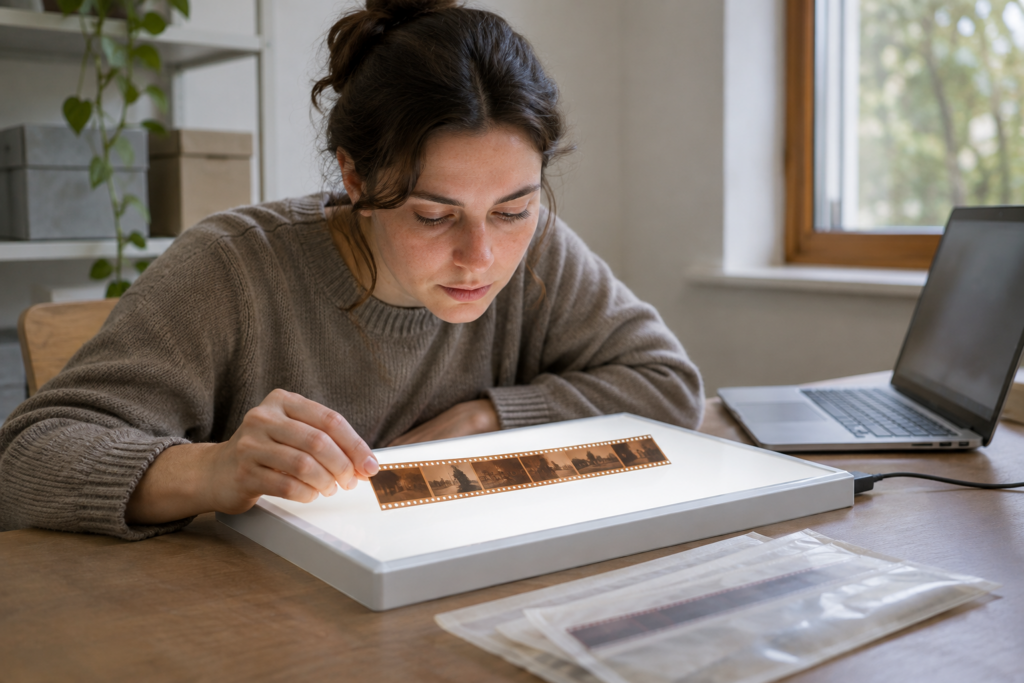
An archive technician examines a strip of photographic negatives on a light pad beside an open laptop.
What you’ll learn

Two ways to record time

The requirement could be a timeline or an entered duration.

  • Recognize why a phone timer log is separate from a posted entry.
  • Know what triggers Time Doctor’s Automatic app.
  • Tell launch at sign-in from the setting that starts tracking.
  • Identify NetSuite’s weekly project form.
  • Recognize when a built-in stopwatch covers the job.
  • Tell daily Interactive auto-start from background capture.
  • Find the boundary for task coding.

Tip: Decide whether a stopwatch you already use gives you the amount you need.

Key definitions

Time-tracking terms

Start with the difference between a timer log and a posted entry.

Background capture

Time Doctor’s Automatic app starts capture without a timer click.

  • Device: The computer must be on and the app running.
  • Timer display: The operator sees no on-screen stopwatch.
  • Pause control: The operator has no pause button in this mode.

Automatic Tracking Times

Time Doctor’s option for setting an Automatic schedule.

  • Who can set it: Owners or admins in Automatic Only or Mixed accounts.
  • Which clock: The company’s time zone determines the window.
  • In the report: Activity outside the chosen window is absent from reports.

Computer Time

The Timeline’s label for desktop-recorded use.

  • Other entries: Mobile and manually added time have separate categories.
  • Views: Open one day or a week’s daily summary.
  • Blank stretch: The interval has no recorded time.

Project time entry

A NetSuite record linked to a project.

  • Access: Requires Time Tracking and the appropriate role.
  • Task detail: Requires Project Management for task selection.
  • Saved record: Saving updates the project’s time data.

Duration

The elapsed or reported amount on a NetSuite entry.

  • Direct entry: Type a duration you already know.
  • Stopwatch: Submit elapsed time from the timer.
  • Calculator: Calculate from known times, with an optional break.

Interactive desktop app

The Time Doctor mode with visible timer controls.

  • Project and task: With the feature enabled, the operator can choose both.
  • General tracking: No-Task Mode skips that selection.
  • Launch at sign-in: This setting opens the app itself.

Tip: A timer can supply Duration without typing the amount.

Workstation capture

When you need the intervals

An approved requirement for specific computer-use intervals calls for more detail than a daily total.

  • Time Doctor Automatic begins without a timer click.
  • The eligible computer must be on and the app running.
  • Owners or admins in Automatic Only or Mixed accounts can set the days and hours. Reports omit activity outside the window.
  • In the Timeline’s day view, look for the desktop-recorded blocks.
  • Read a gap as missing recorded time. The gap alone cannot explain the interruption.

First-to-last time can include gaps between sessions.

Project hours

Where NetSuite puts the time

When NetSuite Time Tracking is enabled, people with the appropriate role can record the hours they worked.

  • With Project Management enabled, the task field can tie time to a project task. Options depend on enabled features.
  • Type a known duration or calculate it from a start and finish.
  • Record one session or a week of project time.

The project record keeps the saved time data.

Tracking modes

What needs to start automatically

Time Doctor offers two ways to start tracking without a deliberate timer click.

  • If the account and location permit Automatic, it can cover an approved need for background capture.
  • With Interactive daily auto-start enabled, tracking begins at first computer use after 5 a.m. local time if the user is signed in.
  • Interactive lets the operator pause. Automatic has no operator pause control.

For a missed morning start alone, the Interactive setting may already meet the need.

Existing tools

When NetSuite already does the job

NetSuite can record time even if a team already uses another way to establish the duration.

  • Use the weekly form for known project hours.
  • If a manual start fits the job, submit the browser Timer’s result to fill the duration.
  • NetSuite’s mobile stopwatch also starts on request. It saves a timer log that can be turned into a time entry.

When those time entries meet the requirement, there’s no need to change the capture step.

Task coding

Workstation intervals and project hours

A project entry identifies the work the hours belong to.

  • Time Doctor Interactive can time a selected task when projects and tasks are enabled. NetSuite can link an entry to an available task with Project Management enabled.
  • Automatic lacks Time Doctor’s project and task tracking feature.
  • For NetSuite time-and-materials billing, the time entry needs a billable designation and approval.

Keep the NetSuite entry when the hours still need a project assignment.

Reality check

One digitization team, two requirements

In both fictional examples, the same U.S. team reviews digitized negatives on work-only computers. Consent and all tracking, staffing and accounting decisions are already settled. The crew already records project time in NetSuite.

Fictional example with workstation intervals

The crew has an approved image-review window and needs to know when the workstations were in use during it. Its current workflow has no source for those intervals. With the app running on eligible workstations during that window, Automatic can record Computer Time without a timer start. The record identifies neither tasks nor scanner runtime.

Each block places recorded use in time. A reviewer might work on negatives from two collections in that stretch. The crew still needs to divide the hours between those collections. Automatic leaves that project assignment open.

Fictional example with collection totals

Now suppose the crew only needs a weekly total for each collection and already has reliable hours to enter. NetSuite’s weekly form can hold those hours.

In this version, every needed amount already has a collection attached. The team stays with NetSuite because those entries give it the requested amounts.

Common myths

Assumptions that change the choice

Time Doctor’s Automatic schedule and Interactive daily start use different settings.

Do NetSuite hours always have to be typed?

The browser Timer can pass elapsed time to the time entry when you submit the timing.

Does Automatic assign a project task?

Project and task tracking is available in the Interactive app with the appropriate setup. It’s absent in the Automatic app.

Is a manual start unavoidable in Interactive?

Daily auto-start is a separate option. If it is enabled and the user is signed in, the first qualifying computer use can start tracking.

Does the Automatic window follow each worker’s clock?

The configured window uses the company’s time zone. A distributed team can have different local times for the same window.

Does a blank Timeline interval explain what happened?

It marks an interval with no recorded time. The reason for the gap takes other information.

Tip: When interpreting a Timeline gap, describe the missing record before drawing any conclusion about the interval.

FAQ

Practical questions about both setups

One timer depends on an open window. A mobile session saves a log.

Does launching Interactive at sign-in start tracking?

Launch at sign-in opens the app. Daily auto-start is a separate setting that can start recording under its own conditions.

What if I exit the NetSuite browser timer before submitting?

If you exit the time-entry page and timer popup, the timer stops and does not save the elapsed time.

Can the NetSuite mobile timer keep going during a phone call?

Yes. A call leaves the timer running. You can pause it or end the session yourself.

Does saving a mobile timer log post a time entry?

Saving the timer session creates a log. Posting the time entry is a separate step.

Can I log weekly time without enabling Weekly Timesheets?

Yes. NetSuite Time Tracking has a weekly entry page already. Enabling Weekly Timesheets replaces it.

Do NetSuite’s Start Time and End Time fields fill in Duration?

Entering those optional fields alone leaves the duration to be entered separately. Use the calculator option when you want the form to work out the elapsed amount.

Can the Timeline display clock change the Automatic schedule?

The Timeline can display a selected time zone. The Automatic schedule still follows the company’s time zone.

Is Time Doctor Automatic available in the European Union?

Time Doctor says its Automatic app is unavailable in EU member states.

Tip: In NetSuite mobile, distinguish a saved stopwatch log from a time entry before treating the session as posted.

Bottom line

Use separate capture for an unmet interval requirement. With the app running on an eligible work computer that is on, Time Doctor Automatic can begin recording while the operator goes straight to work.

If a project total is all the team needs, keep using the NetSuite entry it already has.

Next steps

Related reading

Choose a format in the Time Tracking Software category.

Buying guides

Visit the buying-guide archive for time tracking software.