
Why Focus Training Devices Focus Training Safety Factors Matters

Focus practice can become counterproductive when alerts increase anxiety, visual effects trigger discomfort, or a wearable creates skin irritation. Safety therefore begins before the first exercise: the setting, fit, stimulus level, privacy choices, and stopping rule should all match the user rather than the device's maximum capability.

Consider a student who becomes tense whenever a console signals a lapse. Turning up feedback intensity may produce more compliance while making the underlying task harder to tolerate. A safer trial lowers the sensory load, protects an easy exit, and judges success partly by how the person feels and functions afterward.

By: Review Streets Research Lab
Updated: August 19, 2026
Explainer · 8-12 min read
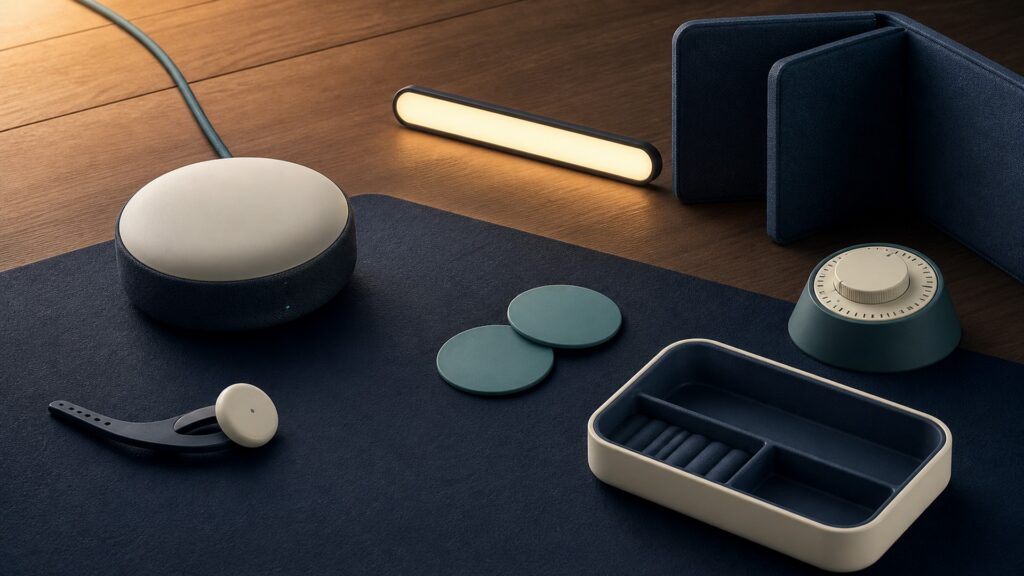
People-free editorial still life for Why Focus Training Devices Focus Training Safety Factors Matters
What You'll Learn

Build a safer focus-practice session

Screen the environment, introduce feedback gradually, protect personal data, and stop when discomfort or impaired function outweighs the intended benefit.

  • Choose a stable low-demand setting
  • Check contact areas before and after use
  • Add only one new stimulus at a time
  • Keep volume and brightness conservative
  • Decide what data may leave the device
  • Use a clear stop-and-escalate rule

Tip: Read the concept as part of a system, then connect it back to the use case.

Definitions

Six Concepts That Shape This Decision

These definitions connect the main idea to the variables, limits, and practical signals readers need to compare options.

Stop rule

A stop rule is a prewritten symptom or behavior threshold that ends the session without requiring the user to negotiate with a score.

  • It protects judgment when frustration or competitiveness makes continuing tempting.
  • Review the rule aloud before equipment is fitted or an exercise begins.
  • Stopping reduces exposure; it does not explain the symptom's cause.

Awareness cost

Awareness cost is the effort consumed by monitoring tones, graphs, vibrations, or self-correction while trying to perform the target activity.

  • It identifies feedback that competes with the focus it is supposed to support.
  • Compare task performance with the feedback active and with it simplified.
  • A low reported burden may still conceal fatigue that appears later.

Sensory load

Sensory load is the combined intensity of light, sound, vibration, animation, and task complexity presented during practice.

  • Managing it can reduce headache, dizziness, agitation, or shutdown in sensitive users.
  • Change one sensory channel at a time and note the delayed response.
  • Tolerance varies widely and cannot be inferred from a default setting.

Contact site

The contact site is any area of skin touched by a sensor, band, clip, or adhesive during a focus-training session.

  • Its condition affects comfort, signal reliability, and whether continued wear is reasonable.
  • Inspect the area under ordinary lighting before reuse and after removal.
  • Persistent redness, swelling, pain, or broken skin needs appropriate attention.

Data exposure

Data exposure is the possibility that attention records, account details, or linked-device information are stored, shared, or accessed beyond the user's intention.

  • It makes privacy part of safety rather than an optional technical concern.
  • Review permissions, retention controls, and account access before syncing sessions.
  • Deleting an app may not erase information already stored elsewhere.

Escalation boundary

An escalation boundary separates expected training frustration from symptoms or functional changes that deserve help beyond the device routine.

  • It prevents a consumer tool from becoming a substitute for appropriate evaluation.
  • Specify whom to contact and which signs require urgent action.
  • The boundary guides response but does not diagnose a condition.

Tip: Keep the definitions connected; the strongest answer usually comes from the whole system, not one term.

Prepare the room for an easy exit

Select a seated, uncluttered place where stopping requires no risky movement.

Cables, rolling chairs, harsh glare, and nearby stairs can turn brief dizziness or distraction into a physical hazard. Place the controls within reach, silence unrelated alerts, and make removal simple. Someone who needs assistance should not be left alone merely because the exercise is marketed for home use.

  • Clear walking paths
  • Stabilize the seat and table
  • Keep controls reachable
  • Arrange appropriate supervision

The room is ready when ending the session can be immediate and uneventful.

Fit hardware without chasing a perfect signal

Comfort and intact skin take priority over eliminating every gap in the trace.

Overtightening a band or repeatedly repositioning an adhesive sensor may improve contact while causing pressure, irritation, or distress. Follow the device instructions, inspect each contact site, and accept that some data may remain unusable. A missing measurement is safer than forcing painful contact.

  • Use the specified placement
  • Avoid excessive strap tension
  • Check skin after removal
  • Discard sessions with unreliable contact

Fit is acceptable when the user remains comfortable and the equipment stays secure.

Introduce feedback in small increments

Begin with brief practice and conservative sensory settings.

Volume, brightness, vibration, speed, and difficulty can interact. Raising several at once makes a reaction difficult to interpret and may overwhelm the user. Establish a tolerable baseline, adjust a single feature, and wait long enough to notice headache, nausea, irritability, or lingering fatigue.

  • Start below maximum intensity
  • Alter one control per trial
  • Watch for delayed discomfort
  • Return to the last tolerated setup

Progression is appropriate only when comfort and function remain stable afterward.

Limit what the system collects

Use the smallest set of permissions needed for the chosen exercise.

A focus record may reveal routines, performance patterns, or health-adjacent information. Examine whether cloud storage, advertising identifiers, microphone access, or family sharing are necessary. Use a distinct password, enable available account protections, and document how records can be exported or removed.

  • Review app permissions
  • Disable unnecessary sharing
  • Secure the account
  • Locate deletion and export controls

Privacy planning succeeds when each retained data stream has a clear purpose.

Honor symptoms and loss of function

End practice when the predefined boundary is crossed.

Severe headache, fainting, chest pain, new weakness, confusion, seizure-like activity, or dangerous behavior is not a training challenge to push through. Less urgent but persistent skin, sleep, mood, or concentration changes also deserve review before sessions resume. The score never outranks the user's condition.

  • Stop before troubleshooting
  • Remove equipment safely
  • Record what happened
  • Seek appropriate help for concerning signs

A safe routine makes stopping ordinary and escalation unambiguous.

Quick Reality Check

What prudent use can and cannot accomplish

Safety controls reduce avoidable exposure while preserving a clear route out of the session.

Reasonable safeguards

A short low-intensity trial can reveal whether the fit, feedback, and setting are tolerable before a longer routine is attempted.

Written privacy and stop decisions can prevent automatic settings from quietly defining acceptable risk.

Remaining uncertainty

No home setup can eliminate every adverse reaction, technical failure, or misuse scenario.

Consumer focus equipment cannot evaluate unexplained neurological, psychiatric, cardiovascular, or dermatological symptoms.

Common Myths

Misconceptions That Distort the Decision

Common shortcuts and misunderstandings can make the topic seem simpler than it is.

Is stronger feedback always more effective?

No. Louder, brighter, faster, or more frequent cues can consume attention and provoke discomfort. The useful setting is the least intense one that supports the chosen task without producing lingering symptoms.

Does a better signal justify a tighter sensor?

No. Skin integrity and lasting comfort come first. Follow fitting instructions, accept occasional unusable data, and stop if pressure, pain, numbness, swelling, or persistent redness appears at a contact site.

Are attention records harmless because they are not medical charts?

Not necessarily. Session timing, performance, and linked-account details can reveal sensitive daily routines. Review storage, sharing, deletion, and account controls before deciding which information the app is allowed to retain.

Should a user push through dizziness to complete the exercise?

No. Dizziness can increase fall risk and may signal a problem unrelated to training. Stop safely, remove the equipment, note associated symptoms, and obtain appropriate guidance before attempting another session.

Tip: Treat strong claims as starting points for comparison, not final answers.

FAQ

Questions to Ask Before Choosing

Concise answers to common questions readers may have after the main explanation.

Who may need extra screening before use?

Anyone with seizure susceptibility, migraine triggered by sensory effects, balance problems, significant skin sensitivity, implanted equipment, or recent unexplained symptoms should review device warnings and seek relevant professional guidance when appropriate.

How long should the first session last?

Use the manufacturer's guidance, then choose a conservative interval within it. The purpose is to test fit, sensory tolerance, and recovery, not to reach a performance target on the first attempt.

What should be recorded after discomfort?

Note the symptom, onset time, duration, settings, contact location, posture, and what relieved it. This concise account supports safer troubleshooting and helps a qualified professional assess persistent or concerning reactions.

When can practice resume after a problem?

Resume only after the cause has been reasonably addressed and the person has returned to baseline. New, severe, recurrent, or function-limiting symptoms should be evaluated rather than tested repeatedly with the device.

Bottom Line

Safe focus training depends on tolerable stimulation, comfortable fit, a controlled setting, deliberate privacy choices, and permission to stop without chasing a score.

Begin modestly, change one variable at a time, and treat new or worsening symptoms as information that overrides the planned exercise.

Next Steps

Go Deeper or Compare Your Options

Use these Review Streets paths to connect the explainer to related categories, comparisons, and next decisions.