How Attention Support Devices Works

Attention support devices do not manufacture concentration. They alter the environment around a task so that starting, staying oriented, and returning after interruption require less self-generated control. A visual timer makes passing time visible; a prompt device externalizes the next action; a distraction blocker removes competing inputs; and some wearables supply a discreet cue when the user drifts from an agreed routine.

Their effect is therefore indirect and highly dependent on task design. A timer beside an undefined assignment merely counts down confusion, while the same timer paired with a written first step can create a clear work interval. Understanding the mechanism means following the cue from setup through perception, action, feedback, and adjustment—not treating any alert as proof that attention improved.

By: Review Streets Research Lab
Updated: August 19, 2026
Explainer · 8-12 min read
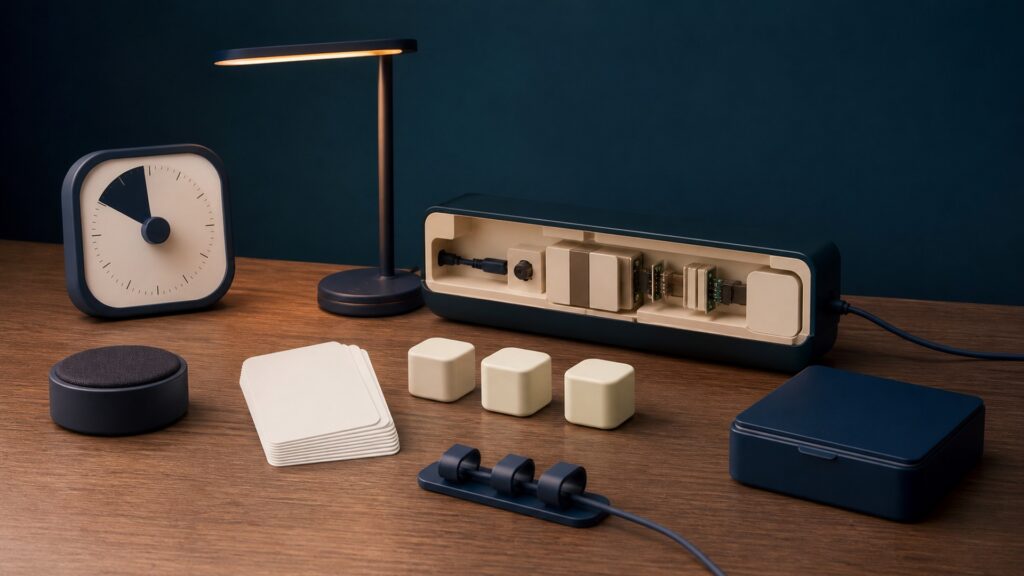
People-free editorial still life for How Attention Support Devices Works
What You'll Learn

How an external cue changes task behavior

This explainer traces the working sequence behind timers, prompts, blockers, and feedback tools, then identifies the conditions that make support useful instead of distracting.

  • The task must be defined first
  • Cues reduce hidden demands
  • Feedback closes a short loop
  • Intensity must fit the user
  • Records need careful interpretation
  • Support should transfer beyond novelty

Tip: Read the concept as part of a system, then connect it back to the use case.

Definitions

Six Concepts That Shape This Decision

These definitions connect the main idea to the variables, limits, and practical signals readers need to compare options.

Task anchor

A task anchor is the concrete action the device is meant to support, such as reading one page, packing a bag, or returning to a desk after a break.

  • The anchor gives a timer, light, vibration, or blocker a behavioral destination. Without it, the device can signal repeatedly without clarifying what the user should do.
  • Write the first visible action before choosing a cue. If two observers cannot identify when it begins and ends, narrow the anchor further.
  • A device cannot resolve conflicting priorities or make an unsuitable task meaningful.

External cue

An external cue is a perceptible signal that carries information the user would otherwise need to remember or monitor internally.

  • Color changes can show remaining time, vibration can mark a transition, and a screen prompt can display the next step. The cue works only if the user notices and understands it.
  • Test the signal during ordinary noise, movement, and lighting. Ask the user to explain what it means rather than assuming detection equals comprehension.
  • Cues that are too frequent, intense, or public may become irritating, stressful, or easy to ignore.

Friction reduction

Friction reduction removes a small barrier between intention and action. Examples include hiding notifications, presenting one instruction, or simplifying access to needed materials.

  • By reducing choices or competing stimuli at the decision point, the setup lowers the effort needed to begin or resume the task. It does not change underlying ability.
  • Observe where delay actually occurs, then change one obstacle at a time. Compare task initiation under similar demands instead of relying on subjective novelty.
  • Excessive restriction can remove useful flexibility or make the user dependent on a rigid environment.

Feedback loop

A feedback loop links an action to an immediate, understandable response. The response may show elapsed time, completed steps, or a planned break.

  • Short feedback lets the user compare current behavior with the task anchor and choose whether to continue, pause, or reset. Delayed summaries serve a different reflective purpose.
  • Confirm that the feedback prompts a useful adjustment rather than merely attracting attention. Record the action taken after the signal, not just the signal count.
  • A high completion score can reward easy tapping, rushed work, or repeated device interaction rather than sustained engagement.

Prompt fading

Prompt fading is the deliberate reduction of assistance after a routine becomes more stable. It tests whether the support builds independence or merely remains present.

  • The user may move from spoken directions to a visual list, from many reminders to one transition cue, or from blocked access to self-selected focus periods.
  • Reduce only one element at a time and watch for task breakdown, distress, or increased recovery time. Restore useful support when the demand changes.
  • Independence is not always the correct goal; durable accommodation can be appropriate when it improves access.

Context record

A context record pairs the observed outcome with task difficulty, sleep, environment, assistance, timing, and device settings. It prevents a number from standing alone.

  • Patterns across comparable sessions can reveal whether a cue helps in one setting, loses effect over time, or creates a new interruption. This is practical tracking, not diagnosis.
  • Use brief notes and a small set of observable outcomes, such as start delay or number of unplanned departures. Protect personal data and review it with the user.
  • Correlations in a home log cannot establish why attention varied or rule out clinical, educational, or environmental causes.

Tip: Keep the definitions connected; the strongest answer usually comes from the whole system, not one term.

Define a Small Observable Task

The device needs a specific behavior to support before any setting has meaning.

“Focus on homework” contains too many decisions. “Open the worksheet and answer the first two questions during a ten-minute interval” gives a timer and prompt a usable target. The user should understand the task, possess the required skill, and have needed materials nearby. If the work is confusing or inaccessible, adding alerts may increase pressure without improving performance.

  • Choose one concrete activity
  • Make the first action visible
  • Confirm materials and skill
  • Agree on what completion means

Precision at setup prevents the device from becoming another vague demand.

Deliver the Least Intrusive Effective Cue

A cue succeeds when it is noticed, understood, and tolerable.

Visual timers suit users who benefit from seeing duration; vibration can protect privacy during transitions; audio may work in a quiet private room; blocking software can prevent habitual app switching. Selection should reflect sensory preferences and the social setting. Begin with modest intensity and frequency, because a loud or constant reminder can seize attention from the task it was meant to protect.

  • Match the cue to the setting
  • Explain its meaning in advance
  • Start with low intensity
  • Provide an easy pause or override

The best prompt is often the one that disappears from awareness after guiding action.

Connect the Signal to a Response

Attention support emerges from what happens immediately after the cue.

When a timer changes color, the user might check the written step, finish a sentence, or take a planned movement break. A prompt without an agreed response creates ambiguity; multiple possible responses create decision load. Practice the sequence when demands are low, then use consistent wording or symbols until it feels familiar. Feedback should acknowledge the action, not shame delayed compliance.

  • Notice the agreed signal
  • Perform the linked action
  • Check progress against the anchor
  • Reset or continue deliberately

A rehearsed response converts notification into practical support.

Tune the Setup From Real Sessions

Useful adjustment depends on observing behavior under comparable conditions.

If cues arrive before the user has time to engage, lengthen the interval. If breaks turn into abandonment, make the return step more explicit. If a blocker prevents necessary research, narrow its scope. Change one setting, then look at start delay, sustained work, recovery after interruption, and user burden across several sessions. Preference matters because an unwanted system is unlikely to be used consistently.

  • Establish a simple baseline
  • Change one setting only
  • Observe action and burden
  • Keep, reverse, or refine the change

Tuning should solve a documented problem rather than chase every available feature.

Plan for Transfer and Backup

Support should survive ordinary changes in place, device availability, and workload.

A routine learned with a desk timer may need a phone-free visual card in class or a watch vibration during travel. Identify the essential function—showing time, naming the next step, limiting distraction—then create a low-tech substitute. Review whether prompts can be faded, retained as an accommodation, or redesigned when tasks become harder. The user should not be stranded by a dead battery or expired subscription.

  • Name the essential support function
  • Try it in another relevant setting
  • Prepare a non-digital alternative
  • Review continued need with the user

A resilient strategy is larger than the particular gadget that first delivered it.

Quick Reality Check

What attention support can and cannot show

The strongest evidence concerns a defined task performed under recorded conditions.

Observable gains

A well-matched cue may shorten the delay before starting or help a user return after a predictable interruption.

Removing selected notifications can reduce opportunities for off-task switching during a planned work period.

Interpretive boundaries

Task completion does not prove that attention changed broadly, because difficulty, motivation, assistance, and environment also shape behavior.

Consumer support tools do not diagnose ADHD, determine treatment, or replace individualized educational or clinical guidance.

Common Myths

Misconceptions That Distort the Decision

Common shortcuts and misunderstandings can make the topic seem simpler than it is.

More reminders always produce better focus

Frequent alerts can become competing stimuli, provoke stress, or teach the user to wait for prompting. Begin with the smallest cue pattern that supports the target action, then adjust from observed sessions and the user's experience.

A productivity score measures attention directly

Most scores summarize taps, elapsed intervals, blocked applications, or completed checklist items. Those outputs may reflect task behavior, but they cannot isolate attention from task difficulty, outside help, motivation, fatigue, or strategic shortcuts.

Distraction blocking is the mechanism for every user

Blocking helps when specific digital temptations drive switching. It does little for unclear instructions, sensory discomfort, worry, insufficient skill, or environmental interruptions. Identify the barrier first, because restricting access can also remove tools required for the task.

Needing an external aid means the strategy failed

Glasses and calendars remain useful without being failures, and an attention aid can likewise function as a durable accommodation. Prompt fading is one option, not a universal objective. The meaningful outcome is accessible, sustainable participation.

Tip: Treat strong claims as starting points for comparison, not final answers.

FAQ

Questions to Ask Before Choosing

Concise answers to common questions readers may have after the main explanation.

What is the simplest attention support device?

A paper checklist, analog visual timer, or single-purpose cue can be enough when it matches the task. Complexity is useful only when it adds a needed function such as discreet transitions, remote scheduling, or selective digital blocking.

How long should a focus interval last?

There is no universal duration. Start with an interval the user can realistically complete on the chosen task, include a clear stopping point, and adjust from experience. Age, fatigue, difficulty, sensory needs, and prior success all matter.

What should be recorded during a trial?

Track a few observable outcomes: time to begin, unplanned departures, return after interruption, completed work, and perceived burden. Also note task difficulty and setting. Avoid collecting intimate data that does not serve the stated decision.

When should the device be stopped or reconsidered?

Pause when cues cause distress, disrupt essential activity, create conflict, expose private information, or fail to support the defined task after reasonable adjustment. Seek educational or clinical input when attention difficulties substantially affect daily functioning.

Bottom Line

Attention support devices work by externalizing one piece of task control: time, sequence, transition, distraction management, or feedback. Their value appears in the user's response to that support, not in the brightness of the display or quantity of collected data.

Choose a modest task anchor, match the cue to the person and setting, observe both benefit and burden, and retain a backup strategy. When the barrier changes, change the support rather than assuming the user simply needs more reminders.

Next Steps

Go Deeper or Compare Your Options

Use these Review Streets paths to connect the explainer to related categories, comparisons, and next decisions.