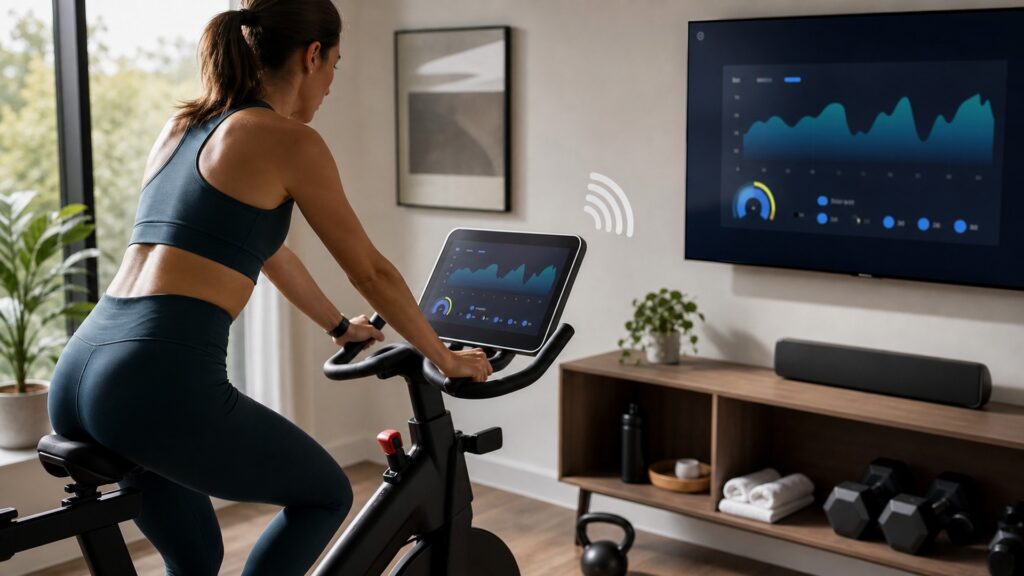
The Physical Machine Comes First
Every connected fitness product begins as exercise equipment. Before the app, class library, leaderboard, or screen matters, the machine has to feel stable, adjustable, and appropriate for the workout.
A connected bike still needs comfortable fit, smooth pedaling, and usable resistance. A treadmill still needs a belt, motor, deck, incline system, and emergency controls. A connected strength machine still needs a way to create and control load. If the physical machine feels awkward, the connected layer cannot fully rescue the experience.
This is why buyers should test the movement itself before being impressed by the screen.
Sensors Turn Movement Into Data
Sensors are what let the equipment measure the workout. Depending on the product, sensors may track speed, cadence, incline, resistance level, watts, stroke rate, range of motion, repetitions, load, heart rate from a paired device, or whether a movement was completed.
Some measurements are direct. Others are estimates. A bike may know cadence and resistance more precisely than calorie burn. A strength machine may track load and reps for supported exercises but know less about body position than a coach would. A mirror or camera-based system may interpret movement visually, but lighting, setup, and exercise type can affect what it understands.
Useful connected feedback depends on reliable measurement and clear limits.
Software Organizes The Workout
The software layer may include a touchscreen, mobile app, class library, guided program, scenic route, progress dashboard, leaderboard, or coaching cues. This layer tells the user what to do next and shows what happened during the session.
In a simple setup, the software only displays instructions while the user adjusts the machine manually. In a more advanced setup, the software may use workout data to recommend programs, change targets, or personalize the session. The value depends on whether the software makes training easier to follow, not just whether it looks polished.
For example, a rowing machine that shows stroke rate, split pace, interval targets, and saved history gives the user a clearer picture of training than a basic timer alone.
Controls May Be Manual Or Automatic
Connected equipment differs in how much control the software has over the machine. Some products only display guidance. Others can automatically adjust treadmill speed, bike resistance, incline, or digital strength load.
Automatic control can be useful when changes are expected and easy to understand. It can also be annoying or concerning if the adjustment surprises the user. Clear manual override matters. Physical buttons, knobs, stop keys, resistance controls, and accessible on-screen controls help keep the user in charge.
The connected layer should support the workout, not make basic adjustments harder.
Profiles And Accounts Store The Personal Layer
Profiles let the system remember users, preferences, workout history, metrics, achievements, and sometimes recommended programs. This matters most in households where multiple people share the same machine.
Without clean profile switching, workout history can become mixed and recommendations can become less useful. With good profile support, each user can see their own progress, saved settings, and recent workouts.
Accounts also connect the machine to subscriptions, apps, music services, heart-rate devices, and community features. Those services may be valuable, but they should be understood as part of the ownership experience.
Connectivity Adds Benefits And Dependencies
Wi-Fi, Bluetooth, and cloud services can make connected equipment more useful. They can stream classes, update software, sync data, pair accessories, and store workout history.
They also introduce dependencies. A weak internet connection can interrupt streaming. A lapsed subscription may remove classes or advanced metrics. A software update can change the interface. A paired accessory may fail to connect. None of this makes connected equipment bad, but it means the buyer should know which features work without the connected service.
Fallback Mode Keeps The Machine Useful
Fallback mode is what the equipment can still do when the smart layer is limited. A strong connected machine should allow a basic workout even if Wi-Fi is down, the app is unavailable, or the user does not want a class.
Good fallback behavior might include manual resistance control, manual speed and incline, a basic free ride, a quick-start mode, local controls, or a clear way to finish a workout without the platform. Weak fallback behavior makes the machine feel too dependent on software.
Before buying, it is worth asking: can this equipment still perform its core job without the premium connected features?