
How Smart Workout Mirrors Work

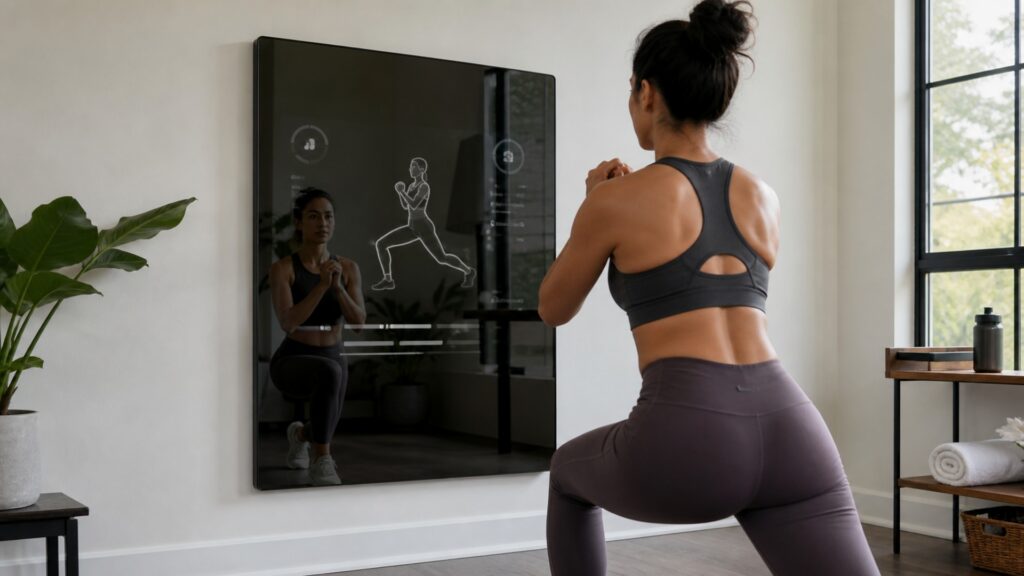
Smart workout mirrors work by turning a wall-mounted display into a guided training surface. They show classes, demos, timers, and workout controls while blending into a room more neatly than a typical screen. Some systems also use cameras, sensors, or connected accessories to add feedback and tracking.

The main value is not the mirror surface by itself. The value comes from how clearly the system helps a user start a session, follow the movement, manage equipment, and return to the next workout.

By: Review Streets Research Lab
Updated: September 23, 2026
Explainer · 8-12 min read
smart workout mirrors explainer hero image for Review Streets
What You'll Learn

How Smart Workout Mirrors Turn A Wall Into A Training Screen

A practical look at the display, content, feedback, and space decisions behind smart workout mirrors.

  • How the mirror display supports classes and demos
  • Why camera, sensor, or accessory features vary by system
  • Where equipment needs still matter
  • How subscriptions shape the workout library
  • What to check before choosing a mirror-based setup

Tip: Judge the system by how it changes real training decisions, not by how advanced the feature sounds.

Definitions

Key Concepts Behind Smart Workout Mirrors Work

These concepts clarify the practical signals readers should check before choosing home fitness technology.

Mirror Display

A mirror display combines a reflective surface with a screen for workout instruction.

  • Example: seeing an instructor and basic workout data on a wall mirror
  • Check: test visibility in the room's lighting
  • Limit: reflection quality and screen brightness vary

Class Library

A class library is the set of guided workouts available through the platform.

  • Example: strength, cardio, mobility, and yoga sessions
  • Check: review the classes you would repeat weekly
  • Limit: a large library is not the same as a good plan

Visual Coaching

Visual coaching uses demos, instructors, timers, and cues to guide movement.

  • Example: following a trainer's squat setup on screen
  • Check: see whether cues are visible from the exercise position
  • Limit: visual cues cannot correct every user

Feedback Features

Feedback features use cameras, sensors, heart-rate devices, or accessories to add tracking or form cues.

  • Example: rep counting or heart-rate zones during a class
  • Check: confirm what is tracked automatically
  • Limit: feedback quality depends on hardware and software

Equipment Pairing

Equipment pairing is how the mirror works with weights, bands, mats, benches, or connected accessories.

  • Example: a strength class requiring dumbbells near the mirror
  • Check: list required equipment before subscribing
  • Limit: separate gear changes cost and storage

Space Fit

Space fit is how well the mirror and workout area work in the actual room.

  • Example: having enough floor space to lunge while seeing the screen
  • Check: measure viewing distance and movement clearance
  • Limit: wall mounting does not remove floor-space needs

Tip: A strong feature should make workouts easier to perform, repeat, or evaluate without hiding important limits.

Display

The Mirror Becomes The Workout Interface

A smart workout mirror starts with a display that can show instructors, timers, movement demos, music controls, and workout status. The goal is to keep guidance visible without setting up a separate TV or tablet.

  • Check screen brightness and reflection.
  • Stand where the workout will happen.
  • Make sure text and demos are readable while moving.

The display works only if it is easy to see during the session.

Content

The Platform Supplies The Training Options

Most of the long-term value comes from the workout platform. Classes, programs, filters, instructors, and difficulty levels determine whether the mirror stays useful after the first few sessions.

  • Look for classes you would repeat.
  • Check whether programs connect sessions over time.
  • Review beginner, intermediate, and advanced options honestly.

A good mirror needs more than a large content count.

Feedback

Some Mirrors Add Tracking Or Form Cues

Smart workout mirrors vary widely in feedback. Some mainly stream classes. Others use cameras, sensors, heart-rate data, rep counting, or connected accessories.

  • Confirm which feedback features are included.
  • Check privacy and camera controls.
  • Treat automated cues as support, not personal coaching.

Feedback is useful when it helps the user make a better training decision.

Equipment

The Mirror May Still Need Gear Around It

A mirror can save screen space, but many workouts still require dumbbells, bands, mats, or other accessories. The setup should make that equipment easy to store and reach.

  • Review required equipment for favorite classes.
  • Plan storage near the workout area.
  • Avoid workouts that require awkward setup changes.

The mirror is the interface, not always the complete gym.

Room Fit

Wall Placement And Floor Space Matter

A smart workout mirror needs the right wall, viewing distance, lighting, and movement area. A poor location can make even strong classes hard to follow.

  • Measure the wall and floor area.
  • Check glare at the time you train.
  • Leave room for lateral movement and floor work.

The room is part of how the mirror works.

Quick Reality Check

Where Smart Workout Mirrors Help And Where They Have Limits

Mirror-based systems make guided workouts easier to see, but they do not solve every home-training need.

Where They Help

They put coaching, demos, and timers on a dedicated wall display.

They can save space compared with a larger hardware station.

Where They Have Limits

They may still need separate equipment for strength work.

They depend heavily on subscription content and room placement.

Common Myths

Misconceptions About How Smart Workout Mirrors Work

A mirror display is only one part of the training experience.

A mirror replaces all equipment

Many classes still need dumbbells, bands, mats, or other accessories.

More classes mean better training

Useful programs and repeatable sessions matter more than a huge library.

Camera feedback is the same as coaching

Automated feedback can help, but it has limits.

Wall mounting removes space needs

The device is on the wall, but the user still needs floor space to move.

Tip: Treat strong claims as reasons to inspect the system more closely, not as final proof.

FAQ

Frequently Asked Questions About Smart Workout Mirrors

Short answers for practical buying and training decisions.

Do smart workout mirrors need subscriptions?

Most need a subscription for full classes, programs, and tracking features.

Can a smart mirror replace a gym?

It can replace some guided classes and home workouts, but strength training may still require equipment.

What should I check before buying?

Check wall placement, screen visibility, floor space, required accessories, and what works without the subscription.

Are cameras required?

Some mirrors use cameras or sensors, while others focus mainly on streaming classes and display guidance.

What is the practical takeaway?

A smart workout mirror works best when visual coaching, space-saving design, and repeatable classes match the user's routine.

Bottom Line

Smart workout mirrors work by combining a wall display, guided content, and sometimes feedback features into a compact training interface.

They are most useful when visual coaching and room-friendly setup matter more than built-in resistance or a full hardware station.

Next Steps

Go Deeper or Compare Your Options

Use these Review Streets paths to compare related categories and practical next decisions.