
Optical Input
Roadway light entering the camera lens from a bounded installed field of view.
- Aim controls visible context
- Exposure limits retained detail
- Occlusion removes information
A dash camera converts a fixed optical view into time-ordered video files. A car audio system converts selected program signals into electrical power and then acoustic output at the seats. One is designed to preserve a record for later retrieval; the other is designed to create a live listening experience that normally disappears as it is produced.
Both systems can share vehicle power, a phone connection, microphones, or dashboard space, yet their core paths run in different directions. The camera gathers outward-facing scene information and commits it to storage. Audio begins with chosen content, passes through processing and amplification, and ends when loudspeakers move air in the cabin.
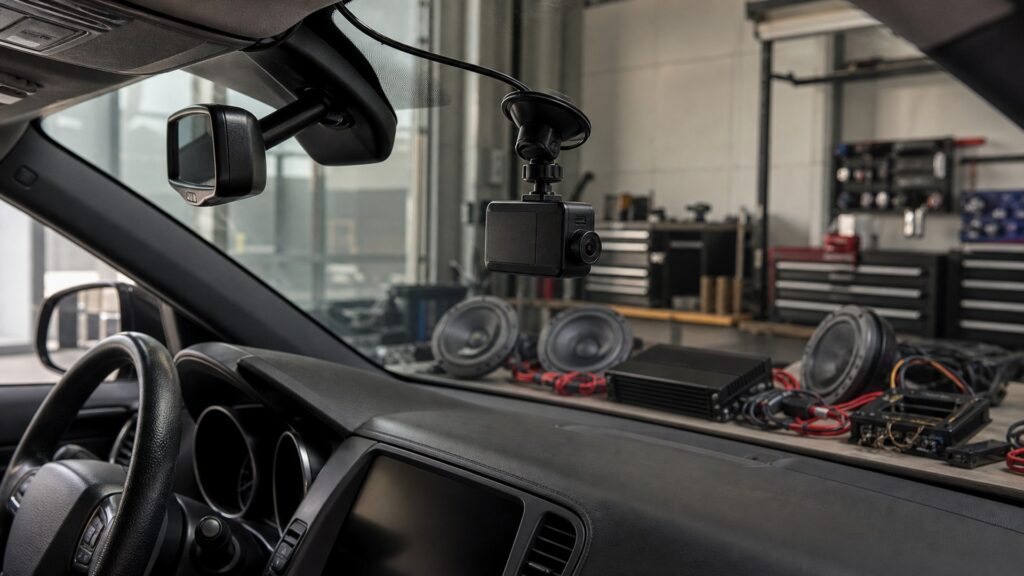
Inputs, processing, time behavior, user control, failure evidence, and acceptance criteria reveal two distinct vehicle-electronics systems.
Tip: Ask what artifact remains afterward: a dash camera should leave a retrievable file, while audio success is judged by sound produced during operation.
These concepts define the camera's record-making chain and the audio system's sound-producing chain.
Roadway light entering the camera lens from a bounded installed field of view.
Temporary or segmented recording storage that supports continuous capture and eventual overwrite.
A saved clip intended for later review outside ordinary immediate playback.
Selected music, speech, call, or prompt information entering the audio chain.
An audio path with voltage and current intended for a compatible speaker load.
Pressure variations produced by speakers and shaped by mounting, enclosures, cabin surfaces, and listening position.
Tip: Trace inputs and outputs separately even when the devices share a power source, phone, or microphone.
Dash-camera operation begins with uncontrolled external light and motion in its installed view. Car audio begins with a selected broadcast, file, phone stream, call, or prompt. The driver chooses audio content but cannot stage every roadway event.
Different input authority explains why the systems require different setup and diagnostics.
The camera samples images, processes exposure, compresses frames, and writes data. Audio decodes program information, controls level and routing, then supplies low-level or powered channels to amplifiers and speakers. Compression serves storage; amplification serves transduction.
A bitrate and an amplifier wattage describe unrelated stages despite both being numeric specifications.
Loop segments create a history until older eligible clips are overwritten. Event protection extends selected retention. Audio generally matters while it plays; presets and settings persist, but ordinary output does not become a historical record of the cabin experience.
Persistence is central to the camera and incidental to most audio output.
After setup, a camera should start, record, mark, and stop with minimal driver attention. Audio systems expect source, track, call, and volume changes, although complex configuration should remain parked work. Their human interfaces therefore carry different tasks.
A camera screen does not turn the recorder into an entertainment interface.
Camera faults appear as blocked views, gaps, corrupt segments, wrong time, failed event protection, or absent retrieval. Audio faults appear as missing channels, noise, distortion, weak output, poor tonal balance, or control problems. Shared power can still create common symptoms.
The first missing output—file or sound—determines which mechanism to trace.
Power, phones, microphones, and installation space can overlap, but recording and sound reproduction retain separate endpoints.
It prevents storage, resolution, speaker power, and acoustic quality specifications from being compared as though they measured one system.
It gives each symptom a proper verification artifact: saved footage for the camera and controlled acoustic output for audio.
Electrical noise, poor grounding, wireless congestion, trim routing, battery drain, or driver distraction can affect both installations.
Some receivers display camera video or play dash-camera audio, yet they still do not ordinarily create the camera's independent record.
These myths mistake shared vehicle hardware for identical system purpose.
Its microphone may add sound to a video record, but the device's core output remains a stored visual timeline. A car-audio microphone usually supports calls or commands within a live communication and playback chain.
A receiver may display supported live video, especially for reversing, without continuously encoding, segmenting, protecting, and indexing road footage. Display compatibility is a separate function from maintaining an independent retrievable recording history.
A camera needs enough stable power for electronics and storage; an audio amplifier supplies controlled power to speaker loads. Their consumption and output ratings answer different questions and cannot be compared as one performance scale.
They may share an accessory circuit, ground, adapter, phone, or vehicle-state signal. A common dependency can produce simultaneous symptoms without erasing the distinct camera and audio paths that require separate output tests.
Tip: Identify whether the required endpoint is a saved scene or reproduced cabin sound.
These answers clarify microphones, displays, shared power, noise interaction, and choosing the correct diagnostic path.
Some files or live connections can be played by compatible receivers or phones, but that is playback of recorded content. It does not make the audio system responsible for the camera's capture, encoding, event protection, or storage continuity.
The camera's purpose includes keeping past frames for later retrieval, so it needs writable capacity and file management. Audio can stream or decode content and produce sound immediately without retaining a copy of ordinary playback.
Yes. Shared circuits, weak grounds, cable routing, radio-frequency activity, microphones, screens, or vehicle sleep behavior can create noise, drain, or interaction conflicts. Plan dependencies together, then verify file and sound outputs independently.
Start at the common supply and ground under the vehicle states that reproduce the problem. Once stable power is confirmed, follow camera recording and audio output as separate chains because their processors, loads, and acceptance evidence differ.
A dash camera observes and stores a visual timeline for later review. A car audio system selects program information and turns it into sound for immediate listening. Shared accessories do not change those defining endpoints.
Dash cameras differ from car audio systems because they observe, encode, and retain road scenes, while audio systems decode, amplify, and reproduce selected sound in real time.
Keep file continuity and acoustic output as separate acceptance targets. Shared power or displays create integration work, not a single common mechanism.
These explainers develop camera capture, full audio-system operation, and the practical choice between recording and dashboard media control.
Follow scene capture through encoding, segmentation, event protection, and retrieval.
Trace program signals through processing, amplification, speakers, and cabin acoustics.
Apply the distinction when the actual choice is evidence capture versus source and interface control.
Choose a retailer
Prices checked regularly. We may earn a commission at no cost to you.