
Field of View
The angular scene the lens projects onto the sensor from its installed position.
- Width trades detail for coverage
- Mounting changes occlusion and glare
- Rear views have separate geometry
A dash camera is a continuous imaging and storage system. A lens projects a portion of the road onto an image sensor; exposure and image processing turn changing light into frames; an encoder compresses those frames; and the recorder writes short files to removable or built-in storage. When space fills, ordinary loop files are replaced in sequence.
Useful recording requires more than a lit status indicator. The camera must start in the intended vehicle state, keep exposure usable, sustain writes, preserve an event before it is overwritten, maintain time or location metadata where supported, and let the owner retrieve the correct file. Each stage can fail while another appears normal.
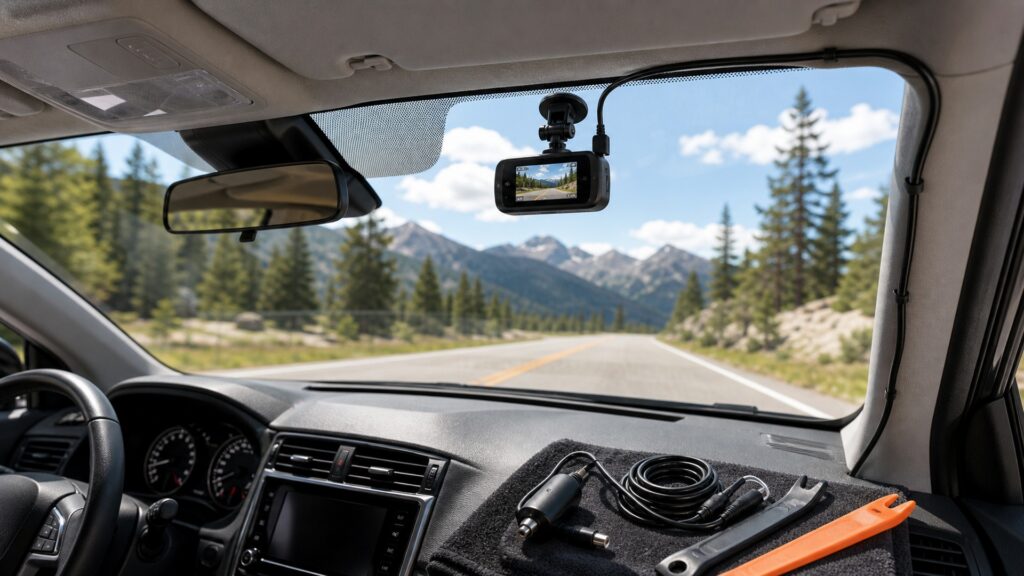
Optics, sensing, compression, segmented writing, event handling, power state, and retrieval form one evidence-producing sequence.
Tip: Judge the system backward from an opened clip: correct scene, time, duration, continuity, and context must survive every upstream stage.
These terms mark the transformations between roadway light and a usable saved clip.
The angular scene the lens projects onto the sensor from its installed position.
The light-sensitive device converting the projected image into electrical samples for frame processing.
The method compressing successive frames into a storable stream that compatible software can decode.
A short ordinary recording file within the rotating pool that is eventually overwritten when storage fills.
A flag or file-handling action intended to keep selected footage outside ordinary loop replacement.
A lower-activity recording state using motion, impact, time lapse, buffering, or another supported strategy while parked.
Tip: Trace one recorded segment from optics through the index before diagnosing a missing event.
The lens admits light from a fixed windshield position. Sensor exposure, gain, frame timing, focus, and image processing then determine what can be resolved in sun, shade, rain, darkness, glare, or rapid motion. Digital sharpening cannot recover a scene never captured clearly.
The recording chain cannot restore detail lost before or during sensor exposure.
Frames are corrected, scaled, combined with optional audio or overlays, and passed to an encoder. Resolution describes pixel dimensions, while bitrate and codec choices influence how much changing detail survives compression and how much storage each minute consumes.
Encoding preserves a managed representation of the scene, not a perfect copy of reality.
The recorder writes sequential clips while driving. Once usable space reaches its limit, the file manager removes eligible older segments and continues. The card must support the camera's capacity, format, and sustained write requirement or gaps and corrupt files can appear.
Loop recording creates continuity by sacrificing unprotected age, so storage health matters every trip.
A shock sensor, button, voice command, or software rule can mark a segment as an event. Some cameras also preserve moments before a trigger through buffering. Protected allocation is still limited and false triggers can fill it.
An event icon is a filing action, not proof that the decisive moment is visible.
Switched or constant power tells the camera when to enter driving, standby, or parking behavior. The recorder timestamps files and may add location or speed data. Final success occurs when the correct clip opens, plays continuously, and exports without altering the original.
A dash camera has not completed its job until the intended file can be identified and preserved.
The mechanism explains what entered one lens and survived encoding and storage; it cannot supply events outside the view or missing context.
A working system can provide time-ordered visual evidence from its installed field, with audio or location only when enabled and supported.
Segment indexes and event flags can make a relevant interval easier to locate before loop overwrite.
Occlusion, glare, darkness, motion blur, compression, camera angle, storage faults, or timing can omit crucial detail.
Metadata and video require context and do not automatically establish legal responsibility or every surrounding action.
These myths confuse power, pixels, or an event marker with a complete reliable record.
Resolution is only one constraint. Lens quality, focus, field of view, exposure time, sensor noise, bitrate, compression, windshield glare, weather, and motion determine whether a small moving detail is actually readable in a saved frame.
Looping deliberately reuses finite capacity by overwriting eligible old segments. Protected space can also fill, and important clips can disappear through delay, corruption, formatting, or card failure unless they are retrieved and backed up promptly.
Sensitivity, road vibration, mounting, trigger thresholds, segment boundaries, and buffering influence what gets marked. Minor events may not trigger, rough roads can trigger falsely, and the camera's field may not show the relevant contact.
The indicator may show an operating state without proving correct aim, focus, exposure, audio choice, timestamp, uninterrupted files, or healthy storage. Periodically open a known recent clip and verify the complete retrieval path.
Tip: Confirm the saved clip itself; status lights and specification labels are only intermediate evidence.
These answers clarify segmentation, overwrite, card performance, parking recording, and metadata.
Segments limit the amount affected by one corrupt file, make loop replacement manageable, and simplify searching around an event. Exact length varies by model and setting, while continuity still depends on uninterrupted processing and storage writes.
In normal loop operation, the recorder replaces eligible older segments according to its file rules. Protected files may use a separate allocation. If either area fills or the card errors, recording behavior can change or stop.
It depends on the camera and selected mode. Some use time lapse, motion triggers, impact triggers, buffered events, or limited continuous recording. Each requires supported power, storage, settings, and realistic battery or timer limits.
Supported GNSS can add position, time, route, or speed metadata, subject to reception, settings, accuracy, and model behavior. It enriches context but does not replace the visual record or establish every fact about an event.
Review daytime and nighttime clips, confirm aim, focus, timestamps, audio choice, segment continuity, event protection, card health, startup, shutdown, parking transition, rear channel if present, and successful copying to a separate device.
Dash cameras work by converting a bounded optical view into processed frames, compressed segments, rotating storage, and protected event files.
Reliable operation links correct vehicle state, usable exposure, sustained writing, event handling, accurate indexing, and tested retrieval. A glowing camera is not the endpoint; an intact, relevant clip is.
These explainers connect internal capture mechanics to windshield placement, operating acceptance, and the practical value of preserving road events.
Place and power the camera so optics, routing, temperature, and parking behavior support the recording chain.
Turn each step of capture and storage into an observable operating requirement.
Examine the practical value and evidence limits of recording road events.
Choose a retailer
Prices checked regularly. We may earn a commission at no cost to you.