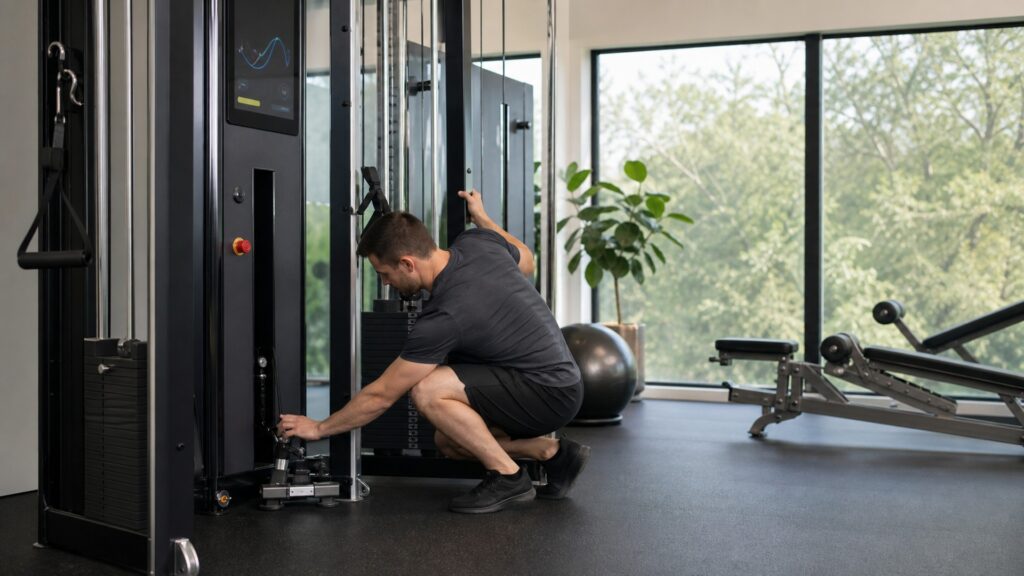
Safety Factors In Connected Training Equipment
Safety factors are about control, setup, mechanical behavior, and realistic expectations for what connected technology can and cannot do.
- Why automatic resistance, speed, incline, or load changes need clear override controls
- How calibration and sensor errors can affect feedback
- Why emergency stops, physical buttons, and quick exits matter
- How setup, clearance, and user positioning affect safe use
- What should happen when software, subscriptions, or connectivity fail
- Why connected features should not be treated as injury-prevention guarantees
Key Safety Concepts In Connected Gym Equipment
Connected safety is not just a software feature. It depends on how the machine behaves while a person is moving, lifting, pedaling, running, or pulling against resistance.
Manual Override
Manual override is the user's ability to change or stop the machine even when software is guiding the workout.
- Most important when the product can adjust speed, incline, resistance, or digital load
- Should be visible, reachable, and fast enough to use during a hard effort
- Should not require navigating a complicated touchscreen menu
For example, a treadmill should have an accessible stop control even if a class is changing speed automatically.
Calibration Reliability
Calibration reliability is how consistently the equipment measures or controls the workout after setup.
- Poor calibration can make rep counts, load estimates, or movement feedback misleading
- Some systems require user profiles, range checks, sensor setup, or position calibration
- Calibration should be easy to repeat when something feels wrong
For example, a digital strength machine should not keep increasing load based on rep data captured from an incomplete setup.
Sensor Limitation
Sensor limitation is the gap between what the equipment can measure and what the user may assume it understands.
- A machine may know cadence, speed, load, or cable movement
- It may not know joint comfort, fatigue, pain, or full exercise technique
- Feedback should support judgment rather than replace it
For example, a connected bike can measure cadence and resistance, but it does not know whether the rider's knee position feels comfortable.
Mechanical Clearance
Mechanical clearance is the space needed around moving parts, cables, pedals, belts, handles, benches, and the user's body.
- Tight rooms can make stepping off, changing position, or using accessories harder
- Cables and handles need room to move without catching on nearby objects
- Treadmills, rowers, and strength stations need different clearance checks
For example, a rower needs enough space behind the seat and handle path for the user to complete each stroke without hitting furniture.
Safe Fallback
Safe fallback is the plain, understandable behavior available when software, Wi-Fi, subscriptions, or sensors are unavailable.
- The user should still know how to stop, pause, reduce intensity, or exit
- Basic operation should remain clear when an app freezes or connection drops
- Physical controls matter most when software controls the workout
For example, a connected bike with manual resistance is easier to trust than one that depends entirely on an app connection for basic control.
Automatic Changes Need Clear User Control
Some connected machines can change resistance, speed, incline, or load during a workout. This can be useful during intervals, climbs, programmed strength sets, or coached sessions. It can also be distracting or risky if the change is unexpected.
The user should know when automatic changes are active, what is changing next, and how to override the system quickly. On equipment that affects pace or load in real time, physical controls are more than a convenience.
Setup Safety Starts Before The Session
Many safety-related problems begin before the workout starts. Seat height, belt position, cable angle, handle placement, room clearance, footwear, and profile settings can all change how the machine behaves.
Connected systems may ask for height, weight, fitness level, preferred intensity, or calibration steps. Those settings should be reviewed because the software may use them to recommend workouts, adjust targets, or estimate performance.
Software Failures Should Not Create Confusion
Wi-Fi drops, Bluetooth pairing failures, app crashes, subscription limits, and software updates can interrupt connected workouts. A good system handles those problems plainly. The user should still be able to stop the machine, reduce intensity, pause the session, or exit without searching through a frozen interface.
This matters most when the connected layer controls the physical machine. If the screen stops responding during a treadmill interval or digital strength set, fallback controls become more important than the class experience.
Safety Claims Need Realistic Boundaries
Connected features can provide guidance, reminders, tracking, and cues, but they do not guarantee safe movement. They cannot fully account for medical history, pain, fatigue, poor setup, unsupported exercises, or a user's judgment.
The strongest systems make important information easier to see and key controls easier to use. They do not ask the user to trust software blindly.
Practical Safety Check
What To Confirm Before A Hard Workout
Find the stop, pause, resistance, incline, speed, or load controls before the workout begins. Check the room clearance, confirm the machine is stable, and make sure the planned exercise fits the hardware.
For example, a guided strength session should be tested at a light load first so the user can confirm cable direction, range of motion, and control placement.
What Connected Features Cannot Replace
Connected features cannot replace proper setup, appropriate progression, medical guidance when needed, or attention to discomfort. A form cue or performance score is useful only when the person using the machine can interpret it sensibly.
Misconceptions About Connected Equipment Safety
Connected Technology Prevents Injuries
Connected features can provide guidance and feedback, but they do not guarantee safe movement or replace appropriate setup, coaching, medical guidance, or judgment.
Automatic Resistance Is Always Safer
Automatic adjustment can support a program, but it should be predictable, visible, and easy to override.
Sensor Feedback Means The Exercise Is Correct
Sensors can measure certain signals. They may not understand technique, discomfort, fatigue, or unsupported movement variations.
Software Problems Are Just Annoying
Software problems can become more than annoying when the software controls pace, load, or resistance. Clear fallback controls matter.
Frequently Asked Questions About Safety Factors
What safety factor should I check first?
Find the stop, pause, resistance, incline, speed, or load controls before starting a hard session.
Are automatic workout adjustments bad?
No. They can be useful when they are predictable, visible, and easy to override.
Can connected equipment tell me if my form is safe?
Some systems provide form cues, but they should not be treated as a complete safety assessment.
What should happen if Wi-Fi fails?
The machine should still allow a clear basic workout path or at least a clear way to stop, reduce intensity, and exit the session.
Why does calibration matter?
Calibration affects the feedback and recommendations the machine provides. If setup is wrong, the connected guidance may be less useful or misleading.