
Loop Recording
Continuous recording in short segments that overwrites the oldest unprotected files when storage fills.
- Keeps the camera operating
- Makes prompt saving essential
- Protected files can eventually consume capacity
Dash cams matter because a continuously operating camera can preserve a time-ordered visual record before, during, and after an event that the driver may not anticipate. Useful footage can clarify movement, signals, lane position, weather, and sequence when memories or accounts conflict.
Recording alone does not guarantee reliable evidence. Placement controls what the lens sees; exposure determines whether plates or lights remain readable; loop logic can overwrite unsaved clips; impact triggers can miss or falsely protect files; heat and repeated writing punish storage. Audio, location, cloud access, passengers, and bystanders create privacy and security duties. A defensible system includes installation, routine checks, prompt preservation, original-file retention, and careful sharing.
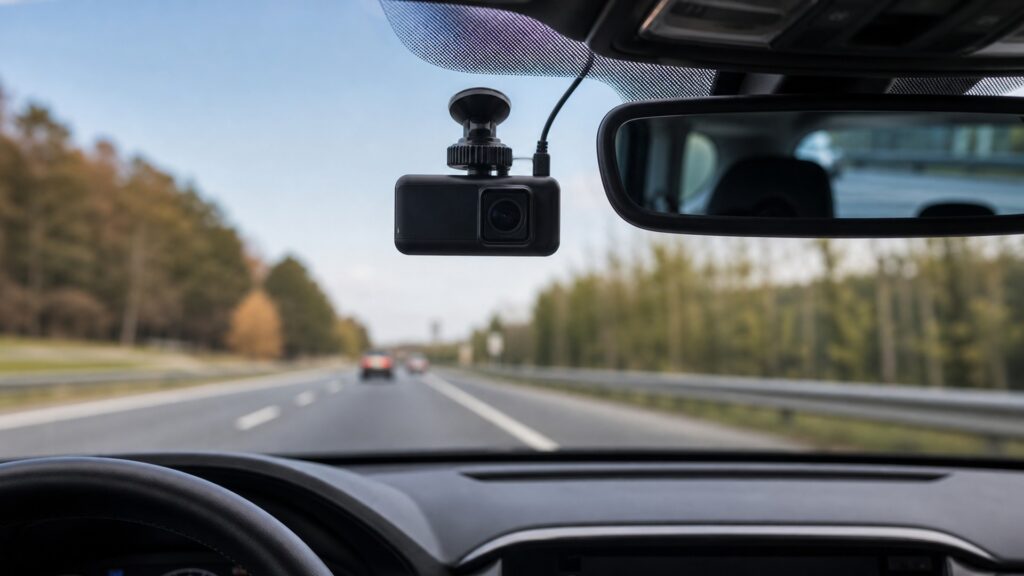
Dash-cam value is a chain: unobstructed capture, correct encoding, resilient storage, event retention, trustworthy metadata, prompt export, and controlled handling.
Tip: After installation, review real daytime, nighttime, rain, and backlit footage on another screen; a live preview cannot prove saved files are readable or timestamped correctly.
These terms separate camera specifications from the recording lifecycle that produces usable evidence.
Continuous recording in short segments that overwrites the oldest unprotected files when storage fills.
A clip protected automatically or manually so ordinary loop logic does not overwrite it immediately.
An accelerometer used to identify a force change that may indicate an incident.
The camera's ability to retain detail across bright and dark regions in one scene.
A reduced or event-based recording state used while the vehicle is parked.
A record of how an original file was collected, copied, stored, and shared after an event.
Tip: Check local rules for windshield mounting, audio, and disclosure; laws and consent requirements vary and can change.
A stable high central position often sees road context with limited dashboard obstruction, while the lens must stay outside wiper shadows, tint bands, mirror interference, airbag paths, and prohibited windshield zones.
A wide lens cannot recover a signal, plate, or pedestrian that mounting geometry excluded.
The sensor receives light through windshield and lens; shutter, gain, processing, and compression create each frame. Night glare, rain, dirty glass, vibration, and motion blur can erase detail despite a high pixel count.
Resolution counts pixels; evidence quality depends on whether those pixels contain stable, correctly exposed information.
Short files keep corruption and transfer manageable. When storage fills, the oldest ordinary segment is replaced. An accelerometer or manual button marks selected files, sometimes preserving footage from before and after the trigger.
Looping creates availability by sacrificing history, so retention depends on recognizing and saving the important interval.
A dash cam operates in a hot windshield environment and writes constantly to flash memory. Inadequate cards, damaged connectors, unsafe hardwiring, voltage cutoffs, and heat can stop recording without an obvious warning.
The system is only continuous if its power and storage survive the duty cycle.
After an event, power down safely if required, preserve the relevant interval, copy original files, record date and context, and avoid modifying the sole copy. Audio, location, faces, plates, and cloud accounts deserve limited access.
A clear clip can lose credibility or create harm when its origin, timing, or access history is careless.
A dash cam can preserve sequence and context, but field of view, image limits, storage, and interpretation define what the file actually supports.
Continuous footage can capture events before a driver reacts and preserve traffic, lane, weather, timing, and movement context for later review.
Promptly retained original files can supplement photographs, witness statements, vehicle data, and official investigation when accounts conflict.
One viewpoint may omit speed, distance, depth, side impacts, driver attention, audio context, or activity outside the frame, and wide-angle perspective can mislead.
A recording does not automatically establish legal fault, admissibility, privacy compliance, exact plate identity, or authenticity without context and proper handling.
Dash-cam myths confuse continuous recording with complete coverage, perfect identification, or automatic legal proof.
Plate detail depends on distance, relative speed, shutter, exposure, headlight glare, weather, lens quality, compression, windshield condition, and viewing angle. More pixels cannot restore information blurred or clipped during capture.
Accelerometer thresholds and sampling can miss low-force events or protect files after potholes and doors close. Drivers should know the manual save control and export the full surrounding interval promptly.
Looping preserves recording continuity by overwriting the oldest unprotected segments. Event folders also have limits, cards can fail, and parking files may use separate quotas, so valuable clips need immediate backup.
Footage shows only its captured perspective and may require interpretation with law, physical evidence, statements, and other data. The camera cannot make a legal conclusion or document activity outside its field.
Tip: Treat every clip as limited evidence produced by a fallible optical, storage, and handling system.
These answers address front versus rear cameras, memory cards, parking mode, audio, and the first steps after an incident.
It can document following distance and rear approach that a front view misses, but it adds wiring, storage demand, exposure challenges, and another lens to maintain. Choose coverage based on likely evidence gaps.
Continuous rewriting and cabin heat impose a harsher duty cycle than occasional photography. Use the camera maker's supported capacity and speed, inspect errors, format as directed, and replace storage when failures appear.
Yes without a properly designed power source and low-voltage cutoff. Configure duration and threshold for the specific vehicle, battery condition, temperature, and parking pattern; confirm that normal starting remains reliable.
Audio can preserve useful context but may capture passengers and private conversation. Consent and recording laws vary, so review local requirements and the device's visible or spoken notice options before enabling it.
Protect the relevant files, preserve segments before and after the event, copy originals without editing, note the device time offset, back them up securely, and share only through an appropriate claims or legal process.
Dash cams matter because continuous capture can preserve otherwise fleeting road context and sequence before a driver knows evidence will be needed.
Their value depends on lawful placement, real-world image quality, dependable loop and event retention, heat-tolerant power and storage, prompt original-file preservation, and privacy-aware handling. The camera records a viewpoint, not an automatic verdict.
Use the electronics architecture and OBD-II guide to understand where dash-camera footage complements—but should not be confused with—module and emissions diagnostic information.
Trace the shared power, sensing, software, storage, interface, and diagnostic concepts behind installed vehicle technology.
Understand what standardized fault codes and live emissions data can add to a vehicle-event investigation.
Review how controlled crash tests and rating categories differ from one camera's real-world event record.
Choose a retailer
Prices checked regularly. We may earn a commission at no cost to you.