
Continuous Capture
Repeated acquisition of image frames and audio, when enabled, while the recorder is operating.
- Coverage follows lens position
- Frame timing affects motion detail
- Power state controls availability
A dash camera watches a defined scene and writes successive video segments to storage so an earlier event can be retrieved later. A driving display does nearly the opposite: it selects current speed, warnings, navigation, camera views, or control states and makes them readable when the driver needs to act.
The products can share a lens, screen, power circuit, or dashboard location, which makes their boundaries easy to blur. The decisive difference is temporal purpose. A recorder creates persistent evidence from continuous capture; a display turns live vehicle state into glanceable presentation. One can operate without the other, and each fails in a different way.
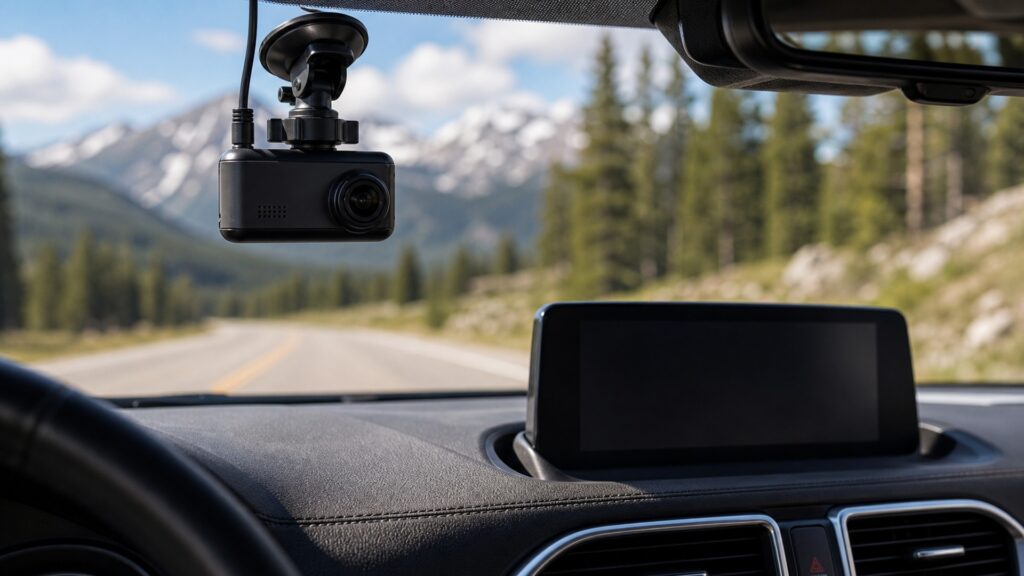
The comparison follows information from acquisition to its useful time: retained after an event for a dash camera, or presented now for a driving decision.
Tip: Ask what must still exist after the trip. If the answer is a retrievable file, a live screen alone does not satisfy the requirement.
These definitions identify the different information lifecycles behind two devices that may both contain screens and cameras.
Repeated acquisition of image frames and audio, when enabled, while the recorder is operating.
A stored video segment associated with a clock value so recorded events can be located in sequence.
A storage policy that reuses older ordinary files when available capacity reaches its configured limit.
A visual state designed to communicate the necessary meaning with a brief look rather than extended reading.
Current information such as speed, warning status, route guidance, gear selection, or a camera view.
A retrievable record that remains after the moment and can be reviewed, copied, or preserved.
Tip: Trace where the information originates, whether it is saved, and when a person must use it.
The dash camera continually converts light at its sensor into frames from one fixed field of view. A driving display may receive speed, navigation, warnings, phone data, or a live camera feed, then select only the information authorized for its current mode.
A shared camera signal does not give both systems the same information contract.
Recording value appears after an incident, dispute, or unusual event, so files must survive long enough to retrieve. Display value appears while information can still influence the next maneuver, which makes latency, priority, and readable state more important than long-term storage.
The useful moment determines whether storage or timely presentation is the primary requirement.
Once configured, a dash camera should capture without frequent attention. A driving display is intentionally consulted and may accept touch, voice, steering, or controller input, so menu depth, feedback, task availability, and placement shape driver workload.
Low interaction supports recording continuity; controlled interaction supports present decisions.
A preview proves that some image reaches a screen, but not that storage is healthy or a usable file was committed. Conversely, a dash camera can record with its screen off. Display acceptance requires correct, readable state; recording acceptance requires retrieved sample files.
Test the artifact each system promises instead of treating visible activity as universal proof.
A failed recorder can leave no evidence even though the driver noticed nothing. A failed or stale display can mislead at the decision moment even if another log exists. Diagnostics therefore begin with storage and capture for one, and source, latency, priority, and readability for the other.
The same blank screen can mean inconvenience, missing guidance, or no recording, depending on system ownership.
A mirror, receiver, or camera system may display a live view and save video, but the recording and presentation paths still need separate acceptance tests.
One camera can support immediate maneuver visibility while a separate recording process preserves selected video.
Shared power and packaging can reduce clutter when both functions remain independently observable.
A display fault does not necessarily stop storage, and a storage fault may not disturb the live picture.
Combined products can concentrate power, heat, interface, and failure dependencies in one assembly.
These shortcuts confuse cameras, screens, and visible activity with the information product each system is meant to deliver.
A display may show a reversing, surround-view, trailer, or mirror image without storing it. Dash-camera function requires a recording process, supported media, file retention, timestamps, and successful retrieval beyond the visible live feed.
The screen can preview sensor output while storage is absent, corrupted, full, unsupported, or write-protected. Confirm the recording indicator, then retrieve recent files and inspect duration, timestamps, image continuity, and audio where enabled.
Many displayed states are temporary and already originate elsewhere in the vehicle. Saving every screen would not necessarily preserve source quality or context and could add storage, privacy, security, and retrieval burdens unrelated to immediate presentation.
A later file cannot guide an immediate lane change, communicate current speed, or present a timely warning. Recording supports review after an event, while a driving display must deliver selected state early enough to act.
Tip: Verify the live state and the stored record independently whenever a product claims both.
These answers clarify screens, integrated camera views, storage proof, failure behavior, and choosing the right system.
Yes, if the model supports screen-off recording and its power, sensor, processor, and storage path remain active. Verify the recording indicator and retrieve a sample file; a dark preview alone does not show whether capture continues.
Do not assume it does. A factory or aftermarket reversing view may be presentation-only. Check the exact system documentation for recording, storage, retention, export, and privacy behavior, then prove it by retrieving an actual file.
Importance follows the required outcome. A driving display can support an immediate decision with current information; a dash camera creates a later record. Neither should be treated as a substitute for direct observation or responsible control.
The preview path may continue despite a failed card, delayed file commit, power interruption, protected-file limit, or software fault. Retrieval testing is essential because display output and persistent storage can branch after the same sensor.
Yes. Some mirrors, receivers, or integrated systems show live views and record selected cameras. Evaluate each function separately: coverage and stored-file continuity for recording, then source accuracy, latency, readability, and driver interaction for display use.
Dash cameras differ from driving displays by creating a retrievable history rather than primarily presenting current information for immediate use.
Follow the information to its promised output: open a stored, time-indexed file for recording proof, and verify timely, readable, correctly prioritized state for display proof. A shared lens or screen never replaces those separate tests.
These related explainers develop the recording mechanism, display mechanism, and practical reason continuous road evidence can matter.
Trace sensing, encoding, segmentation, overwrite, event protection, and retrieval through the complete recorder path.
Follow live vehicle data through selection, prioritization, rendering, and the driver's visual interpretation.
Examine where continuous road recording adds practical value and where coverage or context limits it.
Choose a retailer
Prices checked regularly. We may earn a commission at no cost to you.