
Vehicle Data Source
A sensor, control module, navigation service, camera, phone, or other origin supplying information to be displayed.
- Sources have update rates
- Validity can be conditional
- One screen combines many origins
A driving display begins with information, not pixels. Vehicle sensors, control modules, navigation software, cameras, or a connected phone produce a state; communication networks deliver it; display software checks availability, assigns priority, and chooses a visual form; graphics hardware then drives light toward the driver's eyes.
The chain succeeds only when the picture is timely, readable, and correctly interpreted. A bright panel can render stale speed, hide a warning beneath lower-priority content, wash out in sunlight, or require too much searching. Understanding the full path explains why display faults may originate in data, software, optics, mounting, or interaction rather than in the screen itself.
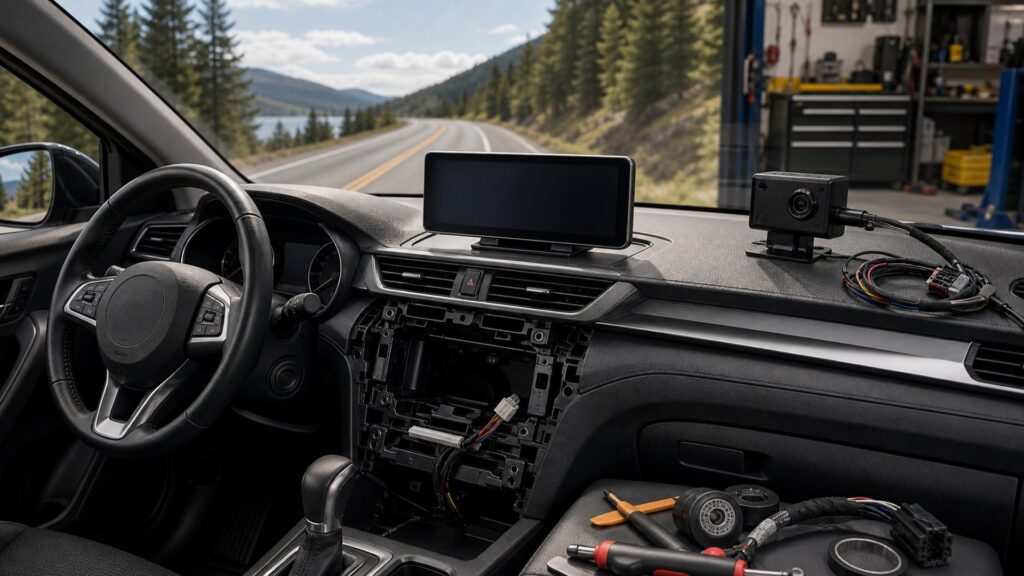
The mechanism moves through acquisition, validation, priority, rendering, optical delivery, and human interpretation, with feedback returning through controls.
Tip: When a displayed value seems wrong, identify the earliest place where the source state, transmitted data, rendered symbol, or human interpretation diverges.
These definitions divide the display chain into information, decision, rendering, optical, and interaction stages.
A sensor, control module, navigation service, camera, phone, or other origin supplying information to be displayed.
Software that selects the current page, mode, overlay, or camera view from vehicle and user conditions.
Rules determining which message remains visible when warnings, guidance, calls, media, and user actions compete.
Conversion of selected data and interface elements into a timed image buffer for the display hardware.
The light output produced by display pixels or a projection source before reflections, ambient light, and viewing geometry affect perception.
A defined presentation used when data, communication, software, or hardware cannot support the normal display mode.
Tip: Test the stage that owns the observed failure instead of treating every blank or wrong screen as a failed panel.
Speed, telltales, navigation, media, cameras, and phone projection arrive from different origins and at different update rates. The display controller must know whether each value is current, plausible, authorized for the mode, and available after startup or a network interruption.
A screen can render perfectly while the information feeding it is unavailable or stale.
The state manager chooses pages and overlays, while priority rules surface warnings or maneuver guidance ahead of lower-value content. Current driving state, driver action, message severity, expiration, and acknowledgment influence what remains visible.
Useful presentation depends on disciplined omission as much as on available screen area.
Processors compose symbols, text, maps, camera images, and animation into frames. The panel or projection source modulates light, while refresh timing and latency determine whether motion and state changes appear smoothly enough for the intended function.
More pixels cannot correct invalid data or a late decision upstream.
The generated image crosses cover glass, reflections, projection optics, windshield surfaces, and a viewing angle before reaching the driver. Automatic dimming, contrast, font scale, color, focal placement, and installation position determine whether essential information can be recognized briefly.
Panel output becomes usable information only after the vehicle's optical environment is included.
Touch, steering controls, rotary input, voice, or vehicle state requests a change. Immediate visual or auditory feedback confirms receipt, and the resulting screen must preserve context without forcing the driver to search for what changed.
A control is not complete until the driver can perceive the resulting state with minimal attention.
The display chain can make valid state understandable, but it cannot repair a failed sensor, missing network message, incorrect map, or obstructed camera.
Priority, visual hierarchy, rendering, luminance, and feedback convert many data streams into manageable current information.
Fallback states can disclose missing inputs instead of presenting an apparently valid stale value.
Source accuracy, calibration, network integrity, and environmental visibility constrain what can be shown.
The driver must still verify the road and interpret displayed guidance in context.
These myths attribute every visible result to the panel and overlook data ownership, priority, optics, or human interpretation.
Most values originate in sensors, control modules, navigation services, cameras, or a phone. The display may validate, format, and prioritize them, but a wrong speed, temperature, or route can begin upstream of image rendering.
Resolution can improve fine detail, but readability also depends on content priority, font size, contrast, glare, luminance, viewing angle, latency, and task design. More pixels can display more clutter without making interpretation faster.
A light sensor and dimming strategy respond to selected conditions, but shadows, reflections, tinted glass, polarized lenses, dirty surfaces, aging pixels, and unusual seating geometry can still reduce contrast or create distracting nighttime output.
A stalled source, network interruption, state-manager fault, rendering process, low-voltage restart, or thermal problem can freeze an otherwise functioning panel. Check whether other data, controls, and fallback states update before assigning the fault.
Tip: Trace the state before replacing hardware or trusting a polished graphic.
These answers clarify data origins, warning priority, startup, camera latency, and the difference between a panel and a complete display system.
The exact vehicle architecture decides. A control module derives speed from one or more sensors and transmits a value or status across the vehicle network; the display then formats it. Calibration and fault handling remain upstream concerns.
Software priority rules combine message severity, vehicle state, timing, acknowledgment, and available presentation areas. The system should keep important driving information prominent while lower-priority media or notifications yield, expire, or move elsewhere.
Cranking can lower supply voltage or change wake messages. A display with inadequate power margin, weak connections, software faults, or incorrect integration may restart. Diagnosis compares supply, ground, network state, and startup timing rather than brightness.
Sensor exposure, image processing, transmission, format conversion, state selection, rendering, and panel refresh each add time. Excess delay can arise at any stage, so test the actual maneuver state and compare source and displayed motion.
No. The panel produces visible light, while the system includes data sources, networks, controllers, software, graphics hardware, optics, mounting, controls, and feedback. Replacing only the panel cannot correct every wrong, late, or cluttered presentation.
Driving displays work by converting validated vehicle or connected state into prioritized, rendered, optically readable information that supports an immediate decision.
Follow the path from source through network, state management, graphics, light, and interpretation. Diagnose the first failed stage, preserve fallback behavior, and judge the result from the actual seat under realistic light and vehicle states.
These explainers extend the display chain into vehicle-specific packaging, feature-by-feature operating contracts, and human-factors safety boundaries.
Match display optics, space, wiring, networks, controls, and sightlines to the exact vehicle and driver position.
Turn every display feature into a source, state, priority, output, and fallback contract.
Evaluate glance demand, obstruction, brightness, warnings, controls, and failure behavior as separate safety boundaries.
Choose a retailer
Prices checked regularly. We may earn a commission at no cost to you.