What Makes Interior Comfort Different from Car Phone Mounts

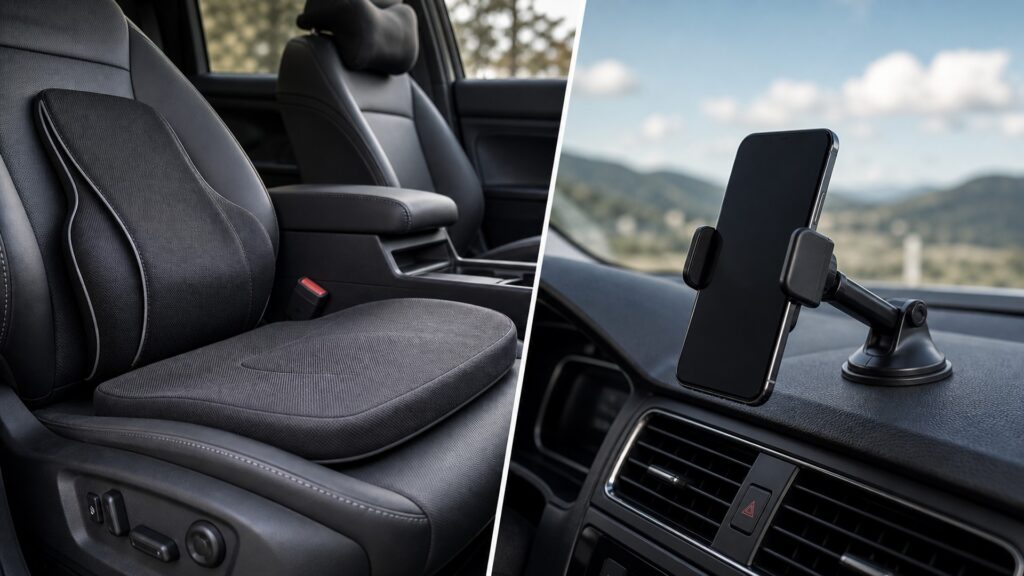
A lumbar cushion supports the driver's body. A suction-cup, vent-clip, magnetic, or adhesive phone mount holds a device. Both may change how far the driver reaches or what appears in the field of view, but they solve different problems and fail in different ways.

Comfort products are judged by pressure, posture, temperature, glare, and fatigue over time. Phone mounts are judged with the actual phone, case, charging cable, base, joints, and holder during heat, vibration, braking, and removal. A shorter reach can be convenient, but it does not make screen interaction safe. Buyers need separate checks for occupant comfort, device retention, visibility, and attention demand.

By: Review Streets Research Lab
Updated: September 14, 2026
Explainer · 8-12 min read
interior comfort different from car phone mounts explainer hero image for Review Streets
What You'll Learn

Body Support and Device Retention Are Different Jobs

Compare what each product holds, which forces it handles, what failure looks like, and where the two products compete for reach and visibility.

  • Seat and lumbar support for the occupant
  • Suction, adhesive, vent, or magnetic attachment
  • Phone, case, plate, and cable compatibility
  • Screen vibration and joint movement
  • Road, mirror, and instrument visibility
  • Driver reach and attention demand
  • Cleaning and temperature-related wear

Tip: Install the exact phone and case before judging a mount; sit in the final driving position before judging either product.

Definitions

Key Concepts That Define Interior Comfort and Car Phone Mount Comparison

The terms below are specific to interior comfort and car phone mount comparison and the products a buyer will compare.

Human Response

The occupant's changing sensation and function under combined posture, pressure, temperature, airflow, sound, glare, touch, reach, motion, and duration.

  • Name the discomfort and when it appears
  • Test the occupied seat rather than pressing the cushion by hand
  • Keep improvements that last through the normal route

Device Retention

The mount's ability to keep a phone seated and oriented against gravity, vibration, braking, turning, touch, and cable forces.

  • Install the exact phone, case, and charging cable
  • Check retention over bumps, turns, and braking
  • Reject a holder that releases or rotates unexpectedly

Support Surface

A body-contacting area that redistributes force or changes temperature, texture, vibration, or posture.

  • Map where the body actually contacts the product
  • Check edge pressure after the foam warms
  • Avoid raised seams or hard inserts under load

View Obstruction

Any blocked portion of the road, mirrors, instruments, displays, glazing, or reference points created by a product or device.

  • Compare road, mirror, instrument, and display views
  • Move the phone through every intended orientation
  • Relocate mounts that hide even a small critical area

Mounting Interface

The connection among vehicle surface, mount base, adjustment joints, holder, phone, case, and any charging cable.

  • Inspect the base, joint, holder, case, and cable as one stack
  • Check surfaces after heat and removal
  • Do not treat a strong holder as proof of base attachment

Release Force

The hand force and movement required to insert or remove the device without loosening the base or demanding unsafe attention.

  • Insert and remove the phone while parked
  • Watch whether the base twists or detaches
  • Prefer release that does not demand two-handed correction

Tip: Apply each interior comfort and car phone mount comparison check with the actual occupant, product, load, and vehicle.

Different Subjects

Comfort Manages an Occupant While a Mount Manages a Phone

Comfort evidence begins with a named body sensation or functional limitation. Mount evidence begins with device dimensions, mass, case, orientation, and movement loads. Neither subject can stand in for the other. Comfort products carry body weight and manage pressure or heat; phone mounts carry device mass and resist vibration and cable pull.

  • Name the affected subject
  • Record relevant dimensions
  • Define separate outcomes

The subject determines every later test.

Different Mechanics

Pressure Redistribution Is Not Device Clamping

Foam, contours, airflow, shades, and surface materials alter human inputs. Magnets, jaws, cradles, adhesives, suction, vent clips, and joints resist device motion through specific contact and attachment forces. Suction cups, adhesives, vent clips, magnetic plates, spring jaws, and ball joints each have different surface and temperature limitations.

  • Trace body contact
  • Trace holder force
  • Inspect attachment ownership

Similar-looking pads may perform fundamentally different mechanical jobs.

Different Evidence

Representative Comfort Time Differs from a Retention Route

Comfort needs the actual occupant and original onset conditions. A mount needs the final phone, case, cable, orientation, temperature, and normal road motion, followed by inspection for slip, loosening, vibration, or difficult release. Test comfort on the normal route and mount retention with the final phone stack during ordinary road motion.

  • Repeat the symptom route
  • Use the final device stack
  • Record failure cues

Category-specific evidence prevents a good view from being mistaken for comfort or vice versa.

Shared Human Factors

Sightlines, Reach, Controls, Airbags, and Attention Constrain Both

A support can change seated eye point and arm reach; a mount can block glazing or invite manual interaction. The combined configuration must preserve direct driving function and keep adjustments simple and appropriately timed. Set seat height first, then confirm the phone does not block glazing, mirrors, instruments, vents, airbags, or controls.

  • Set the final seat position
  • Map visual blockage
  • Keep interaction out of driving

Shared boundaries arise because one driver must use both systems.

Different Upkeep

Contact Materials Age Differently from Bases, Joints, and Holders

Comfort surfaces accumulate body oils, moisture, compression, and thermal cycles. Mounts experience adhesive creep, suction loss, clip wear, joint slack, magnet alignment changes, holder fatigue, and cable tug. Clean body-contact textiles differently from suction bases, adhesive pads, magnetic plates, holder jaws, and adjustable joints.

  • Clean by material guidance
  • Retorque adjustable joints
  • Retest after temperature cycles

Maintenance restores the particular force path each category depends upon.

Quick Reality Check

Nearer Is Not Necessarily Safer

Moving a screen closer may reduce arm movement while increasing blocked view, glance frequency, or temptation to touch it. Mounting controls position, not safe behavior.

What to prove for each product

Comfort evidence shows sustained symptom improvement without altered restraint, control, or visual function.

Mount evidence shows stable device position, clear views, controlled release, and no interference through realistic motion.

Placement or damage limits

Obey applicable laws, vehicle guidance, and safe-driving practices for device placement and use.

Damaged airbags, controls, electrical systems, or structural mounting surfaces require qualified attention.

Common Myths

Misconceptions About Interior Comfort and Car Phone Mount Comparison

Category and placement myths

A phone mount is a comfort accessory

A good mount may reduce awkward reaching, but its primary mechanism is device retention and orientation. It does not manage seat pressure, posture, thermal balance, vibration tolerance, glare across the cabin, or sustained fatigue.

A comfortable reach makes phone interaction safe

Short reach does not remove visual, cognitive, or manual distraction. Configure navigation or audio before moving, use lawful low-demand controls when appropriate, and never let convenient placement justify attention that belongs on driving.

Strong magnets guarantee stable mounting

Magnetic force is only one interface. Base attachment, device mass, case thickness, plate alignment, joint friction, temperature, vibration, cable pull, and road inputs can still rotate, detach, or shake the installed assembly.

If nothing blocks the windshield, placement is harmless

A device can obscure mirrors, instruments, controls, vents, airbags, or near-road reference areas without occupying the central windshield. It may also alter hand movement, encourage glances, or introduce a projectile and cable path.

Tip: Keep convenience separate from safe driving attention.

FAQ

Frequently Asked Questions About Interior Comfort and Car Phone Mount Comparison

Questions about mounts, comfort, and shared space

Can a phone mount reduce physical discomfort?

It may reduce repeated reaching or holding effort when navigation or audio is configured appropriately, but confirm the underlying posture and interaction pattern. Device placement should not create blocked views, awkward controls, or increased visual demand.

How is mount retention tested?

Install the final phone, case, plate, charger, and cable; set the intended orientation; cycle temperature and vehicle motion; then inspect the base, joints, holder, release action, vibration, slip, and surrounding surfaces.

How is comfort tested differently?

Use the actual occupant, restore a recorded baseline, reproduce the route and duration where symptoms occur, change one comfort input, and monitor posture, pressure, temperature, reach, stability, and any new sensation.

What shared checks apply to both?

Confirm airbags, belts, controls, instrument views, mirrors, glazing, vents, doors, exits, steering movement, seat adjustment, cable routing, and attention demands remain acceptable with every intended product installed and occupied. what

When should either product be removed?

Remove or stop using it if it migrates, loosens, damages a surface, blocks a safety interface, overheats, causes new symptoms, demands repeated adjustment, or cannot remain secure and usable under representative conditions.

Bottom Line

Support the Person and Secure the Device Separately

Choose comfort products for pressure, posture, heat, airflow, or glare. Choose a phone mount for stable device position with the actual phone and case. Then inspect the combined cockpit for blocked views, awkward reach, loose cables, airbag conflicts, and attention demand.

Next Steps

Comfort Fit and Safety Guides

These pages cover the occupant geometry and safety limits that still apply after a phone mount is installed.

How Interior Comfort Works

Follow the support, thermal, airflow, acoustic, tactile, visual, reach, motion, and duration variables affecting occupants.